If you’re a tech-enabled team who needs to scale without overpaying for enterprise sales software, you’ve found the right sales tool.
New Feature
Smart View Group Sharing
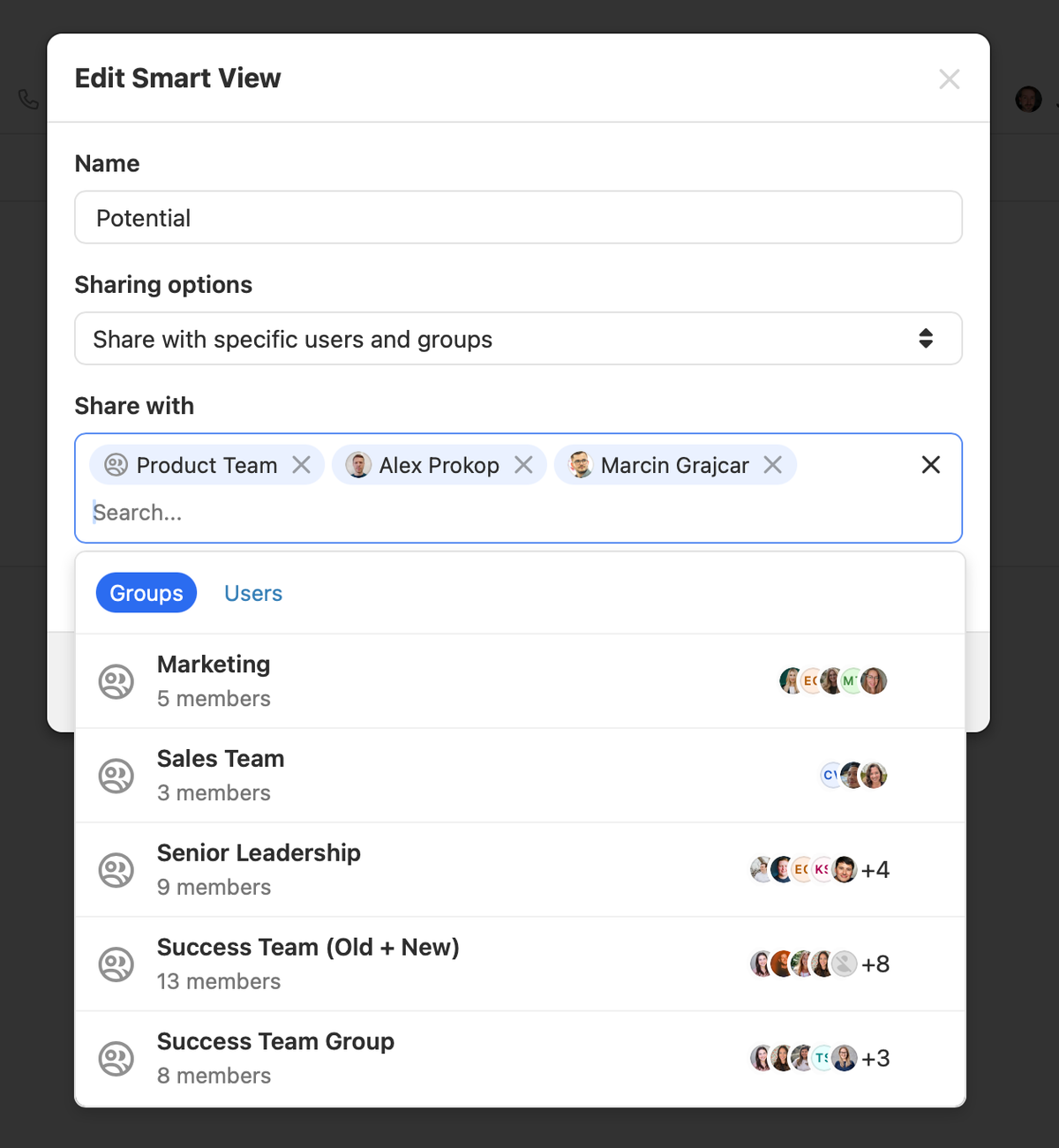
You can now instantly share Smart Views with entire groups within your organization. Previously, sharing required selecting individual users one by one. With this update, selecting a group grants all current and future members automatic access to the Smart View.
This feature is available to Enterprise customers who have at least one group in their account.
Automatic Access: New members of a group gain access to all shared Smart Views.
Dynamic Sharing: When group memberships change, visibility of the Smart View in their sidebar updates automatically.
To share an existing Smart View with a group, click the edit icon. If your organization has groups, you'll see a "Groups" tab where you can select groups to share with:
To create groups, go to Settings and select the "Team Management" tab. Your plan must include groups access for this feature to appear.
Improvement
November 2024 Improvements
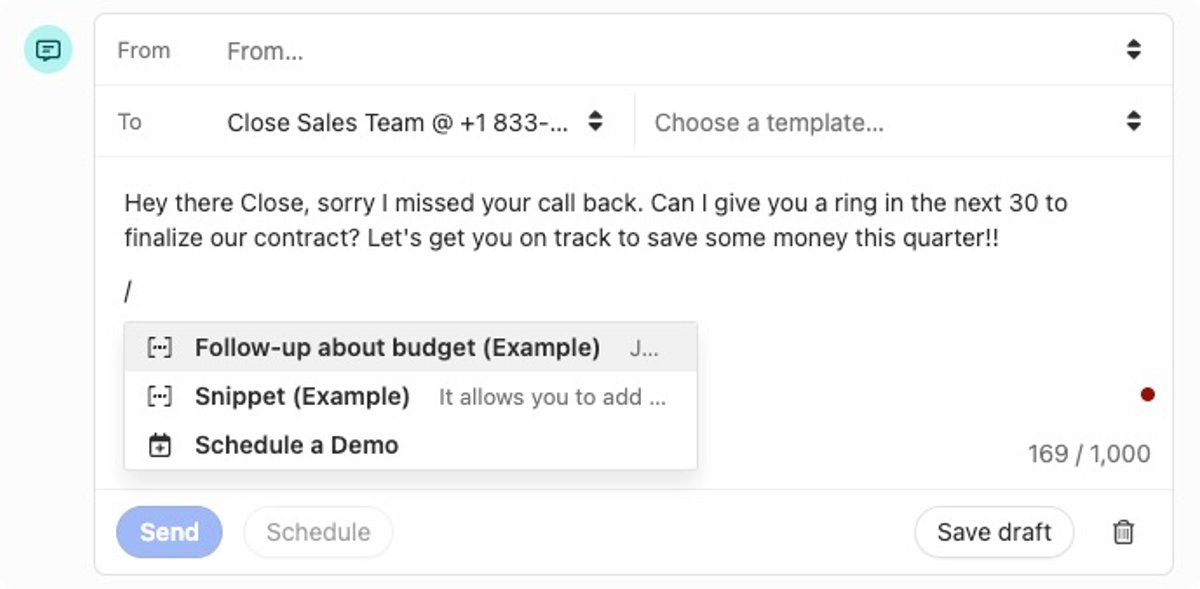
The quick insert menu is now available when composing an SMS message. You can use a snippet to save time with common replies, and add a scheduling link to make scheduling a meeting more efficient.
The email and SMS templates table now displays the last-used date for each template and how many workflows it's currently part of. You can also sort any column in the table, making it easier to find commonly used templates or old unused ones that can be deleted.
In the Leads and Contacts list, you can quickly add a filter for a column by clicking the options menu in the header. You can also add a column to display the full primary email and phone number directly in the list view.
When you click on an SMS message in the inbox, the SMS composer now opens by default, eliminating the extra click needed to start replying.
The phone number dialpad has been redesigned with a modernized layout for easier number input.
Improvement
Importer Improvements: Opportunities and Better Error Handling
We made two updates to make importing and managing your data in Close more seamless.
Importing Opportunities
You can now create or update opportunities using the importer, making it easier than ever to manage your sales pipeline.
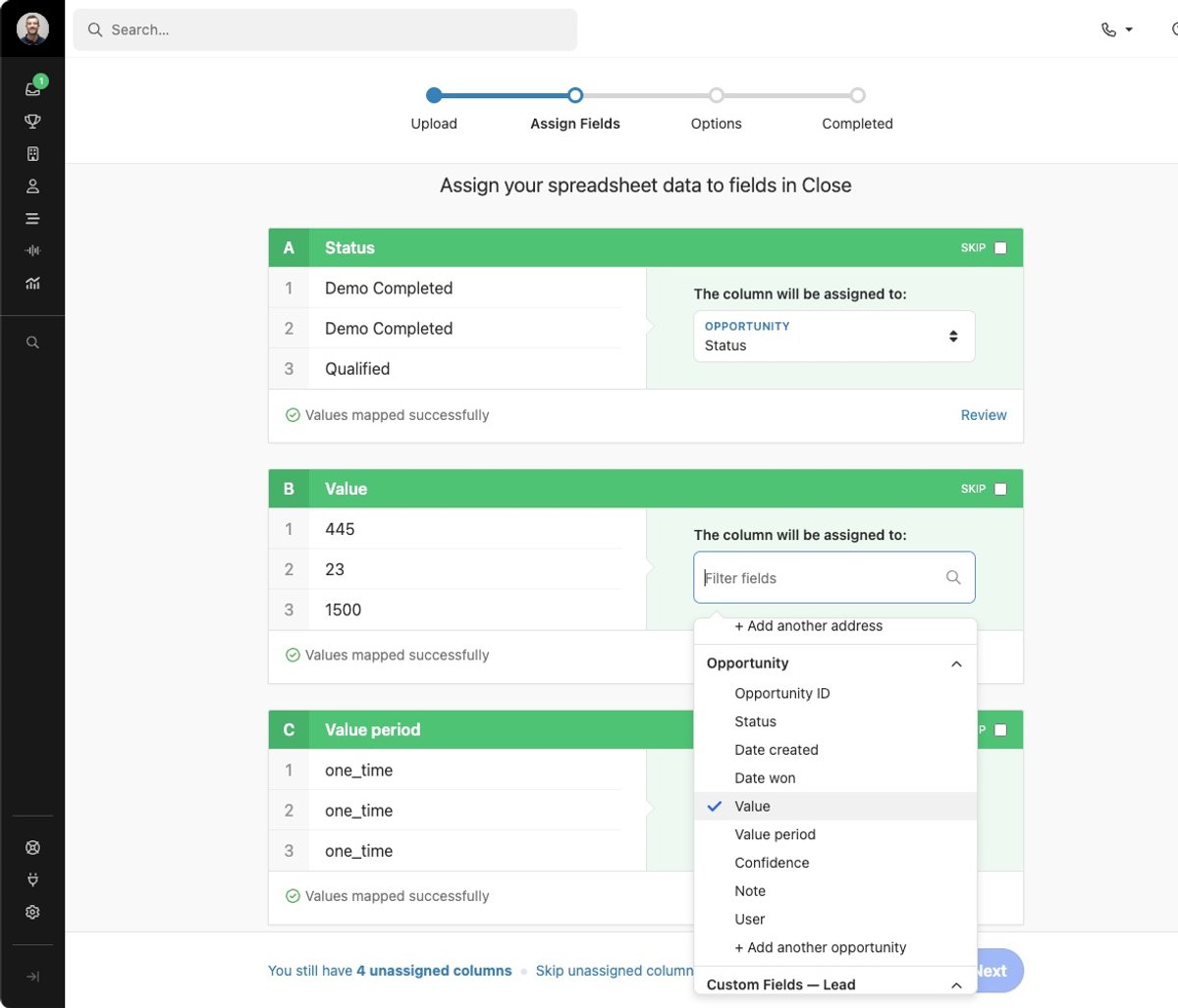
Importing opportunities follows the same familiar flow as importing leads or contacts. Simply map the necessary fields during the import process, and Close takes care of the rest.
Error Handling
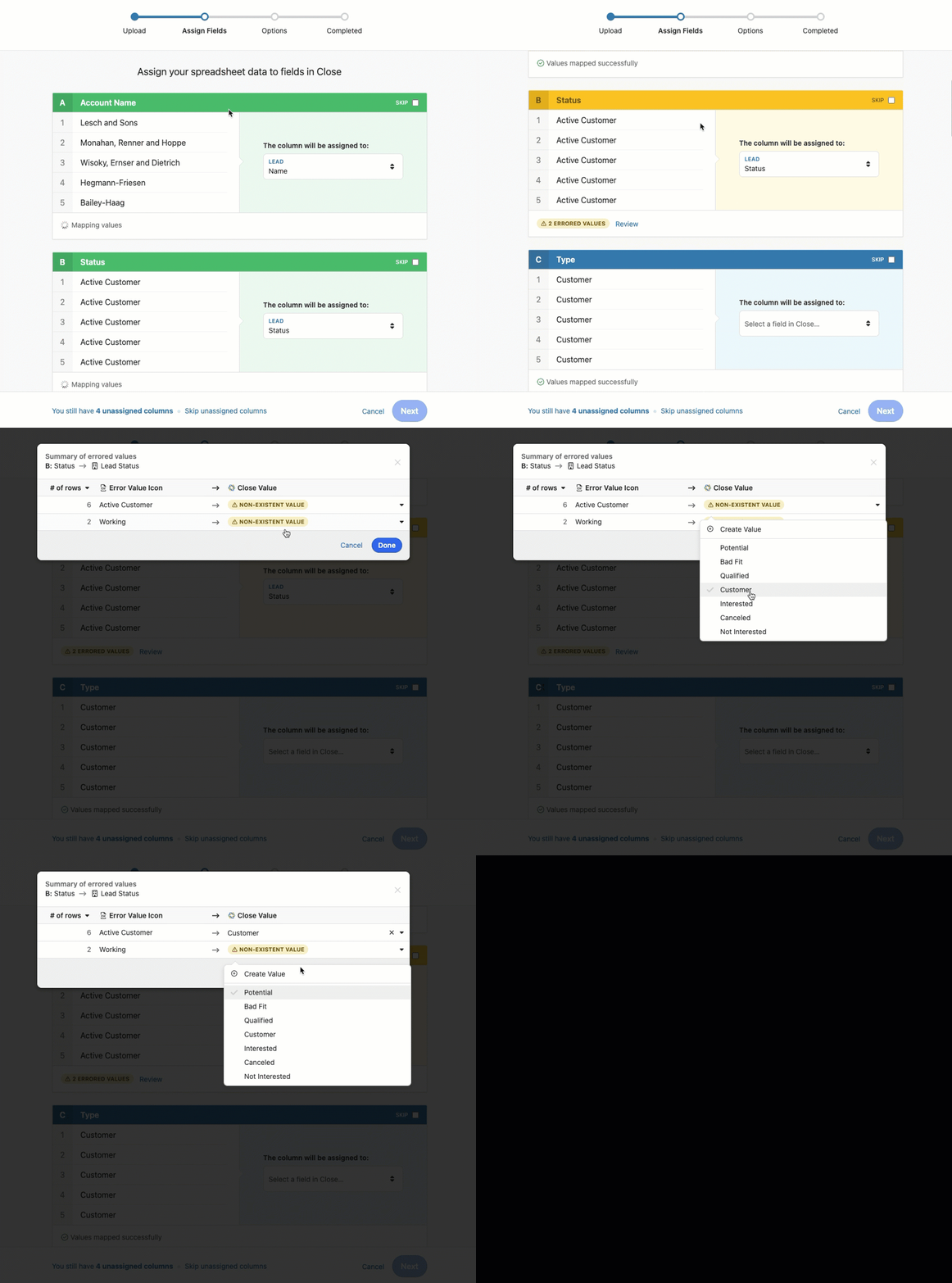
We've made it simpler to address import errors. The importer's pre-validation now checks for issues across all field types, including text, number, and date fields.
During the field assignment step, Close automatically identifies errors and provides the option to fix them directly within the review modal. There's no need to edit your spreadsheet or start over. Simply make corrections on the spot and continue with the import.
Improvement
October 2024 Improvements
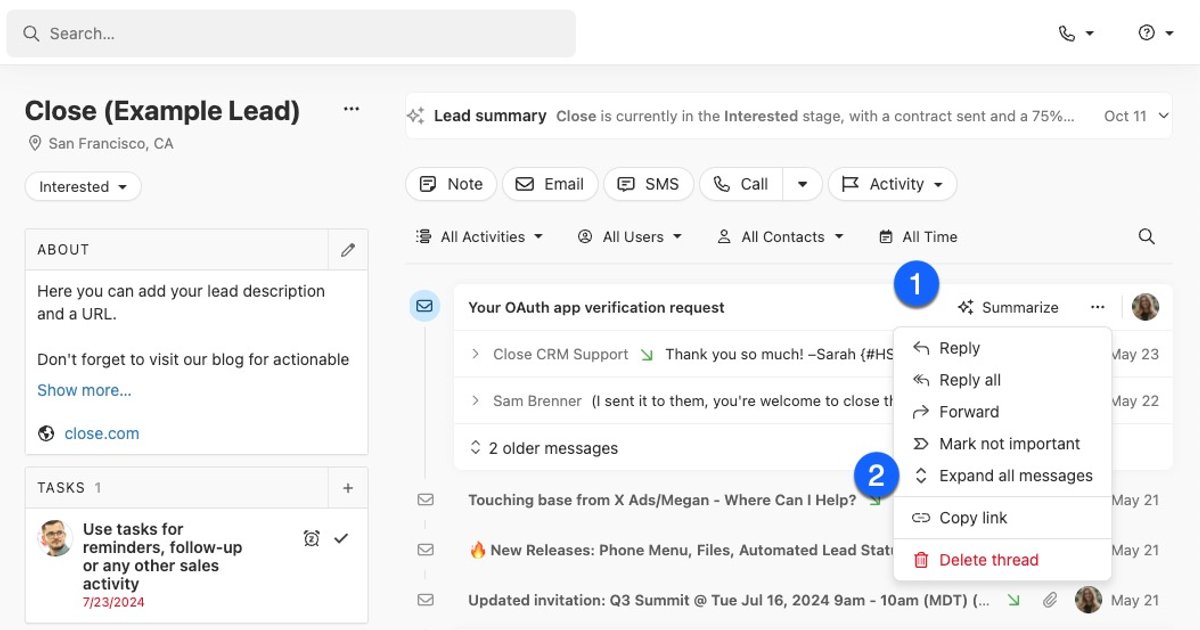
On a lead page, whenever there is an email thread with at least two sent and received messages, you can (1) summarize the thread or (2) quickly expand all emails in the thread — saving time on long email chains.
When adding a Contact to a Workflow, you'll now see a Recent Workflows section, making it faster to enroll contacts in workflows you regularly use.
You can now quickly create a new lead or assign a number to an existing lead when reviewing missed calls from unknown numbers on the Conversations page.
.png)
A new filter lets you find Leads or Contacts that have or have not been enrolled in a Workflow, making it easy to identify contacts that still need outreach.
Close will now notify you if your microphone is muted when you try to talk to a lead.
Bug Fixes
Fixed an issue causing outbound calls to be stuck in a created state when hanging up immediately after starting a call.
New Feature
Inbox Improvements
We've made a number of improvements to our Inbox experience to help you drive your inbox count to zero and focus on high value items first.
Customizable Primary Tab
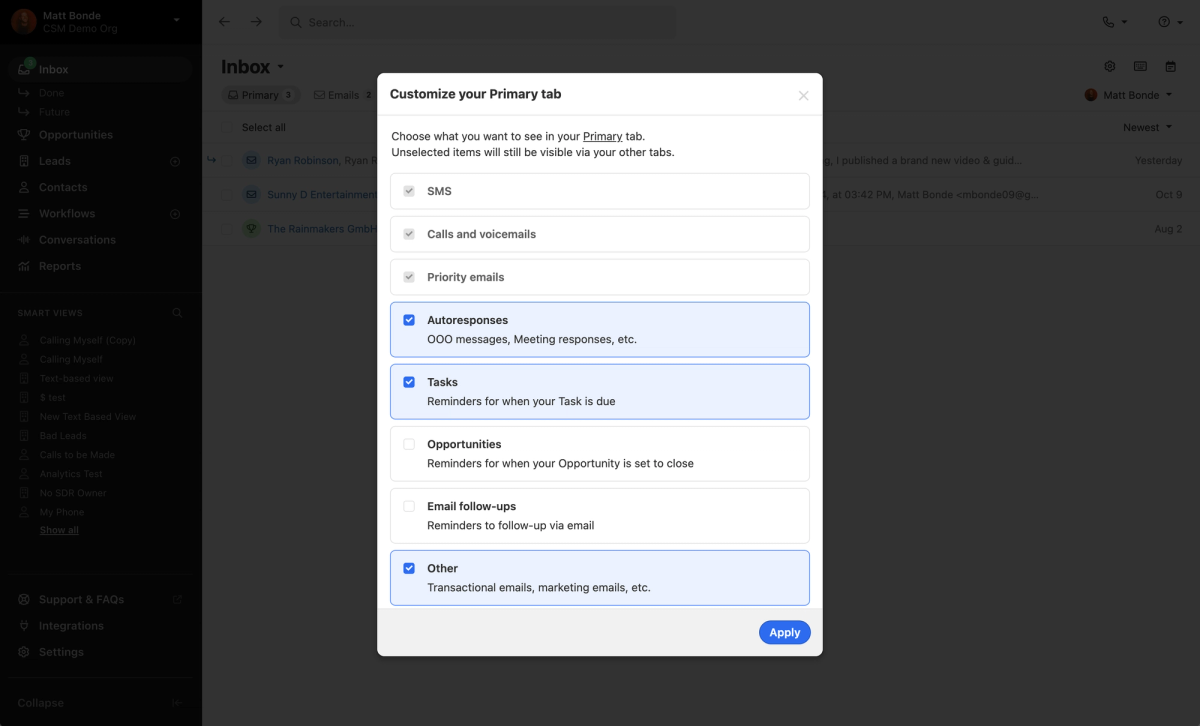
You can now control which items show up in your primary tab and your Inbox count. This allows you to focus less on lower value Inbox items (e.g. follow-up reminders, OOO messages, etc.) and more on human-sent messages if you prefer.
To customize your Primary tab, simply locate the setting icon near the top of the Inbox page. Any items that you deselect will still be available in their dedicated Inbox tabs.
Reminders Tab
We've added a tab dedicated to reminders that will show you any follow-up reminders (both email and opportunities) separate from emails and other items.
Send + Done and Reply Detection
We will now automatically mark emails as Done when you send a reply by default. Previously, each send required a redundant click to remove the item from your Inbox. If you're in a scenario where you'd prefer to send a reply but keep the item in your Inbox, you can.
We've also made it easier to keep your Inbox clean when you email inside and outside Close. Whenever we detect a reply to an item currently in your Inbox, we'll mark it as Done so that you don't have to clear out items you've already handled. These items are still available in your Done folder.
Item Deduplication
We've improved the experience when receiving an email or SMS message from an address or phone number associated with multiple leads. Rather than that item being duplicated for each lead, you'll see a single item in your Inbox. You can view the other associated leads if desired, and marking the item as Done on one lead marks it as Done across all leads where it appeared.
SMS Conversation View
When receiving SMS replies and new messages in your Inbox, we'll now show you the full communication history between you and the contact. This gives you full context into the conversation and makes it easier to reply directly without leaving the Inbox.
New Feature
AI Search and Filtering
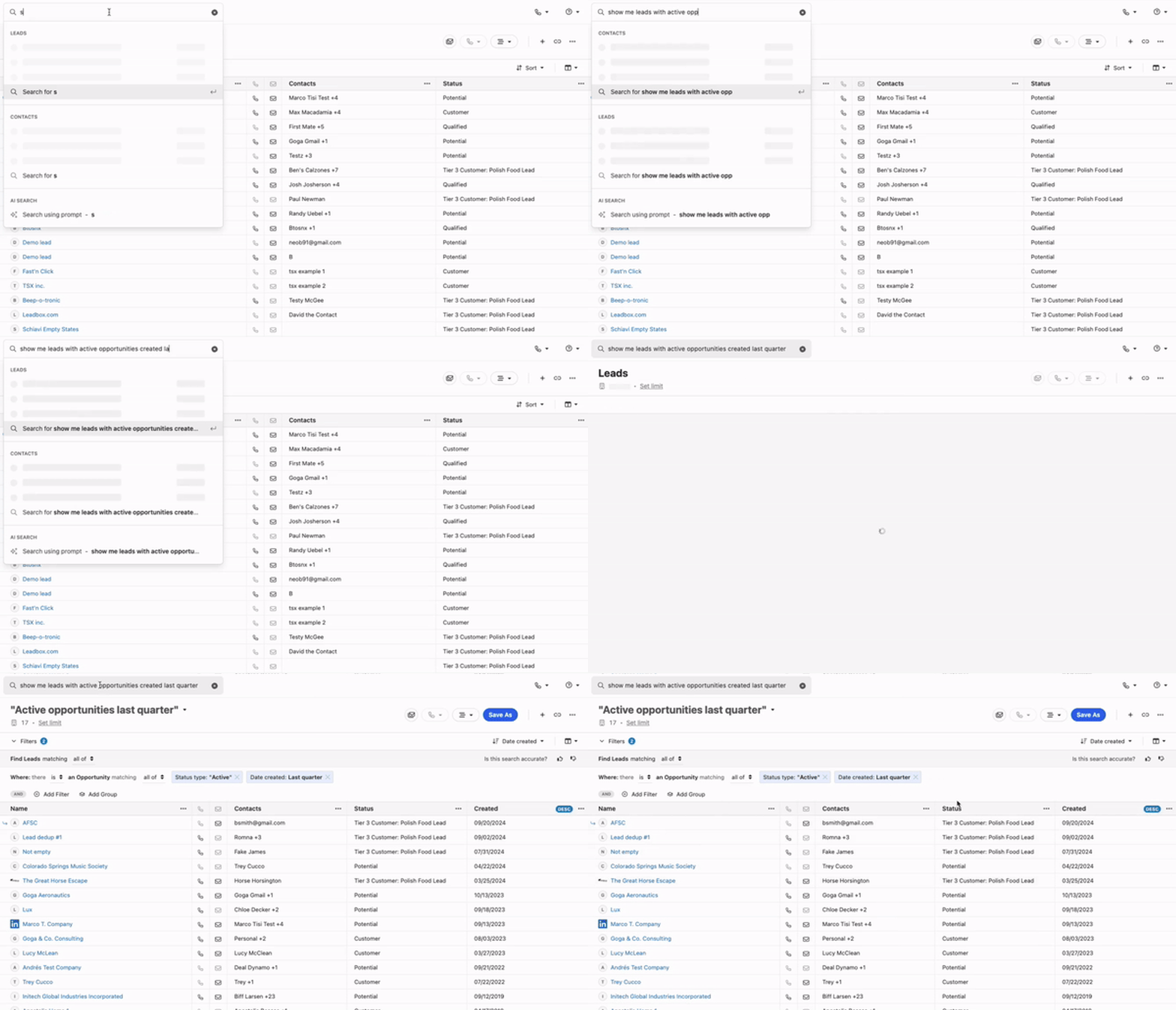
You can now use natural language to search and filter your Leads and Contacts in Close. Our AI-fueled Search allows you to find leads faster by taking your prompts and automatically building filtered lists for you.
Improvement
September 2024 Improvements
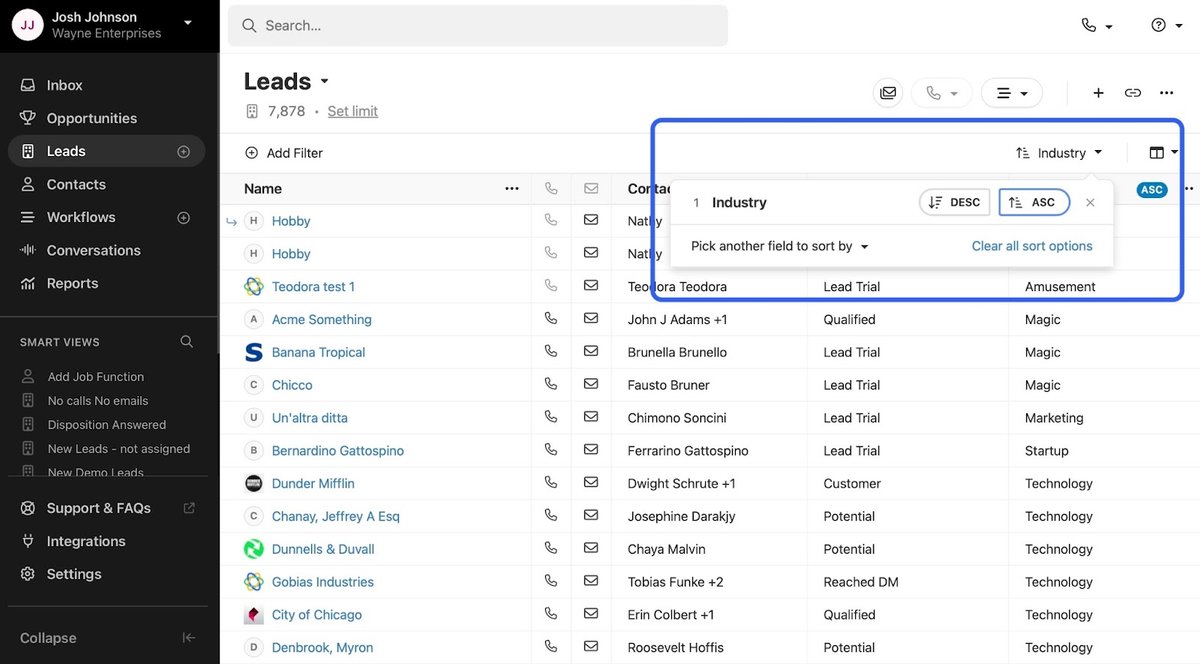
Sort by "Choice" Custom Fields: You can now sort leads by Custom Fields with the "Choice" type with the option to choose ascending or descending. This is useful if you want to group your list by data you record in a choices field (e.g. calling all of the leads in the same industry at once).
Refreshed Send Email Report: We've completely redesigned the Sent Email Report. The updated design is cleaner, more organized, and looks great on both mobile and desktop. You can also now easily sort the table by any field by clicking on the column headers, which is useful if you're looking for specific information such as your most commonly used templates.
Custom Activities can now be archived: Previously, you had to delete every custom activity record that existed before you could delete the custom activity type. Now, you can archive a specific Custom Activity Type without having to do all that tedious manual work. You will not be able to create new instances of Archived Activities, but existing instances will continue to be shown on Leads. Archived Activities don't count against your plan limits.
Bug Fixes
Custom Activity Issues:
We fixed an issue where valid Custom Activities would be kept in the "Draft" state when collapsed. Collapsing a Custom Activity will now have the same effect as pressing "Done."
We also fixed a similar issue where Custom Activity instances would be saved in the "Draft" state even with all required fields present. They will now only be set to "Draft" if required fields are missing.
Improvement
August 2024 Improvements
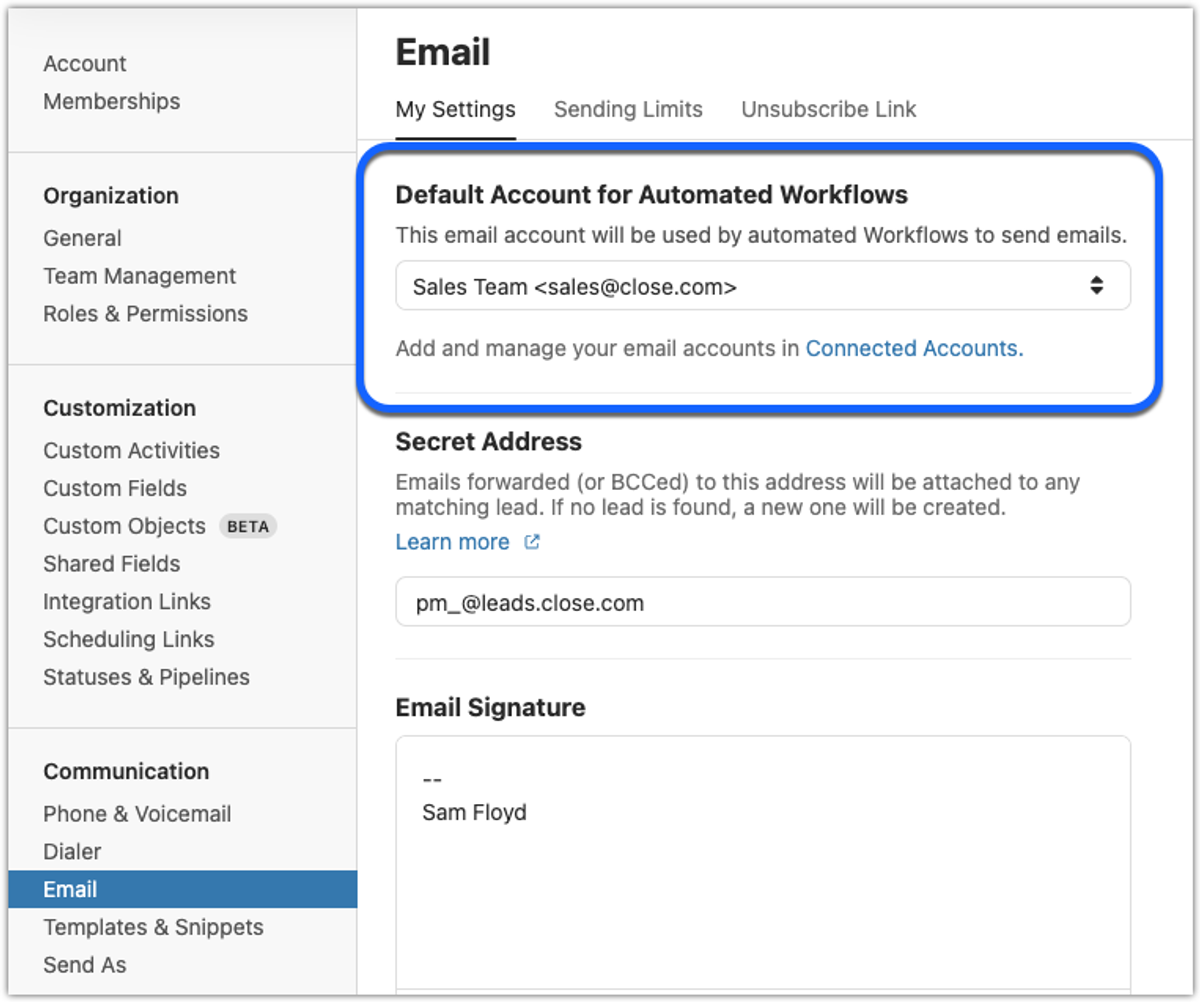
You can now set a default email account that will be used by automated Workflows. Whenever a Workflow is triggered, the emails will be sent from this default account.
Workflow on behalf of a user: If a Workflow email is set to be sent from a specific user or a custom field user (e.g., Lead owner), it will use their chosen default email account.
Workflow with automated triggers: For automatically triggered Workflows (e.g., when a lead status changes), the default email account will be used for all emails sent from the workflow.
You can find this new option by going to Settings > Email.
We've added two new filtering options for Smart Views: Local phone and Remote phone. These allow you to filter calls based on specific phone numbers. Local phone filters calls made to or from your team's phone numbers in Close, while Remote phone filters calls made to or from external phone numbers, such as those belonging to prospects or customers.
We added the Lead Logo to more places in Close—you'll now see it in the Lead search box, upcoming meetings panel, and many more places.
The character limit for Snippets has been increased to 5,000 visible characters.
Calls from anonymous callers will now show as "Anonymous" in the call bar. Previously, the same default phone number was used for all anonymous calls.
When you remove a user, you'll now be able to reassign any Workflows they were previously assigned to.
Thailand and Indonesia have been added as options when renting phone numbers and creating regulatory bundles.
New Feature
Importer Pre-Import Review
When you assign fields, Close will automatically scan for errors and allow you to review and fix them directly in the importer. This change will greatly reduce the number of errors in your final import and save time by preventing re-uploads or additional imports.
For example, if you try to create new leads with a specific status like "Working," but that status isn't an option in your Close org, the importer will flag it as an error. When an error exists, you can click on Review to see and fix the rows with errors.
.gif)
When you map new columns or change existing mappings, Close will automatically re-scan your data and check for errors. If there's an error in a non-drop-down field (e.g. a text or number field), Close will show you those errors to review.
Note: Currently, non-dropdown field errors cannot be fixed inline — editing your spreadsheet and restarting the import is needed for those. Inline fixes for all error types are coming soon.
New Feature
AI Lead Summaries
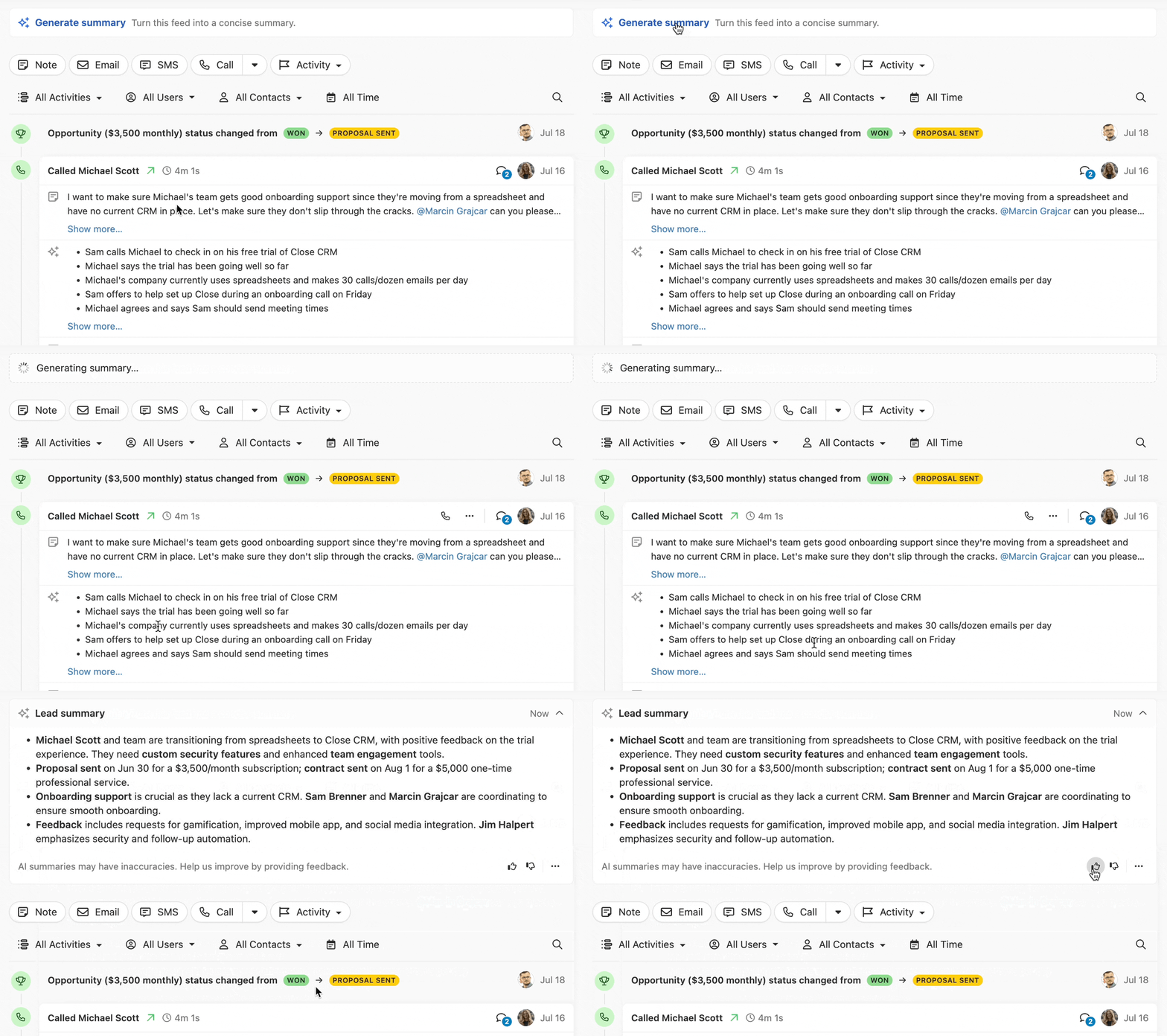
Customers on Pro, Enterprise, and Business plans can now use AI to generate concise summaries of Leads in Close.
These summaries include key details from recent activities, Custom Fields, Opportunities, Tasks, and Contacts. Whether you're about to hop on a call, send an email, or prepare for a meeting, you'll have all the essential information at your fingertips.
Lead Summaries are generated using advanced AI, but they may occasionally contain inaccuracies. You can help improve the quality of summaries by using the Thumbs Up and Thumbs Down button.
For more details on this feature, please refer to our help documentation.
New Feature
Lead Logos
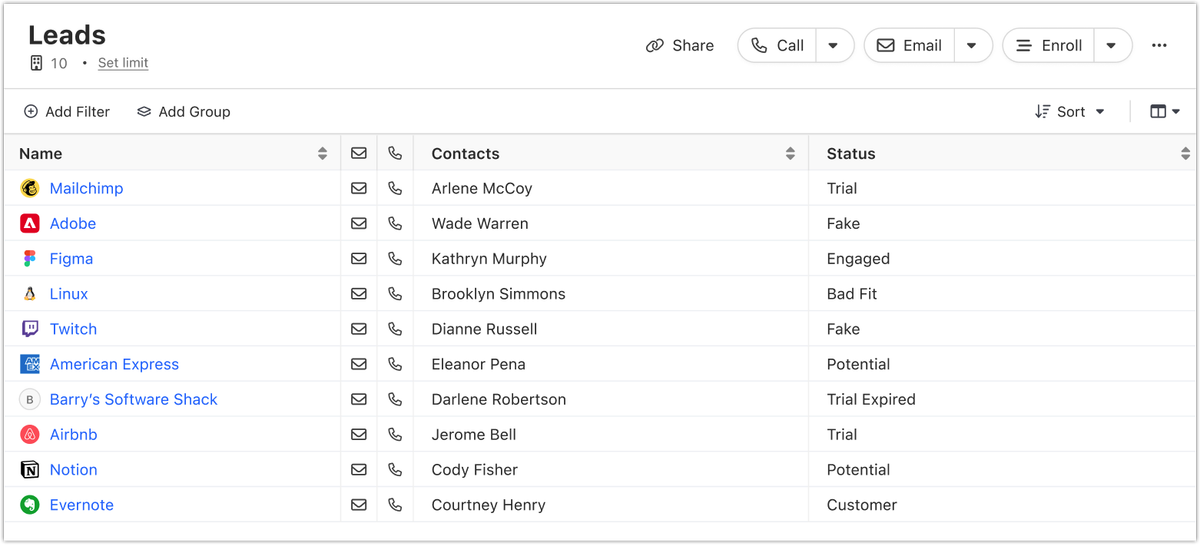
Close now automatically displays the logos of your Leads. With these logos, you can easily recognize and distinguish between Leads at a glance, helping you quickly find the right one, especially when multitasking.
You'll see these logos in both Smart Views and the Opportunity pipeline.
In future updates, we'll display these logos in even more places throughout Close.
Improvement
July 2024 Improvements
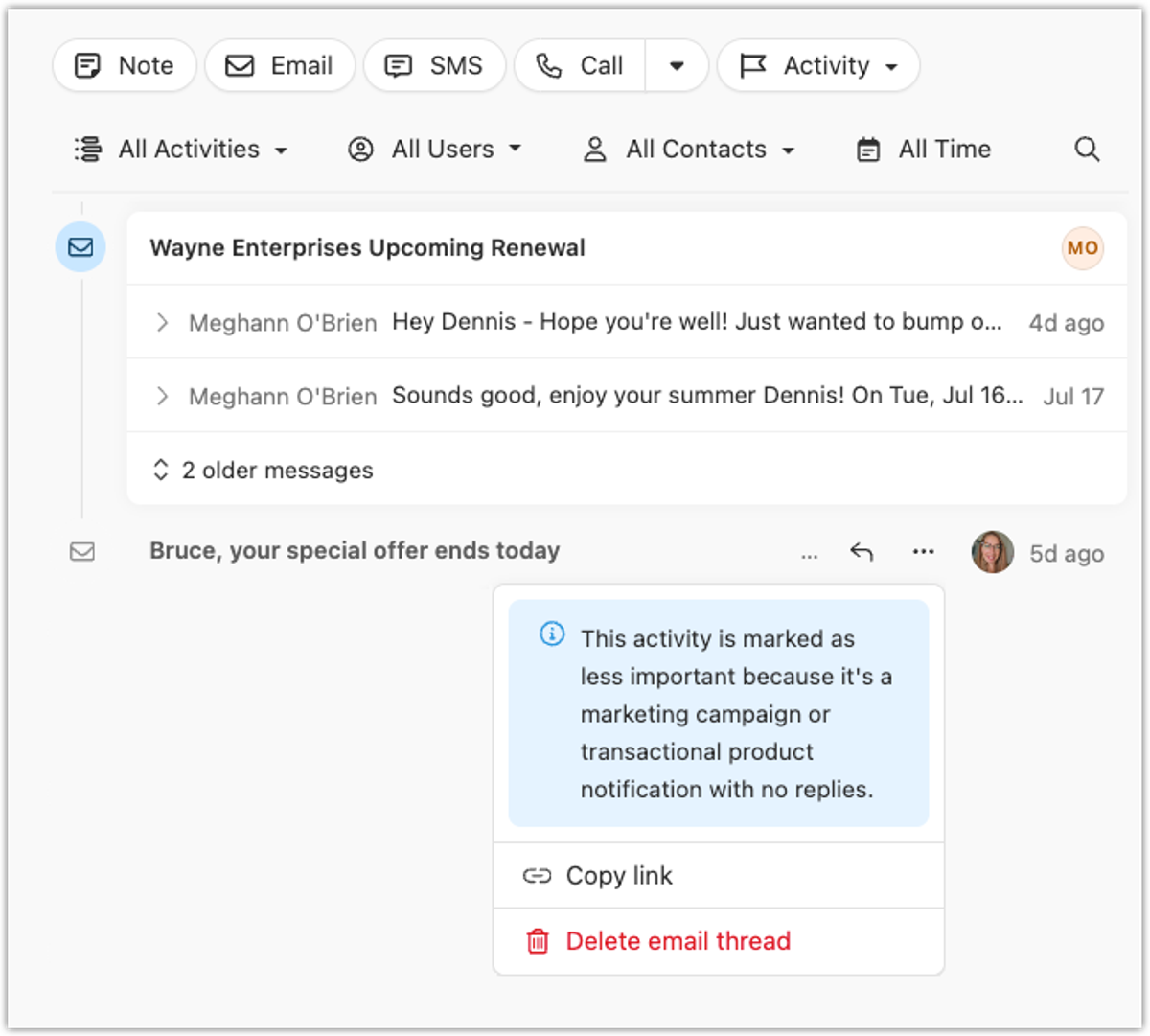
Old activities that have gone without a reply are now visually de-emphasized in the Activity feed, making it easier to scan for important information. Clicking on a de-emphasized activity still shows it in full — no information is deleted or lost unless explicitly removed.
Whenever a Lead is merged with another, a new activity is now created on the remaining Lead showing when the merge happened and which user performed it.
The Activity Overview report has been updated to make it easier to customize and build a valuable dashboard.
Snooze quick options now reflect the specific day of the week and skip weekends, replacing the previous "1 Day, 2 Days, 3 Days" options.
Improvement
June 2024 Improvements
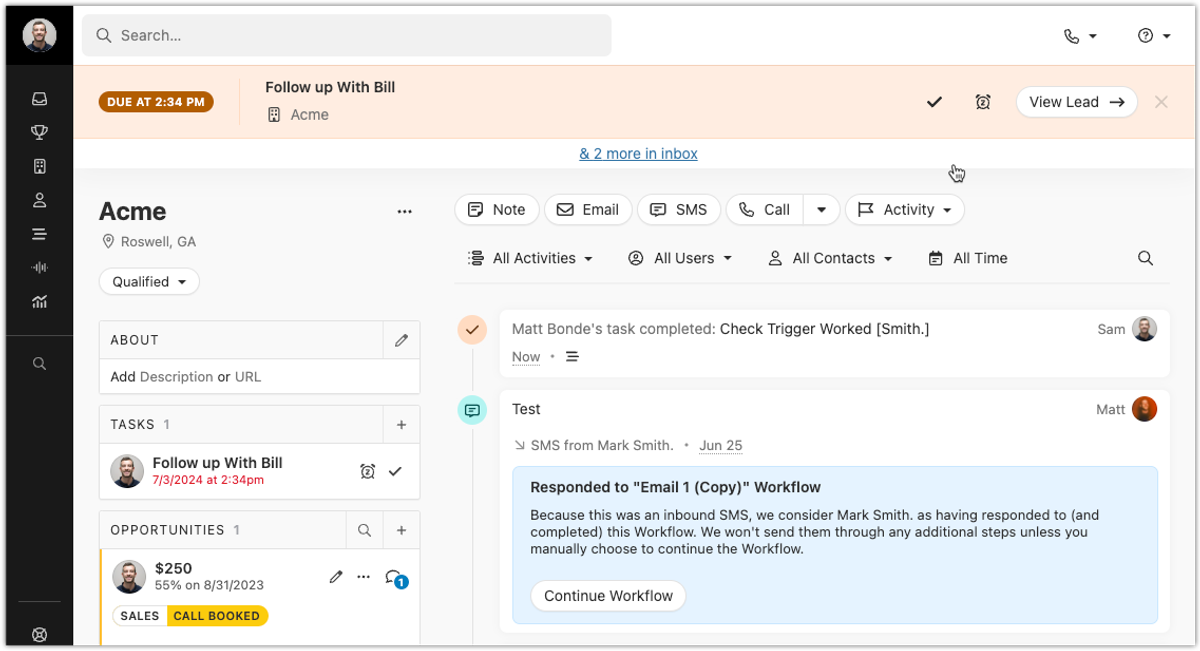
An in-app banner now reminds you 5 minutes before and for 30 minutes after a timed task's due time. You can mark it done, snooze it, or navigate to the associated lead directly from the reminder bar.
If you use the Call Assistant feature, you can now easily copy the transcription from Calls and Meeting activities that have a recording or voicemail transcript.
When using Snippets, you can now reference custom fields within the quick insert menu.
The AI Rewrite Assistant is now available in the email templates editor, making it easier to create and edit templates with AI.
Search and filter options have been added to the Custom Activities, Custom Objects, and Shared Fields admin screens for faster navigation.
The Contact dropdown on the Lead Page now sorts contacts alphabetically instead of by date added.
New Feature
Calling from Web Browsers
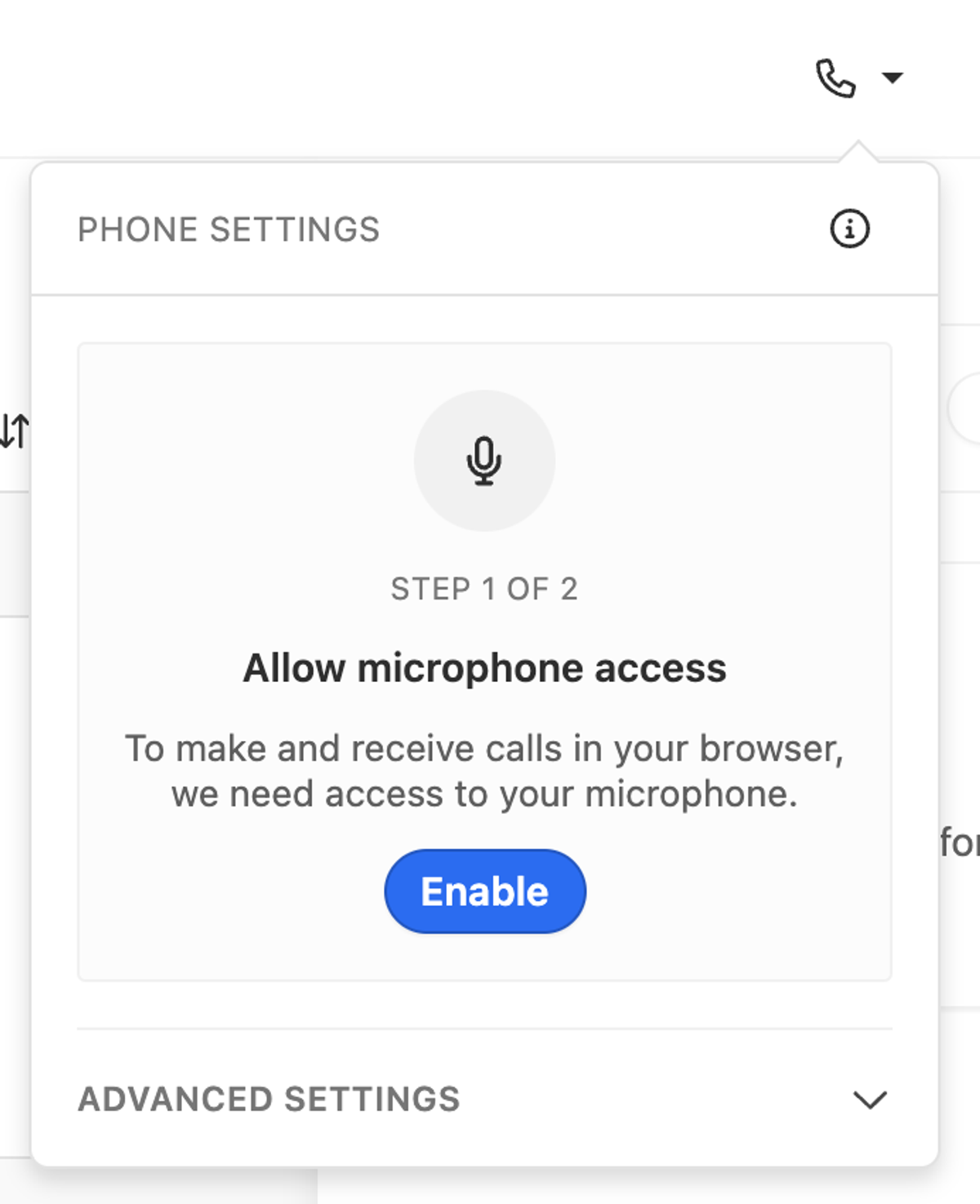
You can now make and receive calls from web browsers. This includes all calling features available on the desktop application today. We support the two latest versions of Safari, Chrome, Opera, Firefox, Brave, and Edge.
In order to begin making calls through a web browser, you'll need to grant microphone permissions to Close via your phone settings menu.
We've introduced push notifications for incoming calls on web browsers, in case you're not currently viewing your Close tab. Once notifications are enabled you will now see a system notification for incoming calls.
In order to receive notifications for calls in a web browser, you will need to grant notification permissions to Close through the phone settings menu.
New Feature
Lead-Based Call Routing
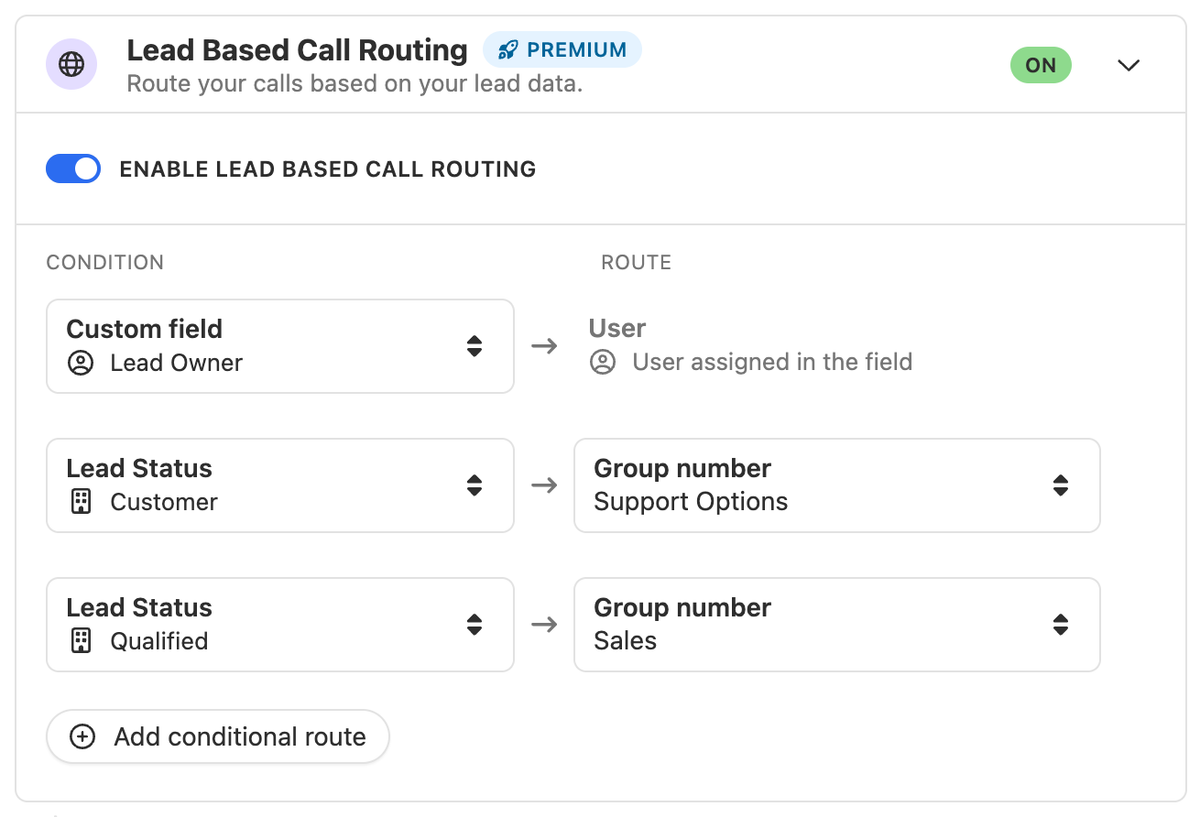
For Premium Numbers, you can now enable Lead Based Call Routing. This feature will look up the phone number in your organization and automatically route it based on your configured rules.
You can set up two different rule types in this flow:
Custom field rules: If a user is assigned to the selected User field (e.g. Lead Owner, Sales Rep, etc.), we'll automatically route calls to them.
Lead Status rules: If the lead matches a particular status, we'll route to the selected group numbers (e.g. Sales, Support), or to a specific user on the team if selected.
Additional Notes:
This feature is only available for phone numbers with our Premium Number add-on enabled.
Routing rules are evaluated and applied in order, so if a lead matches multiple rules, the first will be applied.
If the lead doesn't match any rules, they'll move through to the phone menu if enabled, or pass straight through to the group members.
Improvement
May 2024 Improvements
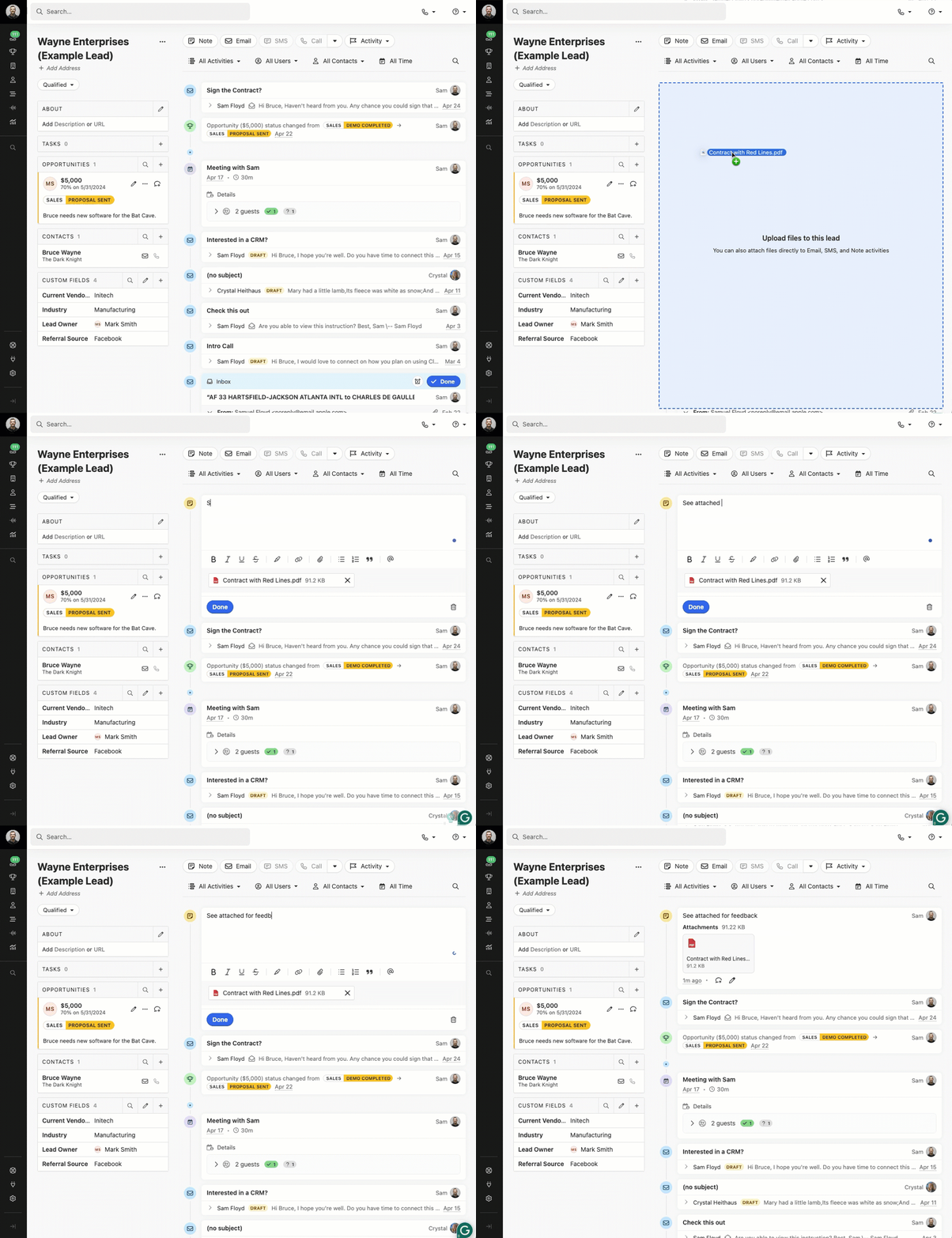
You can now drag and drop files directly onto the Activity Feed to automatically create a new Note with the file uploaded and attached.
When creating or editing Notes and Custom Activities on a Lead page, they will remain expanded after saving. This means that you won't lose track of where the Note or Custom Activity is after you save it.
When viewing a Lead page, long notes are now collapsed by default. Additionally, you can click 'Show more' to view the note, even if you don't have the permission to edit the note.
Improvement
April 2024 Improvements
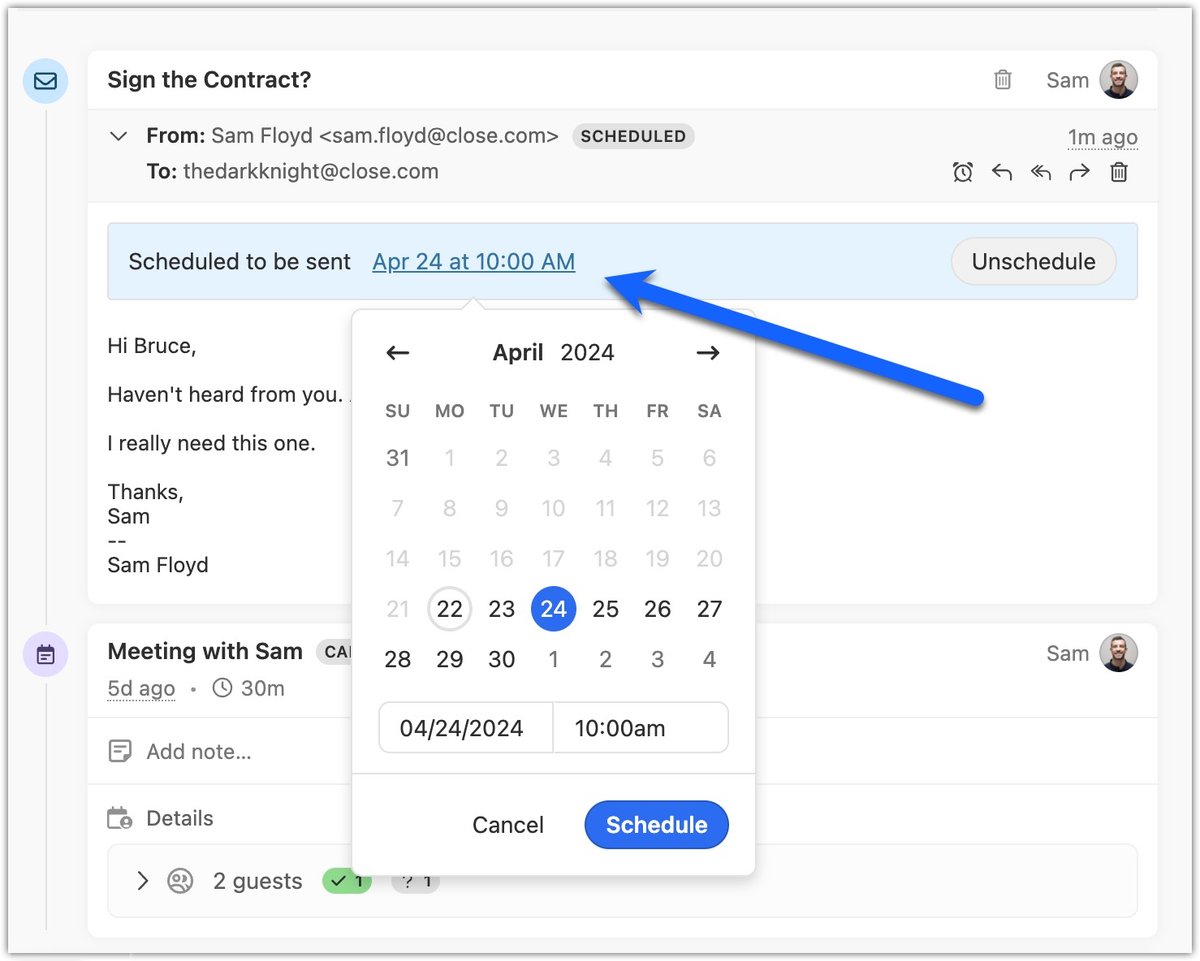
Now, when you view an email you've scheduled to send later, you can easily change when it will be sent without having to edit the email.
Opportunity Pipeline can now show Lead Status in the cards.
In Zapier, the action "Create Note In Close" now supports attachments. You can input URLs, files from other apps such as Google Drive or Dropbox, or plain text.
We added the ability to search for files from the lead activity search.
If you receive a call while already on a call, the second call's ringtone will only play once.
Bug Fixes
We fixed an issue in our Opportunity Pipeline that caused the sorting to fail when certain fields were empty. Sorting now handles more null or empty fields to ensure sorting functions as expected.
New Feature
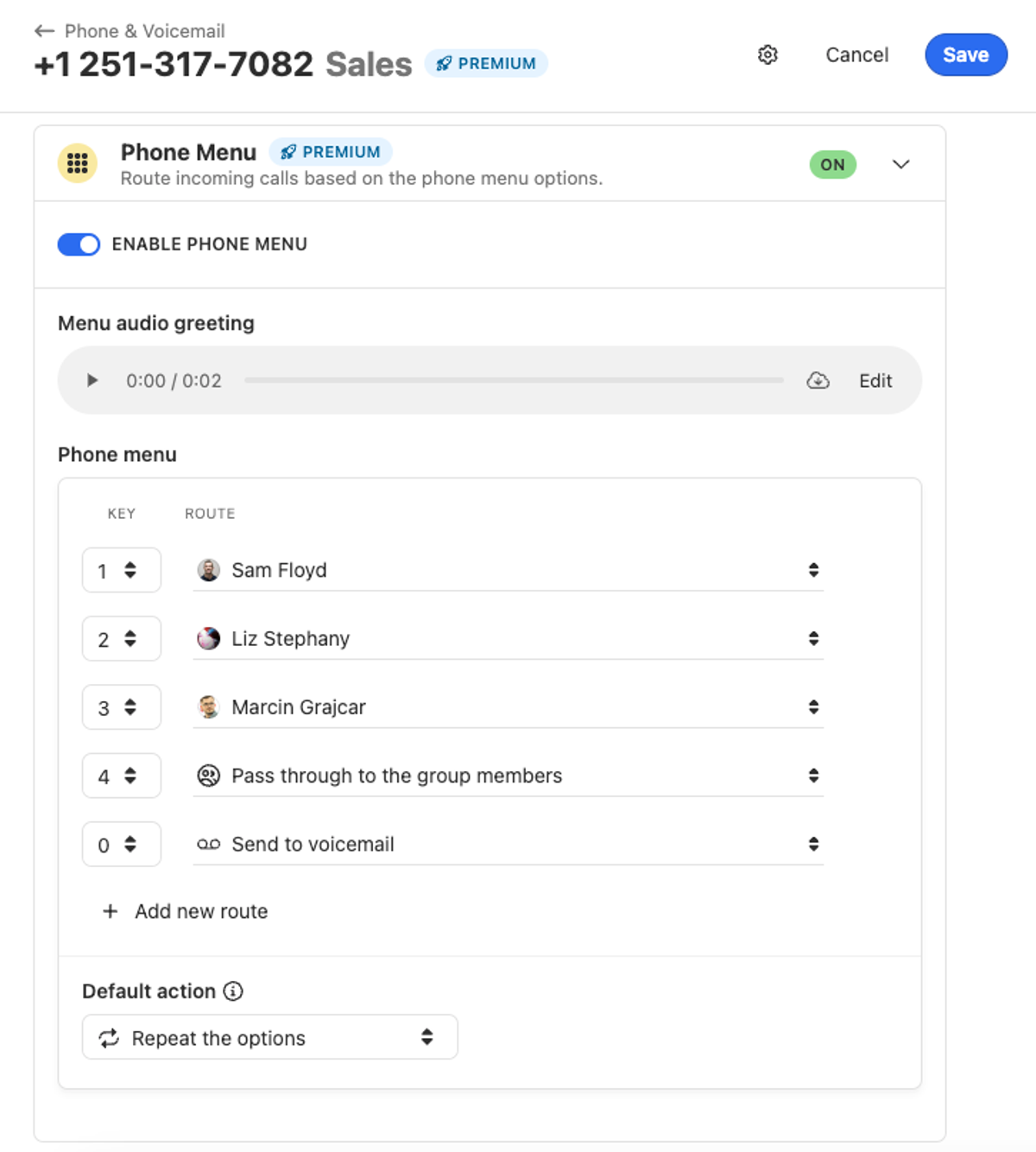
Phone Menu (IVR) for Group Numbers
The Phone Menu/IVR functionality is now available for group numbers. Configure and route your incoming calls to the appropriate people and teams directly in Close.
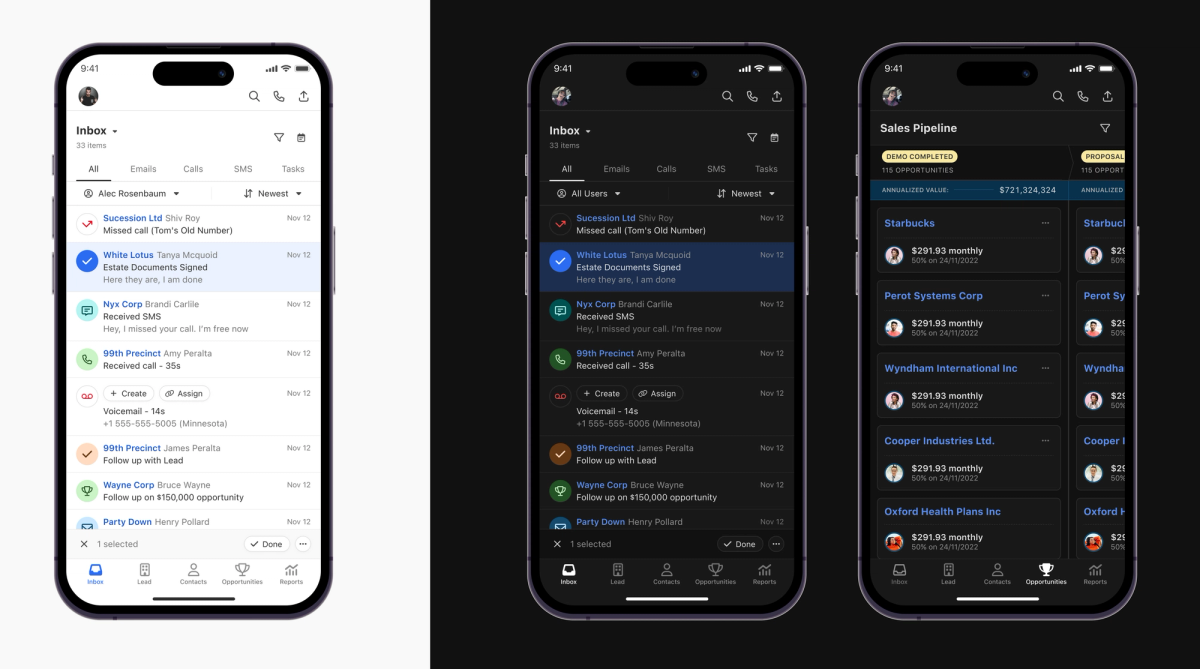
We released dark mode for our iOS and Android mobile apps. To enable it, simply turn on dark mode in your phone's system settings.
New Feature
File Attachments on Notes and Files Browser
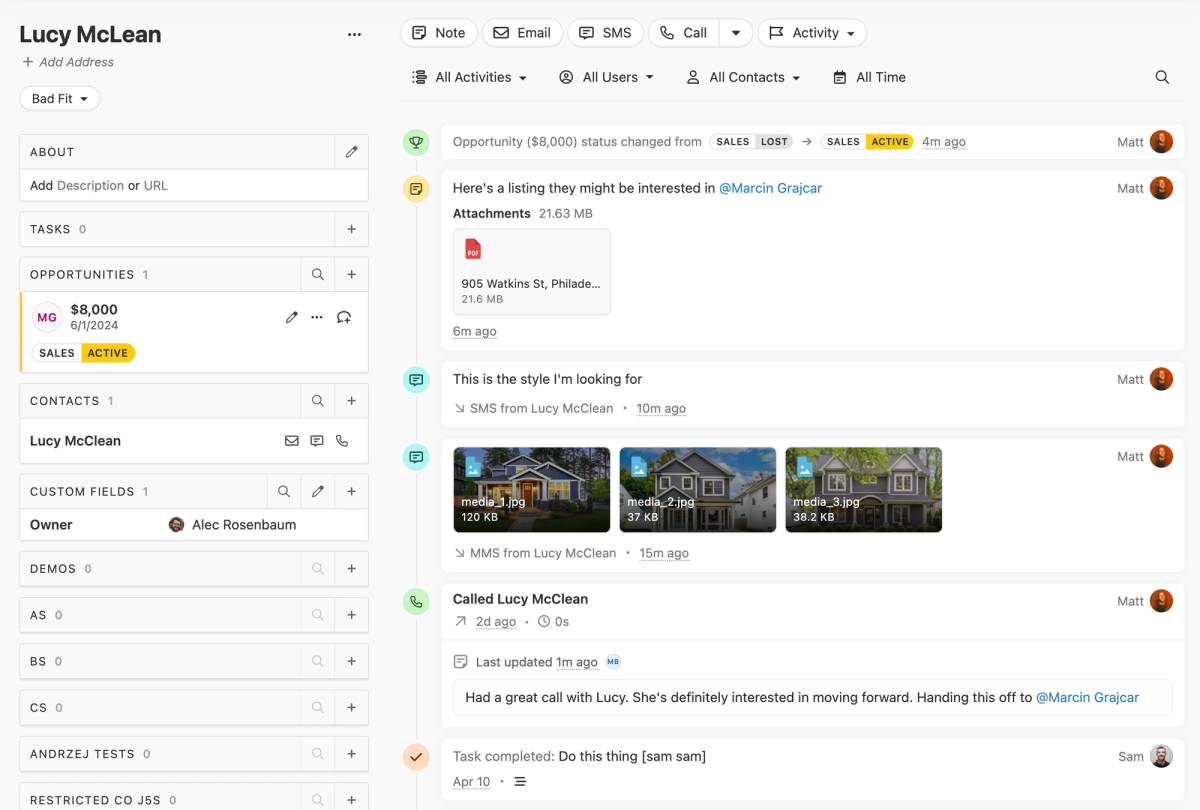
You can now attach files directly to notes! And, with our new Files Browser you can easily find files associated with each lead.
Attaching Files to Leads via Notes
You can now upload images, PDFs, and other files directly to notes.
Enhanced Attachment Previewing in App
We've also improved the experience when previewing file attachments on emails, SMS, and now on notes.
Easily Find Files on Leads via the Files Browser
We've also added a Files Browser that shows any files that have been sent, received, or uploaded to the lead. To access it, open this menu and click "View Files".
Free trial Free migration Free support No credit card needed