
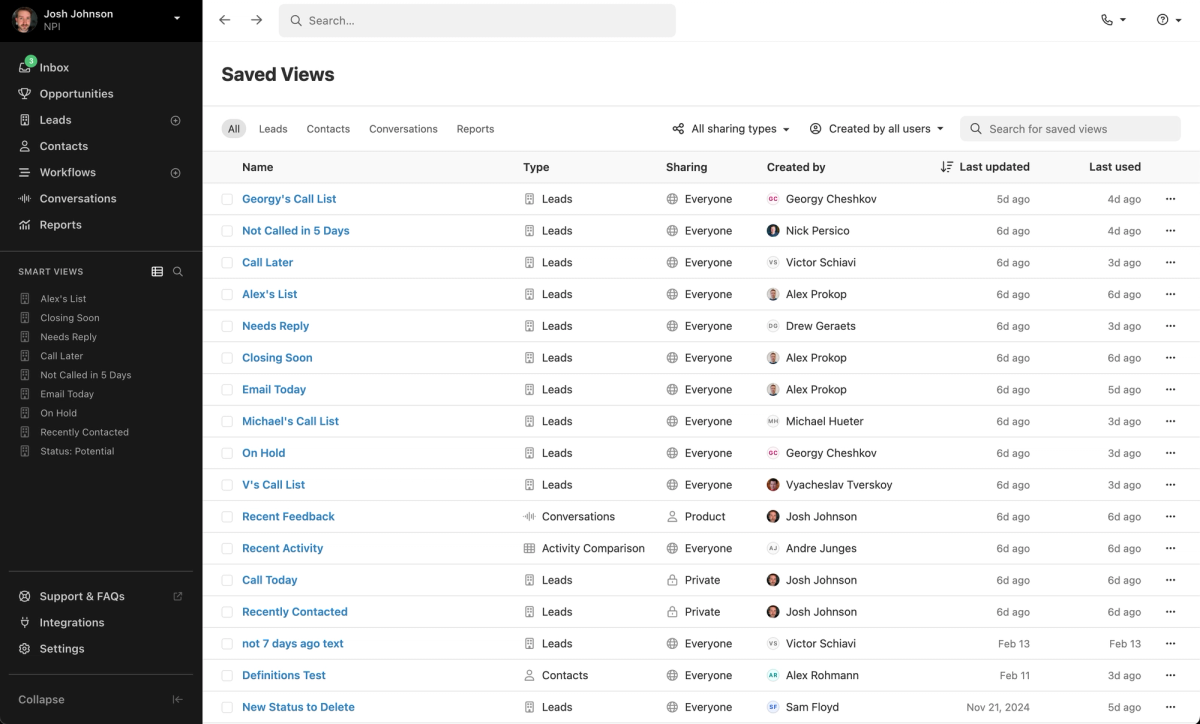
Too many Smart Views in your sidebar? We've made some big updates to help you get the clutter under control.
New Saved Views Page
Click the new icon next to the search in your sidebar to open the Saved Views page. This page shows all Smart Views, Conversations, and Reports your user has access to within your organization.
With robust filtering, this page makes it easy to find what you're looking for. Filter by type, sharing, or creator. Sort the list by creation date or last used. Use the new bulk delete feature to remove old, unused items.
Pinning Improvements
A new "Unpin" icon appears on hover for any item in your sidebar. Items you remove from the sidebar still appear in the Saved Views page, so you never lose them.
To re-pin any view, click the three dots on its row in the Saved Views page and select "Pin to Sidebar".

