If you’re a tech-enabled team who needs to scale without overpaying for enterprise sales software, you’ve found the right sales tool.
New Feature
Webhooks Dashboard
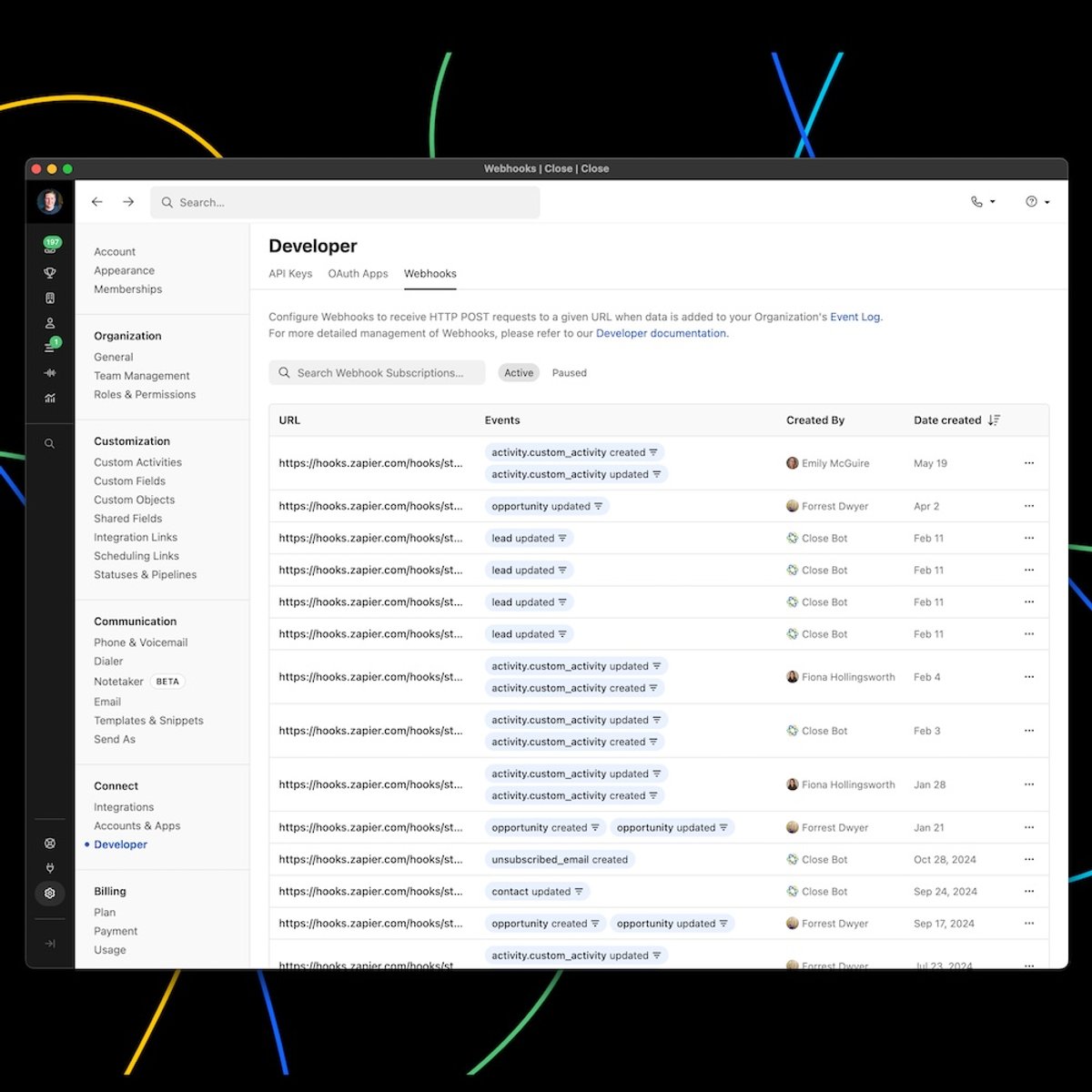
The Webhooks dashboard allows admins to view, pause, and reactivate all of the organization's webhook subscriptions. Use the search bar to search for webhooks by webhook ID and click on any event to view the filtered event JSON. Only Users with the "Manage Organization" permission are able to view this dashboard.
We are excited to launch AI Enrich, a new feature built directly into Close that helps you populate and update Lead and Contact records in seconds.
Here's what you get with AI Enrich
Enrich in seconds, not minutes: Instantly pull data for any field without leaving Close. No more switching tools or copy-pasting.
Go beyond outdated databases: Get real-time, context-rich information pulled directly from the web, not from stale third-party lists.
Tailor AI to your needs: Use an optional, simple prompt to guide the AI and get highly relevant answers for any custom field.
Power smarter workflows: Cleaner, more complete records lead to better automation, segmentation, and reporting.
No setup required: AI Enrich is fully native to Close. No integrations or extra tools needed.
What it Does and How it Works
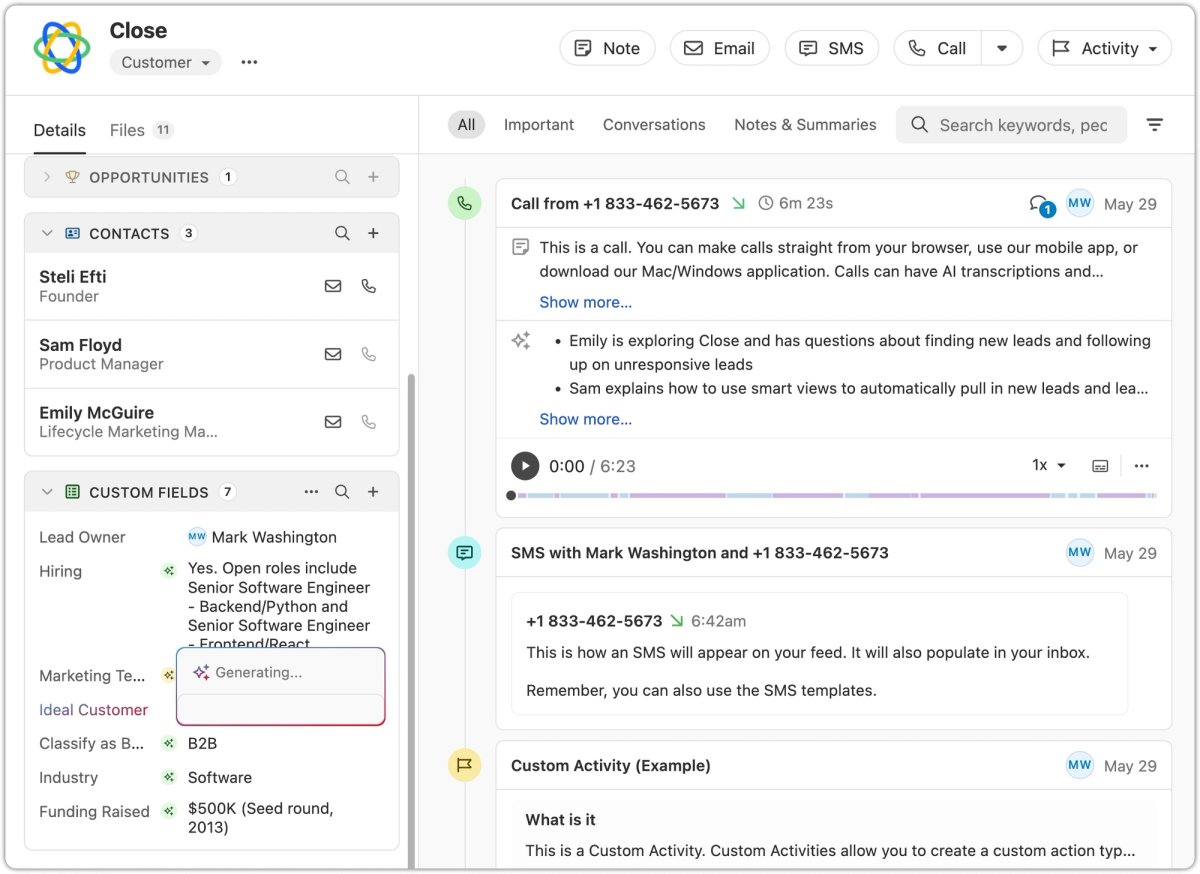
AI Enrich allows you to request AI-generated values for fields on your Lead and Contact records. This feature uses the information from the record (like a Lead name or website) as context to search the web for the best data for the field you're enriching.
You can use AI Enrich for a single record or in bulk. When viewing an individual Lead or Contact, you'll see a new icon to automatically get data, and for broader updates, you can enrich fields for multiple records at once from a Smart View.
For more details, see our help documentation: AI Enrich.
Improvement
May 2025 Improvements
Notetaker Improvements
You now have the ability to copy/paste notetaker transcripts for your meetings!
.png)
You can now filter by meetings and calls on the Conversations page. There are also two new filters in search (Recording Transcript / Was recorded) that are tied to the Notetaker recording/transcript.
You will get a warning icon badge when attention is needed to enable Notetaker under Settings such as syncing up with Zoom, Calendar or enabling Notetaker.
Calendly Integration Improvements
When you connect your Calendly account to Close, the Scheduling Links you see in Close will now match what you see on the default "My Calendly" view within Calendly. This includes any "Shared with you" or Round Robin links!
Other Improvements
We've expanded our CRM integration options by increasing the number of supported CRMs from 28 to 50 through our Import2 partnership!
We improved the lead page task snooze menu, which is now relative to the current day rather than the task's due date. This brings it in line with the snooze menus found in other parts of the app, like the inbox.
Long custom object names now wrap instead of truncating. This makes it possible to read without having to hover over the custom object name.
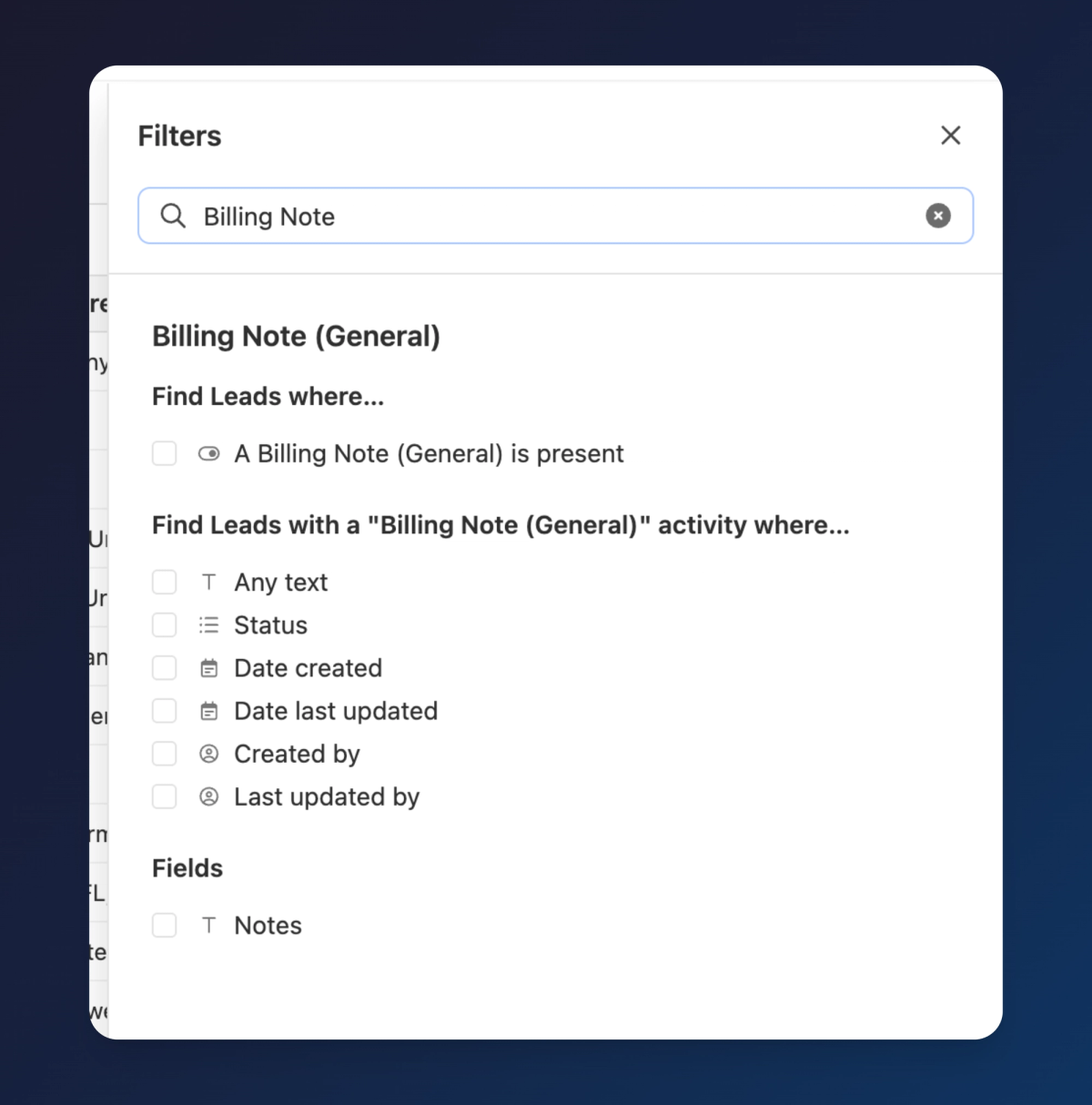
You can now see all the Custom Object/Custom Activity fields by typing their names in the Filter sidebar search box.
.png)
We now show the actions when you hover-over on an Opportunity in a way that's consistent with other sidebar menu views.
Bug Fixes
We fixed an issue that was causing the meeting transcript to not load consistently.
New Feature
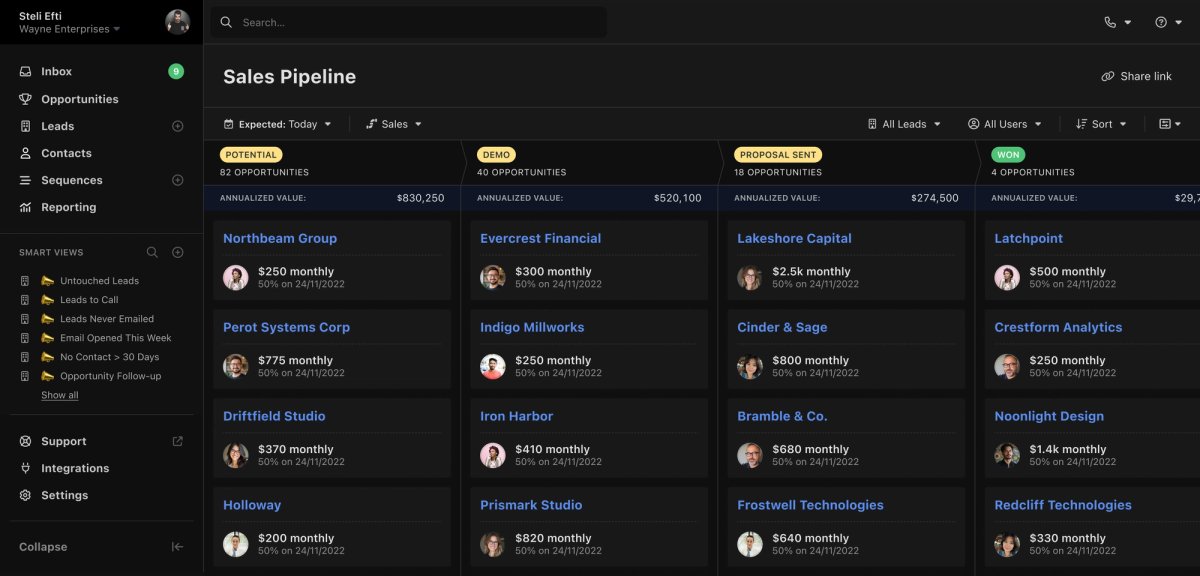
Dark Mode
Whether you're burning the midnight oil or just prefer a sleeker interface, you can now switch to Dark Mode on web and desktop. You can turn this on in Settings → Appearance or via ⌘ + K by searching for "dark".
New Feature
Close Notetaker (Beta)
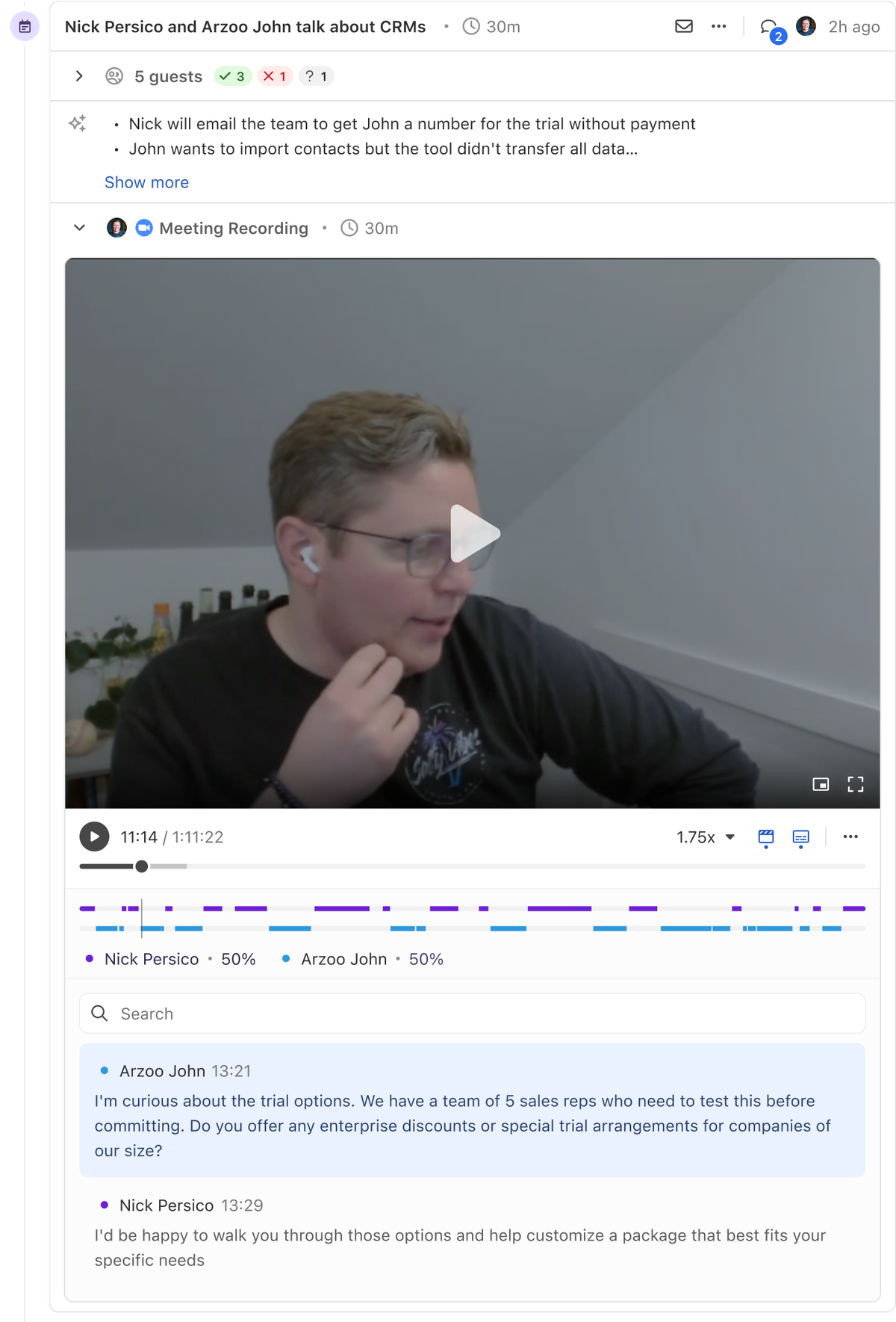
We've just launched our public beta for Notetaker — your new companion for Zoom, Meet, and Teams conversations. Simply enable Notetaker and it will automatically join any scheduled meetings you have in Close that occur on Zoom, Meet, or Teams.
After each meeting, the recording, summary, and transcription will all appear directly in Close.
.png)
Note: Notetaker is completely free during this initial beta period, but will become a paid add-on at a later date.
Improvement
Improved Filtering for Custom Objects & Custom Activities
Previously, the search inside of the filter menu would not reveal Custom Objects or Custom Activities that matched your search string. This has been improved so that you can now search for Custom Objects and Activities and you will see all of the properties of that object.
.png)
Improvement
April 2025 Improvements
Smarter Workflows
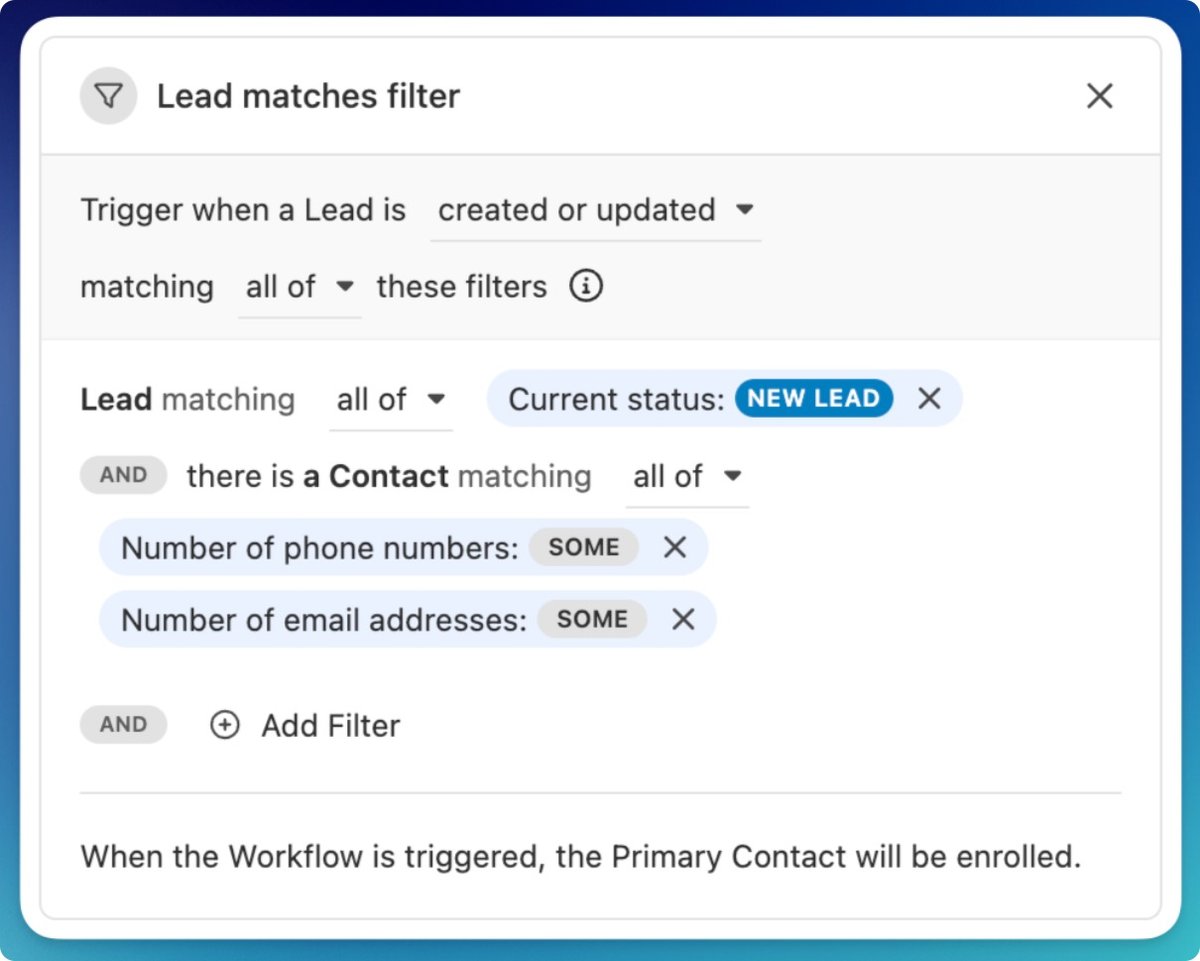
Only trigger when there's contact info: Workflows now include new filters for "phone numbers" and "emails". These help you avoid triggering automations on Leads or Contacts with no contact details. Set a minimum of 1 filter to ensure you're only messaging real prospects.
Saved Views, Meetings & More
Add description to Saved Views: You can now add a description to any Saved View—including Smart Views, reports, and conversations. Use it to share context with teammates or remind yourself what the view is for.
Meeting times, not just duration: Meeting activities in the timeline now show clear start and end times, instead of just duration. Easier to scan, especially when juggling a packed calendar.
Lead date inputs got smarter: When editing date fields on the Lead page, you can now type in shorthand like "4/18" and we'll handle the formatting.
Inbox & Tasks
Inbox header (mobile): The inbox header now slides out of view as you scroll down, and reappears when you scroll up. This gives you more space to focus on your messages.
Snoozing: When you snooze a task, you'll now see a confirmation toast—so you know the action went through. You can no longer snooze a task to today's date, since that wouldn't actually move it out of your inbox.
Bug Fixes
Fixed a bug where the action buttons in the File tab on a Lead were out of alignment.
Voicemail Drops made through the Power Dialer were incorrectly marked as "answered" instead of "voicemail left." Now, those calls will show the correct disposition—giving you more accurate reporting and follow-up actions.
New Feature
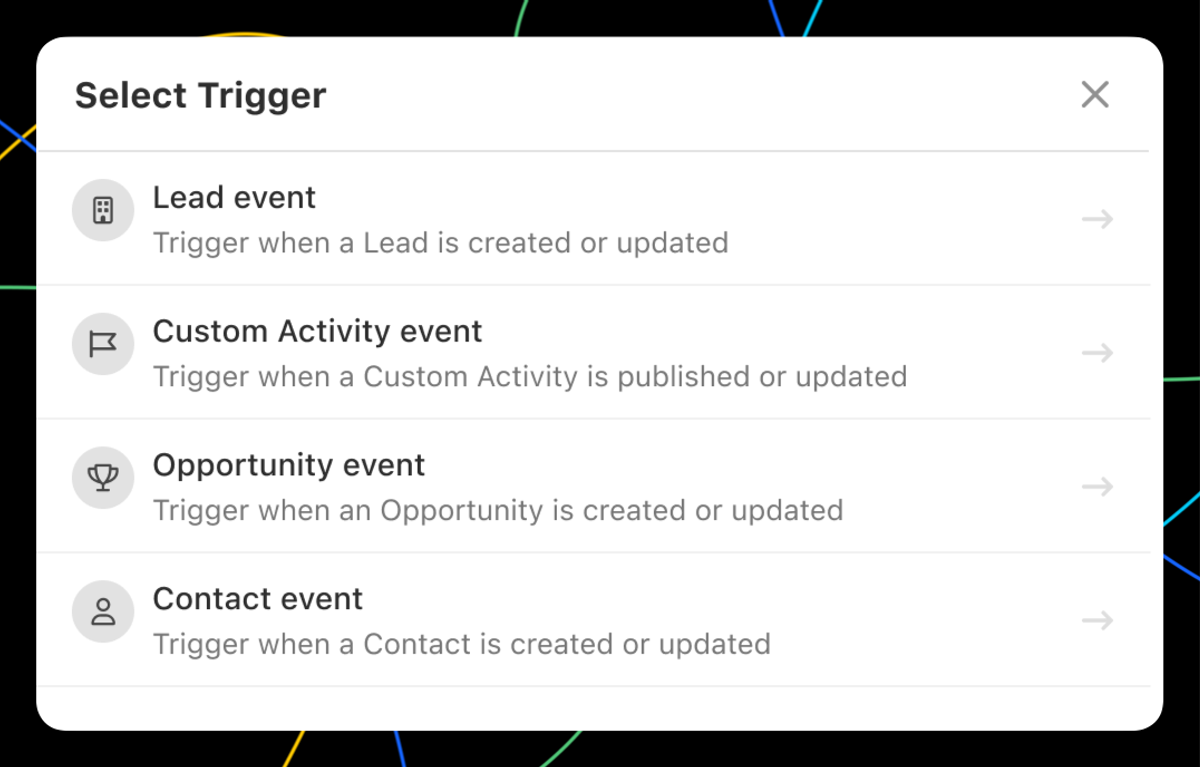
Custom Activity, Opportunity, and Contact Workflow Triggers
You can now automatically trigger a Workflow based on Custom Activity, Opportunity, and Contact events. With these new powerful triggers, here are just a few examples of what you can automate:
When an Opportunity has been marked Won, update the Lead Status to "Customer".
When a "Customer Interview" Custom Activity has been published and the "Send Gift" field contains "Yes", send an email to the contact who participated in the interview asking for their address and create a Task for the account manager to send the gift.
When a Contact unsubscribes from email, update the Lead Status to "Opt Out".
In addition to the new Triggers, we've expanded the options of which Contacts you can enroll in the Workflow based on the Trigger type you selected. This includes the Contact associated with the Opportunity for Opportunity events, any Contact associated with a Custom Activity event, and more.
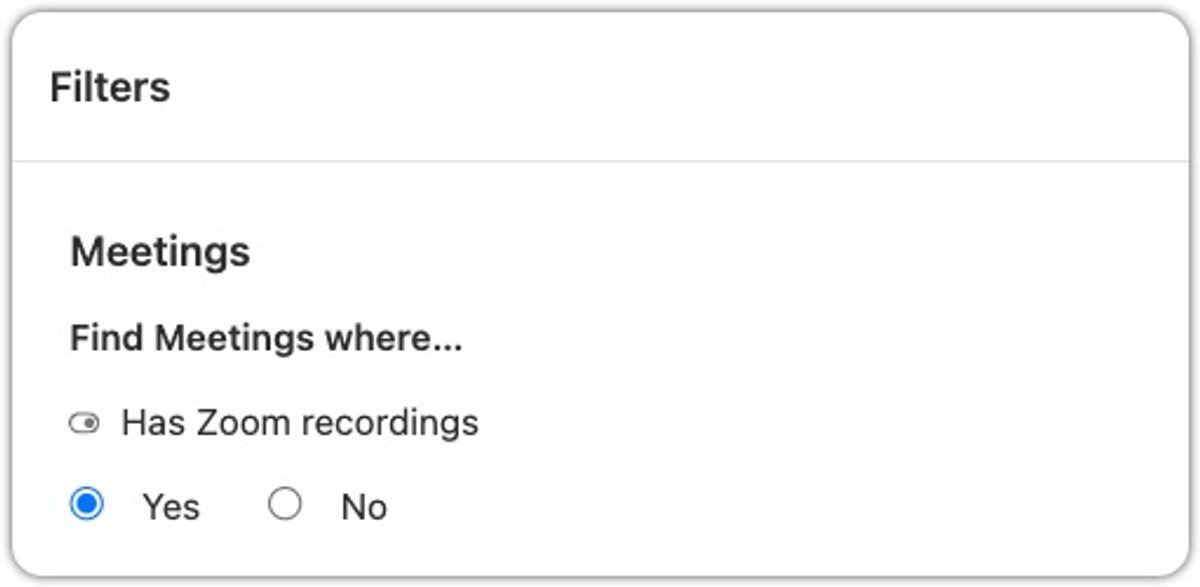
New Zoom recording filter: A new filter is available on the Leads page that will let you return Leads that have meetings with Zoom recordings.
Improved Conversations filter: On the conversations page, when you filter for the "Recorded calls only" it will also now also include calls with Zoom meetings, giving you a more complete view of recorded interactions.
Timestamp support for date filters: Date-based filters (like Lead creation date, Contact update time, etc.) now support hours and minutes, not just full days. This allows for more granular reporting and filtering—especially useful for automation triggers.
Calling & Transcripts
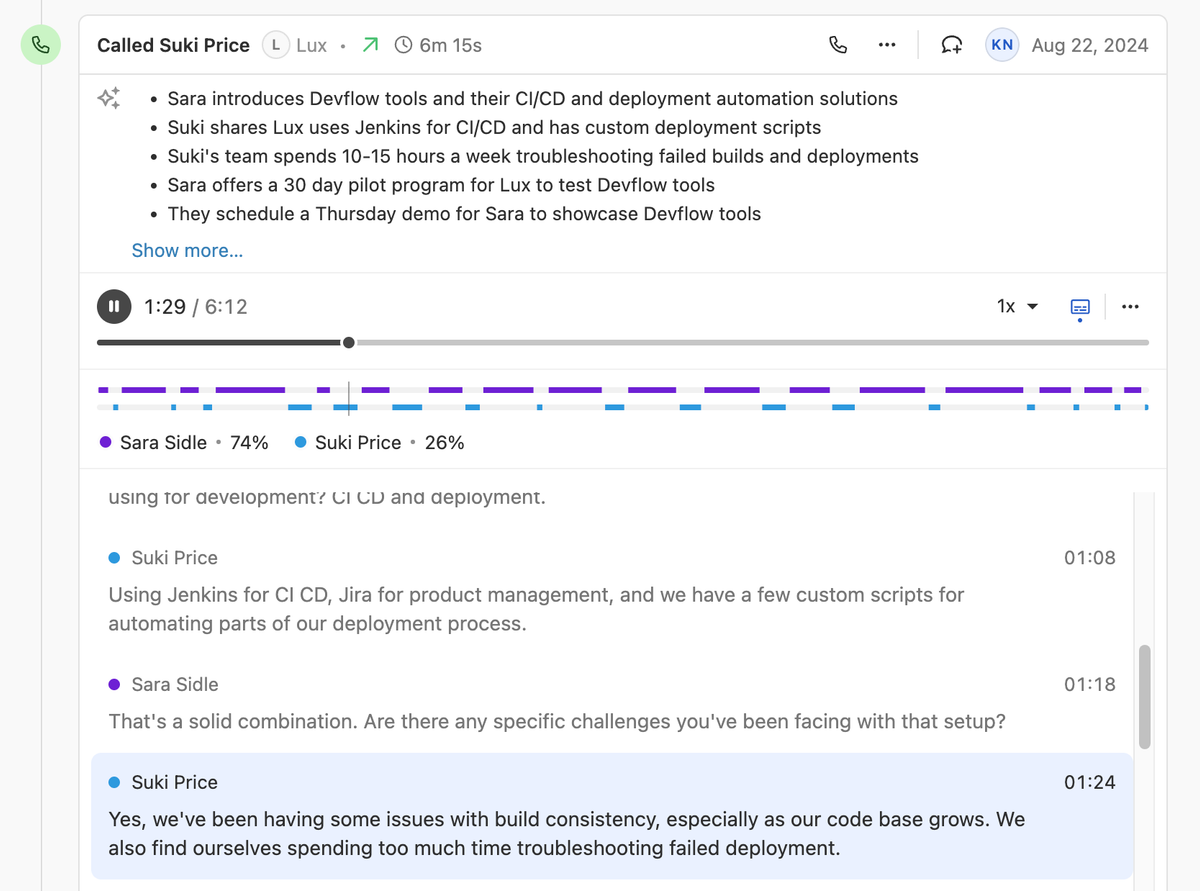
Speaker Visualizations: For calls with transcripts, speaker visualizations now appear directly in the scrub bar, making it easier to scan and navigate between speakers—eliminating guesswork about who said what.
Improved call outcome labels: We've made a small but important change to how we label call activity in the timeline. Previously, if a call was either unanswered, busy, or rejected, we always showed: "Attempted to call [Number]". We know a call being actively declined or blocked is different from it going unanswered. Now, if the call was busy or rejected, we'll show a clearer message: "Call to [Number] was busy or rejected". We hope this distinction helps your team better understand call outcomes and what to do next—whether it's retrying later or following up another way.
Zapier Improvements
Lead field is now optional: In the "New Contact" and "New Opportunity" Zap actions, the Lead field is no longer required—giving you more flexibility when creating new records.
Export transcript utterances: The "New Call Transcript" trigger now lets you export individual lines of a call transcript, so you can feed more detailed data into your workflows.
Bug Fixes
Fixed an issue where you needed to refresh the page to make a call after adding an external number.
Fixed a bug where the dialer didn't load properly in user-specific Smart Views.
Resolved a layout issue in the Lead File tab where action buttons could become misaligned.
Improved spacing when multiple avatars appear on an activity item.
New Feature
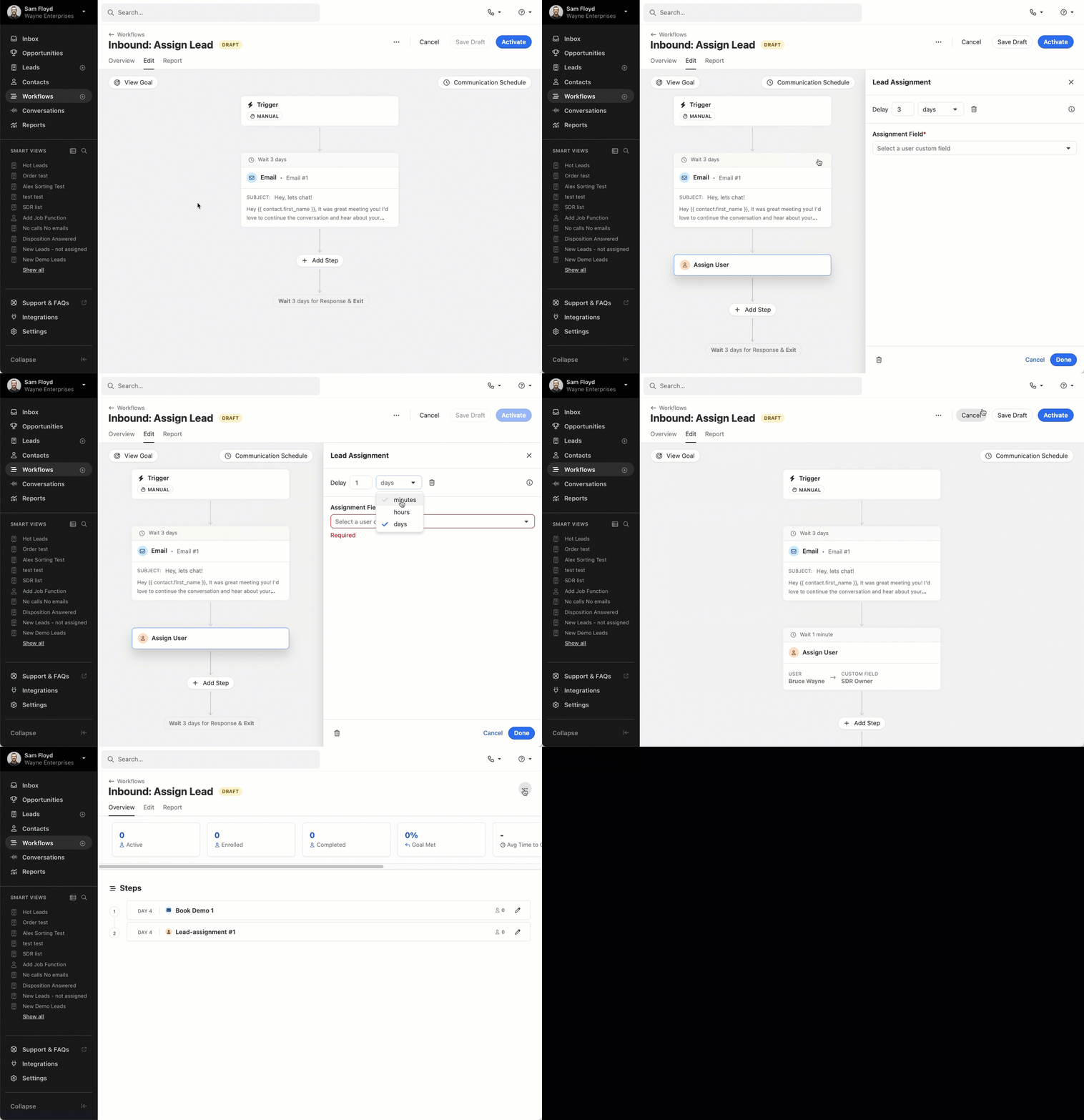
Workflows: Minute Delays, Drafts, and More Actions
Draft workflows: New workflows now begin in draft mode by default. Drafts won't appear in enrollment dropdowns and won't run any triggers until you're ready to publish them. This makes it easier to build workflows without the risk of a Contact or Lead being added before it's ready.
Minute-based delays: Alongside day and hour delays, you can now schedule actions with delays as short as a few minutes—ideal for tighter, time-sensitive automation flows.
More workflow actions: From any workflow's detail screen, you can now rename, duplicate, archive, or grab a shareable link from a new actions dropdown.
CC/BCC support for Follow-up Workflow enrollments: You can now include CC or BCC recipients on emails sent as part of a follow-up workflow enrollment. When composing an email with CC/BCC recipients and selecting "If no reply, enroll in a workflow," those same recipients will now automatically carry over to email steps within the selected workflow.
New Feature
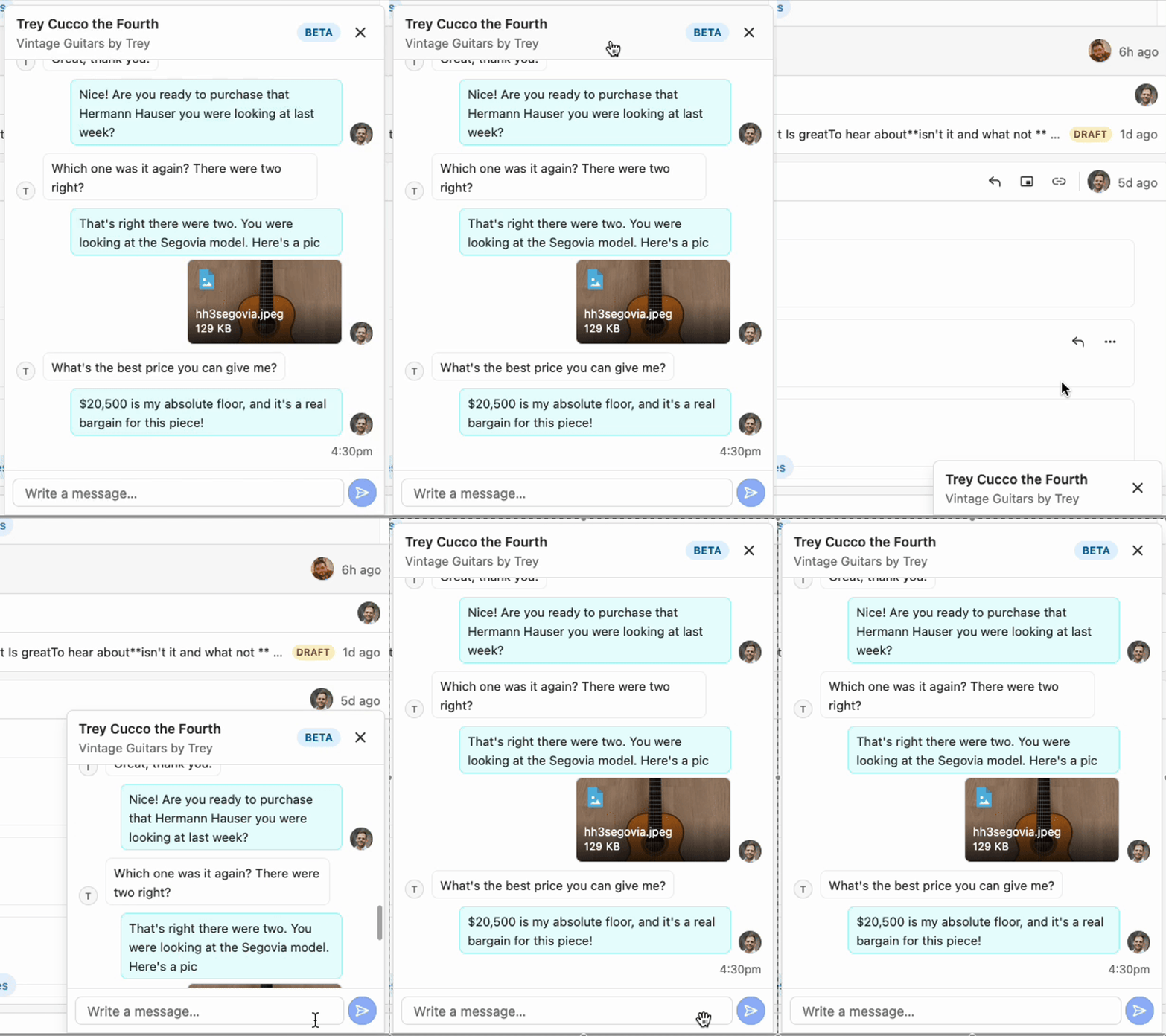
Docked SMS (Beta)
From the lead page and the Inbox, you can now select SMS conversations to follow you around the app, docked to the bottom of the screen. When new messages come in, you'll see them right away, and we'll play the notification sound, too.
Improvement
February 2025 Improvements
What's New
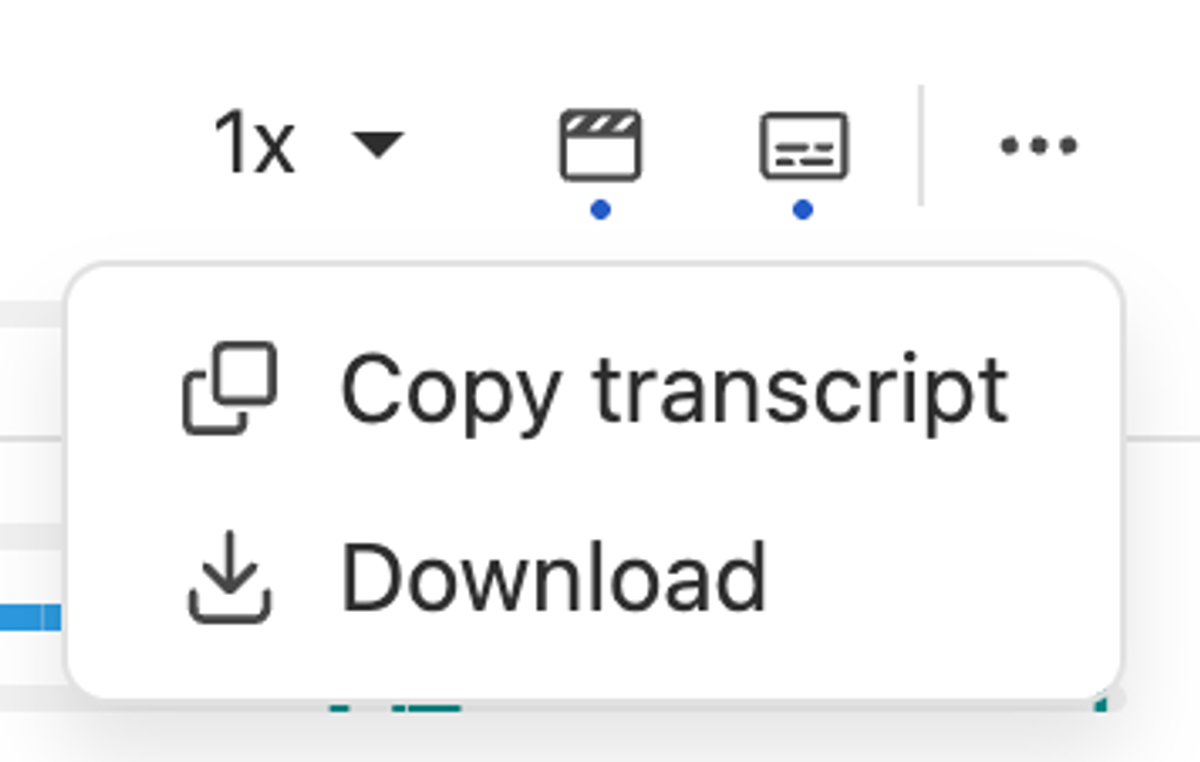
Call Transcript Playback: The call transcript playback now has a more compact design that optimizes vertical space, making playback more seamless. You can now interact with the scrub bar before hitting play, and we've added a convenient "Copy link to current time" action for call recordings. Additionally, the "Copy Transcript" button has been moved to the player actions for easier access.
.png)
Report Sharing: You can now share saved reports—like Activity Overview, Activity Comparison, and Funnel reports—with individual team members or groups in Close. Previously, any changes made to a shared report were only saved for the person who made them. Now, when a shared report is updated and saved, those changes are reflected for everyone, keeping your team on the same page.
Workflows: When configuring workflow triggers, you'll now have the option to disable automated enrollment (and enable at a later date) without having to remove the automation filters themselves.
API Updates: You can now create a Contact or Opportunity without first creating a Lead. When you do, the system will automatically generate a Lead and associate it with the new Contact or Opportunity. This update simplifies the integration process by removing the extra step of manually creating leads before adding contacts or opportunities (read more).
Bug Fixes
Fixed a bug that caused incorrect call status messages to display briefly. Previously, some users would see "Busy or rejected" flash momentarily before changing to "Call ended," which created confusion. The status text now updates correctly and consistently.
New Feature
New Saved Views Page and Pinning Improvements
Too many Smart Views in your sidebar? We've made some big updates to help you get the clutter under control.
New Saved Views Page
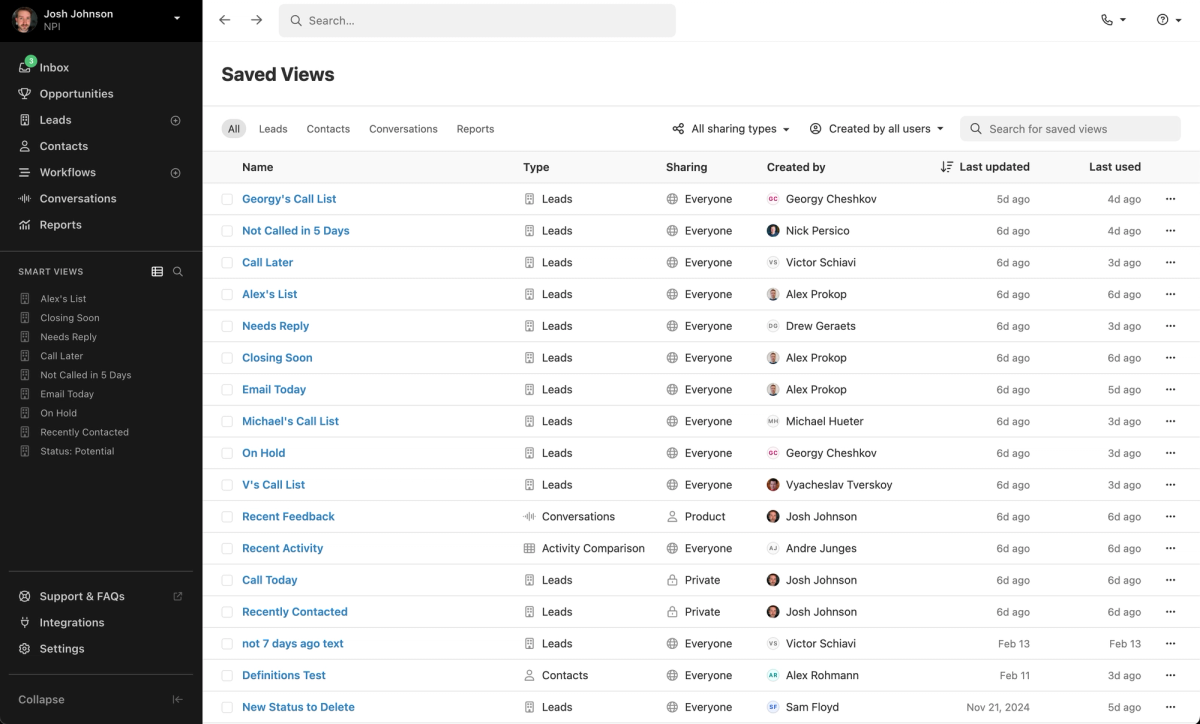
Click the new icon next to the search in your sidebar to open the Saved Views page. This page shows all Smart Views, Conversations, and Reports your user has access to within your organization.
With robust filtering, this page makes it easy to find what you're looking for. Filter by type, sharing, or creator. Sort the list by creation date or last used. Use the new bulk delete feature to remove old, unused items.
Pinning Improvements
A new "Unpin" icon appears on hover for any item in your sidebar. Items you remove from the sidebar still appear in the Saved Views page, so you never lose them.
To re-pin any view, click the three dots on its row in the Saved Views page and select "Pin to Sidebar".
New Feature
Potential Contacts Accessible From Inbox
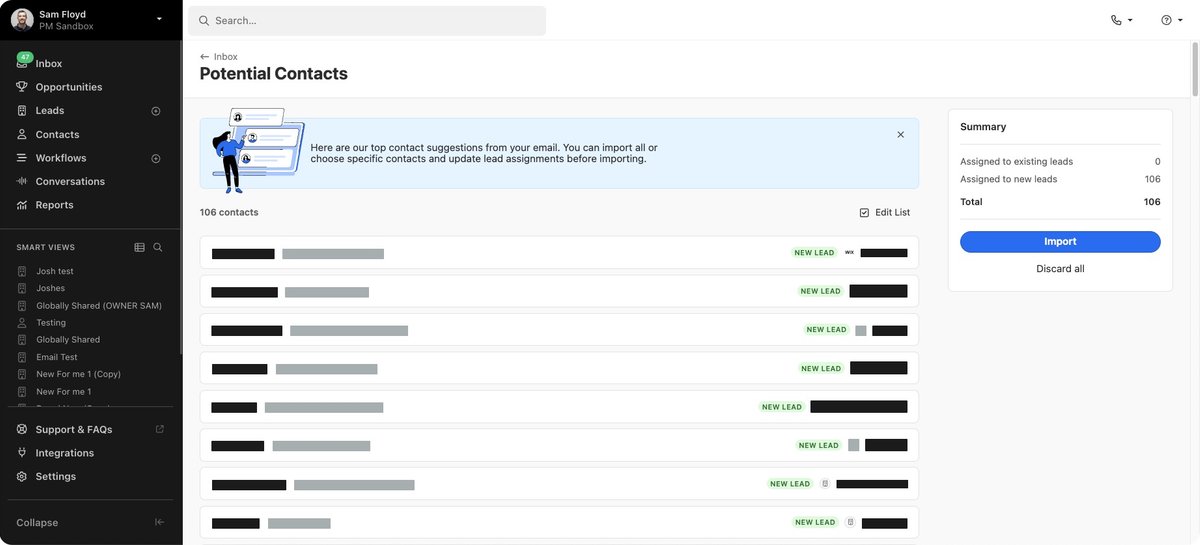
You can now access the Potential Contacts page directly from the Inbox and New Lead modal. This makes it faster to uncover and connect missing contacts without leaving your current workflow.
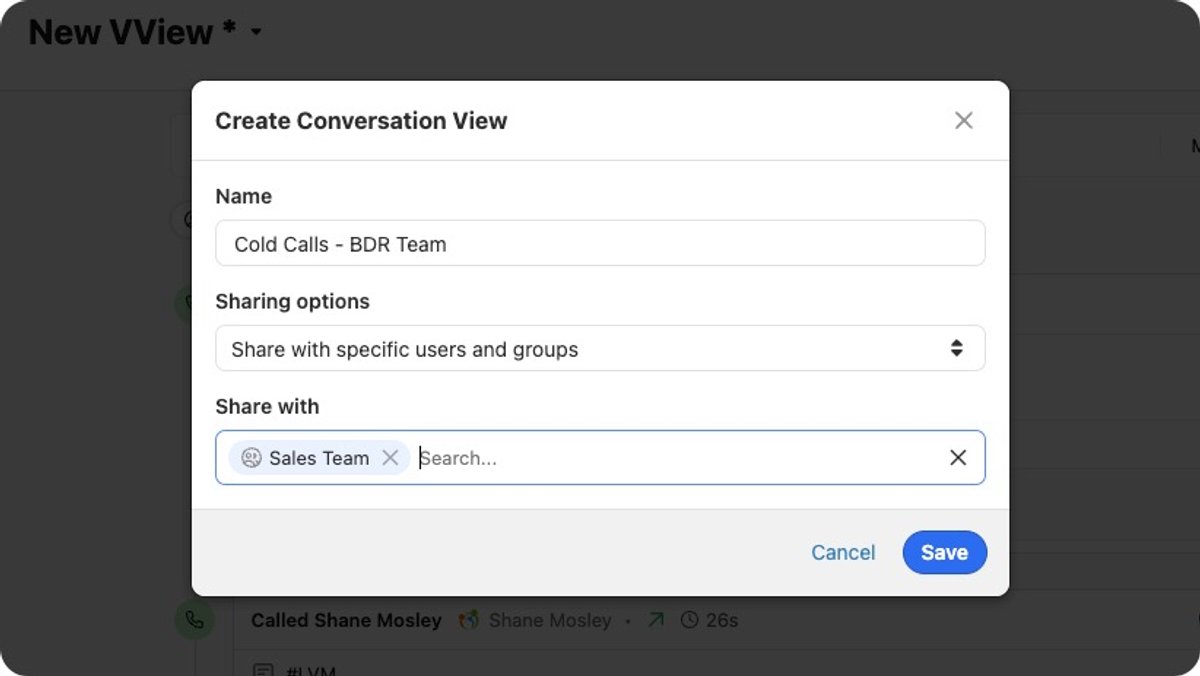
Conversations: When you save a conversations view you'll now be able to share it with other users or groups.
Workflow Editing Warning: You'll now receive a warning message if you accidentally navigate away from a Workflow with unsaved changes. This helps prevent accidentally losing your work by closing the Workflow Edit page before saving!
New Feature
Email Templates: CC/BCC Support and List Improvements
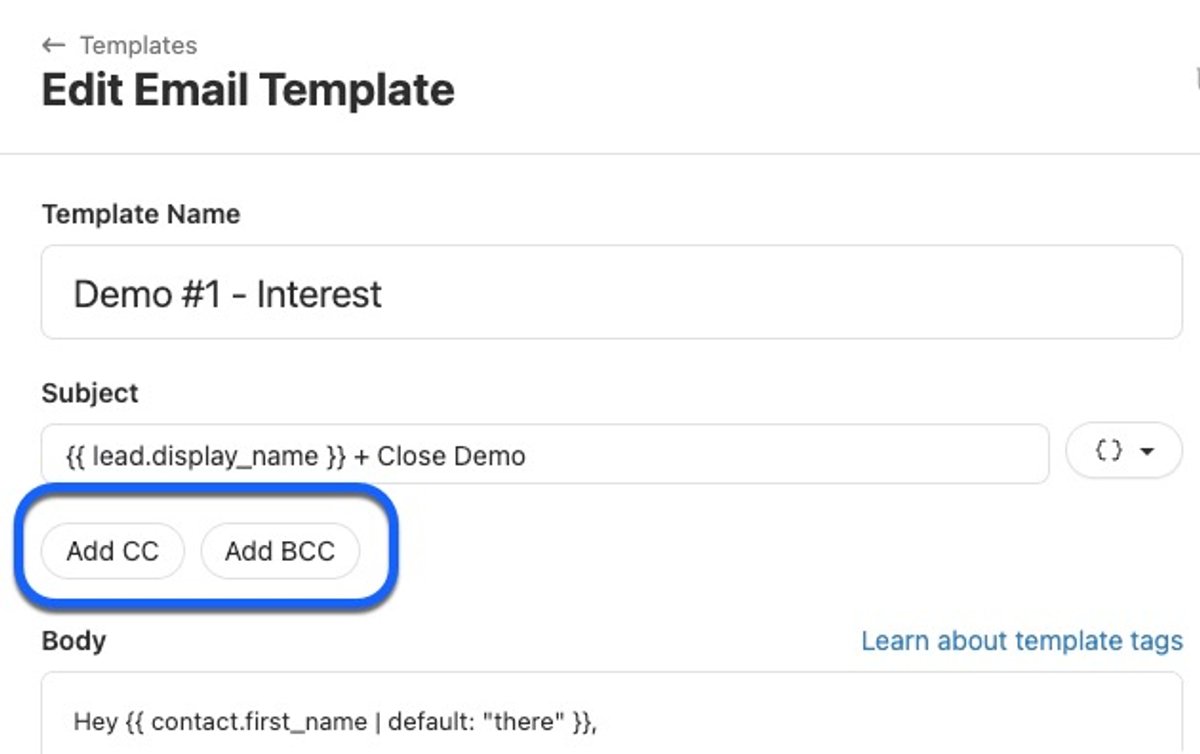
You can now add CC and BCC recipients to any email template. These email addresses will be automatically included whenever the template is used in Close.
Additionally, you can now sort by any column in the Email Template list, including Last Activity. You can also select multiple templates at once to unarchive, archive, or delete them. Since teams frequently create new templates while older ones become outdated, we've made it easier to organize and clean up your template list so you and your team can quickly find the templates that matter most.
New Feature
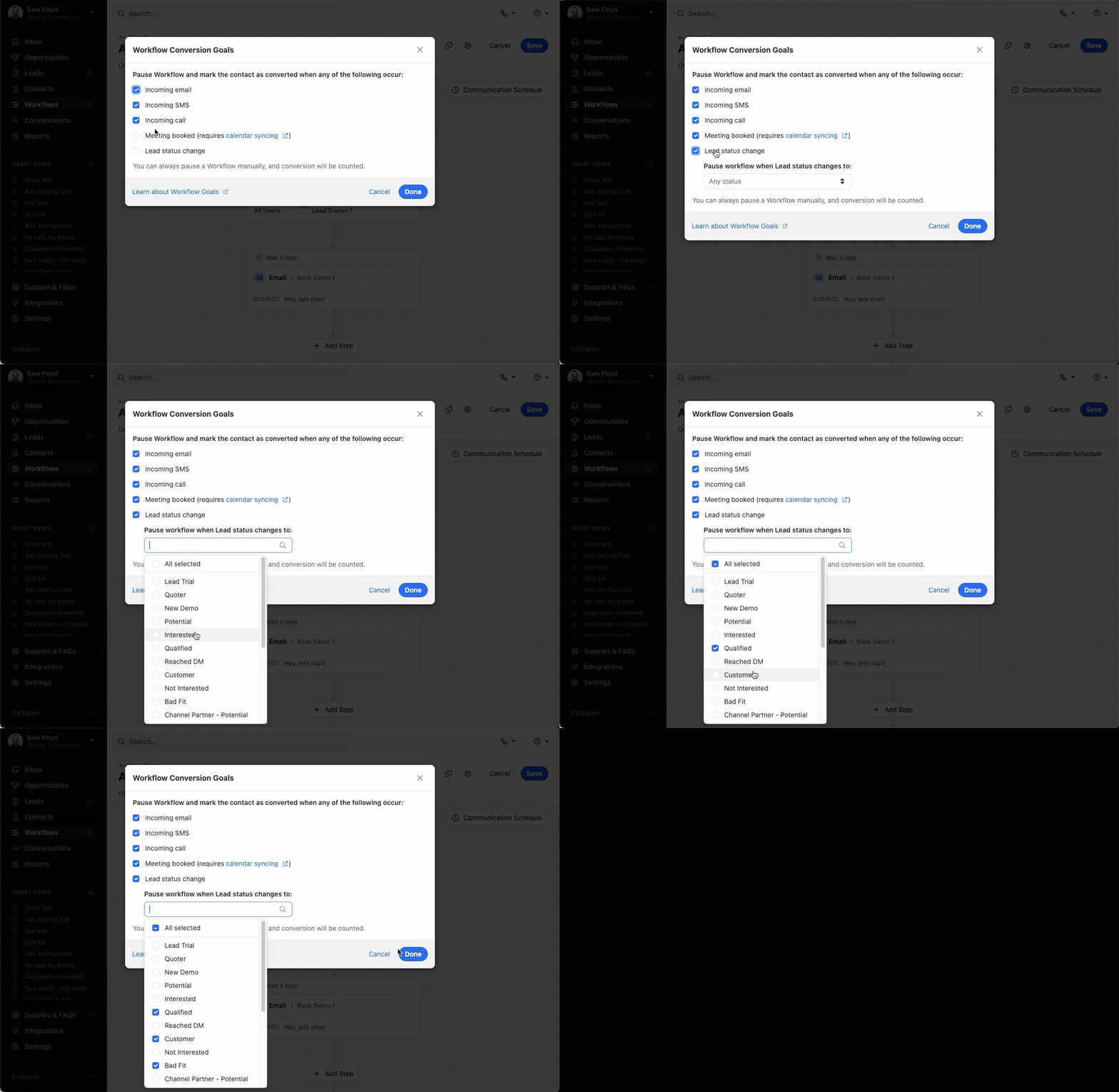
New Workflow Conversion Goals
There are two new options for Workflow conversion goals — Meeting Booked and Lead Status Change.
When Meeting booked is set as a workflow goal, the workflow automatically pauses and marks the contact as converted as soon as they book a new meeting.
With Lead status change as a conversion goal, you can select specific lead statuses that trigger the conversion. When a lead's status changes to one of your selected options, the workflow automatically pauses. This is perfect for workflows targeting cold prospects that shouldn't continue once the lead progresses further in your sales funnel.
Improvement
December 2024 Improvements
What's New
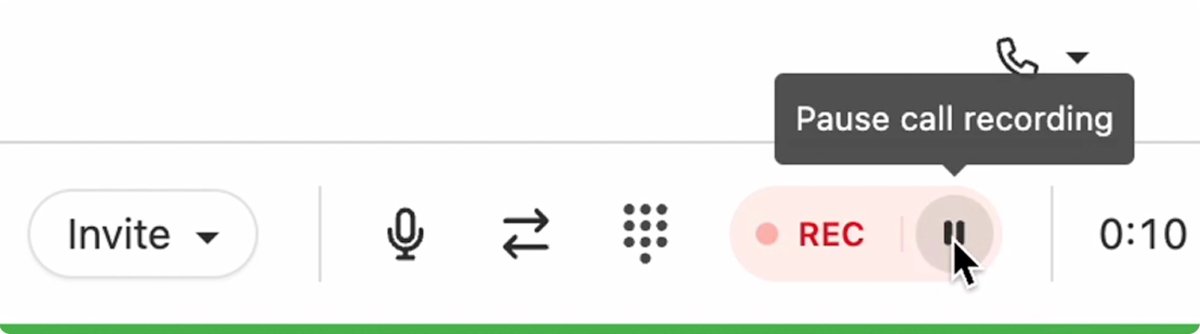
Call Recording Controls: You can now start, pause, and resume recordings on live calls to maintain compliance while still capturing call recordings. Additionally, you can delete recordings and transcripts when needed — if you have permission to delete activities, you'll find this option in the more menu for calls.
Bulk Enroll Contacts: When viewing a Lead, you can now enroll multiple — or all — Contacts from that Lead into a Workflow.
Email Meeting Guests: A new option on meetings lets you quickly email all guests — useful for sending follow-ups or confirming attendance.
Recent Email Templates: The most recently used templates now appear at the top of the template picker.
Integration Link Icons: The favicon from the destination website is now automatically shown next to each integration link.
New Feature
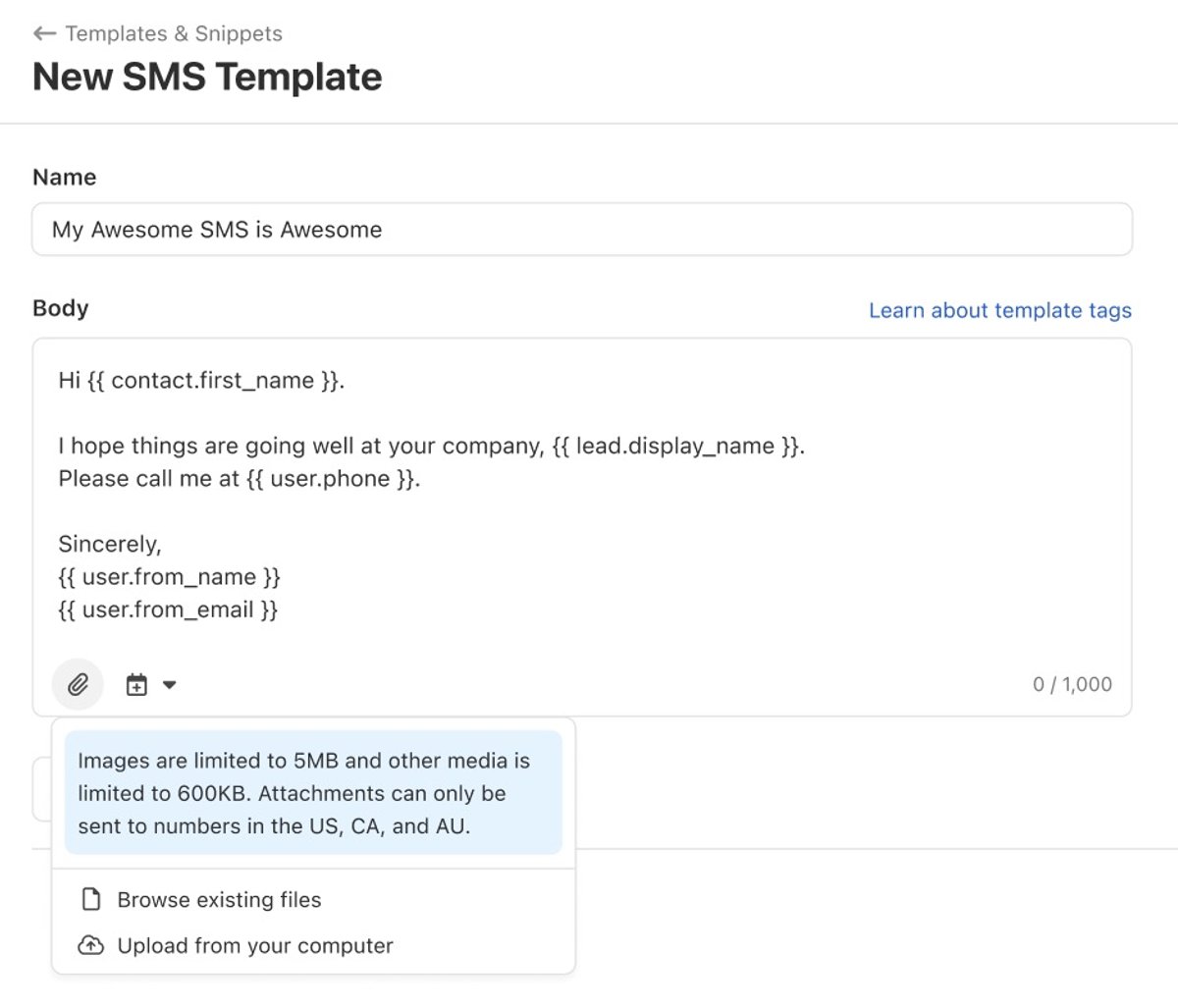
SMS Template Attachments
You can now add attachments to SMS templates. Attachments can only be sent to US, CA, and AU numbers.
Improvement
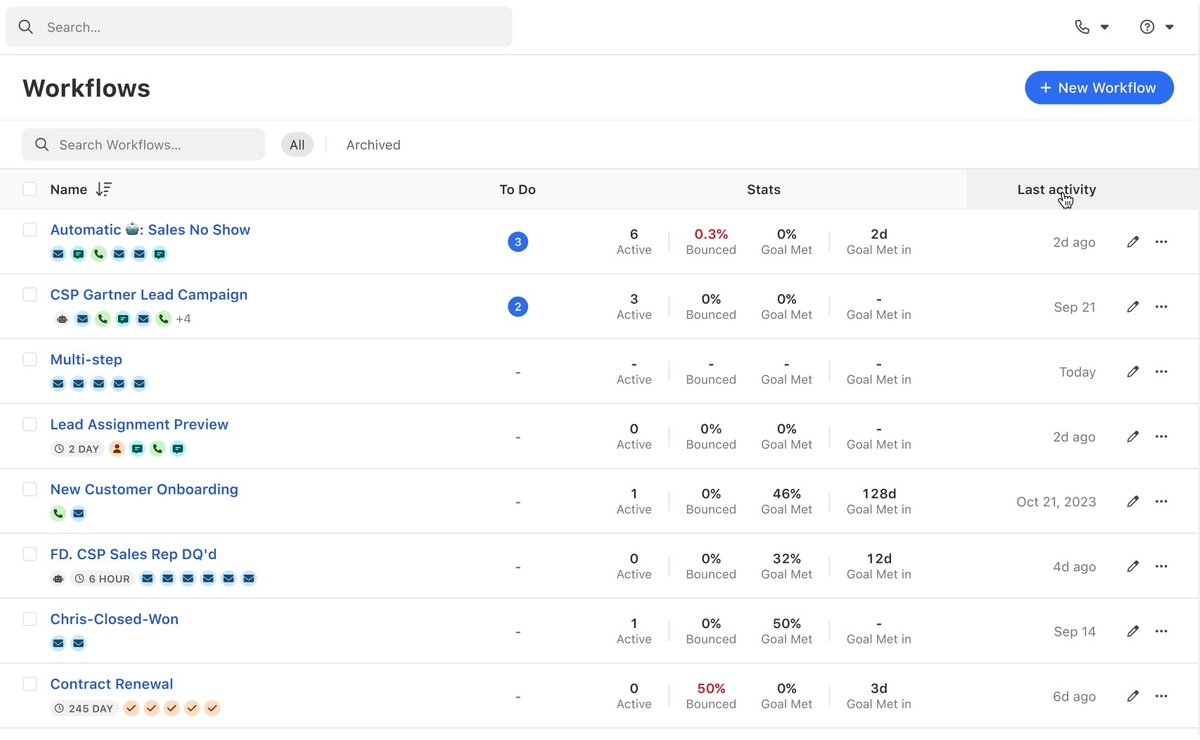
Workflow Edit and List Improvements
Before, you had to keep closing and opening the sidebar to edit workflow steps, which made the screen jump around and was hard to work with. Now, you can see and edit everything at once. We've also made the layout more stable so things don't move around as much when you make changes.
In the Workflow list, we added the option to sort by any column, added a new "last activity" column, and made a few visual design updates to polish things off. Finally, we also added the option to select multiple workflows at once. All these changes were made to help you find your most important, active workflows quickly and ensure your team's Workflow list can easily be cleaned up.
Free trial Free migration Free support No credit card needed