Skip to content

Product Updates

If you’re a tech-enabled team who needs to scale without overpaying for enterprise sales software, you’ve found the right sales tool.

  • Email Unsubscribe V2

    Email Unsubscribe V2

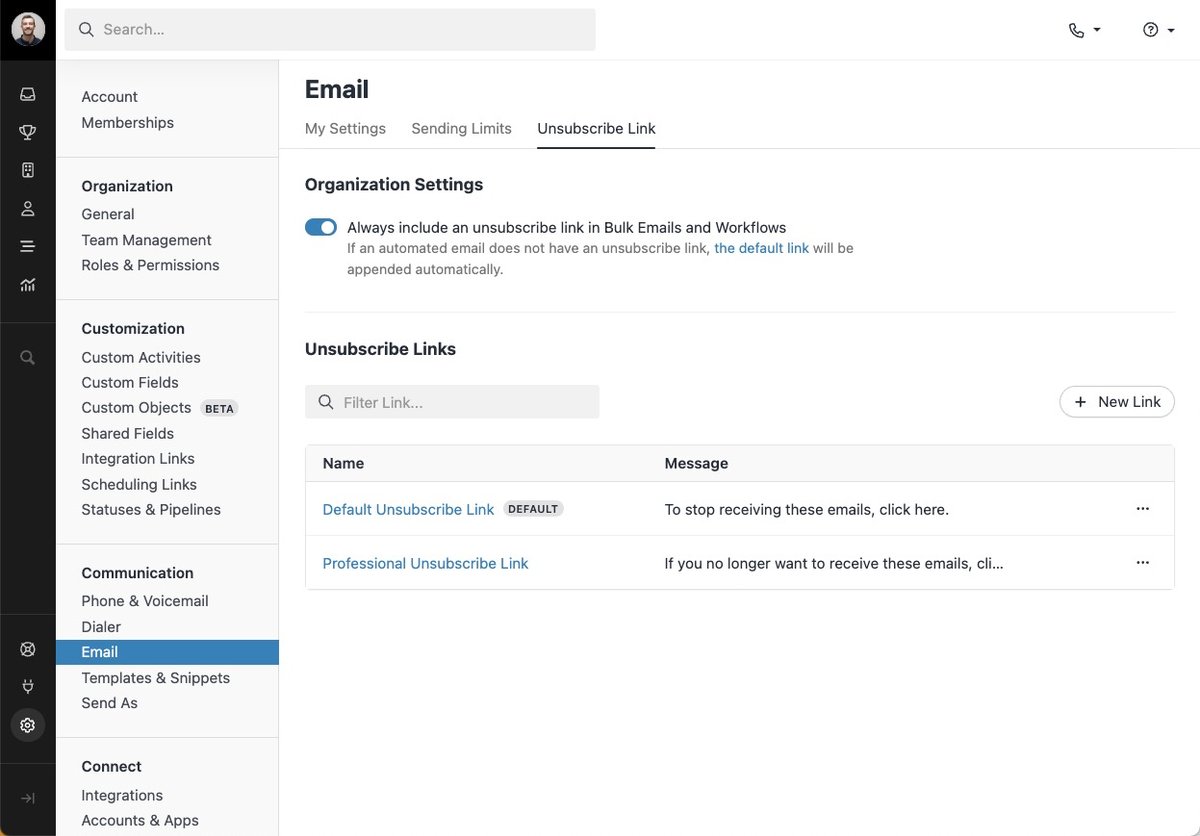
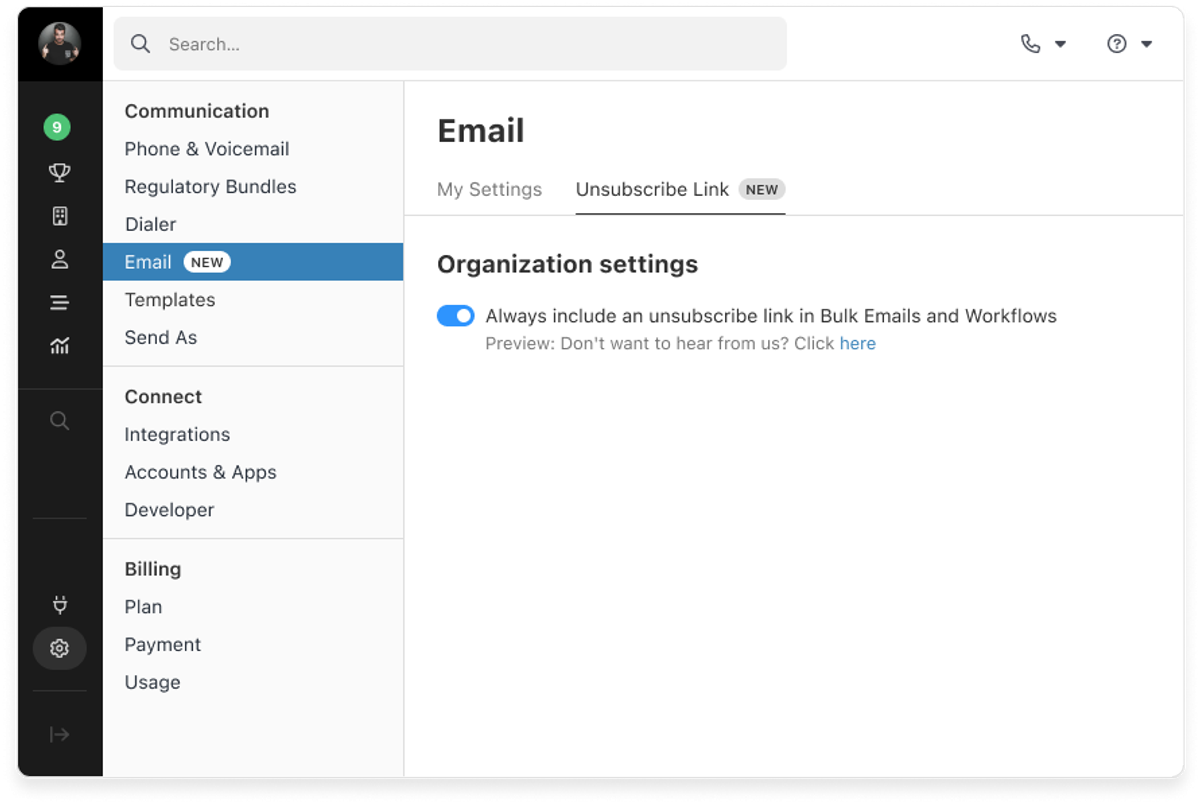
    We released an update to our email unsubscribe functionality. Earlier this month, when we released the functionality to automate managing your unsubscribes you could either turn it on or off for your entire organization.

    Now, after this past release, it's much more flexible with:

    • Customizable unsubscribe links. Match your brand and email template types with specific messaging.
    • Find and manage your unsubscribed contacts. Filter, search, or create a Smart View to find every unsubscribed contact.
    • Undo an unsubscribe. Resubscribe contacts who may have accidentally unsubscribed in a click.

    Find out more in our help article.

  • Saved Columns per Smart View

    Saved Columns per Smart View

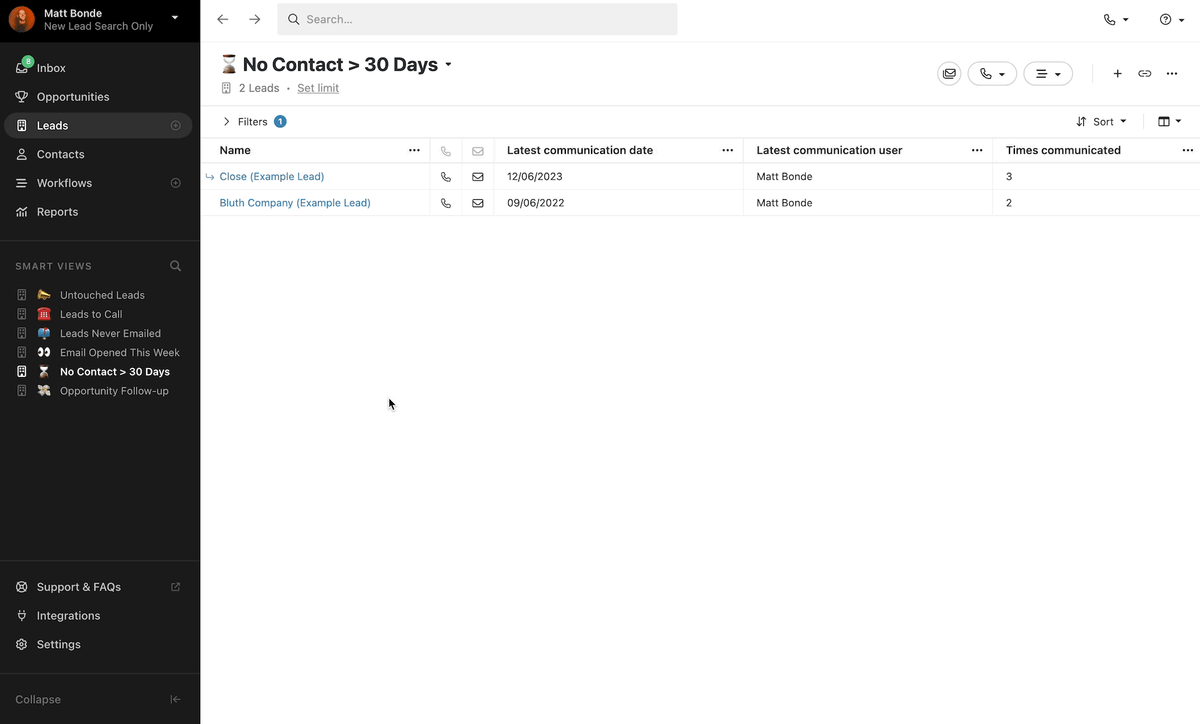
    We've added the ability to save your column set as part of your Smart View.

    When creating a new Smart View or updating an existing one, we'll automatically save your column set so that it loads along with the Smart View. This will help teams that want to focus on different pieces of information on the Lead or Contact when using particular views.

    If the Smart View is shared, any user that accesses the view will automatically see the saved columns.

  • Snippets and Quick Insert Menu

    Snippets and Quick Insert Menu

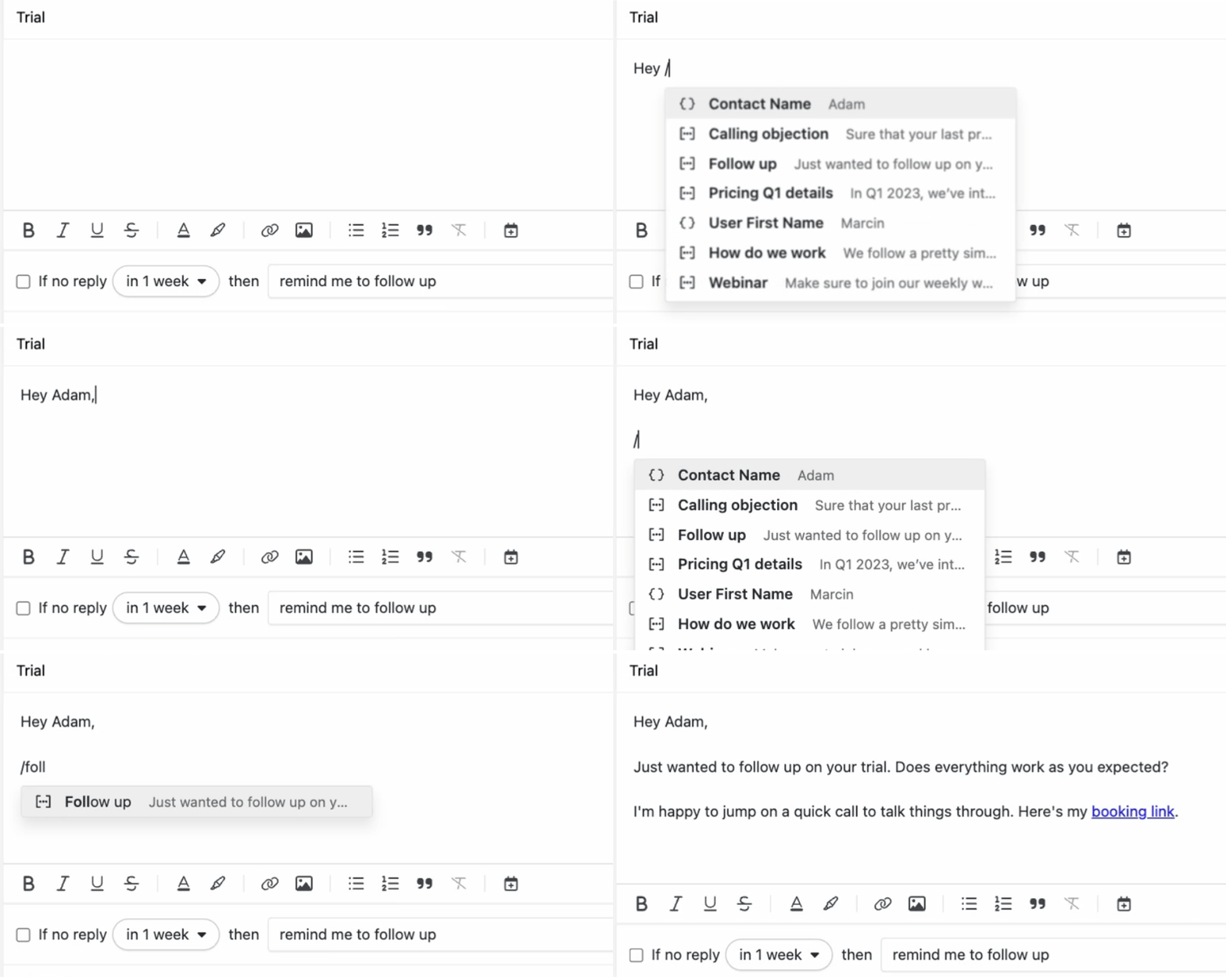
    We released Snippets, which allows you to add a sentence or paragraph of text you type frequently and insert it into the email, SMS, notes, and template editors.

    The quick insert menu is a new way of interacting with editors. By typing / you can insert a snippet, scheduling link, or template tags into the editors.

    We also slightly adjusted our pricing — from now on, only shared email templates, SMS templates, and snippets count toward organization limits.

  • New Feature

    Basic Email Unsubscribe

    Basic Email Unsubscribe

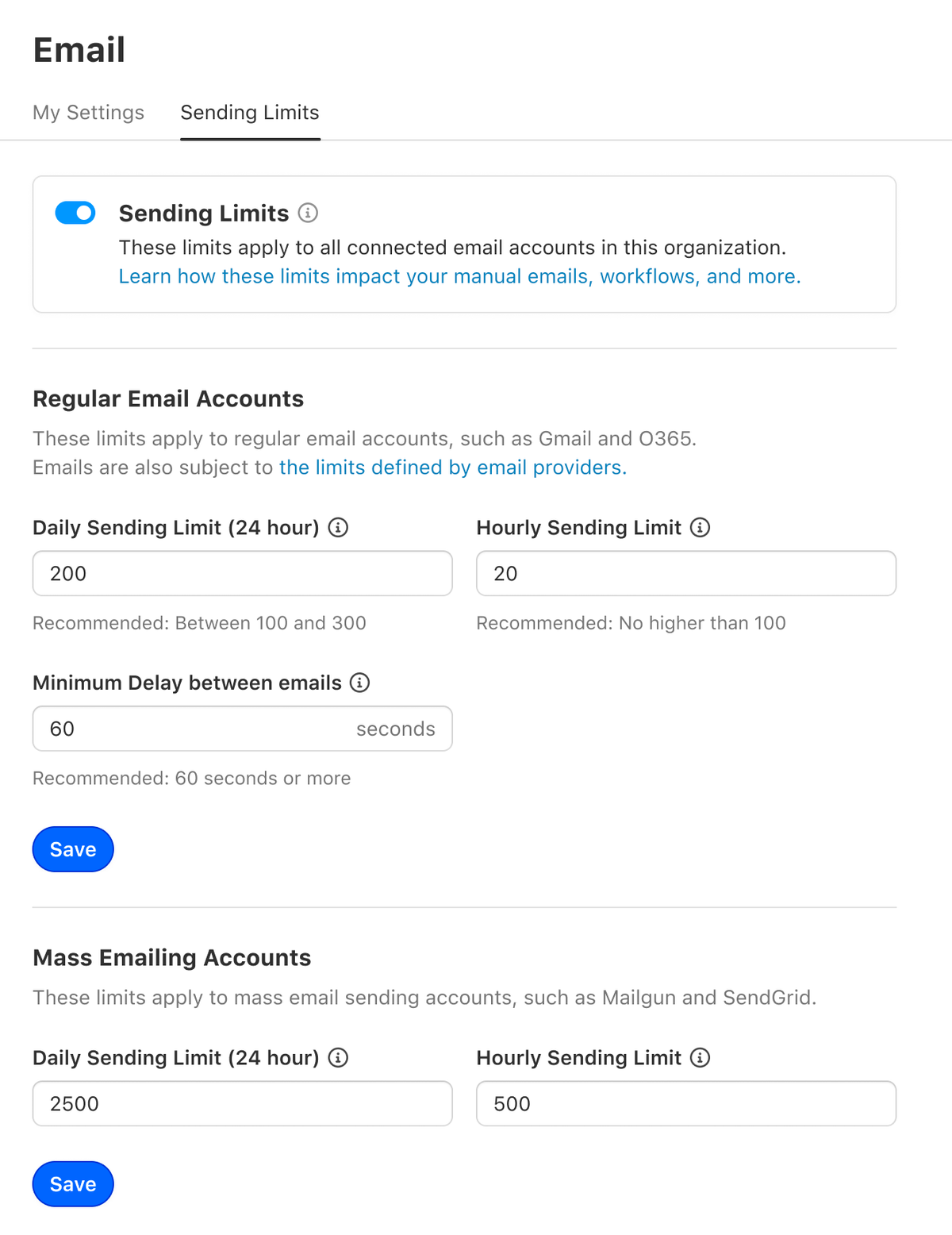
    You can now enforce a hardcoded unsubscribe link on all Bulk and Workflow emails for your organization.

    More unsubscribe functionality — including the ability to customize the unsubscribe link and manage unsubscribed contacts — has since been shipped as a follow-up update.

  • Improvement

    January 2024 Improvements

    January 2024 Improvements

    What's New

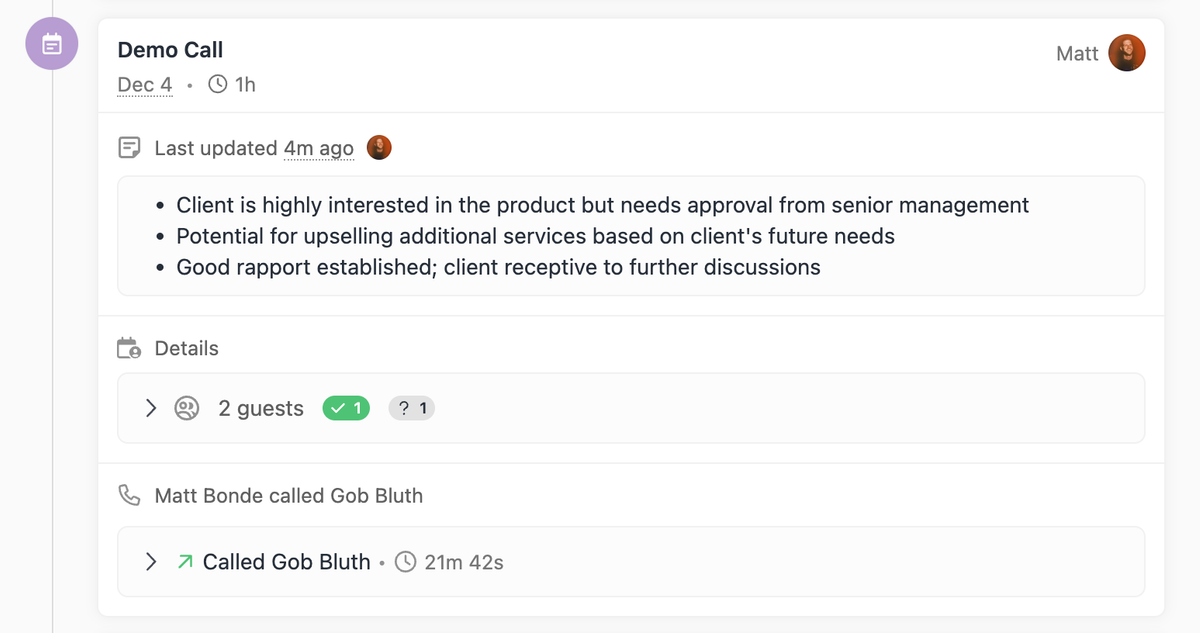
    • You can now report issues for calls linked to meetings.
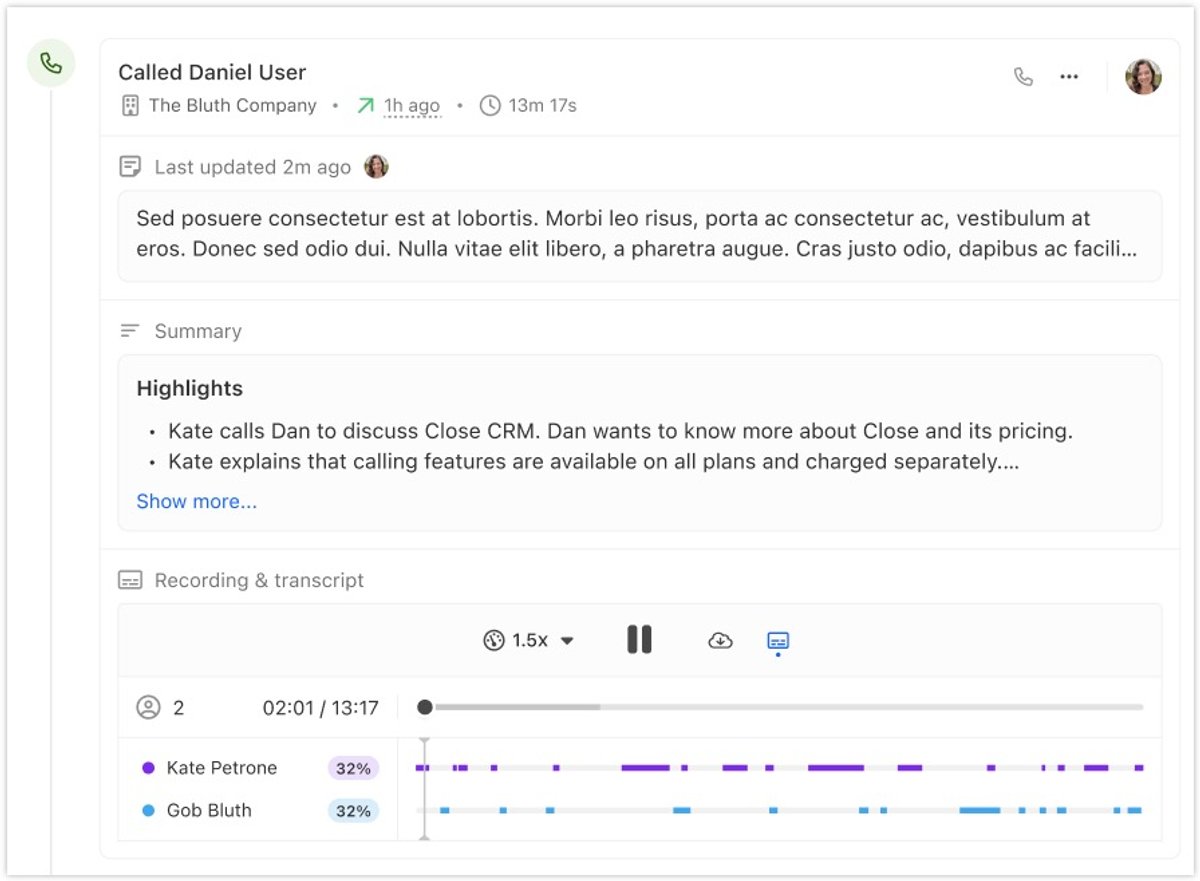
    • The call activity section has been reorganized to display information vertically, replacing the previous tab or dropdown format.

    Bug Fixes

    • Fixed an issue where a disconnected Calendly account did not show as disconnected in the system.
  • December 2023 Improvements

    December 2023 Improvements
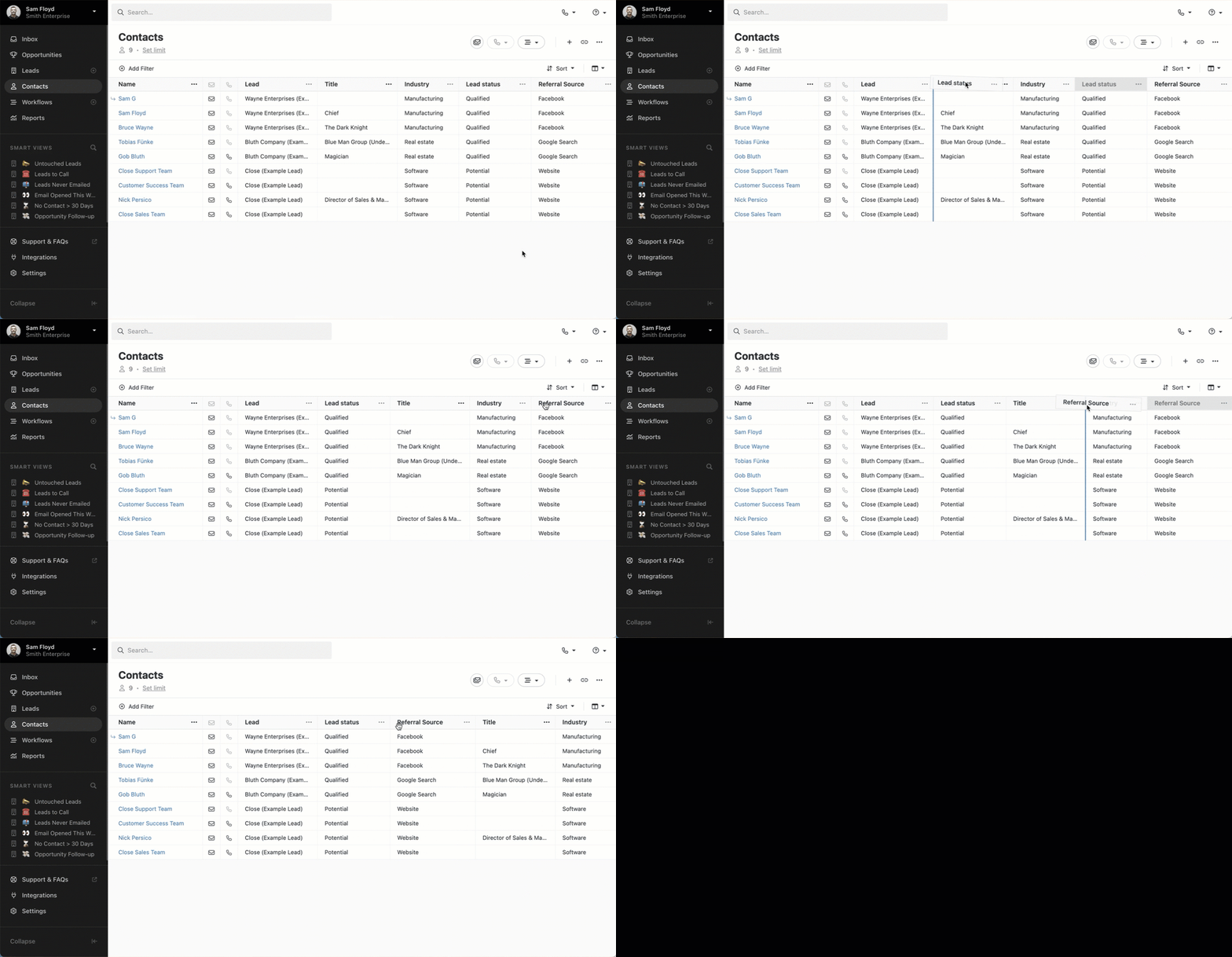
    • You can now drag and drop columns to quickly change their order.
    • When submitting a support ticket from Close, you can now record a session to submit along with your ticket. This session recording tracks errors you may be seeing. Note: it does not record audio.
    • Call recordings now automatically pause when you are no longer viewing the recording. If a call is already playing and you start another, only the new one will play.
    • Our ChatGPT plugin now has access to transcription summaries from calls and voicemails for teams using Call Assistant.
    • You can now swipe between lead page tabs in the Close mobile app.
    • You can now copy field text from any custom fields on Custom Objects, similar to the options on Lead, Contact, and Opportunity fields.

    Bug Fixes

    • SMS attachments will now send with the correct file name. Previously, PDFs were sent with a generic application_1.pdf name.
  • Call and Meeting Linking

    Call and Meeting Linking

    Calls will now automatically attach to Meetings in certain scenarios to help declutter your activity feed.

    Notes:

    • Calls placed from Close less than 15 minutes before the start of the meeting or during the meetings scheduled time will be automatically attached.
    • The call must be placed to number associated with a contact attending the meeting or a phone number listed within the meeting itself.
    • Multiple calls can be linked to the meeting in case or disconnects or unanswered attempts.
    • Calls attached to Meetings are still tracked in reporting as they were previously.
    • Notes taken within the Meetings field are also reflected on the attached calls when accessed through the API.
    • At this time calls can not be manually attached or detached from meetings.
    • Calls will only be attached when the Meeting exists prior to the call being placed. There is no historical linking associated with this feature.
  • New Feature

    Mobile: Android App, Push Notifications, and Inbound Calling

    Mobile: Android App, Push Notifications, and Inbound Calling

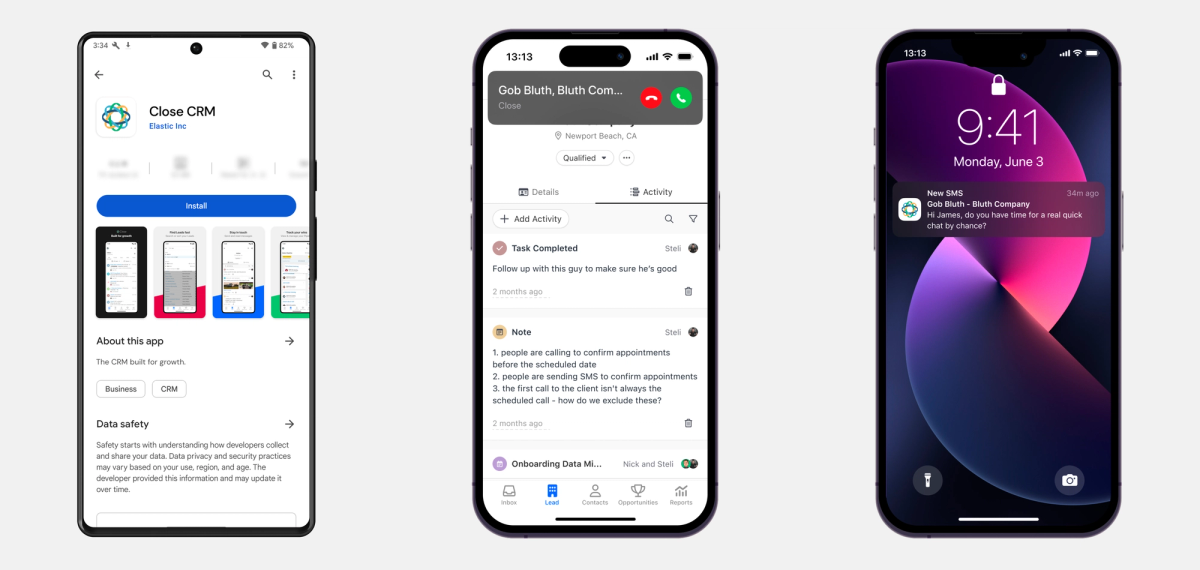
    We've released the V1 of the Close app for Android. You can download it by clicking on this Google Play link.

    On top of that, we added push notifications and inbound calling support (both iOS and Android).

  • November 2023 Improvements

    November 2023 Improvements

    Call Assistant Improvements

    • As audio plays, the transcript automatically scrolls to stay in sync.
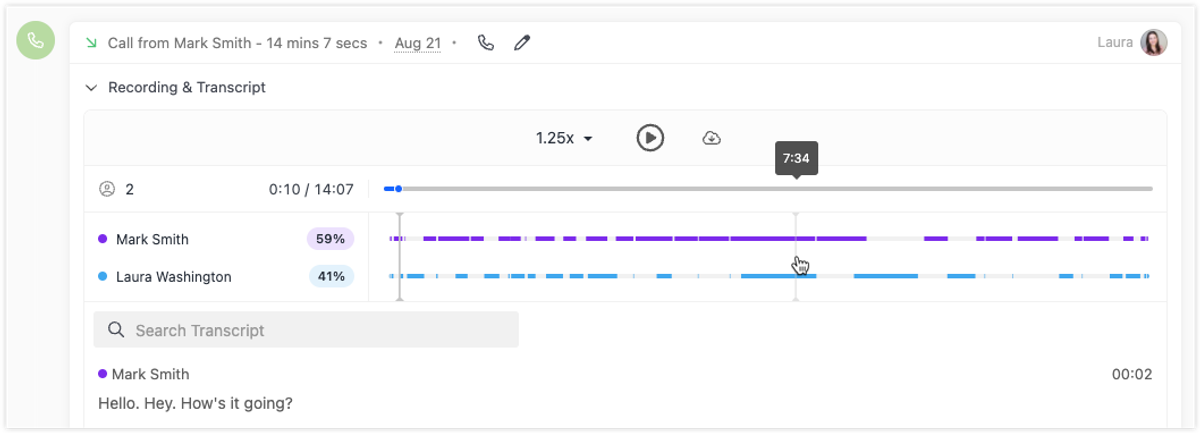
    • Speaker charts now display in all calls with transcriptions, showing the breakdown of talk time between each person. Click anywhere in the chart to navigate to that spot in the recording.
    • Calling service connectivity has been further improved. The phone icon in the top right of the app now indicates the calling service status — it pulses while a connection is being established and turns red if the connection fails.

    Leads and Contacts List

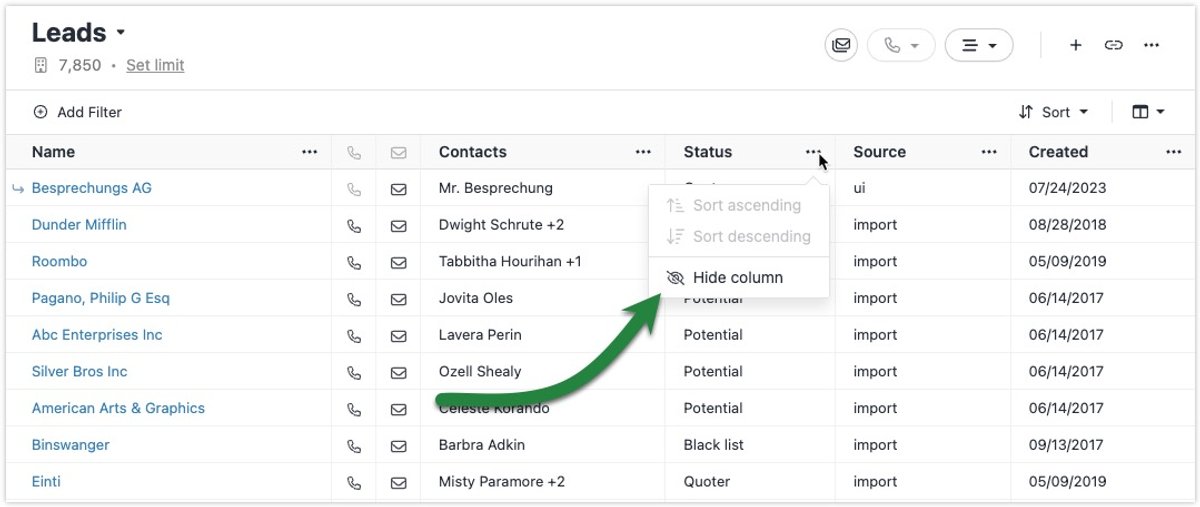
    • Click on a column header to quickly sort by that column.

    Email Editor

    • New "Clear formatting" option removes styling from selected text.
    • You can now choose custom colors for text or text highlights.
    • If a regulatory bundle you submitted is rejected, the notification now includes the specific document that was rejected and the reason why.

    Bug Fixes

    • Fixed native mobile app issue where attempting to edit an old draft email would show a blank pop-up.
  • Improvement

    October 2023 Improvements

    October 2023 Improvements
    • Customers with an approved A2P 10DLC campaign will automatically receive SHAKEN/STIR Level A attestation.
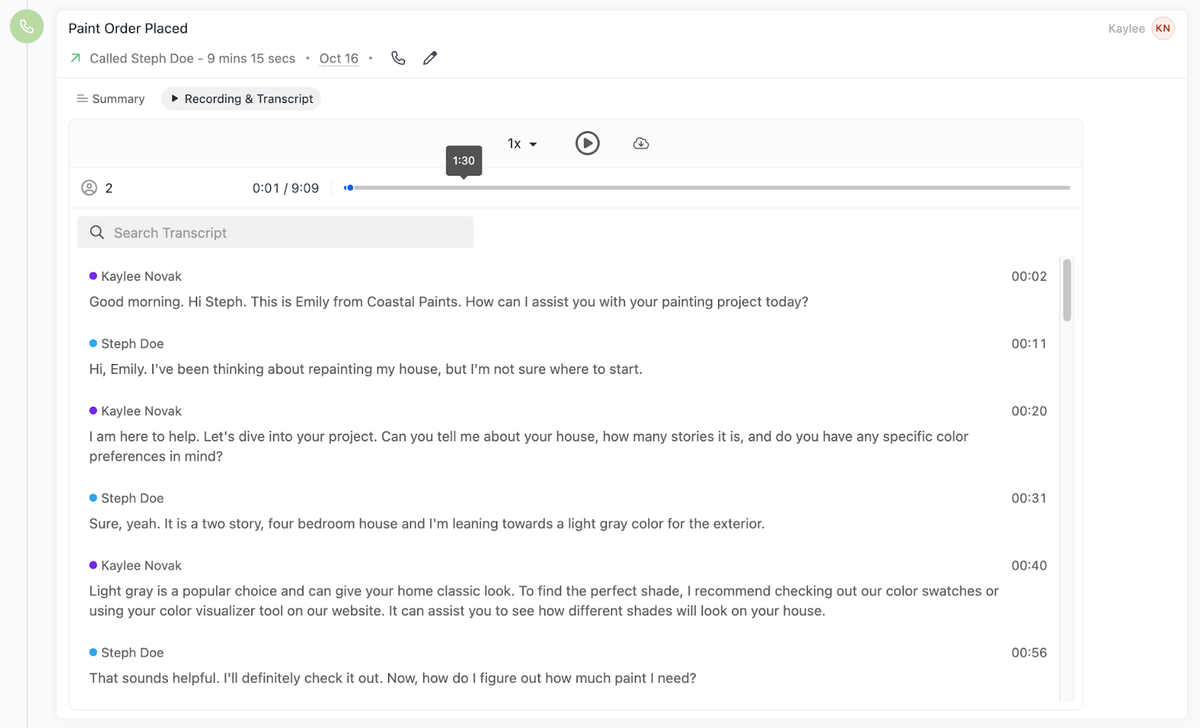
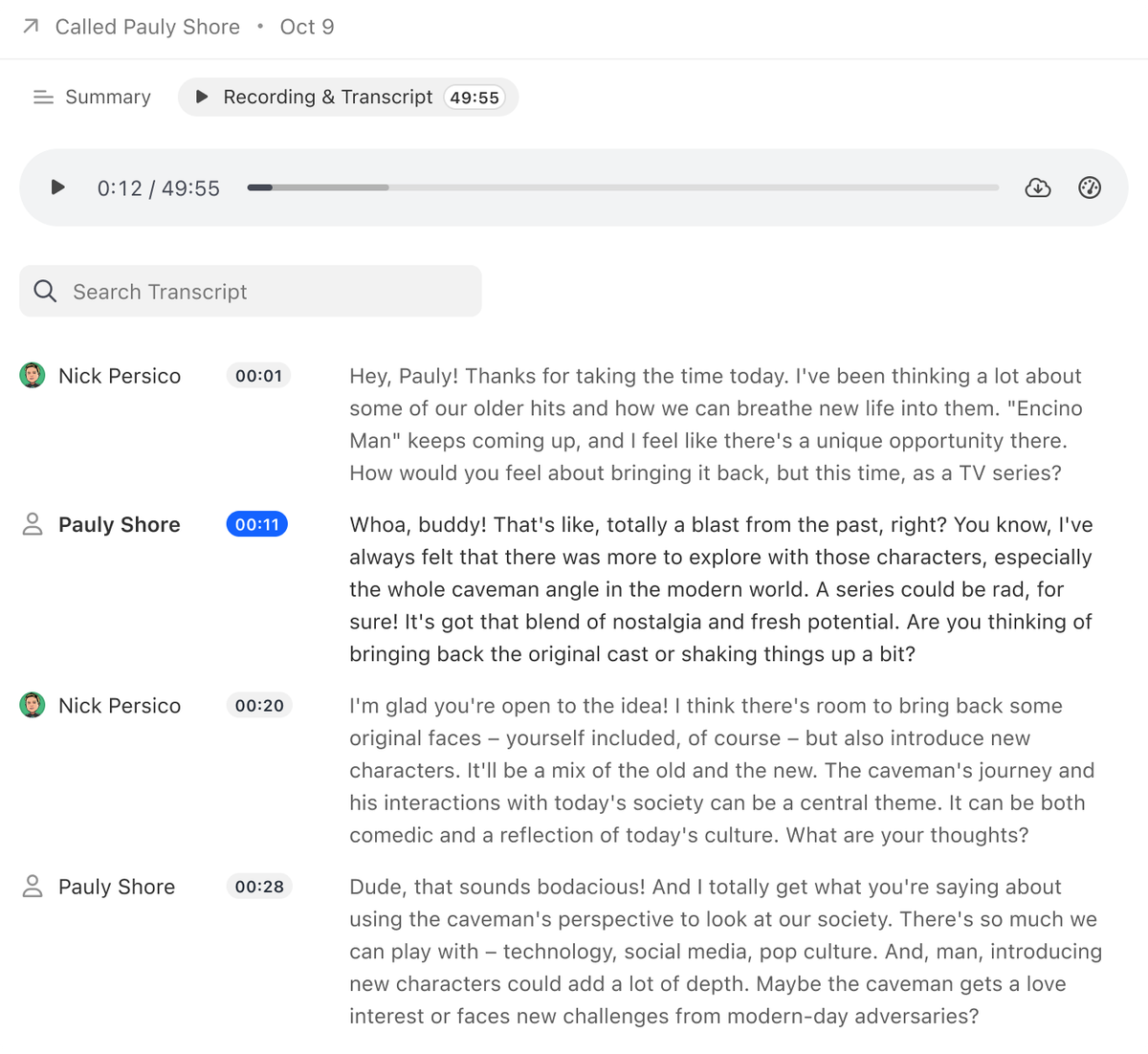
    • The Call Assistant transcript UI has been updated with distinct colored icons per user and a refreshed layout, making transcripts easier to read and scan.
    • If a new contact appears in an email thread within a Lead, you can now add them as a contact in one click.
    • Easily copy and share a lead page URL.
    • Mobile app updates:
    • Push notifications for incoming SMS, missed calls, and new voicemails
    • Option in call settings to disable inbound calls to your device
    • Quick action buttons (Email, SMS, Call)
    • Search bar now always visible instead of appearing in a popover
    • New Zapier version with improved Notes actions.
    • Updated thumbnail display for attachments and improved spacing in the Lead Activities list.
    • SMS replies now automatically use the same phone number that sent the original message (if still available).
    • Voicemail email notifications now link directly to the Lead with the voicemail filtered in the activity feed.
    • Failed emails can now be edited and re-sent.
  • New Feature

    Next Lead/Contact Button

    Next Lead/Contact Button

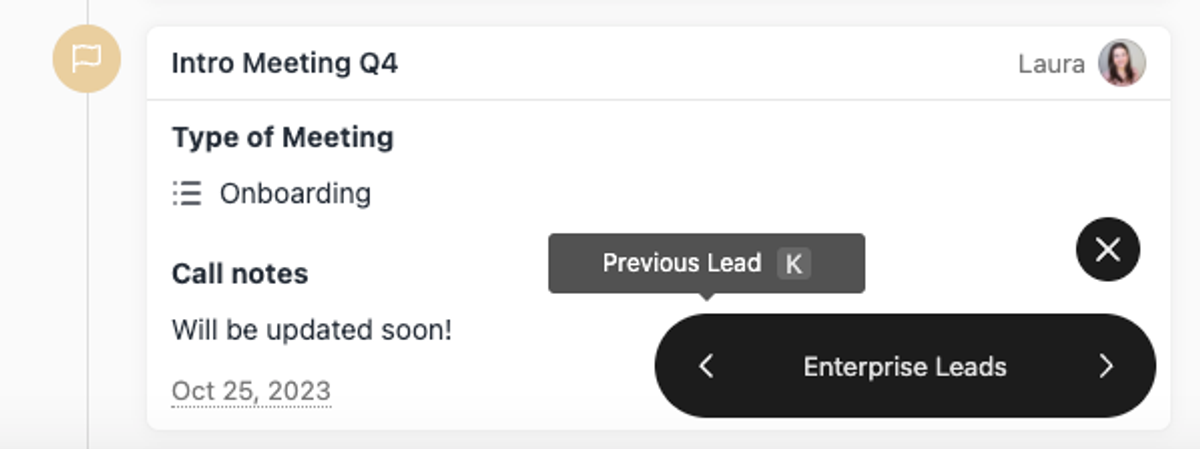
    When you open a Lead from a lead search, contact search, or Smart View, you'll now see a button at the bottom-right corner.

    You can use that (or j and k keyboard shortcuts) to navigate the list.

  • New Feature

    Call Assistant: AI Transcriptions and Summaries

    Call Assistant: AI Transcriptions and Summaries

    When enabled, Call Assistant adds new functionality to any calls recorded in Close.

    Transcriptions

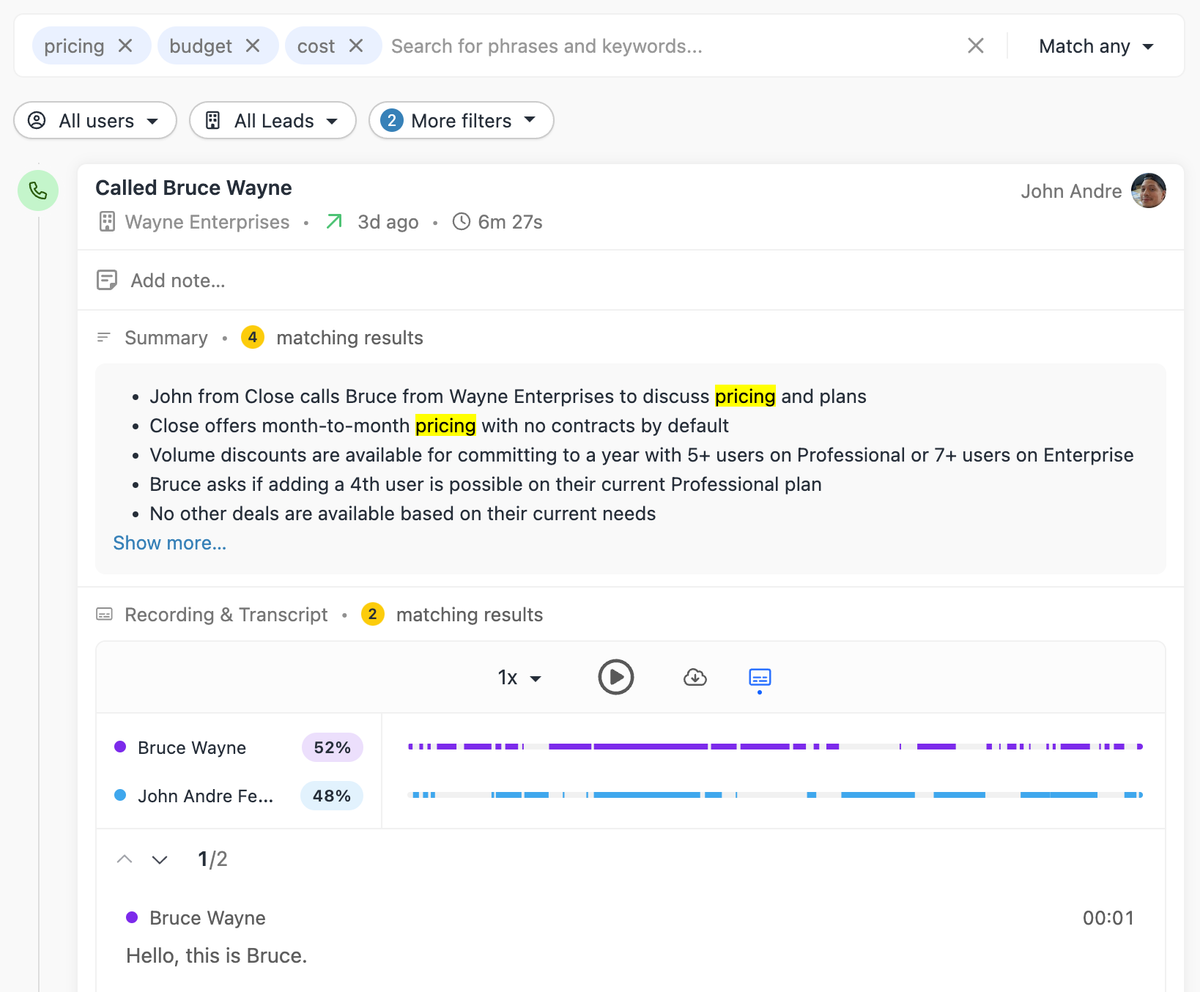
    Call Assistant automatically transcribes all recorded calls made through Close.

    • Know exactly what was said without painstaking review
    • Skim the transcript and jump to any point in the conversation by clicking on the text
    • Speaker labels help you understand who said what

    .png)

    • Search through transcriptions at the transcript level, or use Lead search to find all leads with transcriptions containing specific words or phrases.

    Summaries

    • Call Assistant generates a short summary after each call based on the transcript.
    • Get the gist of each conversation without relying on notes, and review previous interactions much faster than before.

    .png)

  • September 2023 Improvements

    September 2023 Improvements
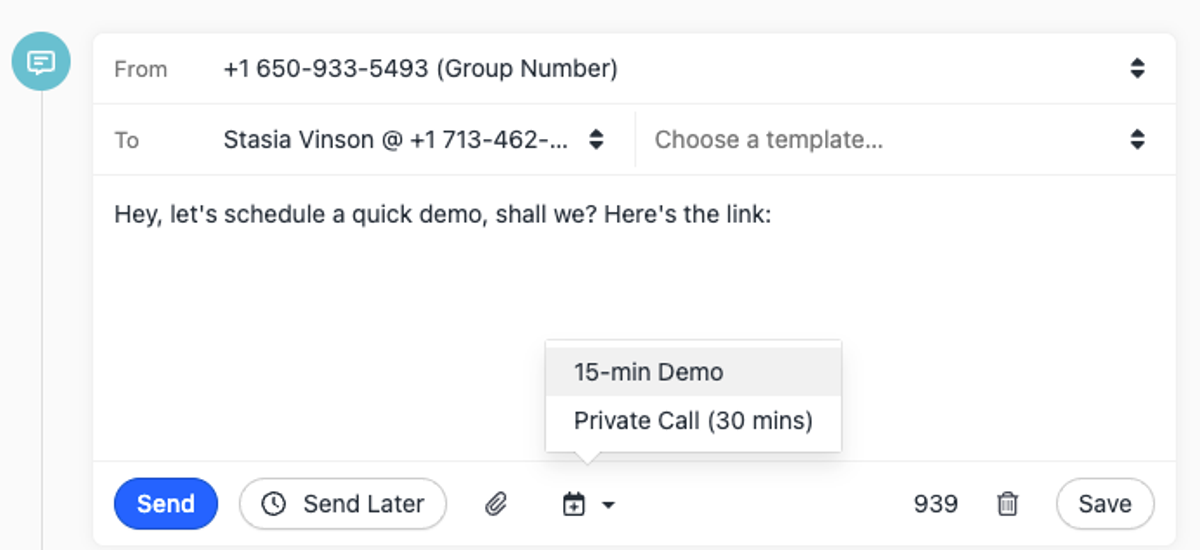
    • Updated the Lead Page SMS editor:
    • Improved look and feel.
    • "Send Later" menu now has the same options as the Email editor.
    • Unusable phone numbers are now visible (but disabled) in the From/To selects.
    • Scheduling Links can now be inserted into SMS messages.
    • Contact name is now displayed on the Opportunity card in the Pipeline report.
    • Updated the look and feel of several Lead Activities: Opportunity Status Change, Task Completed, Custom Activities, and Lead changes.
    • Added a thread count badge to Inbox items.
    • Added animations to upcoming activities and modals across the app.
    • Updated SMS, Lead, Note, and History icons.
  • Workflow Schedule and Pausing Customization

    Workflow Schedule and Pausing Customization

    We've launched two new customization capabilities for Workflows.

    Schedules

    You can now set your own Workflow communication schedule on each Workflow in Close. Simply select the days of the week you're hoping to send, along with your hourly sending window.

    Note: This schedule only applies to communication steps (e.g. calls, emails, SMS). Any tasks or instant actions will process outside of this window.

    Pausing

    You now have more control over what pauses your Workflows. Optionally disable automated pausing when receiving incoming calls, emails, or SMS if you would rather your Workflow continue to run.

  • Close ChatGPT Plugin

    Close ChatGPT Plugin

    You can now connect ChatGPT and your Close data — which means using the power of Generative AI to write emails, provide valuable prospect insights, segment leads and contacts, and analyze reporting data.

    Find out more about the best use cases in our blog article.

  • Meetings in Inbox

    Meetings in Inbox

    We've added a new Meetings section to your Inbox experience in Close.

    This section allows you to:

    • Easily see a daily view of your upcoming or past meetings.
    • Navigate to future or previous days to see what's coming up or review past meetings.
    • Go to the Lead directly by clicking on the meeting.
  • Automated Workflow Triggers

    Automated Workflow Triggers
    • Sequences have been renamed to Workflows, and any Workflow can now have automated triggering criteria.
    • Triggering criteria can include most fields related to the Lead and associated Contacts.
    • The trigger fires any time a lead is created or updated to match your specified filters. Leads already matching the criteria when the trigger is set will not be enrolled retroactively.
    • Only the primary contact on the lead will be enrolled when the trigger fires.
    • By default, the Workflow creator is set as the assigned user for any Workflow steps. Use Send As settings for more advanced sending options.
    • For more details, see our Help Center guide.
  • Improvement

    August 2023 Improvements

    August 2023 Improvements

    What's New

    • When editing a sequence, you can now add new steps between any existing steps.
    • You can now record meeting notes directly in Close on any meeting activity.
    • The snooze options were updated to include only the most common choices, with a simpler date picker.
    • Sending an SMS message to a US phone number now requires an approved A2P 10DLC registration. For more information, see this help article.

    Bug Fixes

    • Fixed an issue that caused the "More" menu in templates not to show.
    • Fixed an issue with the Activity Feed filter that caused meetings not to appear when filtering by contacts.
    • When you reach your custom fields limit, a helpful error message is now shown.
    • Fixed an issue where changing the "From" field in an email draft would clear the subject field in certain cases.
  • New Feature

    Mobile App: Calling Improvements and Reporting

    Mobile App: Calling Improvements and Reporting

    We added mobile calling settings, where you can define your default calling options, along with Caller ID selection and Call Recording options.

    We also added the most popular Reports — Activity Overview, Activity Comparison, and Opportunity Funnel.

  • New Feature

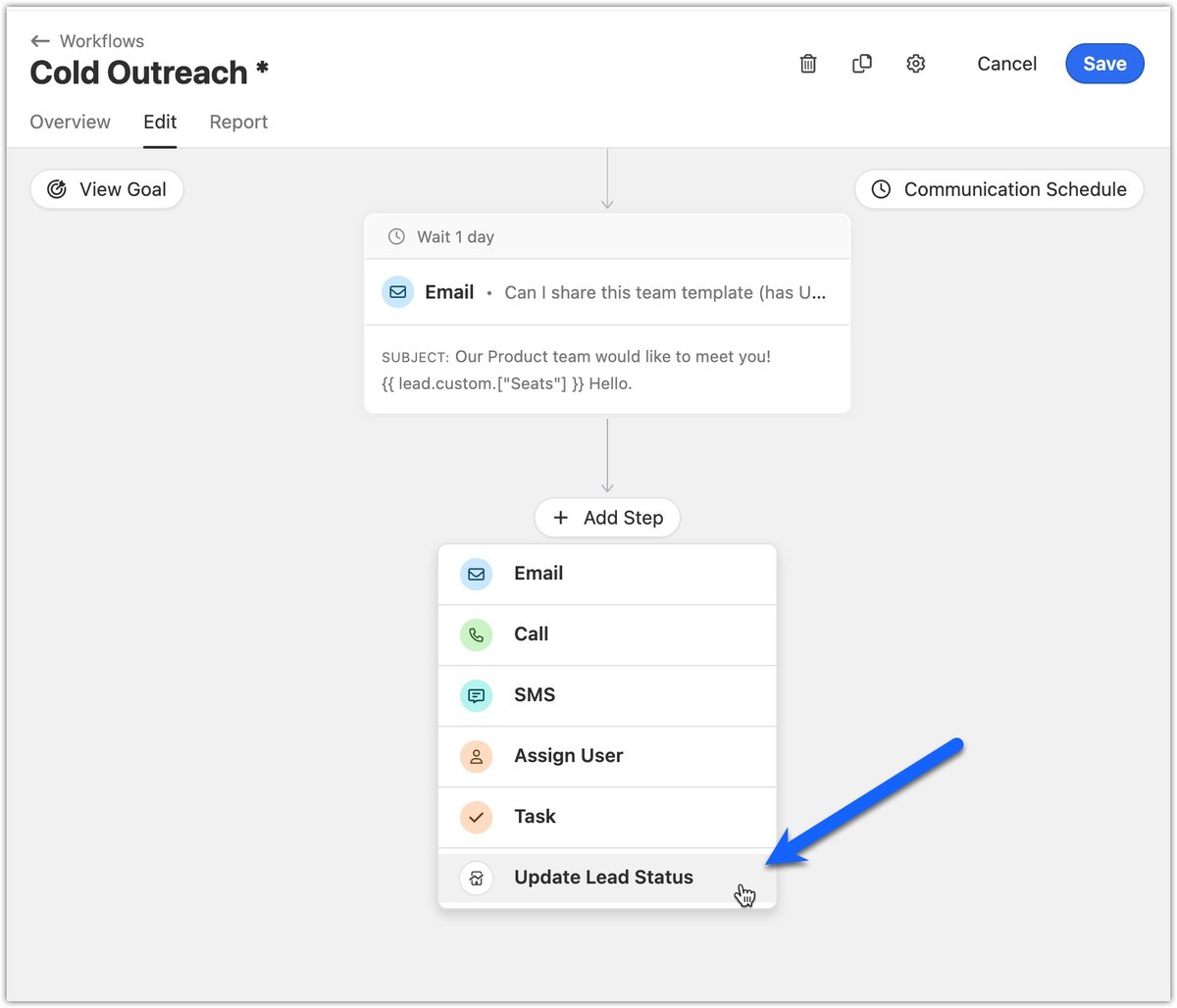
    Task Steps in Sequences

    Task Steps in Sequences

    You can now add task steps to your sequences. Task steps can represent a few different concepts for teams:

    • Pre-communication flows (e.g. Prospect the lead prior to them receiving calls/emails/SMS)
    • Communication outside of Close (e.g. Connect/message on LinkedIn)
    • General operations actions (e.g. Create a "new customer" task for a CSM when leads move into customer status)
    • Post-sequence flows (e.g. Decide what to do with the lead if they don't respond to a sequence)

    Tasks can be required or optional:

    • Required — the sequence won't progress until the task is completed
    • Optional — the sequence will create the task and move to the next step immediately

Free trial
Free migration
Free support
No credit card needed

Start your 14-day free trial

On-demand demo

Learn the how + why of Close in just a few minutes.

Take a product tour

Talk to a real human

Get the gist of Close with a guided, B.S.-free tour.

Book a call