Skip to content

Product Updates

If you’re a tech-enabled team who needs to scale without overpaying for enterprise sales software, you’ve found the right sales tool.

  • Improvement

    July 2023 Improvements

    July 2023 Improvements

    What's New

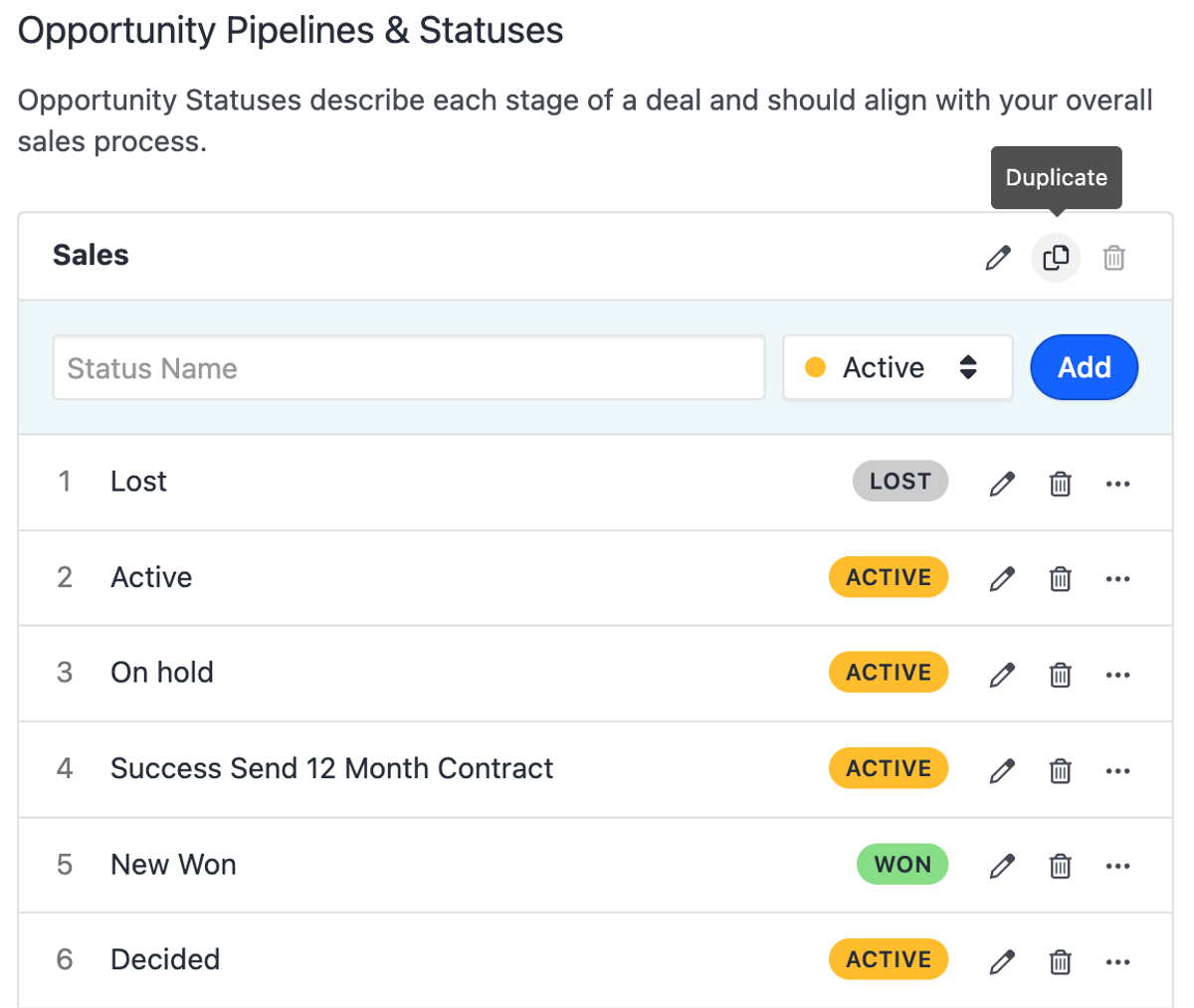
    • You can now duplicate a pipeline.
    • The actions toolbar is now more compact on smaller screens and hidden until you make a selection.
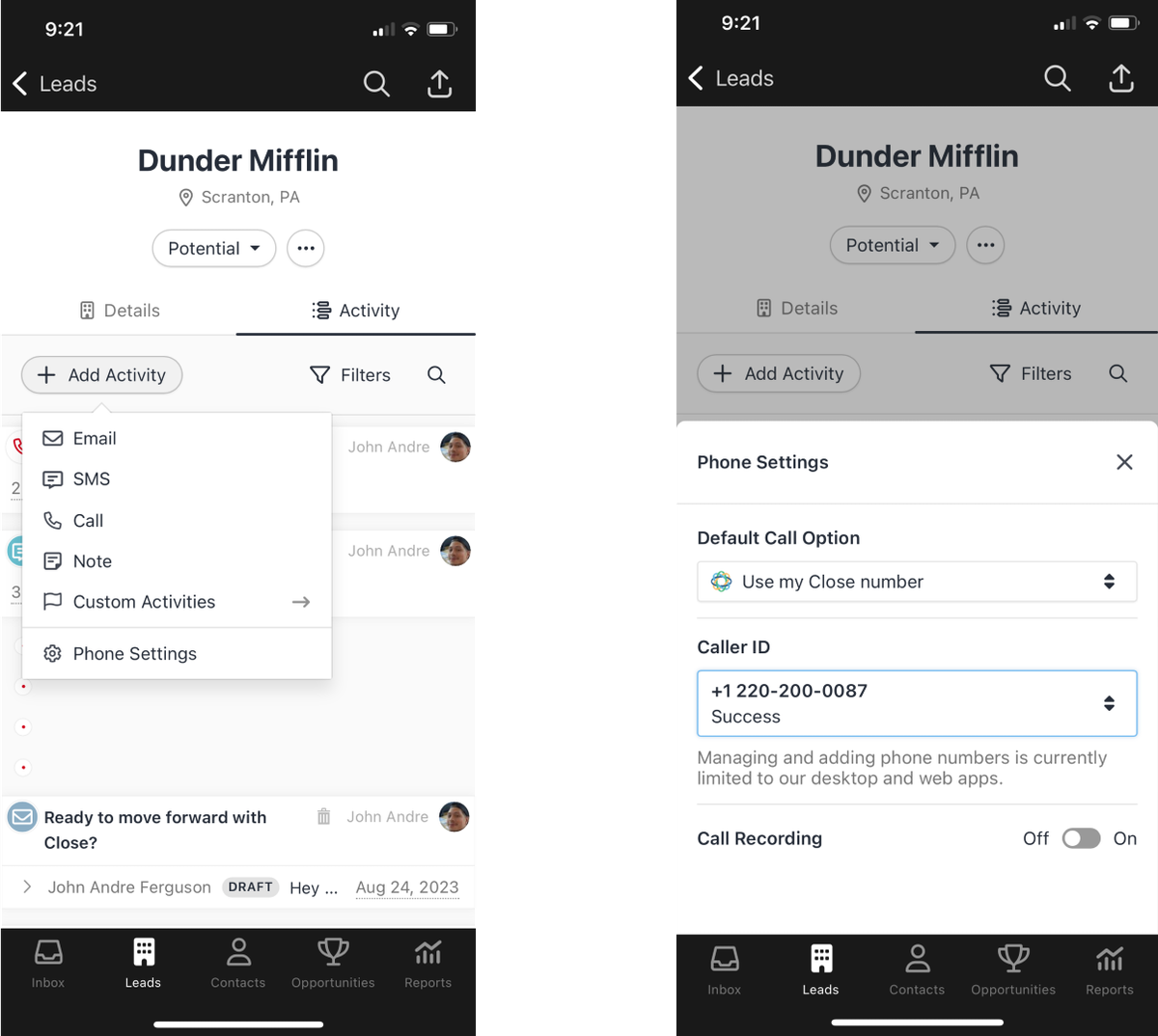
    • Phone settings are now accessible in the mobile app via the + Add Activity button.
    • The Roles & Permissions page now supports browser shortcuts.
    • On mobile, saved reports have been moved to the report title dropdown for a better experience.
    • Action buttons have been moved into the "More ..." menu.
    • Reporting filters are now hidden by default and horizontally scrollable on all devices.

    Bug Fixes

    • You can now delete a role when only inactive or invited users are assigned to it.
    • Video call links for meetings are now correctly displayed, and Zoom cloud recordings are collected when a Zoom integration is active.
    • Fixed an issue where event organizers were not included when a calendar was synced from Microsoft 365.
    • Fixed an issue where menu bar items were hidden at some screen widths on the Pipeline and Sales Funnel screens.
  • Improvement

    June 2023 Improvements

    June 2023 Improvements
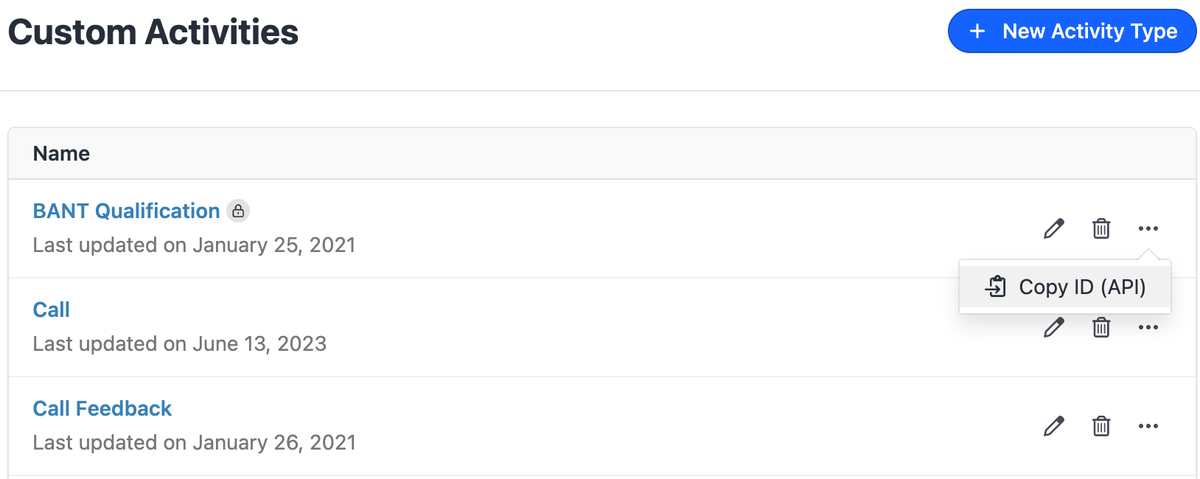
    • For customers who want to integrate Custom Activities with third-party integrations, we added the ability to copy custom activity IDs.
    • Invites now expire 1 week after being sent.
    • There is a new limit of 300 opportunities per lead.
    • The "Send Later" action has been re-designed making it easier to pick a date and time from any device.
    • In the Close API we improved Lead address validation for Canadian provinces/territories. This matches our current validation for US states ("British Columbia" → "BC").
    • In Zapier we updated the following to support both plain and new HTML (rich text) notes: new note trigger, create note action, and update note action.
    • Also in Zapier "New or Updated" Custom Activity triggers were superseded by the simpler "Published Activity". This will trigger only when an activity is published (saved) in your Close app. Existing Zaps using a New or Updated Custom Activity trigger will continue working as-is. In the case of a more complex trigger scenario, you can use the New Event trigger.
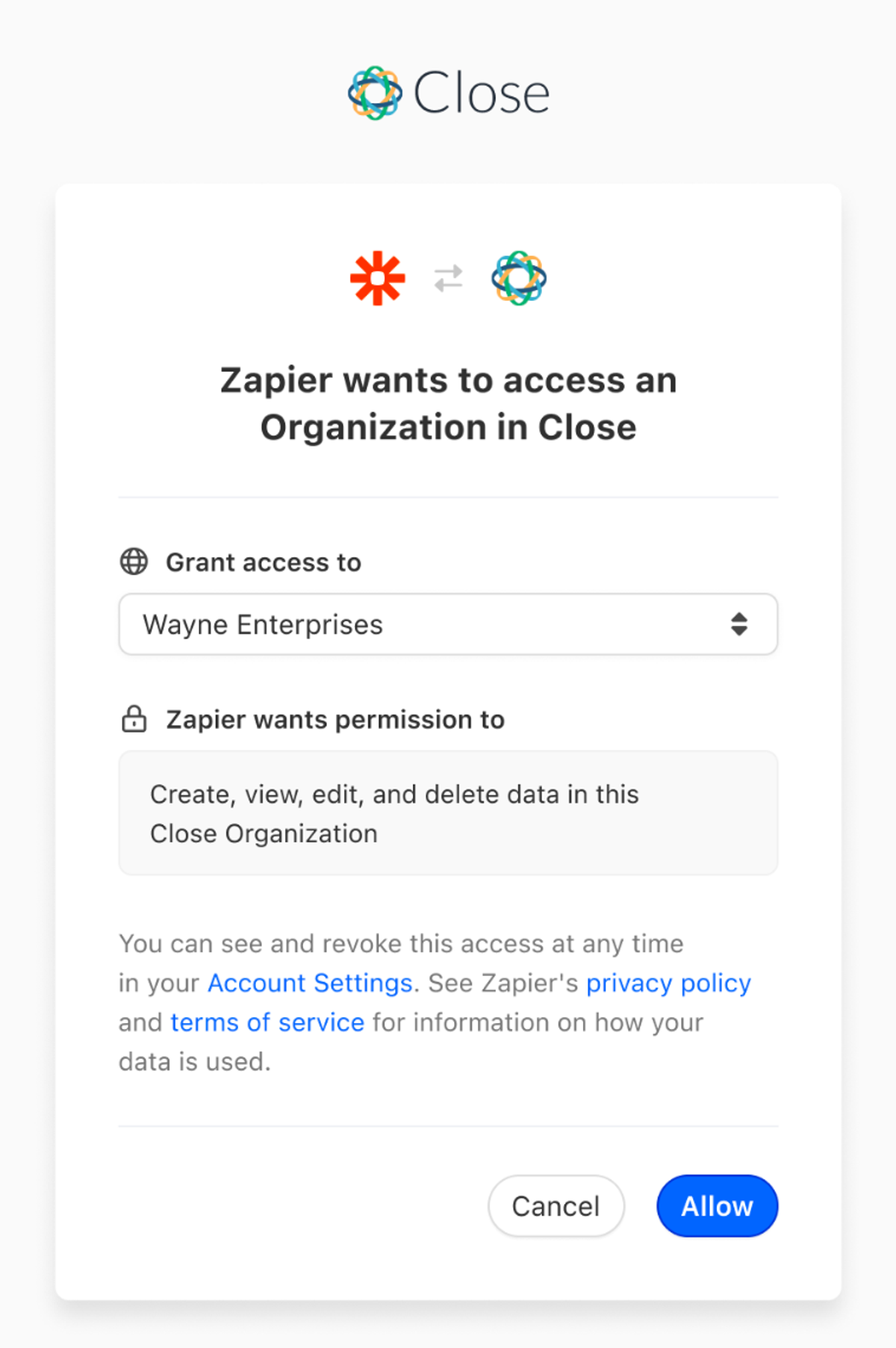
    • We released a new version of our Zapier integration that uses OAuth authentication which replaces API keys for all new Zaps. Existing Zaps that are using API keys will continue working as-is. For more information, you can check out our Zapier help article.

    Bug Fixes

    • Lead and Contact SMS buttons will now be disabled if the only number on the Lead or Contact is blocked or if there are no phone numbers.
  • New Feature

    Lead Visibility Permissions

    Lead Visibility Permissions

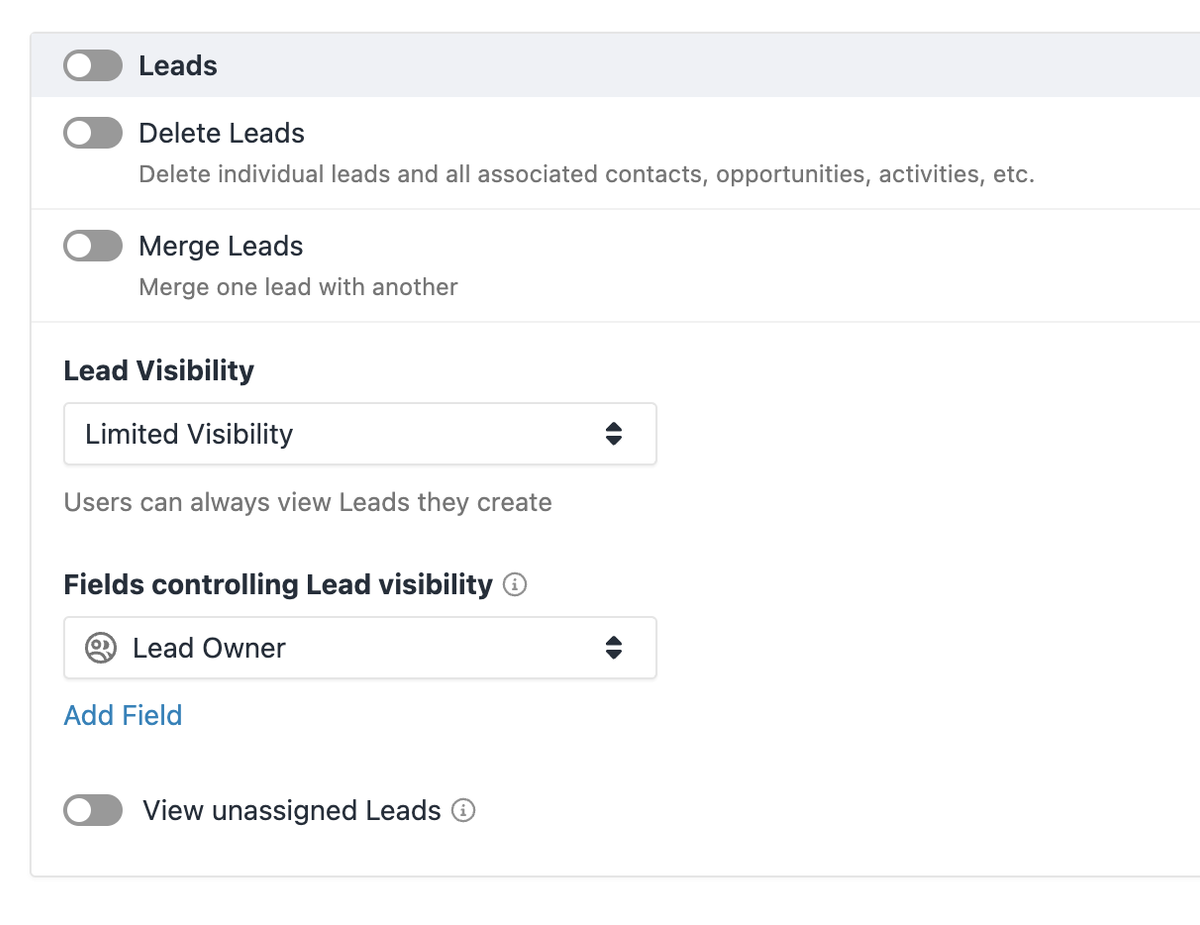
    We've just introduced the ability to restrict which leads each member of your team can view in Close.

    • By default, all default and custom roles within Close have Lead Visibility set to All Leads
    • For new and existing custom roles, you can now toggle this setting to be Limited Visibility.
    • Once the role is set to Limited Visibility, you will decide which User Type custom fields on the Lead should control visibility for that role.
    • Each Role can have up to three (3) fields controlling the Roles' visibility, and each Role can use a different set of fields (e.g. your Sales role can use the Sales Rep field and Success can use a Success Rep field).
    • Optionally, teams can decide whether Users in the Role can see unassigned leads (e.g. leads with no one in the Lead Owner field)

    A few quick additional notes about Lead Visibility:

    • Users with Limited Visibility will only see data in Close that is related to Leads they're able to view. This applies to Leads, Contacts, Opportunities, and Reports tabs, as well as Search.
    • Users with Limited Visibility cannot view another User's Inbox.
    • Admins and any User in a role with the Manage Organization permission will also be able to see Visibility Summary on each lead in case you need to quick see who is able to view any particular lead.

    For more details and a setup walkthrough, check out our help center article here.

  • New Feature

    OAuth 2.0 Integration Support

    OAuth 2.0 Integration Support

    Close now supports integrations using OAuth 2.0. To integrate with Close using OAuth, see the developer documentation.

    Developers can now:

    • Create a private OAuth app for your organization
    • Request to publish your app publicly for all Close users

    Users can now:

    • Authorize integrations built using OAuth to access your data in Close
    • Revoke access for OAuth apps that have access to your data
    • Authorize the new Zapier OAuth app with Close
  • New Feature

    Sequence Improvements: Lead Assignment and Send As

    Sequence Improvements: Lead Assignment and Send As

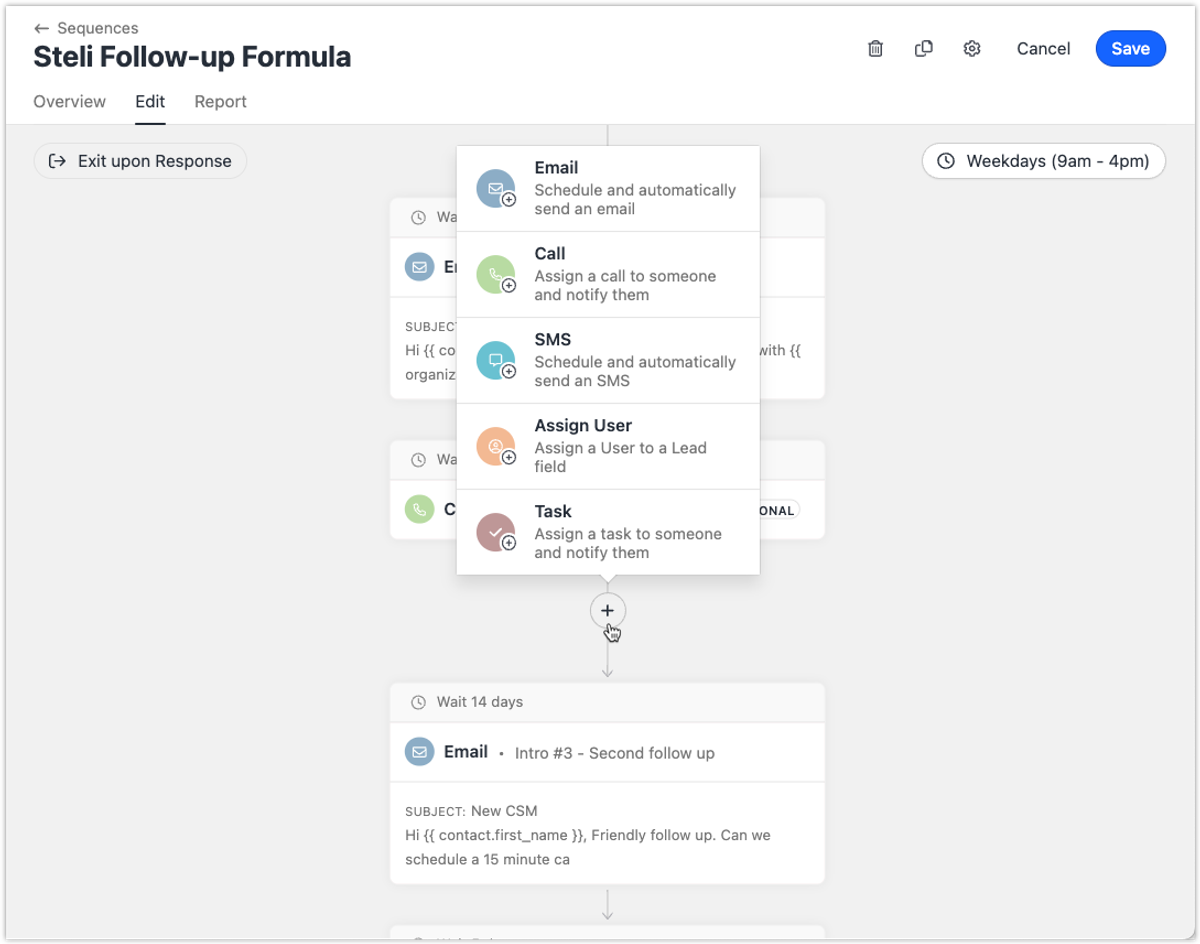
    Assign User Steps

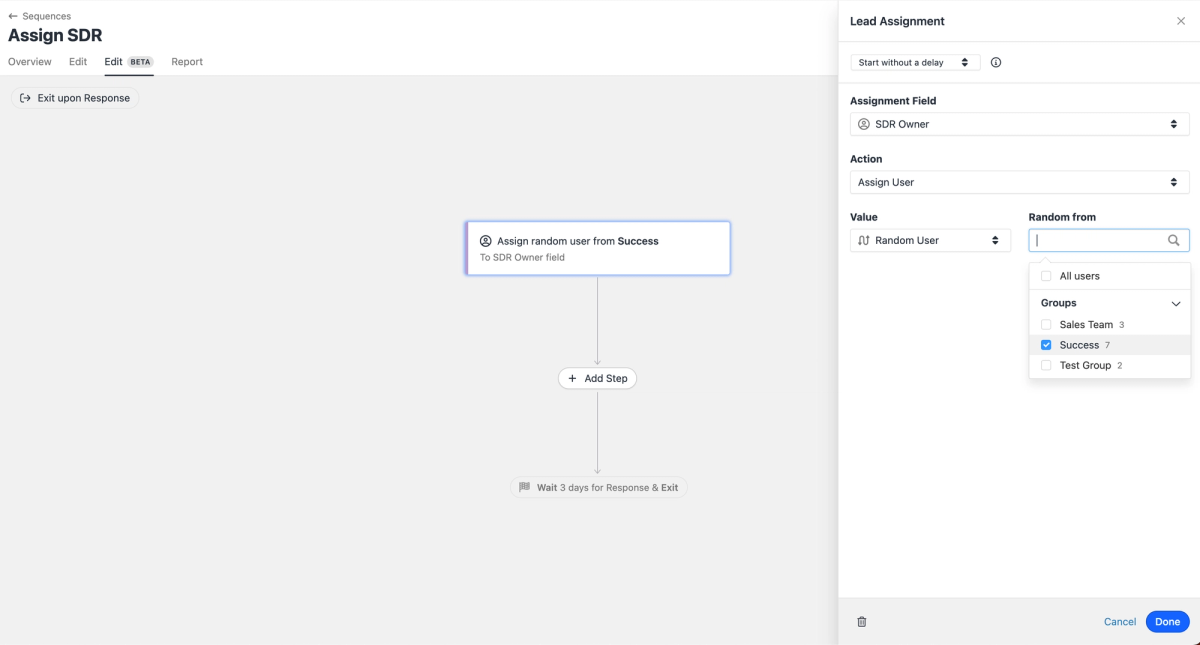
    You can now automate lead assignment logic in sequences via the new Assign User step.

    • Specify which field should be assigned when the step runs.
    • Supports overwriting an existing user, assigning only if the field is empty, or unassigning the user.
    • Assign a specific user or select one at random from all users or one or more groups.

    Additional steps following the Assign User step (emails, calls, SMS) are optional.

    Sequence Send As

    When creating sequences, you can now specify who the sender of each step should be. Options include:

    • Enrolling User — The step sends from the user subscribing the contact to the sequence (current default behavior).
    • Specific User — The step always sends from the same user (e.g., "Email from the CEO as the 3rd step").
    • Assigned User — The step sends from the user assigned to the lead via a User Custom Field.

    This allows a single sequence to be reused across team members more easily.

  • New Feature

    Close iOS App - Outbound Calling

    Close iOS App - Outbound Calling

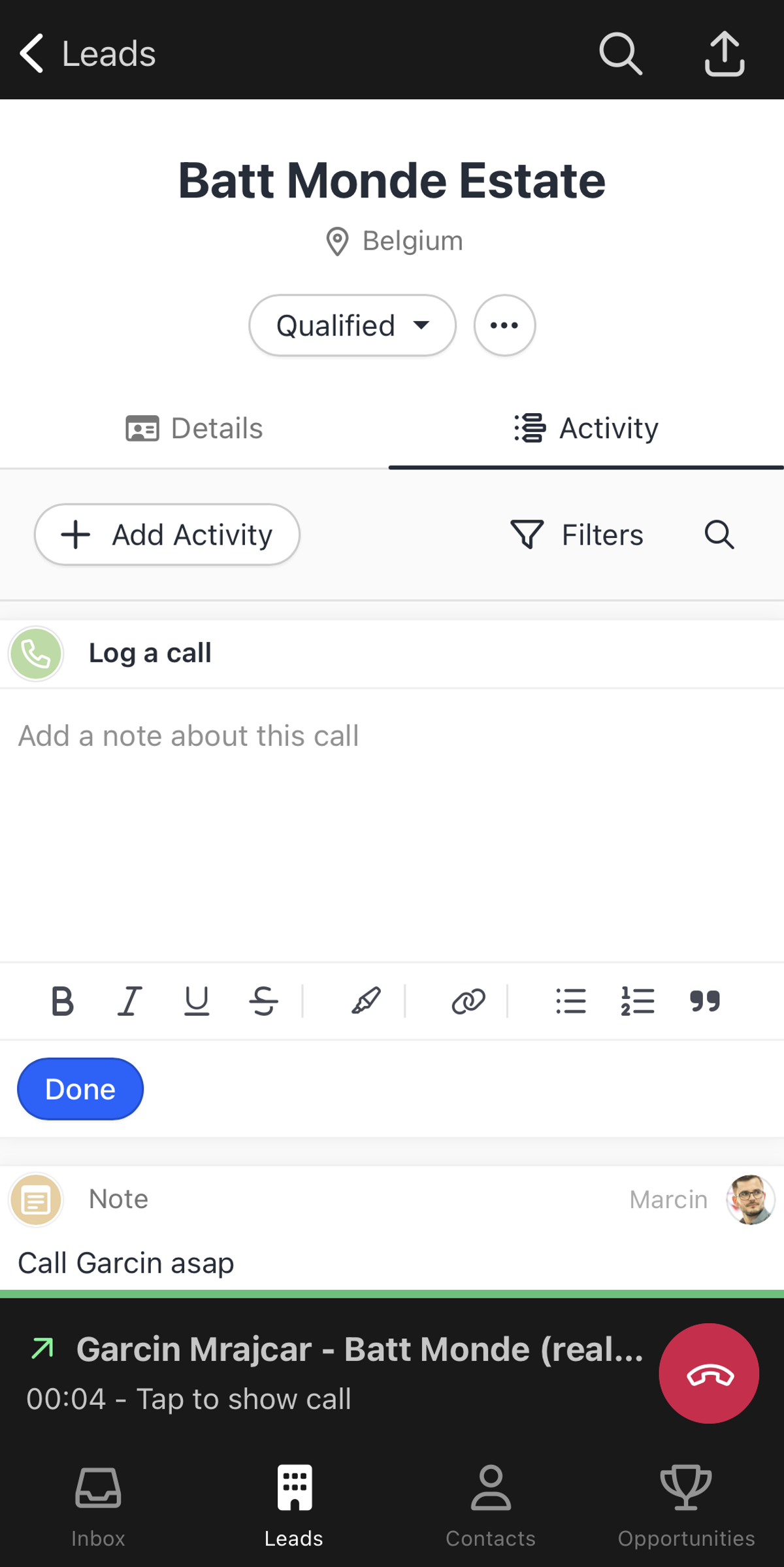
    We've released Outbound Calling in our iOS Mobile App. Making calls through the app using your Close number is now possible.

    In Q3, we expect to support inbound calling. You can download the Close app using this link on mobile.

  • Improvement

    May 2023 Improvements

    May 2023 Improvements
    • International SMS — German phone numbers can now send & receive SMS. Additionally, SMS messages from countries we don't support now show up in your Inbox/Activity Feed (you still cannot reply).
    • We have adjusted our date calculations so reporting on future events accounts for the entire selected period. This change mostly impacts Meetings because they are created for future days. Now all of your meetings for the week will show up, even if they are in the future.
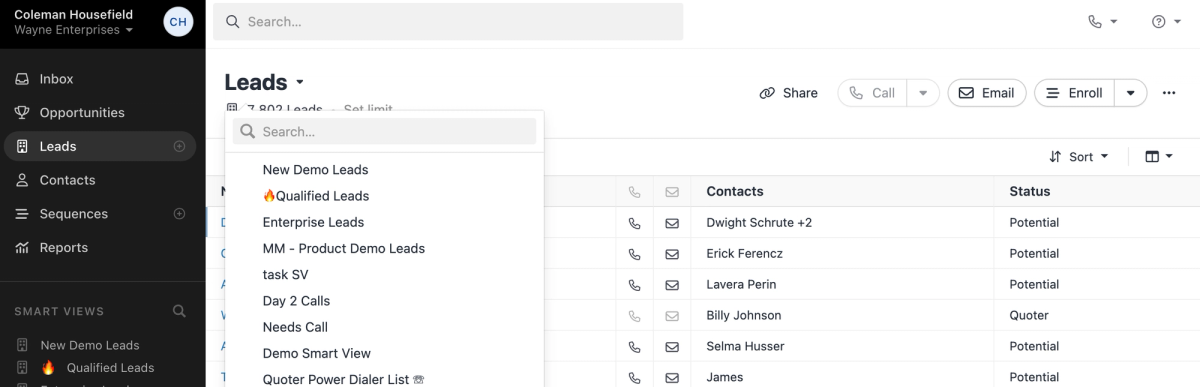
    • You can now access Smart Views from the Leads and Contacts pages by clicking on the page title.

    Bug Fixes

    • We fixed an issue where the "Change Phone Number" modal appeared unresponsive when you tried to change your primary phone number.
  • New Feature

    Close iOS App

    Close iOS App

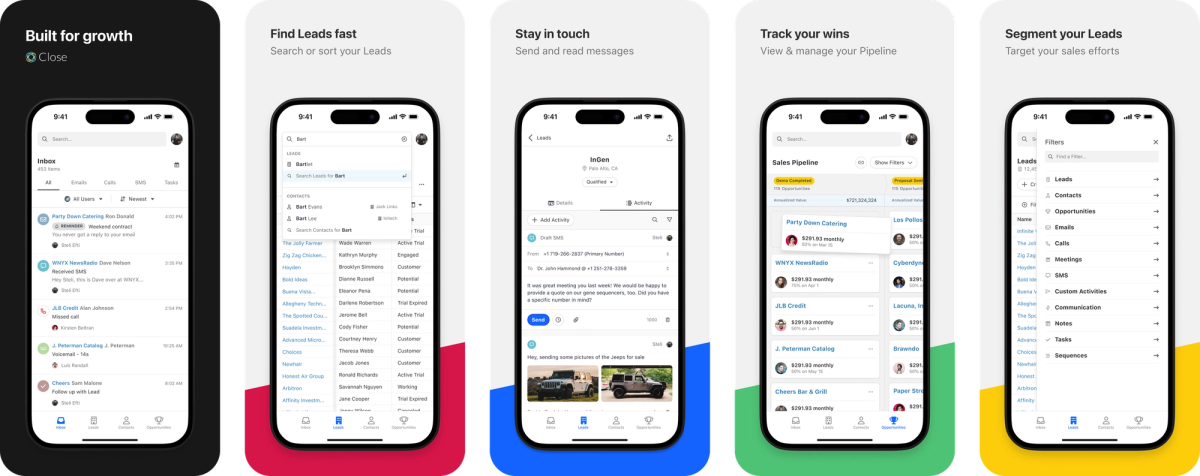
    The day has come, and we've released version one of our iOS mobile app. You can download it from the App Store and use Close while on the go.

    Check out the massively improved mobile experience, better navigation, and quick access to your Inbox, Leads, Contacts, and Pipeline report.

    Later in 2023, we're planning the following updates:

    • Mobile VoIP calling
    • Improved Email, SMS, and Notes editor
    • Android support
    • Push notifications
  • Improvement

    April 2023 Improvements

    April 2023 Improvements
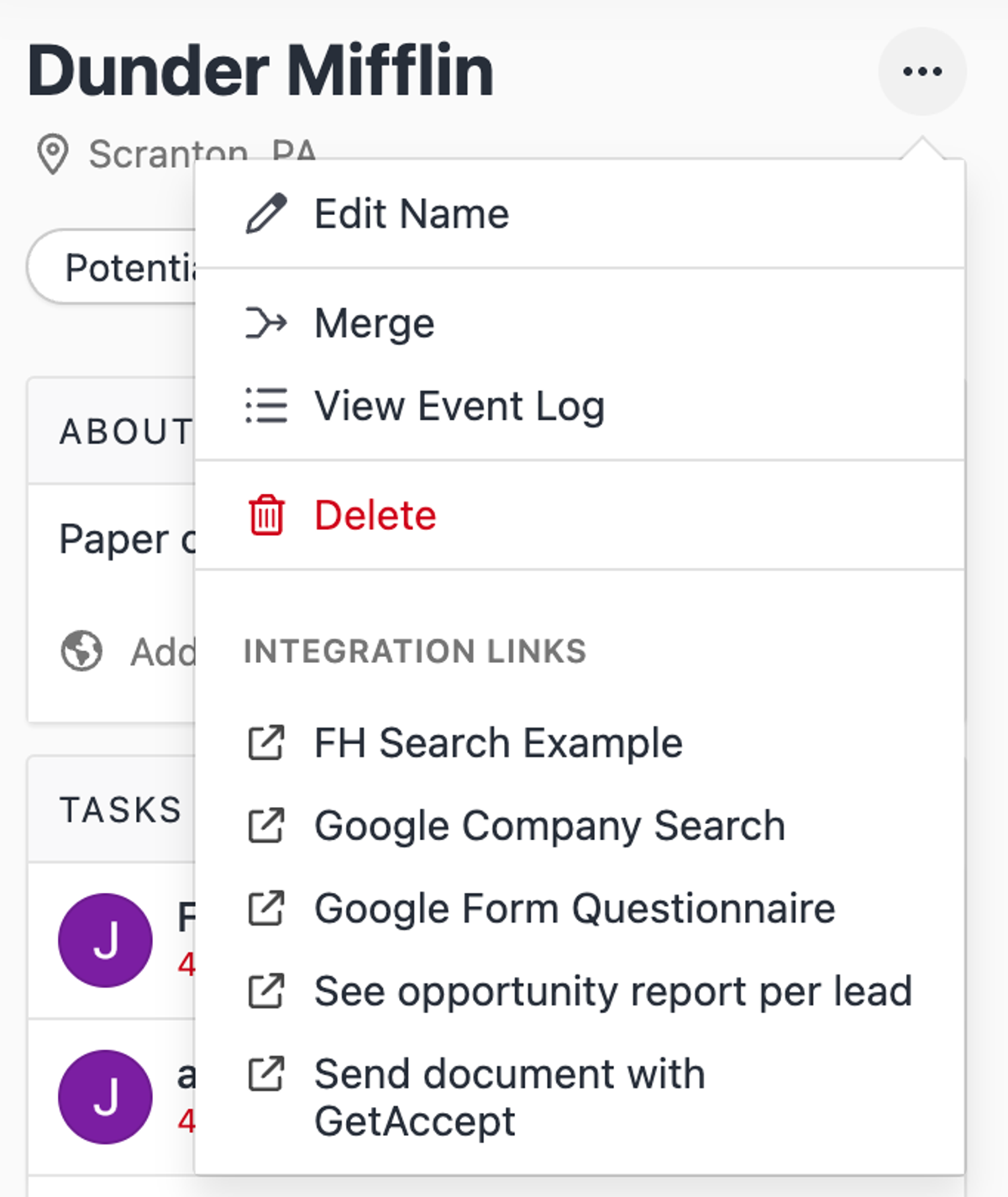
    • Lead Detail Updates: We have a new "About" section. Merge, Delete buttons and Integration Links were moved into the dropdown menu next to the lead name.
    • Lead Activity Updates: The "Done" and "Snooze" buttons have been moved above the inbox feed, fixing an issue where they could obstruct other buttons.
    • Account Menu Updates: We've added a "What's New" section to the menu, making it easier to see the latest features and improvements.
    • We are blocking outbound SMSes when delivery is not possible. Phone numbers are added to the SMS blacklist if the destination is unknown, a landline, or an unreachable carrier.
  • New Feature

    Rich Text Editing for Notes and Call Notes

    Rich Text Editing for Notes and Call Notes

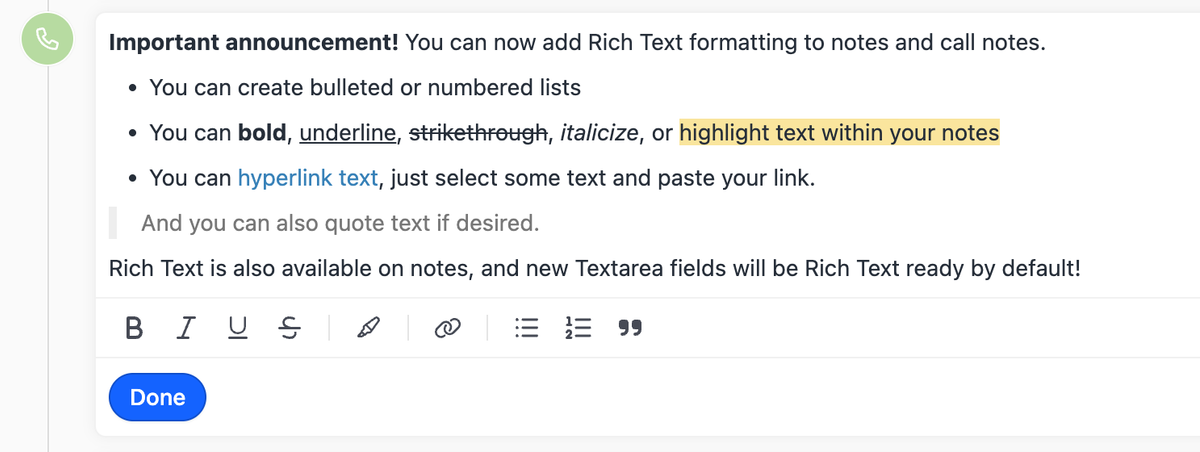
    We've added rich text editing capabilities to notes and call notes in Close. We've also introduced a new field type for Custom Activities to include rich text notes.

    With rich text you can:

    • Add bulleted or numbered lists
    • Bold, underline, strikethrough, italicize, highlight and quote text
    • Hyperlink text easily by pasting the link on selected text
    • Use markdown or keyboard shortcuts to add formatting easily

    You can also create rich text notes via our API. More details here.

  • New Feature

    Scheduling Links + Calendly Integration

    Scheduling Links + Calendly Integration

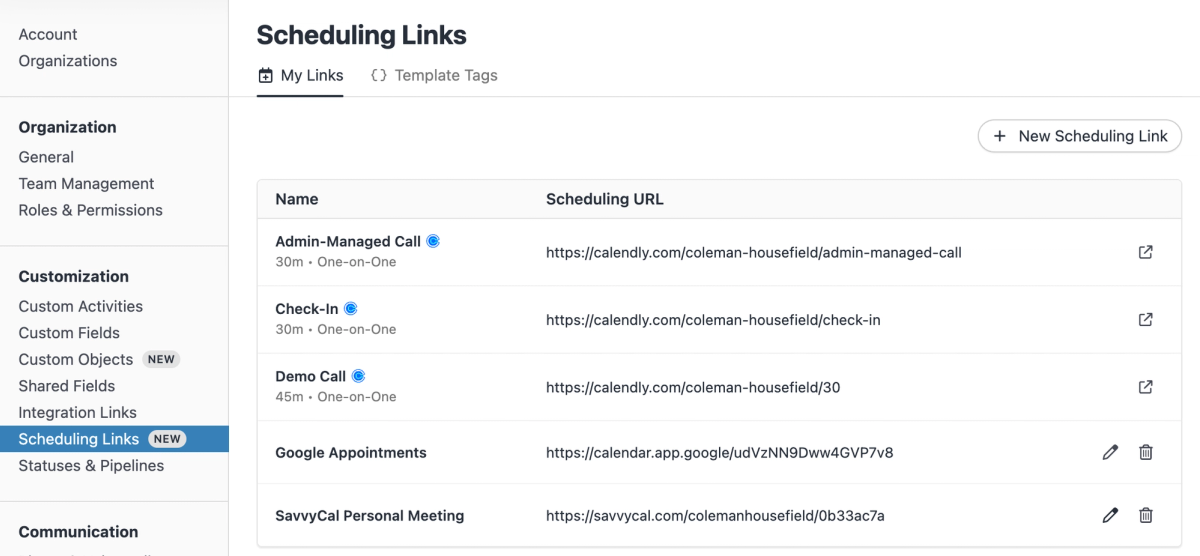
    Effortlessly add your scheduling links to your emails and allow others to schedule meetings with you.

    My Scheduling Links

    You can now add your meeting links from any scheduling tool to Close. Once you have these scheduling links saved in Close we then make it easy for you to insert these into an email or template. You can find scheduling links in Settings -> under the customizations section.

    Scheduling Template Tags

    You can also set up Scheduling Template Tags, enabling your team to map their individual link to be dynamically inserted when used. Perfect for when you want multiple folks to use the same template. No more creating duplicate email templates for each person to add their link.

    One more thing. You can use our new Calendly integration to sync your scheduling links automatically. With this new integration you can:

    • Sync your active Calendly event types (and your team's if you are a Calendly Admin) with Close
    • Add Calendly links to emails and templates
    • Map your synced Calendly links to scheduling template tags
  • Improvement

    March 2023 Improvements

    March 2023 Improvements
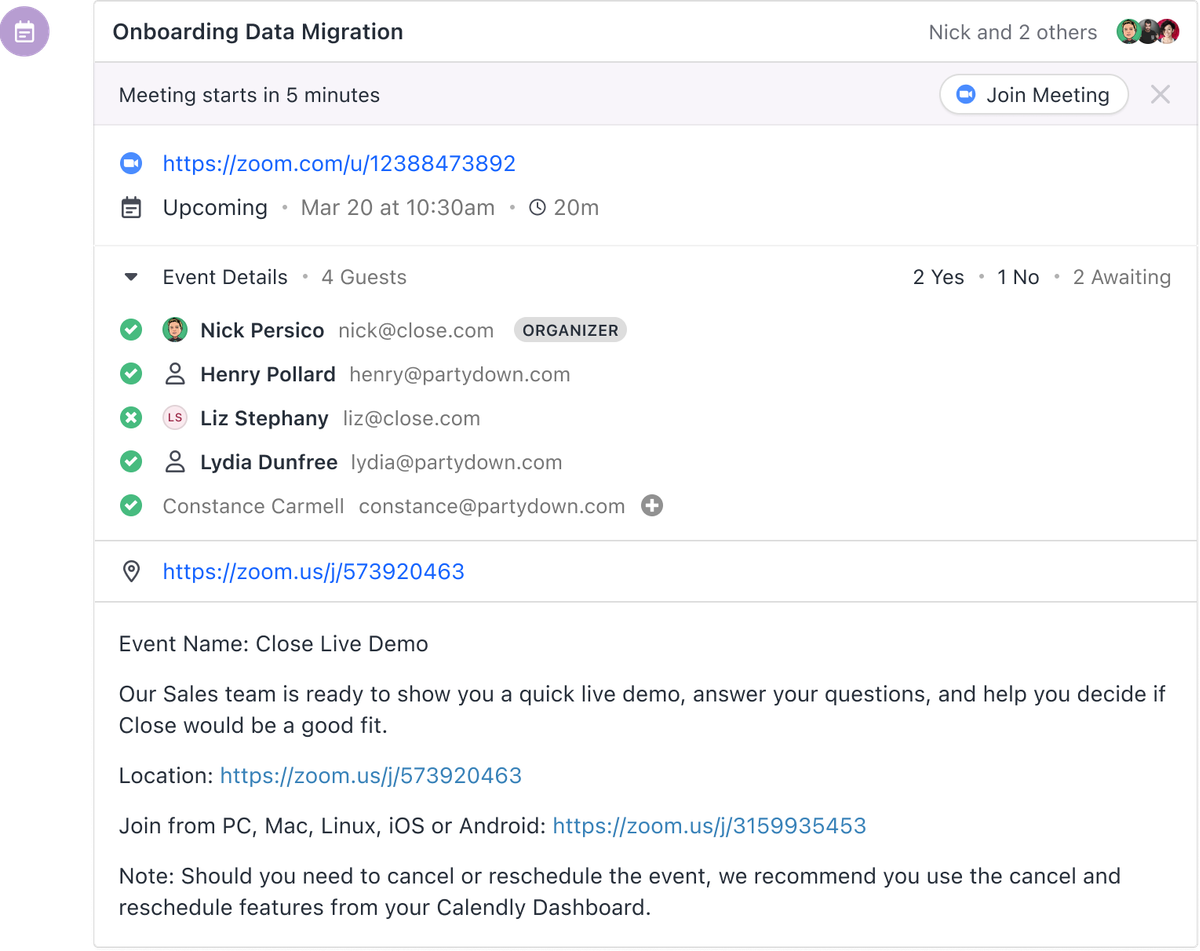
    • Users can now create Contact records for attendees from a Meeting activity.
    • An avatar is now shown next to Meeting activity participants who are users in Close, along with an organizer badge.
    • The contact address modal is now mobile-friendly and provides a link to Google Maps. On mobile devices, this opens Google Maps in the app or in the browser (if you don't have the app installed).
    • You can no longer add more than 25MB worth of attachments cumulatively to an email or email template. This will prevent users from disconnecting Google/Microsoft accounts.

    Bug Fixes

    • We fixed date filters that weren't showing correctly in Smart Views.
    • We fixed a chosen status filter in the Opportunities List view, which was getting overwritten in some cases.
    • Users can now access their accounts to remove some of them if they exceeded the account limit.
    • We now report all bounce metrics for Sequence email steps.
    • Custom Objects with required fields don't break when added to a lead anymore.
    • Fixed an issue where users were not able to call a Contact back after pausing a dialer.
    • Opening another user's email draft doesn't switch ownership of the email anymore.
  • Integration

    SignWell Integration

    SignWell Integration

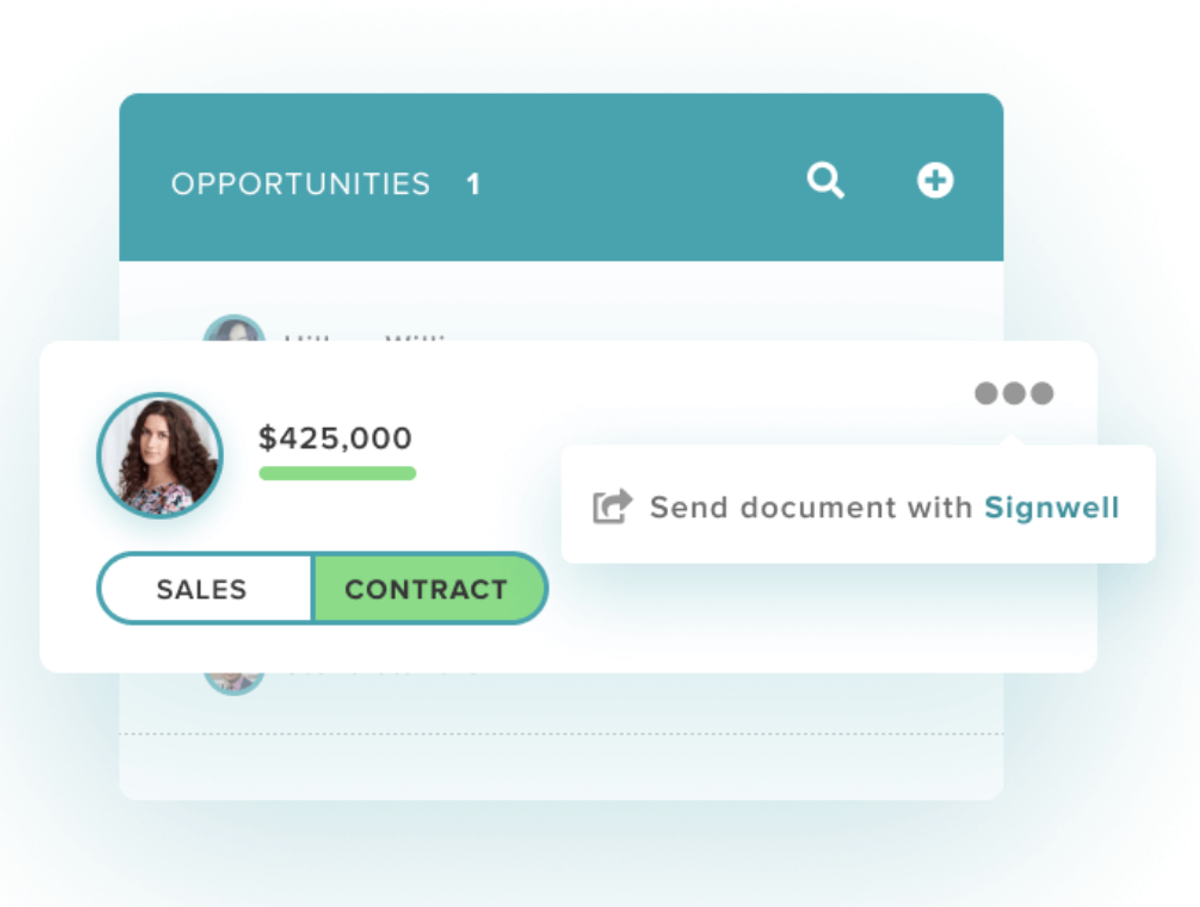
    Send contracts faster, streamline sales, and automatically update activity with the SignWell Close CRM integration.

    With this integration, you can:

    • Quickly send contracts in Close
    • Track contract activity and updates
    • See leads updated automatically in Close
    • Mark signed contracts as won opportunities
    • Send contracts any way you want
    • Get legally binding e-signatures instantly
    • Quickly reuse and resend popular documents with reusable templates
  • New Feature

    New Email Composer

    New Email Composer

    We've improved our email composing and editing experience in Close.

    • More text formatting options
    • Better keyboard support
    • Usability improvements for mobile devices
    • Ability to drag and drop recipients between To/CC/BCC
    • Bug fixes and performance improvements
  • Improvement

    Sequence Enhancements

    Sequence Enhancements
    • New call pausing experience: The 30-second auto-pause logic for sequence calls has been removed. A new "Mark as Responded" button on the call itself lets you manually pause the sequence and mark it as responded.
    • Improved response detection: Any incoming email, SMS, or answered call — as well as any outbound call where the user marks the contact as having responded — will now automatically pause the sequence and mark it as responded.
    • Enrollment changes: You can now enroll a contact into a sequence even if they lack the contact information needed for all steps (e.g., no phone number on a sequence with calling or SMS steps). Those steps will simply be skipped rather than blocking enrollment.
    • Processing changes: Sequences now continue past steps that error in an unresolvable way (e.g., bounced emails, failed calls, undeliverable SMS). Future steps of the same type are skipped to avoid compounding issues, but other step types can still be attempted.
  • Integration

    Fivetran Integration

    Fivetran Integration

    Easily sync Close data to the data warehouse of your choice with Fivetran's new Close integration!

    This integration includes the following Fivetran connector features:

    • Capture Deletes — Fivetran captures deletes whenever they can detect them so that you can run analyses on data that may no longer exist in Close.
    • Data Blocking — Data blocking lets you omit certain tables or columns from replicating to your destination.
    • Column Hashing — Column hashing anonymizes sensitive data in your destination without sacrificing its analytical value.
    • Re-sync — Sometimes the data in your destination and Close get out of sync and you need to overwrite all or some of the existing data in your destination to make it consistent with Close.
  • February 2023 Improvements

    February 2023 Improvements

    What's New

    • The current user is now set by default on sequence enrollment.
    • We removed auto-scroll and activity feed filtering when a contact is selected from search autocomplete.
    • The Inbox and Account settings page received a visual design refresh.
    • We updated text on the pricing page to make it clear that cancelling a plan is not going to revoke access immediately.

    Bug Fixes

    • Dropdown menus with many items now have a maximum height so they aren't visually overwhelming.
    • User filters now appropriately calculate the total number selected.
    • We fixed an issue where date dropdowns were displaying outside of the browser window.
    • We fixed an error message while hitting the character limit on an email.
  • Google Single Sign-On

    Google Single Sign-On

    We've added a new way to signup and log in to Close. Now, you can use your personal and Workspace Google account, which means better security and less email/password hassle.

  • SMS Steps in Sequences

    SMS Steps in Sequences

    You can now send automated SMS steps as part of your sequences. When an SMS step is added, Close will attempt to send an SMS to the contact's phone number when the step processes.

    Sequences can now combine calling, emailing, and SMS steps for a more powerful sales cadence. See the Help Center guide to learn more.

  • Improvement

    January 2023 Improvements

    January 2023 Improvements
    • Email attachments now display thumbnails instead of placeholder images.
    • Search filters are now collapsed by default when you load a Smart View.
    • The lead activity feed now has a keyboard shortcut for search: Cmd+F on Mac or Ctrl+F elsewhere.
    • Improved bounce handling so bounced emails are now shown in the activity feed.
    • You can now remove yourself from an organization even if it's your only organization.
    • There is now a limit of 10 connected accounts per user per organization.

Free trial
Free migration
Free support
No credit card needed

Start your 14-day free trial

On-demand demo

Learn the how + why of Close in just a few minutes.

Take a product tour

Talk to a real human

Get the gist of Close with a guided, B.S.-free tour.

Book a call