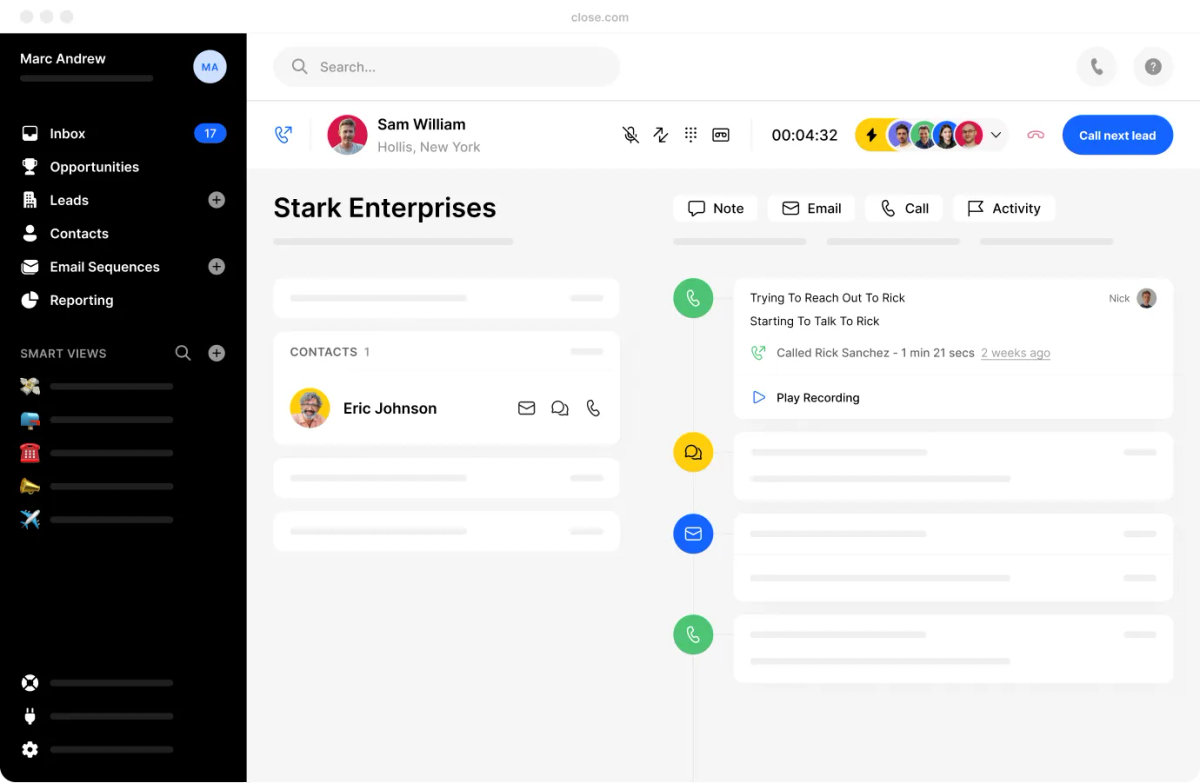
If you’re a tech-enabled team who needs to scale without overpaying for enterprise sales software, you’ve found the right sales tool.
New Feature
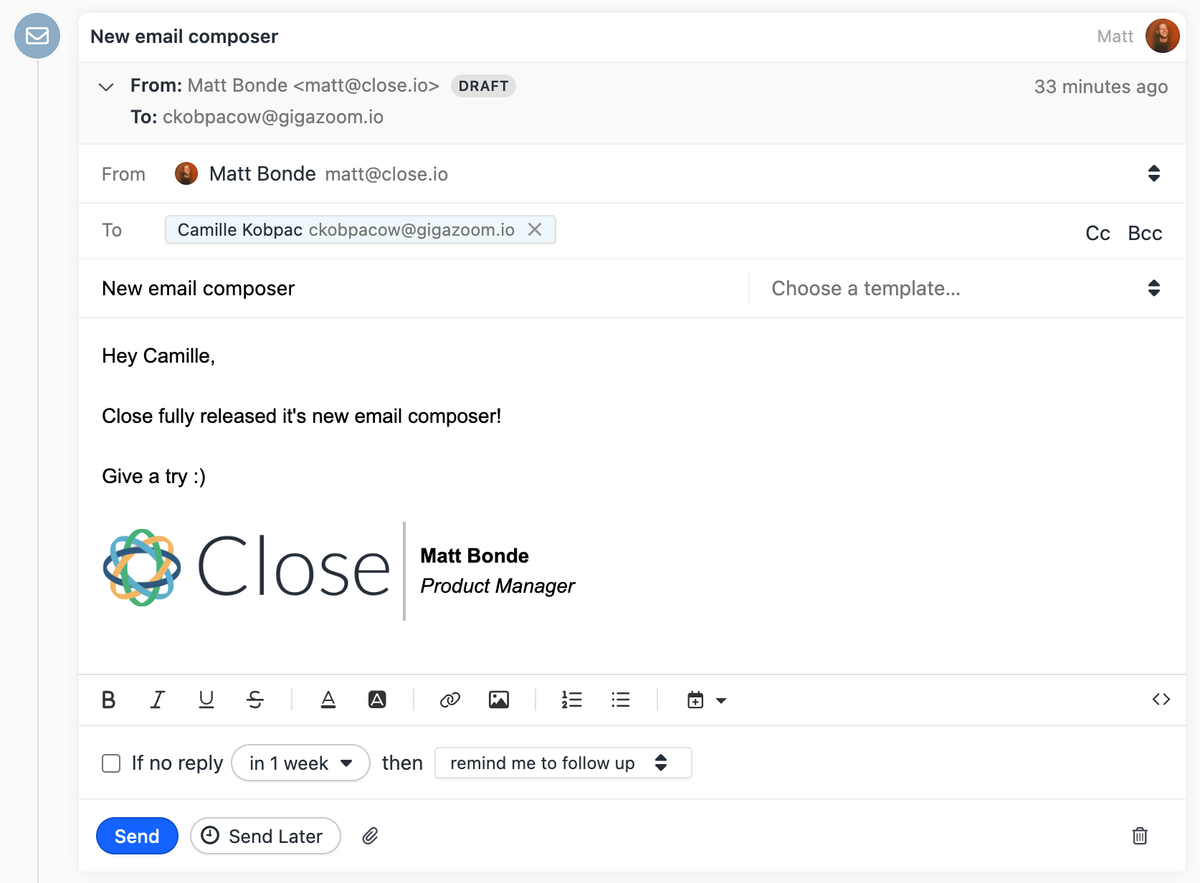
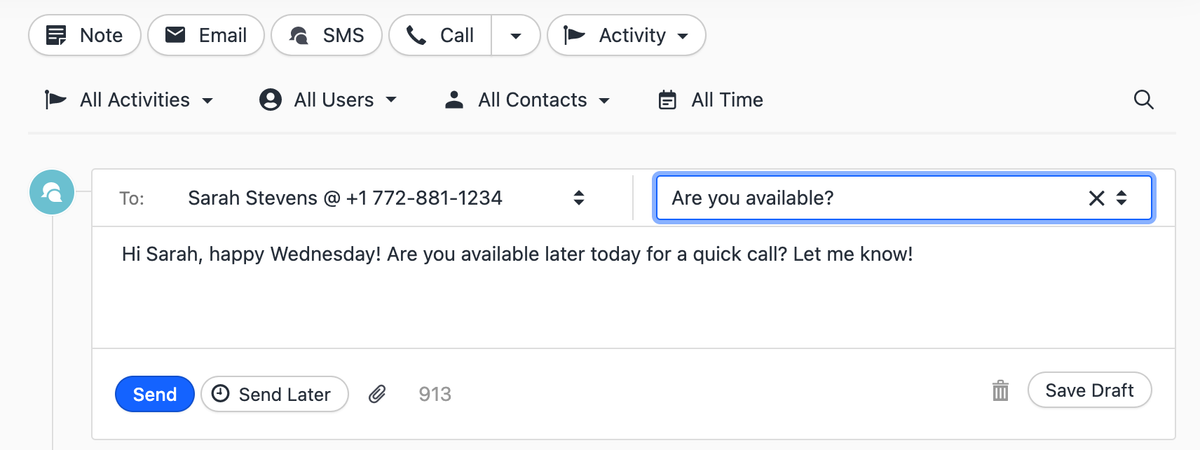
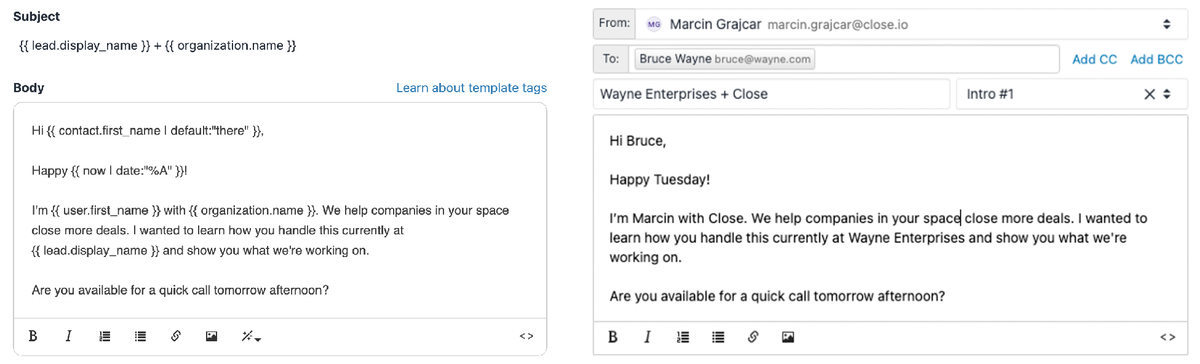
New Email Composer
We've improved our email composing and editing experience in Close.
More text formatting options
Better keyboard support
Usability improvements for mobile devices
Ability to drag and drop recipients between To/CC/BCC
Bug fixes and performance improvements
Improvement
Sequence Enhancements
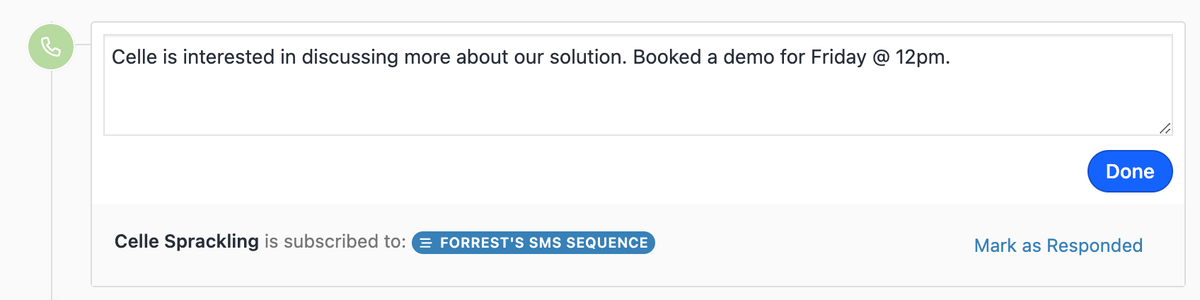
New call pausing experience: The 30-second auto-pause logic for sequence calls has been removed. A new "Mark as Responded" button on the call itself lets you manually pause the sequence and mark it as responded.
Improved response detection: Any incoming email, SMS, or answered call — as well as any outbound call where the user marks the contact as having responded — will now automatically pause the sequence and mark it as responded.
Enrollment changes: You can now enroll a contact into a sequence even if they lack the contact information needed for all steps (e.g., no phone number on a sequence with calling or SMS steps). Those steps will simply be skipped rather than blocking enrollment.
Processing changes: Sequences now continue past steps that error in an unresolvable way (e.g., bounced emails, failed calls, undeliverable SMS). Future steps of the same type are skipped to avoid compounding issues, but other step types can still be attempted.
Integration
Fivetran Integration
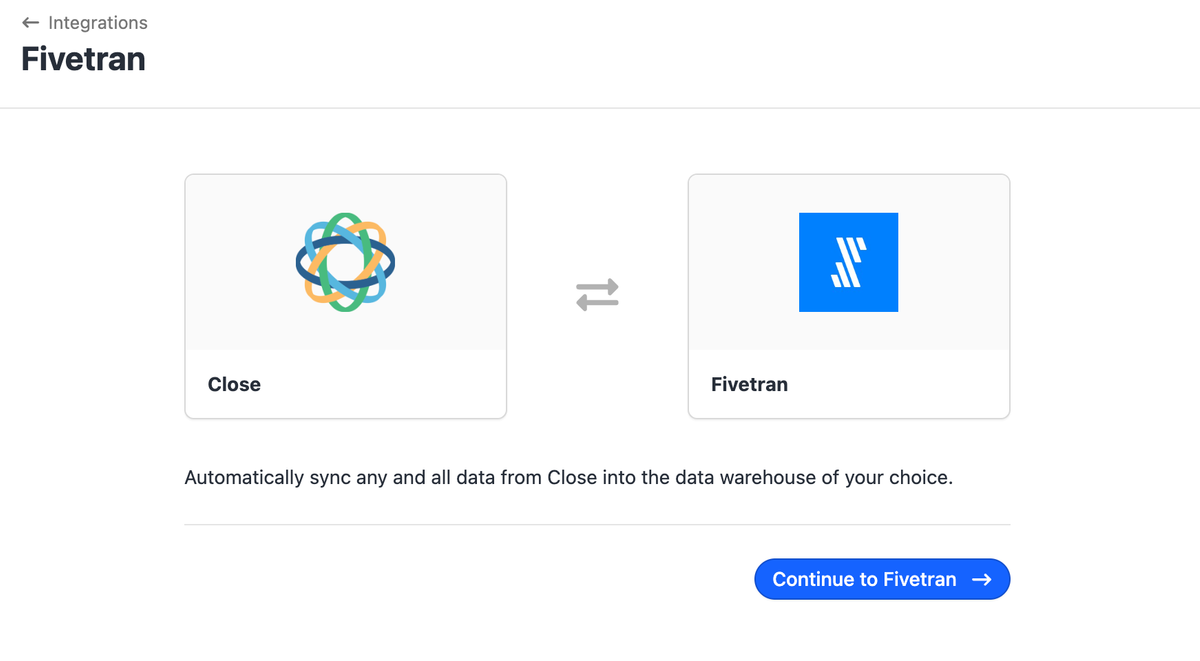
Easily sync Close data to the data warehouse of your choice with Fivetran's new Close integration!
This integration includes the following Fivetran connector features:
Capture Deletes — Fivetran captures deletes whenever they can detect them so that you can run analyses on data that may no longer exist in Close.
Data Blocking — Data blocking lets you omit certain tables or columns from replicating to your destination.
Column Hashing — Column hashing anonymizes sensitive data in your destination without sacrificing its analytical value.
Re-sync — Sometimes the data in your destination and Close get out of sync and you need to overwrite all or some of the existing data in your destination to make it consistent with Close.
Improvement
February 2023 Improvements
What's New
The current user is now set by default on sequence enrollment.
We removed auto-scroll and activity feed filtering when a contact is selected from search autocomplete.
The Inbox and Account settings page received a visual design refresh.
We updated text on the pricing page to make it clear that cancelling a plan is not going to revoke access immediately.
Bug Fixes
Dropdown menus with many items now have a maximum height so they aren't visually overwhelming.
User filters now appropriately calculate the total number selected.
We fixed an issue where date dropdowns were displaying outside of the browser window.
We fixed an error message while hitting the character limit on an email.
New Feature
Google Single Sign-On
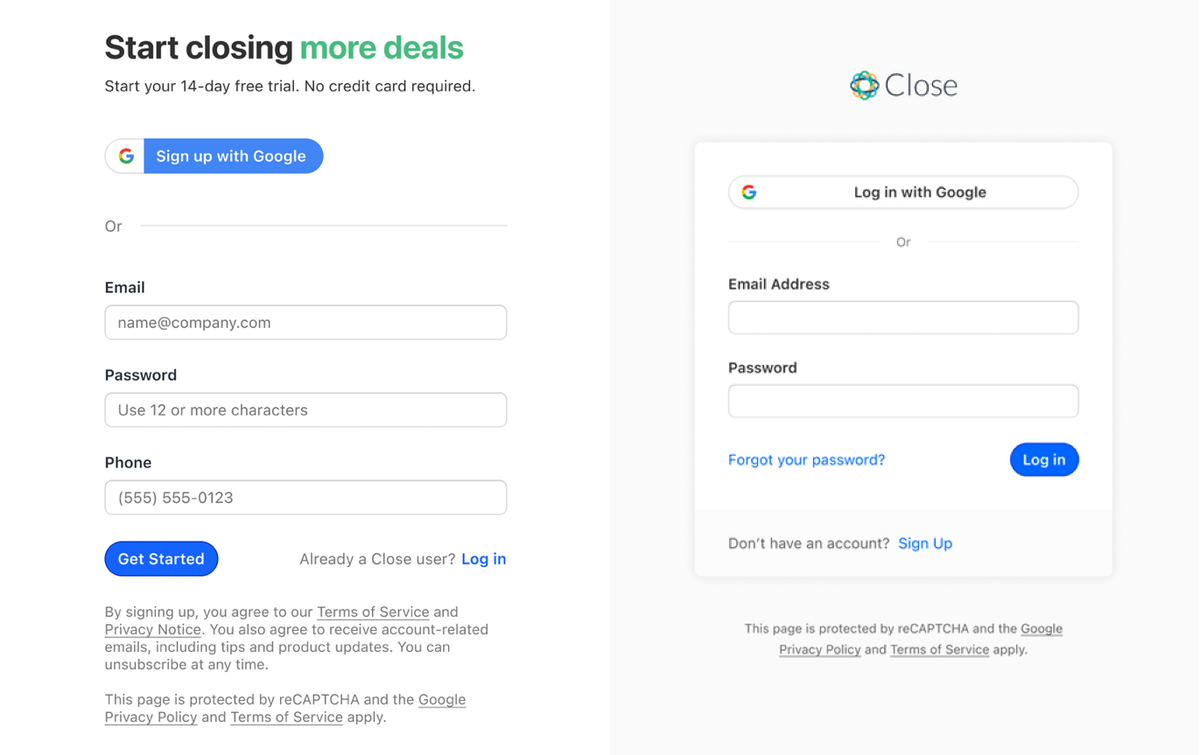
We've added a new way to signup and log in to Close. Now, you can use your personal and Workspace Google account, which means better security and less email/password hassle.
New Feature
SMS Steps in Sequences
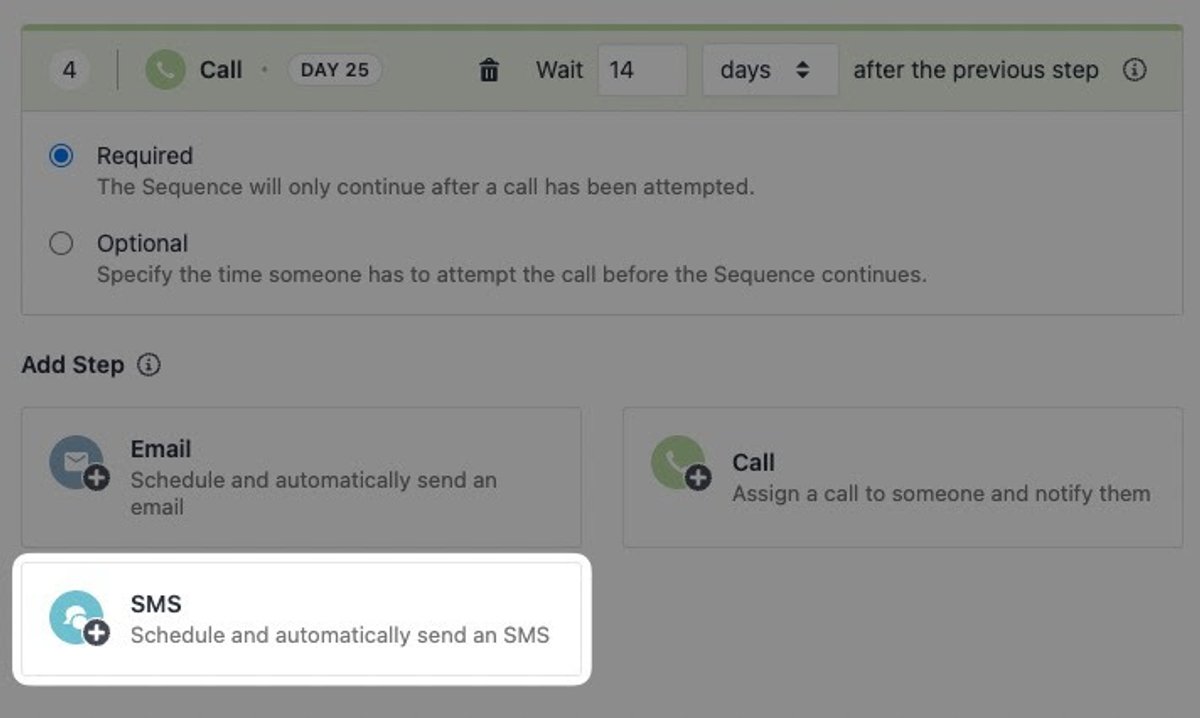
You can now send automated SMS steps as part of your sequences. When an SMS step is added, Close will attempt to send an SMS to the contact's phone number when the step processes.
Sequences can now combine calling, emailing, and SMS steps for a more powerful sales cadence. See the Help Center guide to learn more.
Improvement
January 2023 Improvements
Email attachments now display thumbnails instead of placeholder images.
Search filters are now collapsed by default when you load a Smart View.
The lead activity feed now has a keyboard shortcut for search: Cmd+F on Mac or Ctrl+F elsewhere.
Improved bounce handling so bounced emails are now shown in the activity feed.
You can now remove yourself from an organization even if it's your only organization.
There is now a limit of 10 connected accounts per user per organization.
Improvement
December 2022 Improvements
A Call Sequence step now has a default delay of only 1 day unless it's the first step. In which case, it's still immediate. The default delay to allow step completion has also changed from 1 hour to 3 days.
Search autocomplete items can now be opened in a new tab:
with cmd+click or cmd+enter (on Mac)
with ctrl+click or ctrl+enter (on other platforms)
by right-clicking and selecting "Open Link in New Tab"
The Search Filter Sidebar now comes with icons.
When loading a Smart View, the filter tokens section is now closed initially on the Leads and Contacts pages.
Long links in Notes are now truncated to prevent a horizontal scrollbar from appearing.
Long Pipeline names and status names are now truncated where appropriate.
Icons in the filter bar are now top-aligned, improving the look and feel of filters with longer names.
The "Email" field in our "Forgot Password" screen auto-focuses when the screen is opened.
The "New Password" field in our "Create a new password screen" auto-focuses when the screen is opened.
The placeholder in selectable dropdowns now has the correct color to make it clear that nothing is actually selected.
Since Custom Object instances always require the name to be set, we now show an uneditable fixed field in the Objects field settings.
Bug Fixes
Fixed an issue where users with a mobile device could not log a Call manually on a Lead without a phone number.
It is now possible to convert a custom field from type text to type multi-choice.
Fixed an issue where a required item in a Custom Activity would sometimes need to be selected twice to pass validation.
Fixed an issue where updating a Custom Activity, Opportunity, or Contact resulted in their "Hidden" type Custom Field values being unset by mistake.
New Feature
Custom Objects
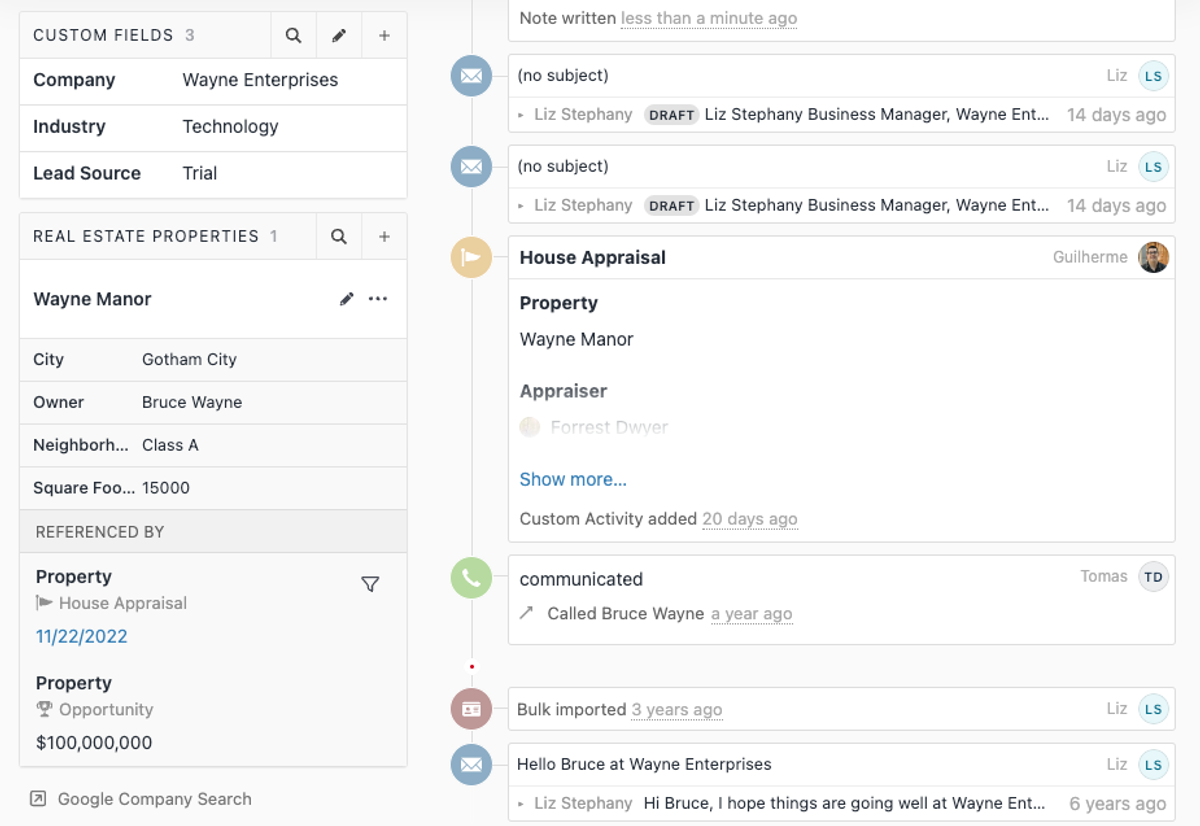
We added Custom Objects as an addition to the standard CRM objects (Leads, Contacts, and Opportunities). Custom Objects allow you to store data in a flexible and structured way. They live on the Lead Page (on the left-hand side). It is possible to define custom fields in Settings, create instances of Custom Objects and define references between them and other standard objects. Custom Objects are searchable on the Lead Filtering page. To find out more, please check our documentation.
Please note that we currently have a qualification process in place. In order to get access to Custom Objects, fill out the form situated on the Settings page.
New Feature
O365 Calendar Integration
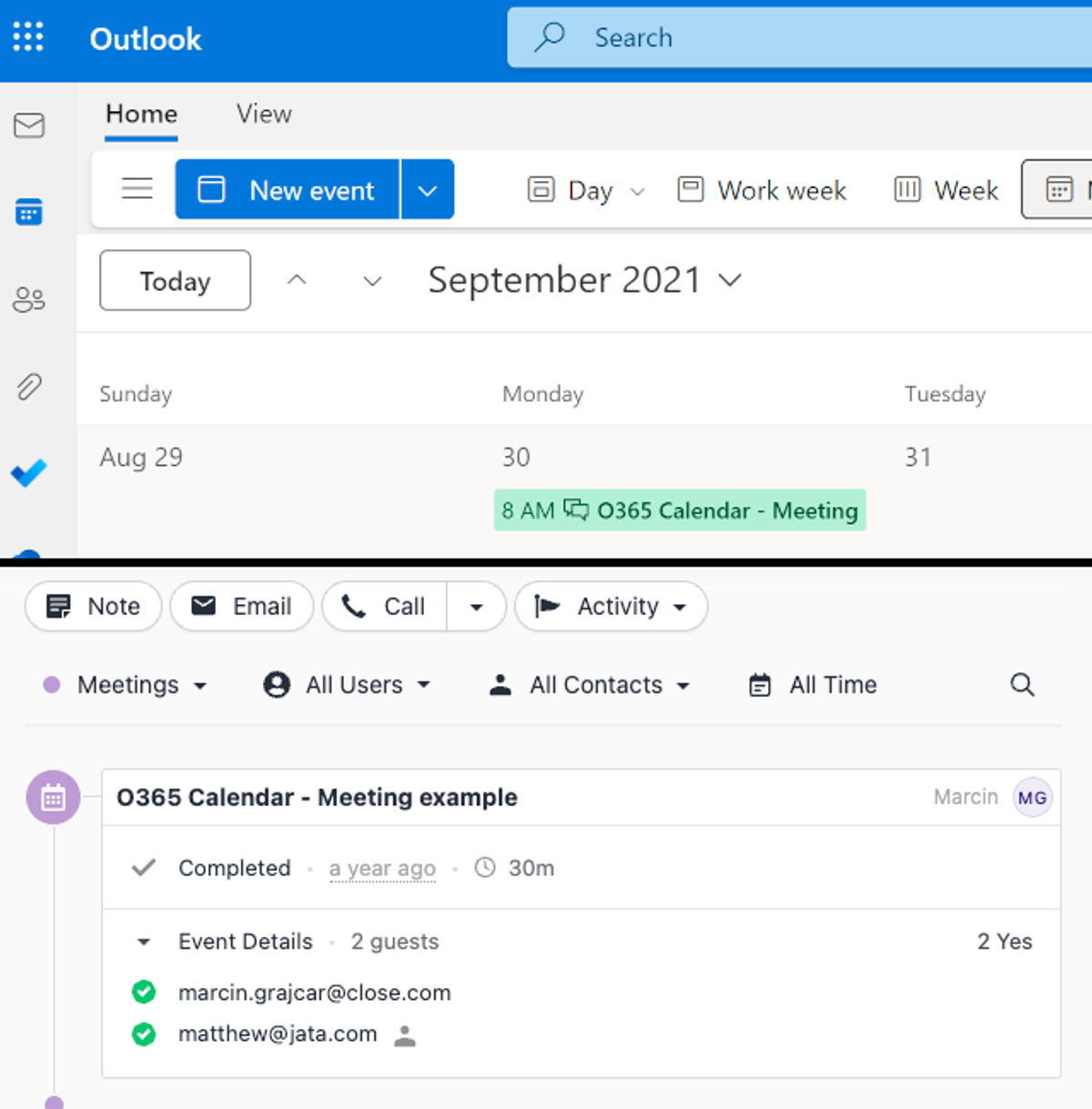
Close now extends its existing Microsoft account integration with O365 Calendar syncing. Past and future meetings scheduled with your O365 account will be automatically synced and displayed as Meeting activities in the Lead Activity Feed and as meeting reminders.
Improvement
November 2022 Improvements
Filter improvements:
The "Is between…" operator is added to number filters to select a range with options to exclude/include either side of the range.
Changing an operator won't reset a filter value in the Filter Sidebar anymore if the new operator is compatible with the value.
Clicking on a filter token a second time won't make the filter disappear in the Filter Sidebar anymore.
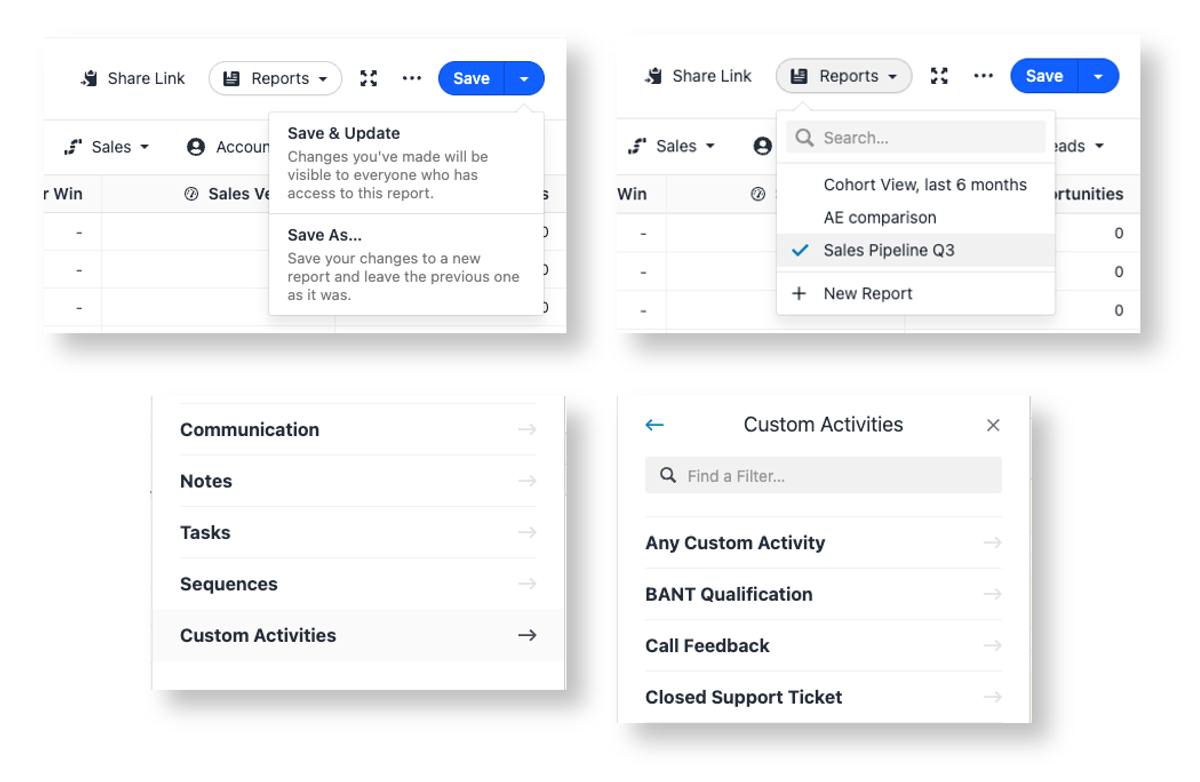
New fields are now exposed in the "Custom Activities" → "Any Custom Activity" section:
"Date created"
"Date last updated"
"Created by"
"Last updated by"
The top of the Inbox page (the tabs for switching between Inbox item types) has been visually refreshed.
Mobile improvements:
Footer structure in pop-up screens has been improved (primary actions and "Learn about…" links placement).
Tooltip behavior improved — buttons, links, and checkboxes with tooltips now activate on the first touch instead of requiring a second tap.
The "Create a Lead" button now replaces the "Import" button on the Leads page when a search result is empty.
Improvement
October 2022 Improvements
Smart Views can now be shared via a link. If you adjust the filters and click "Save" (not "Save as Copy"), the change is reflected for every user with access to that Smart View.
Lead/Contact search tables with many columns can now be scrolled side-to-side, with the name column staying fixed on the left.
Added the ability to unenroll Contacts from a Sequence directly from the Lead page.
The "To Do" list in Sequences is now filtered by the communication window — leads whose local time is outside the window are excluded.
You can now insert Template Tags in the Subject field through a dropdown menu when editing Email Templates.
On mobile, Lead details and the Activity Feed are now shown in separate tabs.
On mobile, the Lead Activity creation menu (new Note, Call, SMS, etc.) now renders as a dropdown instead of a row of buttons.
New integrations added to the Integration page: Seekwell, Journy.io, Balto, Skyvia, InvoiceBerry, and Docsales.
Fixed an issue where Lead Page tooltips stayed on screen while power dialing.
New Feature
SMS Templates
You can now save time on repetitive SMS messages by creating and sending SMS templates directly from within Close.
With SMS Templates you can:
Create private or shared SMS templates for yourself or your team
Personalize messages with template tags and/or conditional logic, similar to email
Select a template when drafting an SMS from the lead page
Filter for SMS messages sent with a specific template in lead search
Send SMS templates via the Close API and Zapier
Examine SMS template usage via reporting (Explorer reports only)
Improvement
September 2022 Improvements
Custom Activities now have their own category on the Lead/Contact Search Filter Sidebar.
A new "Any Custom Activity" section with "Any Text" and "Status" filters was added to the Search Filter Sidebar.
The Opportunity Funnel Report now supports saving, cloning, updating, and deleting reports. Saved reports can be bookmarked and shared across your organization; only the creator can make changes.
Importer improvements:
Contacts will no longer be merged if only the phone number matches.
Field auto-detection now only assigns Lead ID if the data includes Close Lead IDs.
Improved error message when the Lead ID field is manually assigned to a column without Close Lead IDs.
Expanded the interaction area of selection dropdown options.
Contact Name now shows a tooltip when truncated.
Fixed-width timezone selection dropdown to prevent size changes while scrolling.
Updated the sidebar menu with a new color and design.
Bug Fixes
Fixed an issue where exceeding Smart View limits did not correctly display an error.
Fixed a problem where adding more filters to the same group would break the search.
Fixed multi-contact custom fields on the Pipeline view displaying as a single value incorrectly.
Fixed the Help Popover to prevent it from overflowing the screen and blocking the Support message form.
Mobile Improvements
Added a clickable backdrop behind the sidebar menu on mobile, closing the navigation sidebar when tapped.
Moved the Lead Status selector to the sidebar to improve responsiveness.
Fixed popover menus not closing as expected on mobile devices.
Fixed certain date pickers being broken on mobile.
Improvement
Opportunity Notes and Custom Fields in the Pipeline View
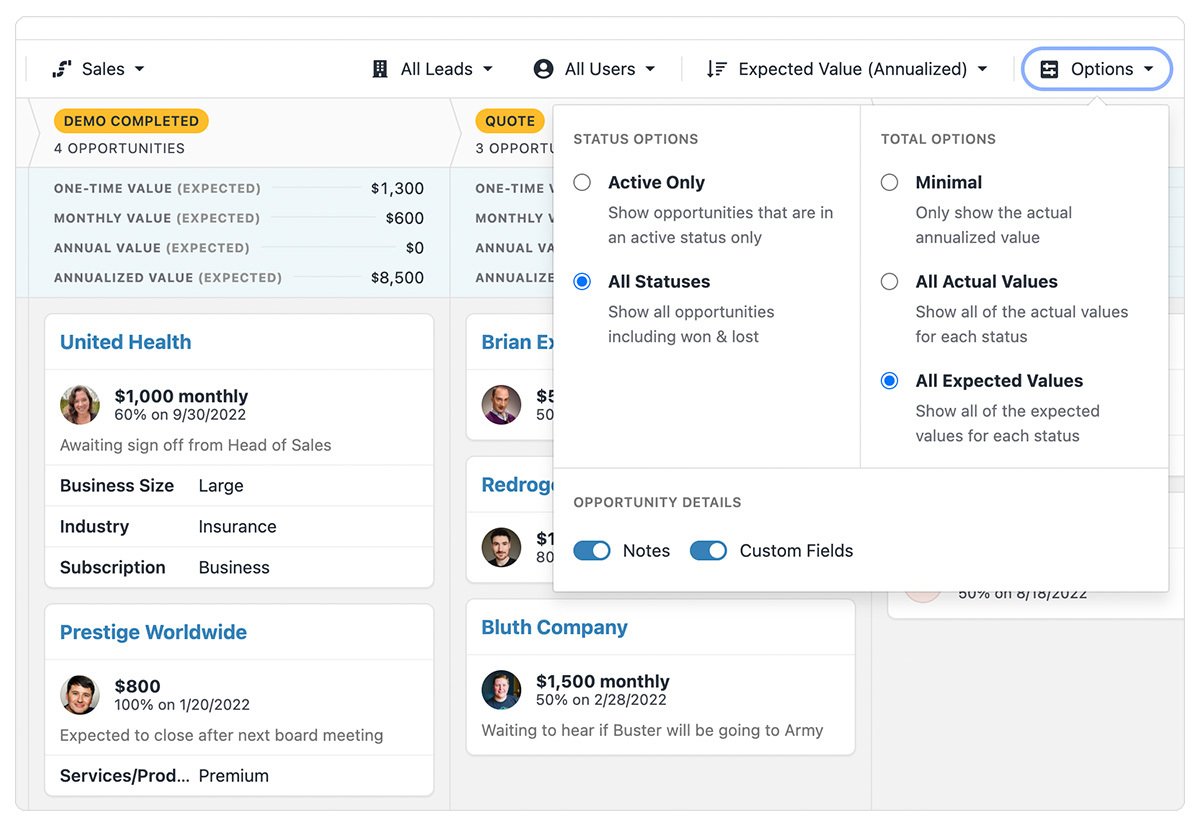
We added an option to view Opportunity Notes and Custom Fields in the Pipeline view. It's now easier to understand the details of the specific Opportunity.
You can enable these in the "Options" menu and then click on the Opportunity card to see the Notes and/or Custom Fields.
Improvement
August 2022 Improvements
The Billing Settings page can now have Plan Changing, Schedule Changing, and Cancellation disabled (with helpful messages) via the API. Currently, having a Minimum Monthly Payment Obligation will disable all three actions, and being on the new billing plan will disable changing the billing period.
You can now rent up to 25 personal phone numbers instead of 5, and an improved error message is shown if you exceed the limit.
The Opportunity Funnel report can now be shared. Each filter change loads a unique URL into the address bar, and a "Share Link" button copies the URL to your clipboard.
Clicking to expand/collapse selectable sections in reporting groupings (e.g., selecting Groups for filtering) now has a larger clickable area.
The Lead and Contact Filtering page headers respond better to different screen sizes. Search text cuts off more elegantly, actions break to a second line earlier, and share/sequence actions roll into a "More Menu" as the screen shrinks.
Lead URLs are now clickable in the new Leads table.
Pipeline/Status labels now show the pipeline name even if that pipeline has been deleted.
Fixed an issue where scrolling Lead and Contact Filtering results would not load more results.
Clarified the export description to indicate that exporting Leads as JSON includes all Contact information.
Fixed an error that appeared incorrectly when updating Billing invoices.
Fixed an issue where opening an Email template in a new tab opened it twice.
Fixed a problem with certain date-pickers not working on mobile devices.
Fixed a spacing issue with the description when choosing "Other" for Industry and Lead Source fields during onboarding.
Improvement
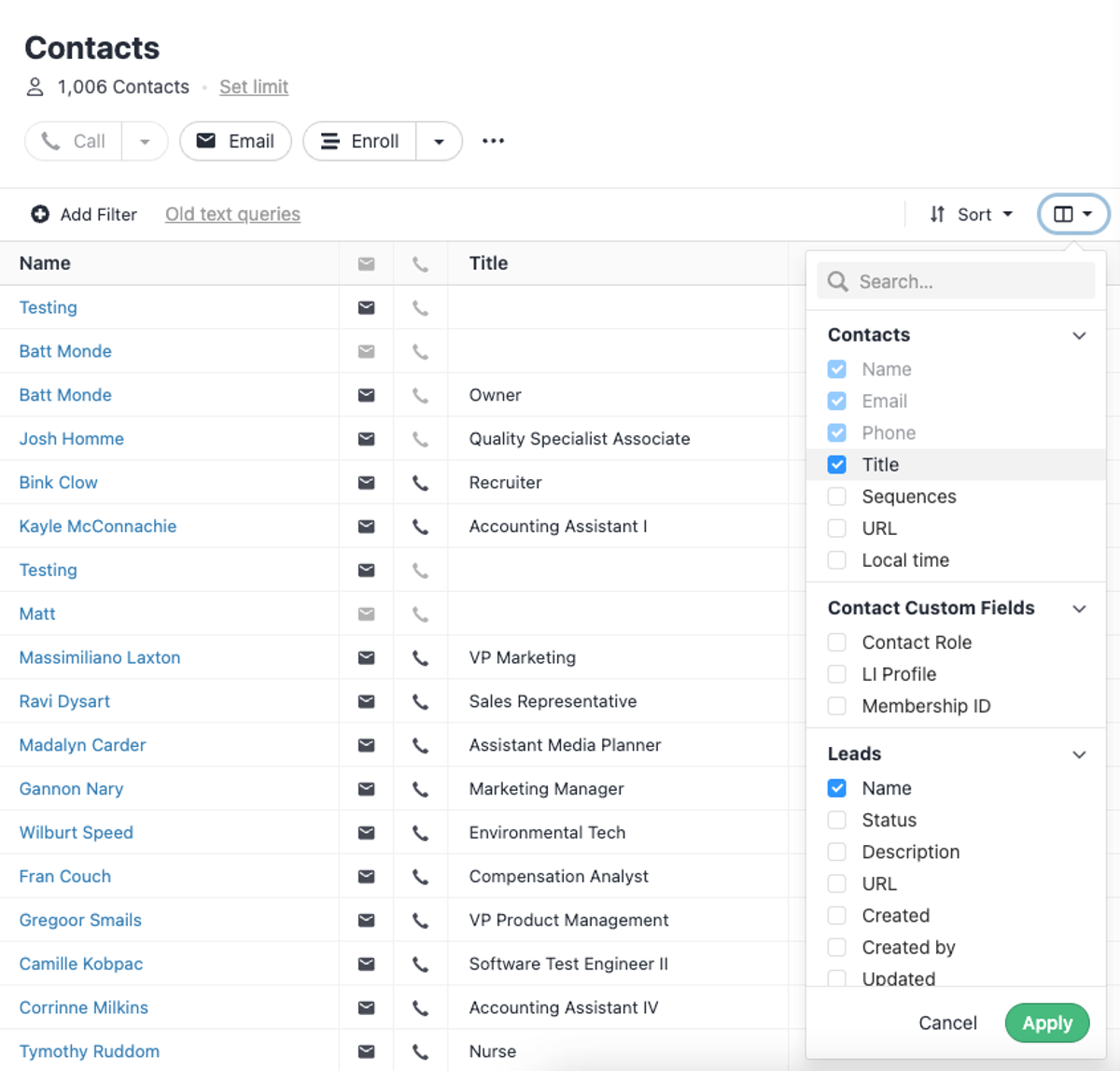
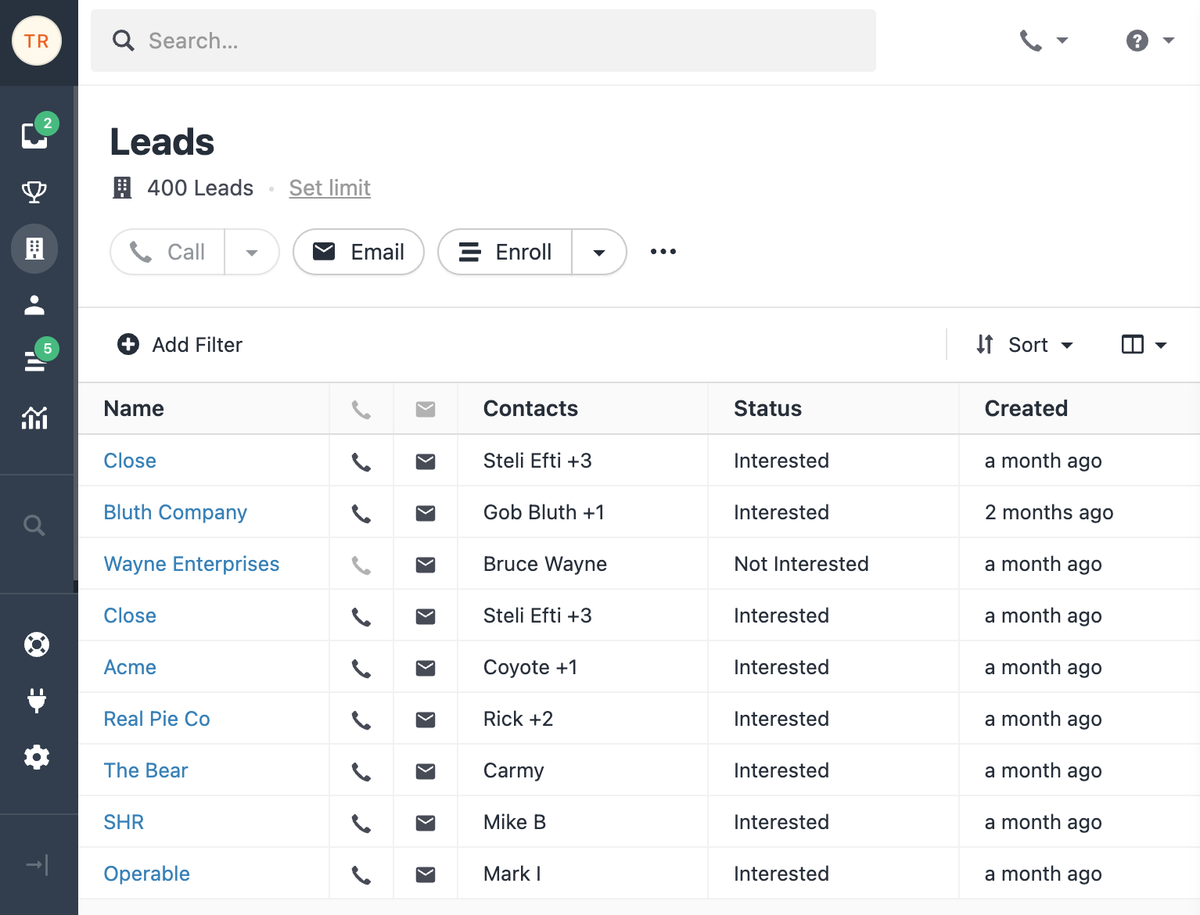
New Contact Filtering Page Columns
New customizable columns have been added to the Contact Filtering Page:
Contact local time (based on the phone numbers)
Contact Custom Fields
Lead Custom Fields
Lead fields: Description, URL, Created Date, Created By, Updated Date, Updated By, Primary Address
Lead and Lead Status are still present but were moved to the Lead section
Improvement
Liquid Templating Language
We've updated our templating language (email templates, integration links) to Liquid. Templates now support conditionals, defaults, loops, and many more advanced functionalities.
Improvement
Lead Filtering Improvements
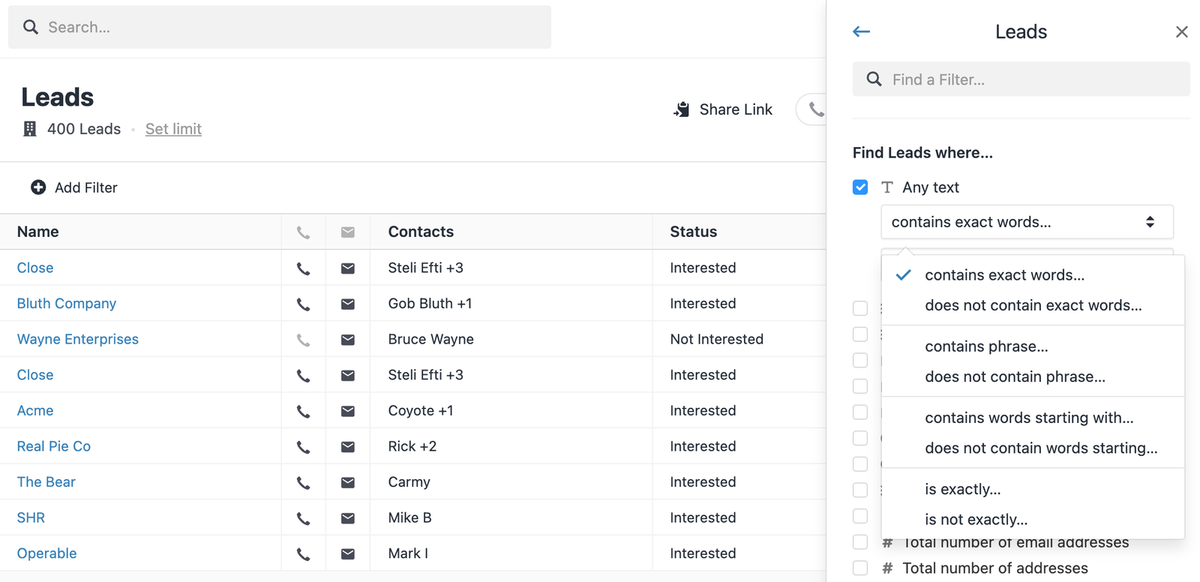
New operators are available in the Lead Filter Sidebar. The new operators (and their negative counterparts) are:
"contains phrase" — a new one that specifies "full words in this order"
"contains words starting with" — replaces "contains"
"is exactly" — a new one used in some custom fields, for example, when an "xyz" query must NOT match against "xyz abc". This is important when you store some kind of identifier in your Custom Fields.
We've added more criteria to choose from when filtering to help find the data you're looking for:
Filter Sidebar now shows an "any text" filter under every search object. This allows you to perform a "full-text search" where we'll search through every field on the object you select for the entered phrase.
The "Date last updated" filter was added to the Sequences section in the Filter Sidebar.
The "Local Time" filter in the Filter Sidebar now supports minutes. Previously, only hours were supported.
Filter Sidebar now supports additional filters under the "Find any status change where…" section for Leads and Opportunities. Previously, you would only be able to filter by the latest status change.
We have exposed two additional operators ("is on or before" & "is on or after") in date filters in the Filter Sidebar. That should give more flexibility when choosing a date, whether a day is inclusive or not.
The "A {activity type} activity is present" filter (e.g., "A call is present") is added.
Improvement
July 2022 Improvements
The sidebar will automatically collapse on narrower screens (it can still be manually expanded).
Split Opportunity Badges now show the hover tooltip properly when text is truncated. This also applies to all other places where a tooltip is conditionally shown on truncated text.
The Lead Activity search input is now behind an icon on narrower (laptop and below) screen sizes.
The Lead Activity filters layout is improved for mobile.
A "Copy to clipboard" button has been added to Custom Fields on the Lead page, shown on hover.
Changes to Custom Activity fields (create, delete, edit, reorder) are now reflected in the Custom Activity form without requiring an app refresh.
Leaving a Voicemail Drop no longer pauses a Sequence Subscription with a calling step.
An "answered" event is now emitted whenever a call is answered, allowing third-party integrations to act immediately when a callee picks up.
When deleting a Document from a Regulatory Bundle, the confirmation dialog now shows more detail about the document being deleted.
Free trial Free migration Free support No credit card needed