Skip to content

Product Updates

If you’re a tech-enabled team who needs to scale without overpaying for enterprise sales software, you’ve found the right sales tool.

  • New Feature

    Sending MMS

    Sending MMS

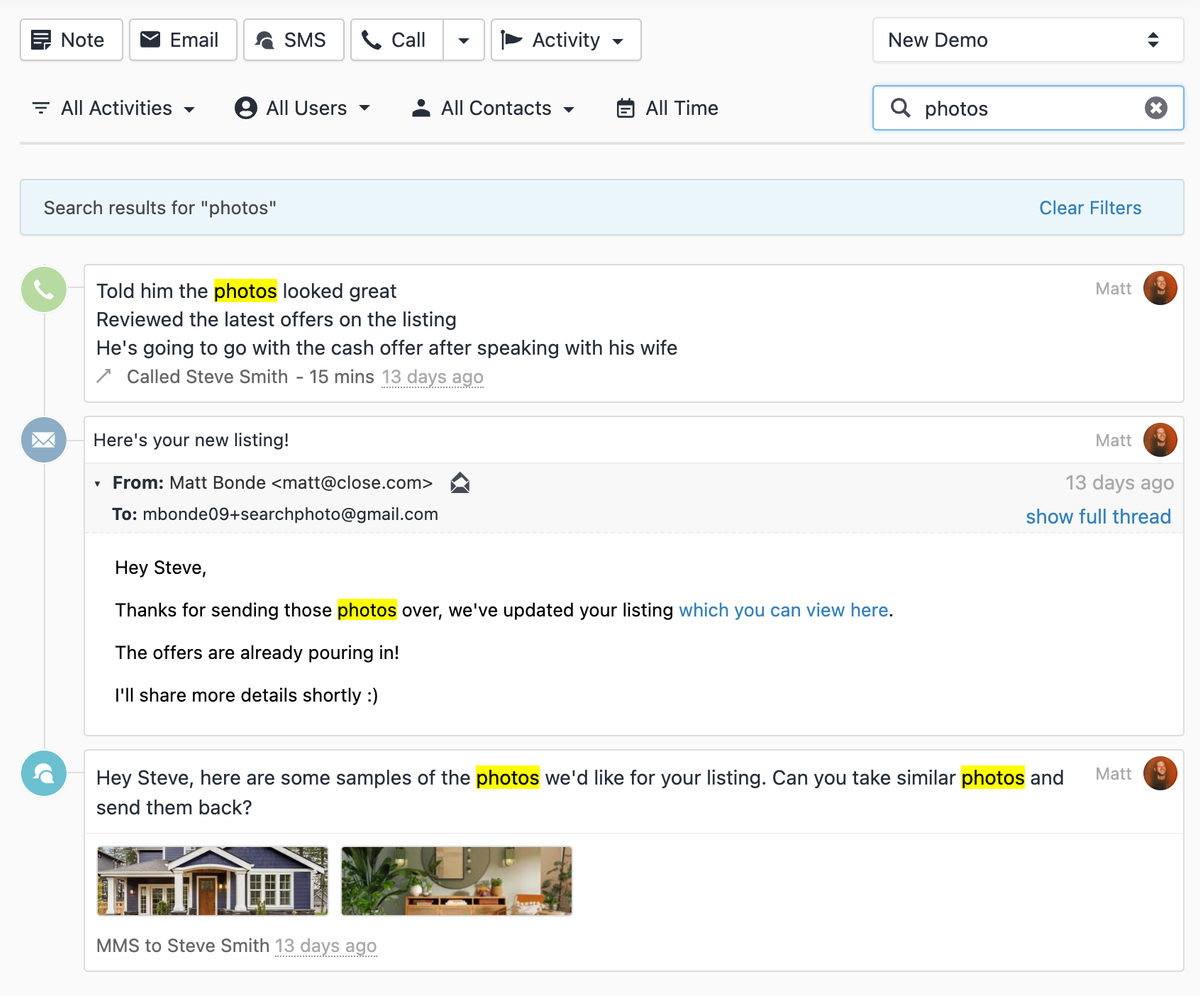
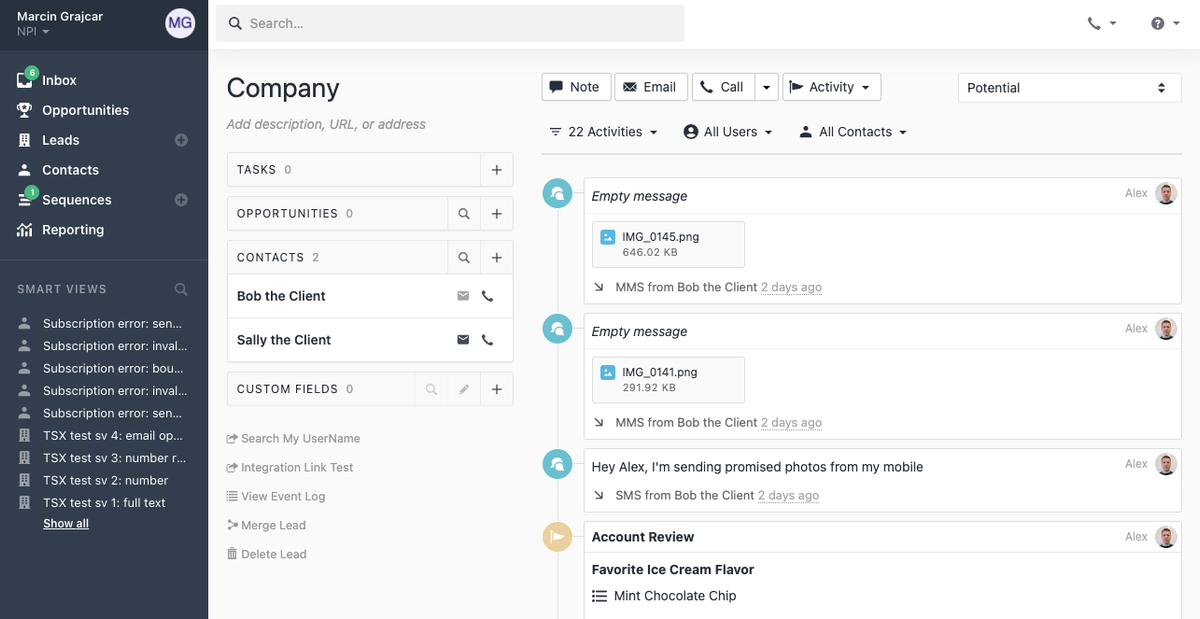
    It's now possible to send MMS in Close, allowing you to send images and other forms of media (videos, PDFs, audio files, and more) to your leads the same way you send SMS today.

    It's available for US and Canada-based numbers. If you have an eligible number, you'll now see a file attachment icon when crafting a new SMS, or you can simply drag and drop files directly onto your message.

    We'll also now display thumbnails for media sent and received via MMS.

  • Improvement

    March 2022 Improvements

    • We upgraded our Stripe checkout flow, so now users are redirected to and from a Stripe checkout page when adding or updating card info.
    • We redesigned certain interface elements - login screens, page headings, and Opportunity statuses badges.
    • We fixed an issue where users couldn't log out of the "verify email" onboarding step.
    • We fixed an issue where the email composer sender select would stay disabled even after a new connected account was added.
    • We improved the Team Management users table to properly show 2FA as enabled even if the user has been blocked (fail ten 2FA codes in a row).
    • It's now easier to expand/collapse a Contact's details thanks to a larger clickable area.
  • New Feature

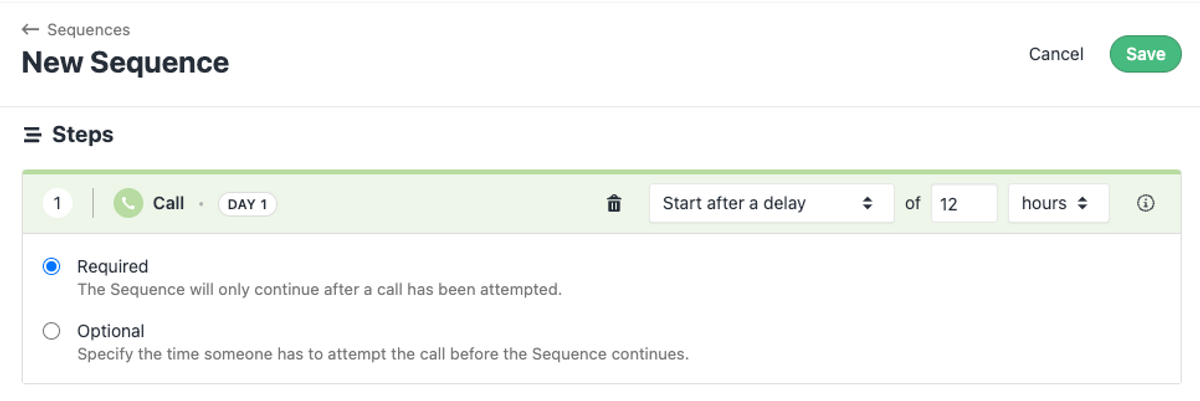
    Calling Steps in Sequences

    Calling Steps in Sequences

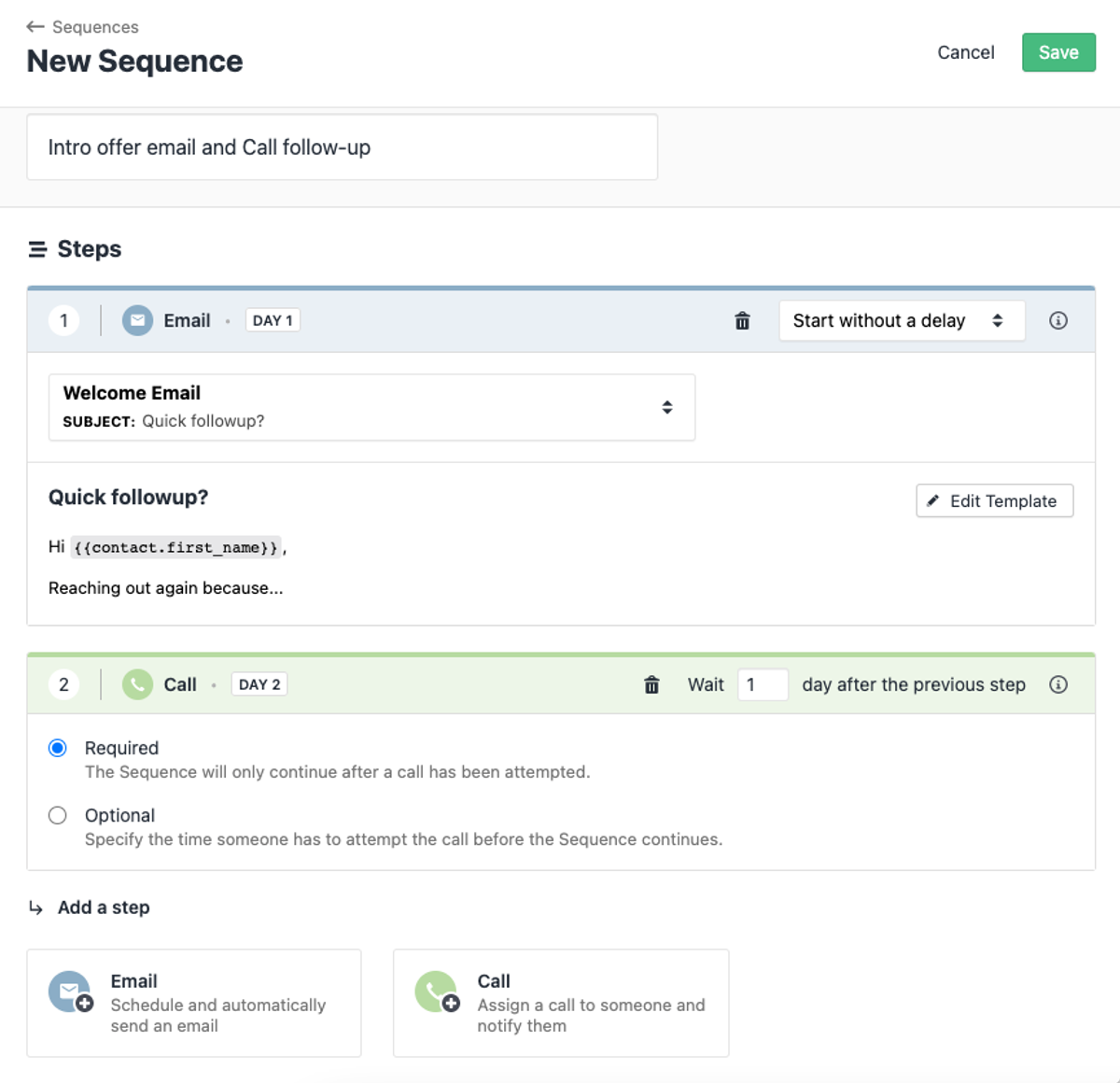
    It's now possible to add Calling as a Step to your Sequence — improve your workflows and the effectiveness of your prospect communication. Add required or optional Calling steps, assign a Caller or a Group, enroll your Contacts and start calling them from a new To Do section, shown on the Overview tab in the Sequence details.

    Apart from that, we've added the following improvements:

    • We show more details about Sequence-related statuses and errors and how to handle them.
    • We now use Contact's timezone for scheduling emails and Sequence calls.
    • We added a User filter to the Sequences Report.
    • It's now possible to search for Contacts in a particular Step and see all the Sequences that Contacts are enrolled in a dedicated Sequence column in Contact Filtering.
    • We added support for Sequence reassignment when removing a Connected Account.
    • It's possible to bulk enroll Contacts to Sequences in the Contact and Lead Filtering.
    • We added a search box along with Active and Archived filters to the Sequences list view.
  • February 2022 Improvements

    February 2022 Improvements
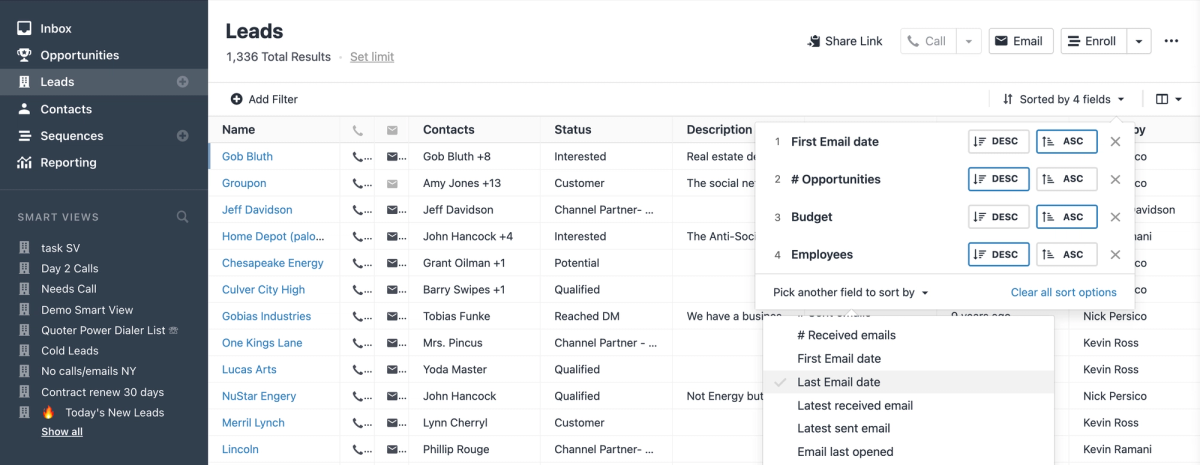
    • We added Multi Sorting capabilities to the new Leads and Contacts Filtering pages. Now you can sort by multiple columns, drag-n-drop sorting order, switch between ascending/descending sort for every sorting column, and clear the fields.
    • We fixed a bug where emails with anchor links would sometimes break email rendering in the application.
    • We fixed a bug where we would sometimes fail to rent a number and say there aren't any matching the user's specification (even though there were numbers in stock).
    • We improved the Sequence and organization navigation behavior — navigating to the Sequence from a different organization will now automatically switch you to that organization.
    • We fixed an issue where the email composer would occasionally drop your previous "Send As" Sender choice.
  • New Feature

    Receiving MMS

    Receiving MMS

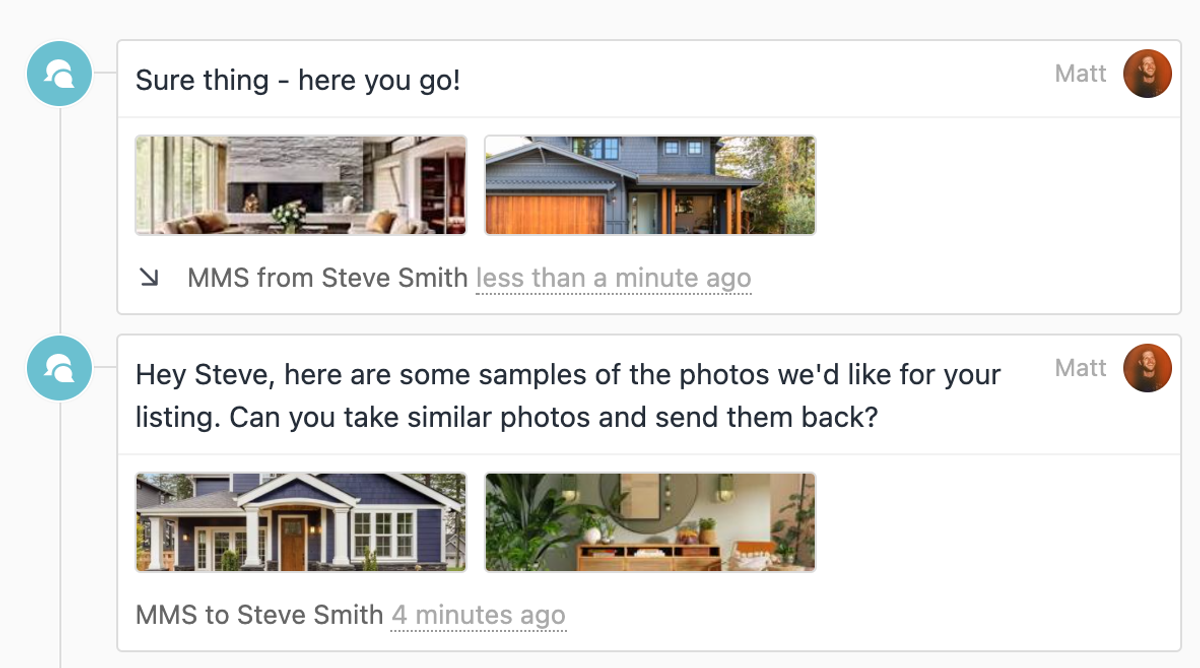
    It's now possible to receive MMS in Close. It's available for US and Canada-based numbers. You'll see them in your lead activity feed as an SMS with attachments.

    Additionally, we've redesigned the email attachments in the lead activity and inbox.

  • Improvement

    January 2022 Improvements Roundup

    • Raised the limit of allowed contacts per lead from 200 to 300.
    • Updated the design of the upcoming meeting notification bar; the bar no longer appears if a meeting is canceled or if the current user did not respond.
    • Trial users who exceed account usage limits (Email templates, Pipelines, Custom Activities, etc.) when choosing a plan now receive clear guidance on how to address it.
    • When removing a user, only reassignment options for object types currently assigned to that user are shown, along with a count of how many objects would be reassigned.
    • Improved the display of the "Role" column on the Team Management page.
    • Redesigned Email, SMS, and Status Change badges in the Lead Activities feed to make different activity types easier to distinguish.
    • Users now receive emails when their regulatory bundles are accepted or rejected by Twilio.
    • Email attachment previews now open in a new tab instead of triggering an immediate "open or save file" prompt.
    • Added more context to the confirmation flow when removing a Connected Account.
    • The "activities are being filtered" message on the lead page is now stickier, making it easier to remove Contact filtering.
  • Improvement

    January 2022 Bug Fix Roundup

    • Improved the email renderer so that the UI no longer freezes with certain email bodies.
    • Fixed an error when bulk updating a "User" type Lead Custom Field with an inactive user.
    • You'll no longer see a confusing "Object does not exist" error when sending email from a deleted email account.
    • The Primary Opp. Status column now shows data correctly on the New Lead Filtering page.
    • Fixed an issue where the New Lead Filtering page would break when loading a User Custom Field query with an inactive user.
    • Fixed an issue where adding a Custom Field with a comma in its name as a column on the Leads page would break the page.
    • Users with a comma in their names can now invite new users to their organizations.
    • Table headers are now consistent across Lead search, Contact Search, and Importer sections (e.g., "Company" / "Name", "Contact Name" / "Name").
    • You can now choose whether to automatically archive Gmail emails when hitting "Done" in the Close Inbox. The toggle is in Connected Account Settings under "Done/Archive Sync".
  • December 2021 Improvements Roundup

    • We refreshed the Sequences edit screen (adding empty state for Sequences steps list and redesigned "Add a step" buttons).
    • We redesigned the Organizations Settings page, and it now includes an Organization Copy ID button.
    • We added a warning for users who try to subscribe or bulk email more than 500 leads or contacts from a Gmail account that has sending limits.
    • We allow users in Canceled or Trial Expired organizations to perform User Reassignment when removing a user.
  • December 2021 Bug Fix Roundup

    • When copying long links from Notes (which are displayed shortened), we now copy the entire link instead of the shortened one.
    • We now correctly disable the "type" field when editing Custom Activity Fields.
    • After inviting a user to an organization, and that user is already a Close user, they will now show up as a member immediately rather than showing as a pending invite.
    • Text area in Custom Activity breaks appropriately into a new line.
  • Sequences Overview and Reporting Tabs

    Sequences Overview and Reporting Tabs

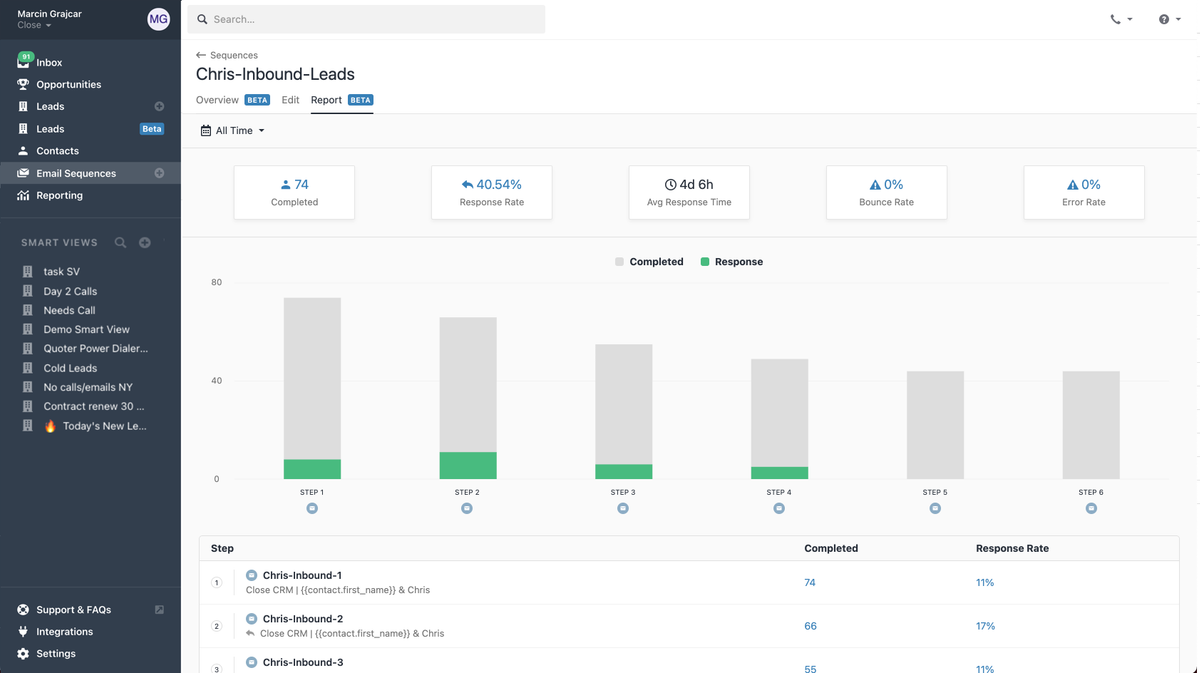
    Sequences now include Overview and Reporting tabs.

    In the Overview, you'll find general metrics and a list of the sequence's steps. In the Reporting tab, you can analyze sequence performance in detail using the Step breakdown and Data filter.

    Additionally, Lead and Contact Filtering now includes Sequence-related options: Sequence name, Status, Status reason, and Date created—making it easier to build targeted lists.

  • New Feature

    New Lead Filtering with Visual Query Builder

    New Lead Filtering with Visual Query Builder

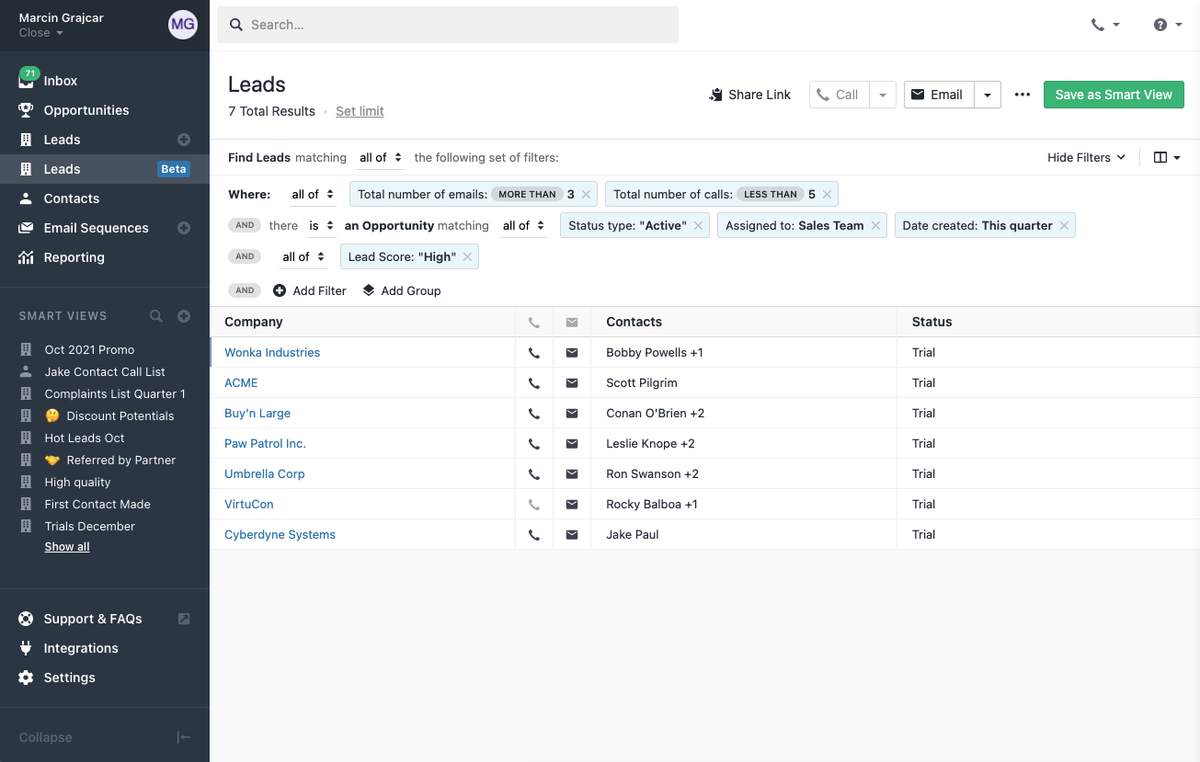
    You can now filter your Leads using a simple visual query builder. Specify the criteria, add filters and groups, and create an actionable list of Leads ready to engage. You can also share your list using the new Share Link button.

  • New Feature

    Search Autocomplete

    Search Autocomplete

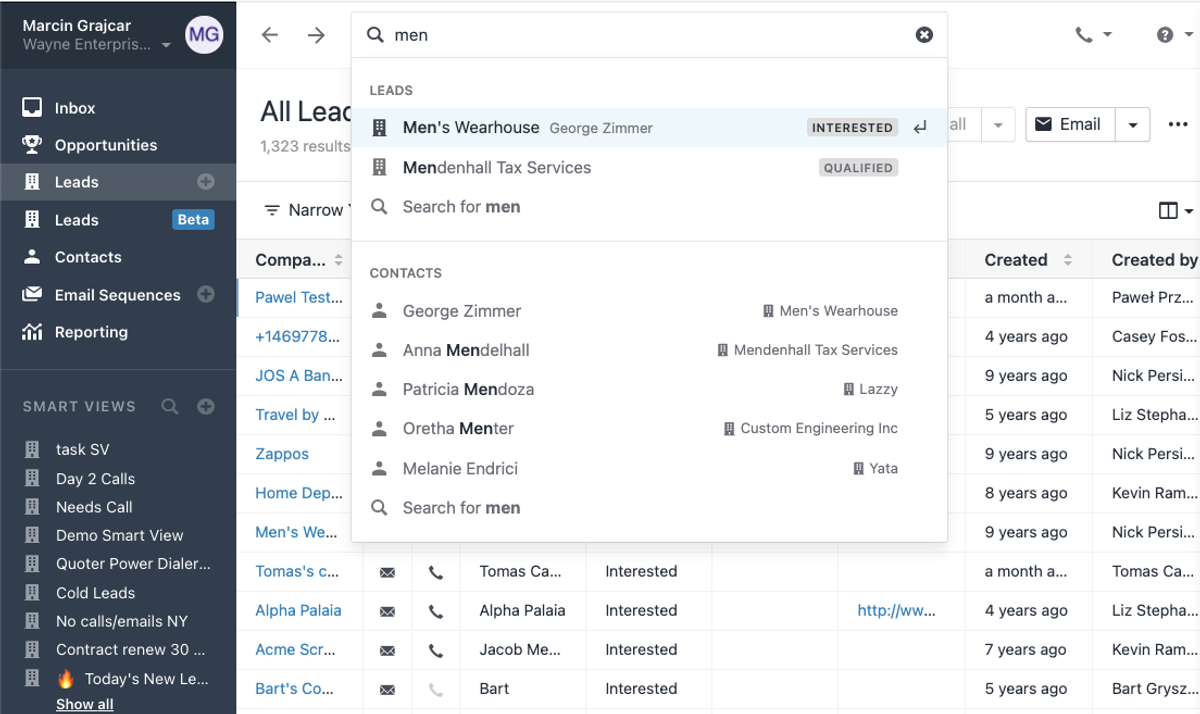
    When searching, start typing any information about a Lead or Contact (name, email address, telephone number) and we'll provide you with up to 5 suggestions, making the whole searching process faster and more efficient. We also now show a brief history of recently viewed Leads in the search bar for quick access.

  • Contact Highlighting from Search

    Contact Highlighting from Search

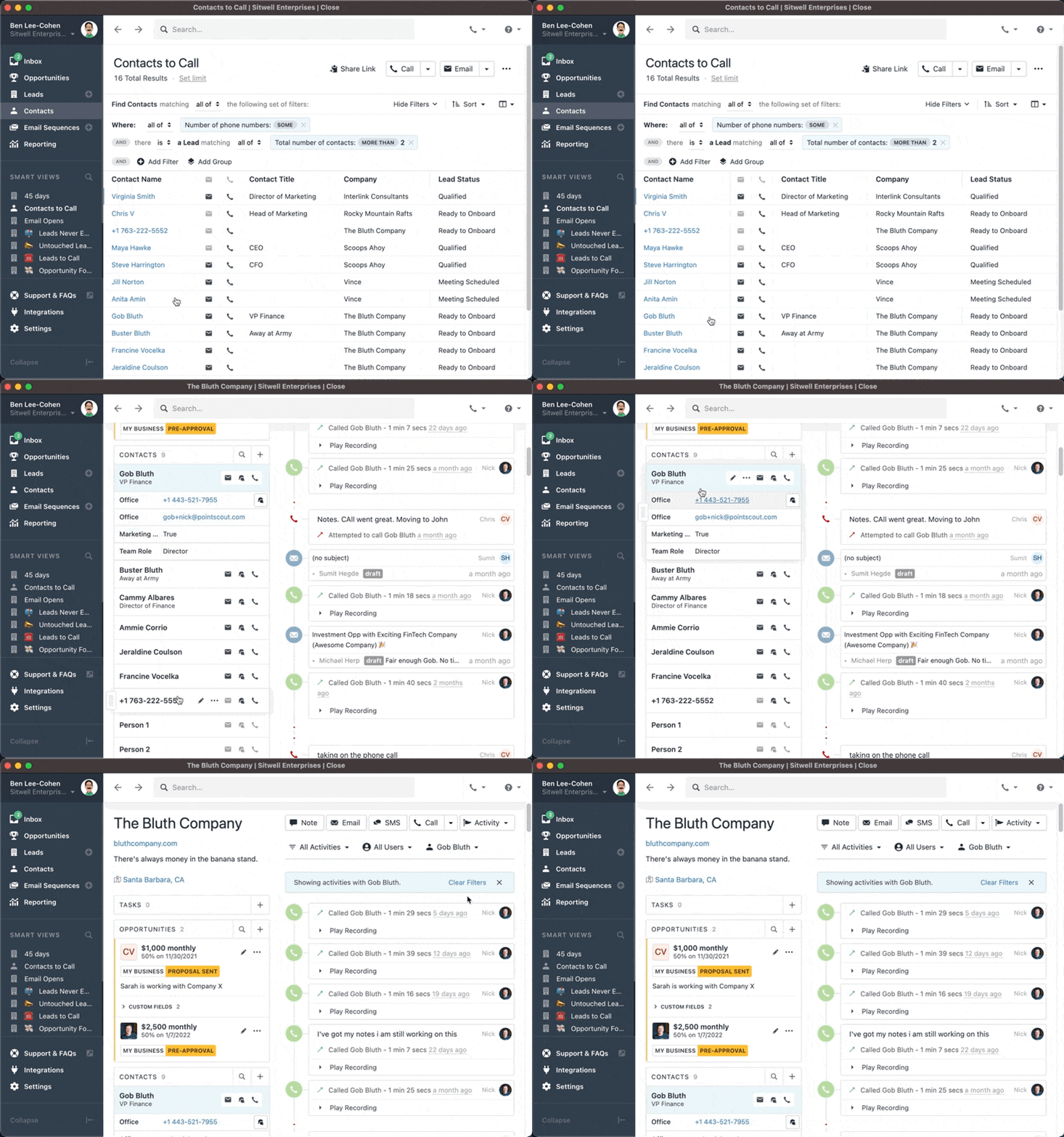
    When you're searching for a contact and find the one you're looking for, clicking on it will now show the Lead filtered by Activities with that contact, as well as expanding the contact details.

  • Improvement

    New Developer Docs

    New Developer Docs

    For our users with technical needs, our development partners, and anyone else who needs to interact with the Close API, the new Developer Docs will make finding what you need and understanding how to use it much easier. Among the many improvements are:

    • Code samples displayed in multiple languages
    • Easier navigation
    • Fast search with typeahead completion
  • Improvement

    Microsoft Account Discovery

    Microsoft Account Discovery

    When creating a new Close account, we are now able to detect if your email is a Microsoft account. When it is, the email setup and connection can be performed in a few clicks, as is already the case for Google email accounts.

  • Improvement

    October 2021 Design Improvements

    October 2021 Design Improvements

    Opportunities have long used color-coded labels to indicate Active, Closed: Won, and Closed: Lost. With this update, it's now easier to see the name of the Pipeline each status belongs to, as well as the type of status change in the Activity Feed. Other design improvements include a refreshed Search dropdown and updated buttons for Contacts on Lead pages.

  • Custom Field & Activity Improvements

    September brings with it a slew of improvements to Custom Activities and Fields, including:

    • Multi-select choices now correctly convert user names to user ids when converting the field to a User multi-select field.
    • User names with leading or trailing spaces are now correctly converted to user ids when converting to user custom fields.
    • Long lines in custom activities now correctly wrap and show the required field indicator.
  • New Feature

    Regulatory Bundles for International Phone Numbers

    Regulatory Bundles for International Phone Numbers

    Renting phone numbers outside the US and Canada often involves providing proof of business address along with other identity confirming information. With the Regulatory Bundles in Close, the process for renting regulated numbers and providing the required documentation can be completed entirely inside Close.

  • New Feature

    Contact Dialing

    Contact Dialing

    Contact Dialing allows power and predictive dialing of Contact Smart View and search results. Whether you want to call all the contacts on a Lead or all the CEOs at Leads in California, Contact Dialing gives you the tools you need.

  • Improvement

    Desktop App Updates for M1 and ARM

    For users on M1 Macs or ARM based Windows computers, this new version of the Close desktop app offers significant performance improvements. If you're already using the desktop app, you'll be able to upgrade automatically. If you haven't used it before, you can download it now.

Free trial
Free migration
Free support
No credit card needed

Start your 14-day free trial

On-demand demo

Learn the how + why of Close in just a few minutes.

Take a product tour

Talk to a real human

Get the gist of Close with a guided, B.S.-free tour.

Book a call