Skip to content

Product Updates

If you’re a tech-enabled team who needs to scale without overpaying for enterprise sales software, you’ve found the right sales tool.

  • Improvement

    Summer 2021 Bug Fix Roundup

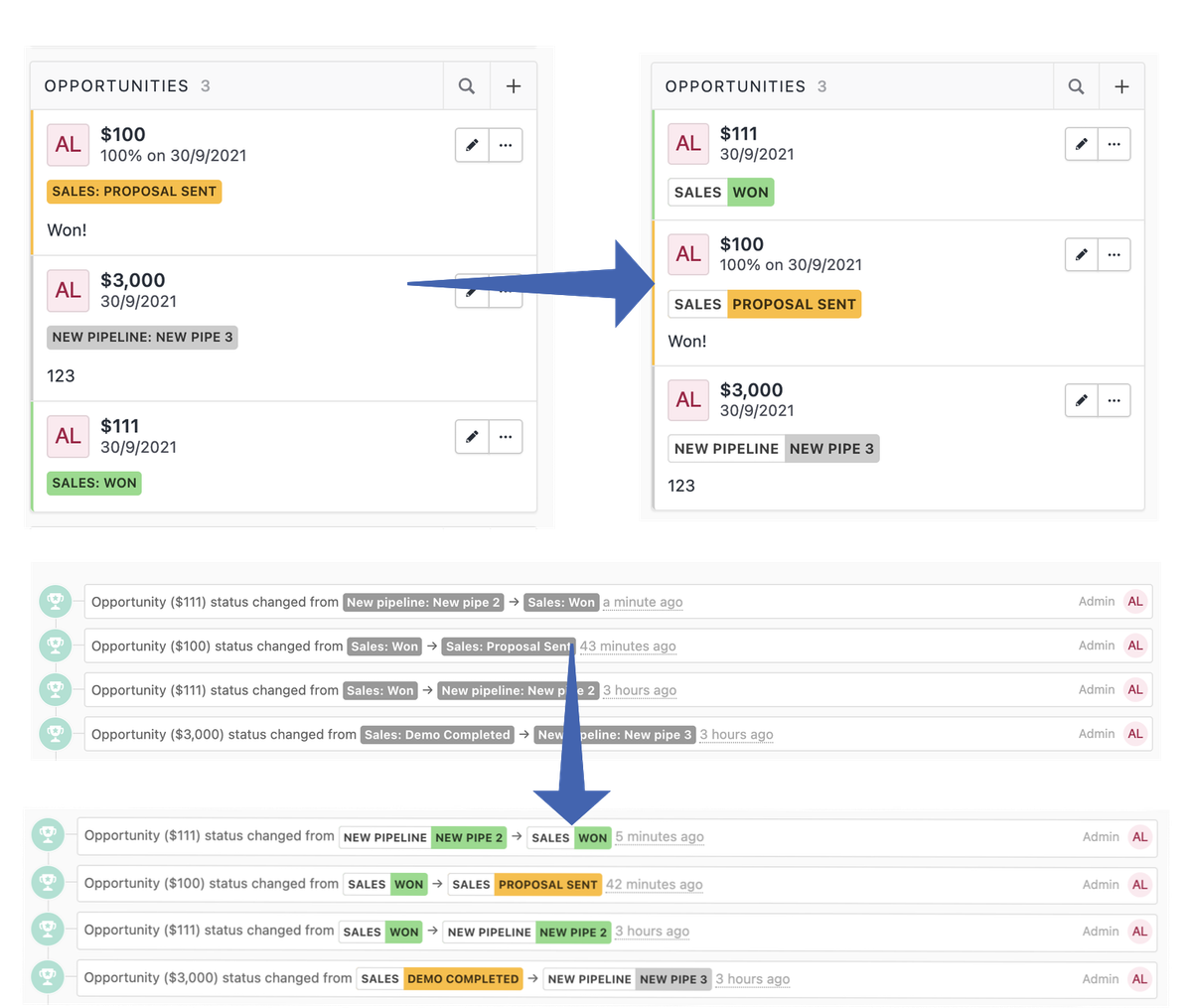
    Quality-of-life improvements shipped over summer 2021:

    • Visual refreshes to Email Sequences
    • Quick reordering of Custom Fields to the top or bottom of the list
    • Improved screen reader accessibility for icon-only buttons
    • Lead from Email now works as expected with Outlook-style formatting in the CC field
    • Signatures now update as expected after being edited while an email is being composed
  • New Feature

    Contact Smart Views

    Contact Smart Views

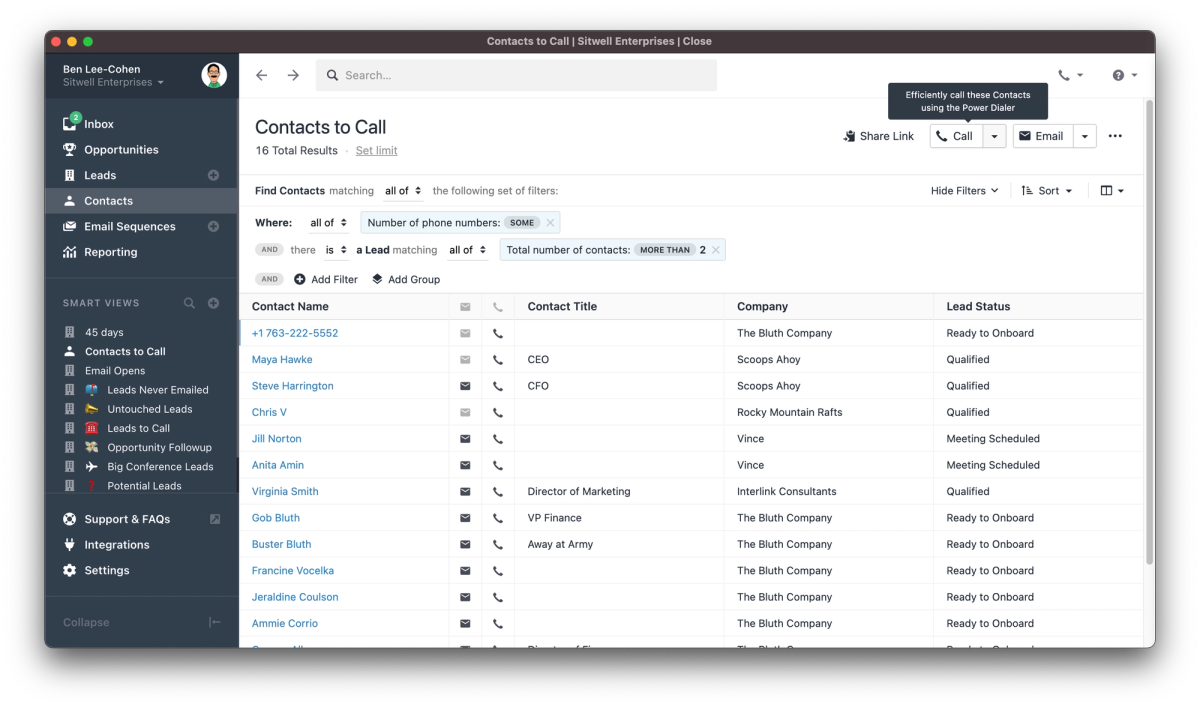
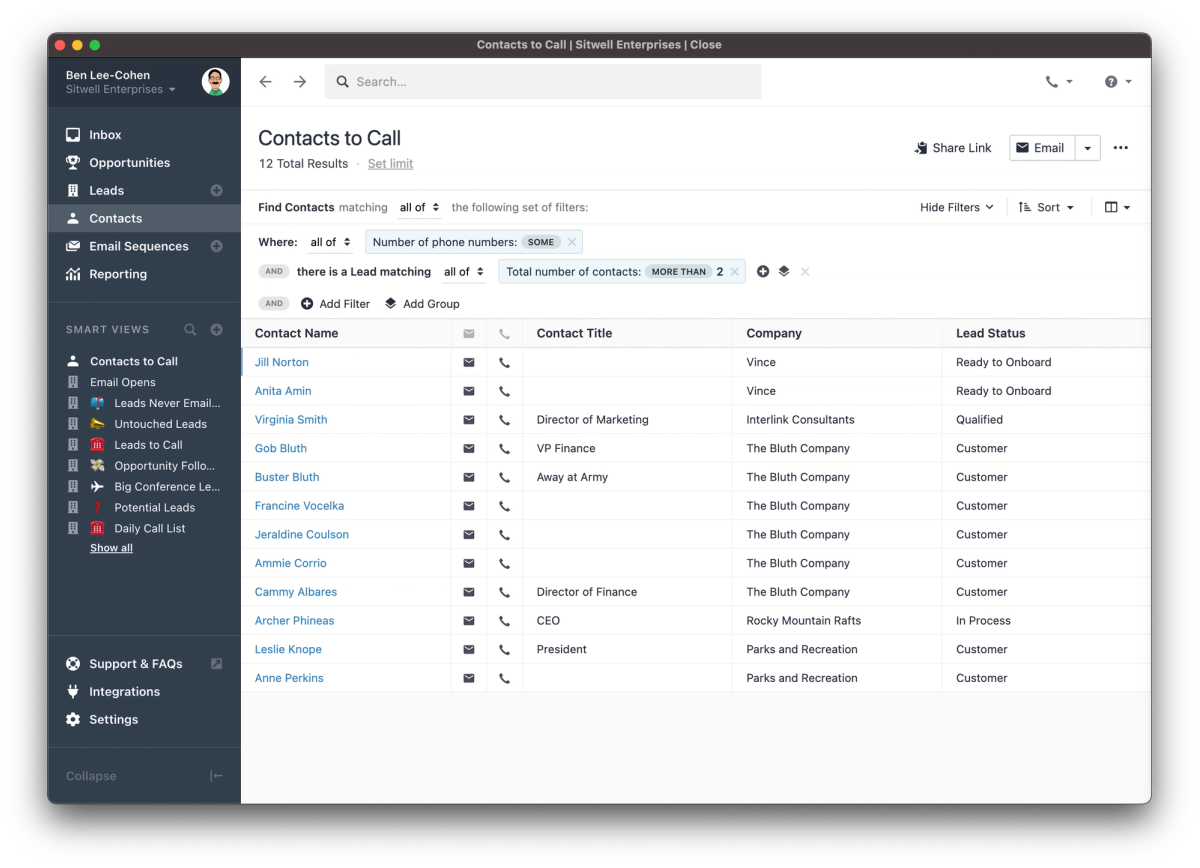
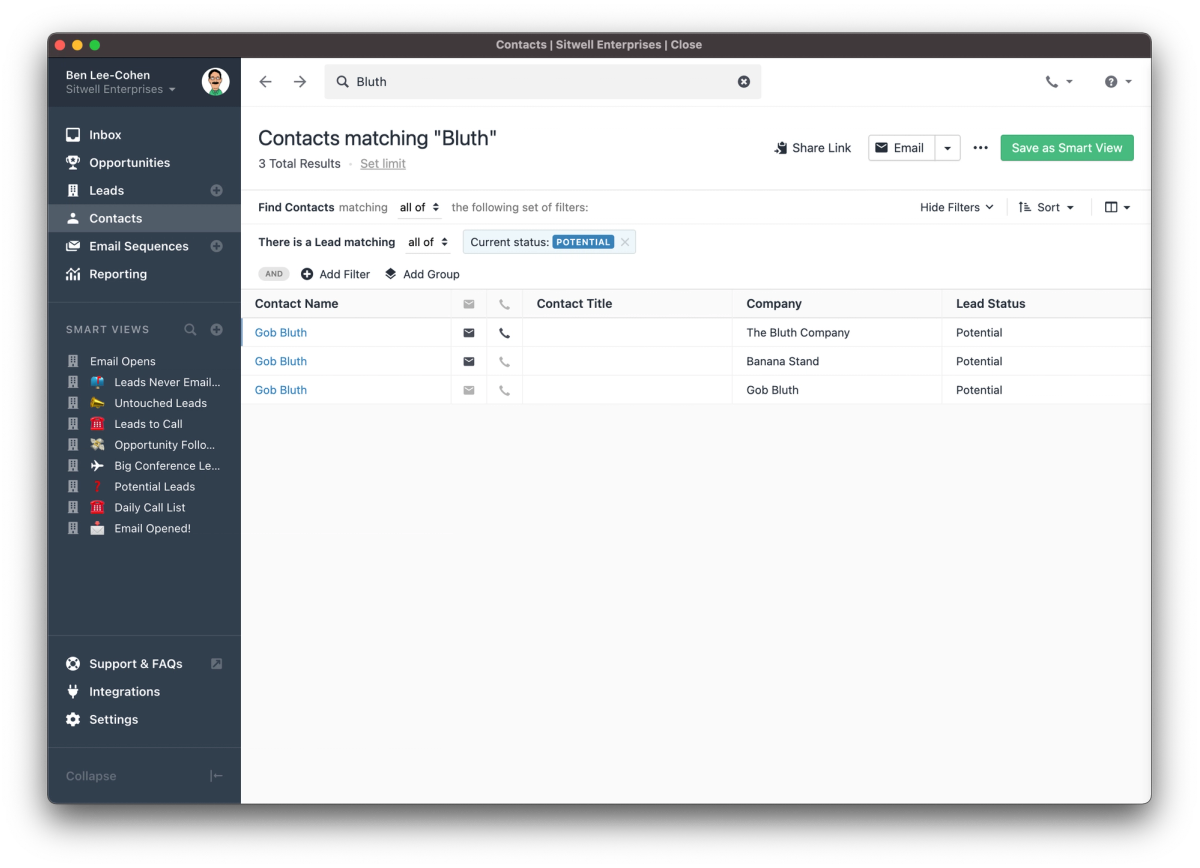
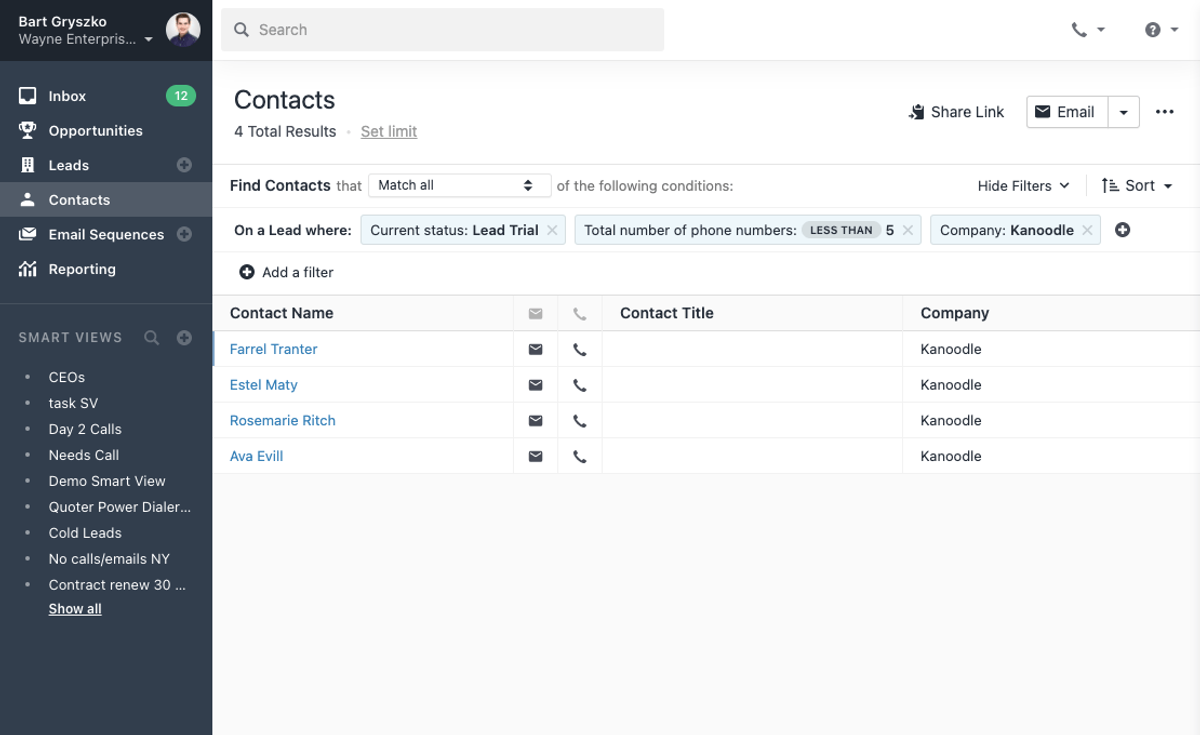
    It is now possible to save a filtered Contact list the same way you can already save a Lead search, as a Smart View. With Contact Smart Views, you can be confident you're working from the same dynamically updating set of Contacts as all of your colleagues whether you're prospecting, qualifying, or closing.

  • New Feature

    Opportunity Custom Fields

    Opportunity Custom Fields

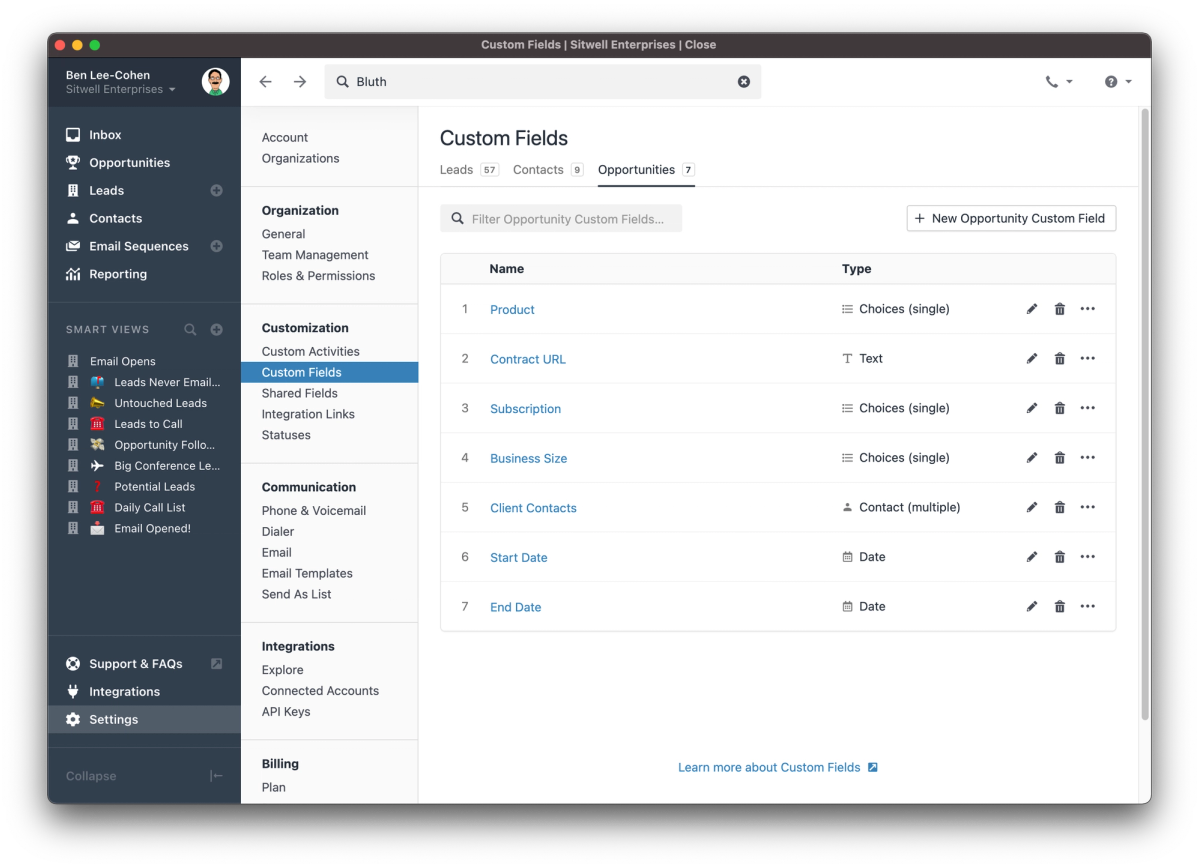
    You can now customize your Opportunities with the same types of custom fields you've been using on Leads and Contacts. Whether you're capturing important links, product details, or contract dates, Opportunity custom fields let you track the right information for your business.

    In addition to tracking the information on the Opportunity, you can use it in search to create new Lead smart views or in email templates to ensure you always have the most up-to-date contract link in your messages.

  • New Feature

    Webhook Autopausing

    For companies using webhooks with Close, Webhook Autopausing will make your server logs a little cleaner. Close will attempt to deliver webhook events for three days. After that, we'll pause the webhook delivery.

  • Improvement

    May 2021 Improvements

    The first few months of 2021 have seen improvements across the app, including:

    • Custom Fields can now be converted into Shared Fields
    • Opportunities and Custom Fields on the Lead page are now filterable, like Contacts
    • Bulk Updating custom fields with an invalid value now shows a message explaining the error
    • The email composer received bug fixes for Firefox and Safari
    • Developers and Admins can now copy Membership ID and User ID directly from the Team management page for use in integrations
  • Improvement

    Contact Filtering Improvements

    Contact Filtering Improvements

    This release adds text search to Contact filtering, as well as column customization and improved Lead Status display.

  • Improvement

    Custom Field Improvements

    Custom Field Improvements

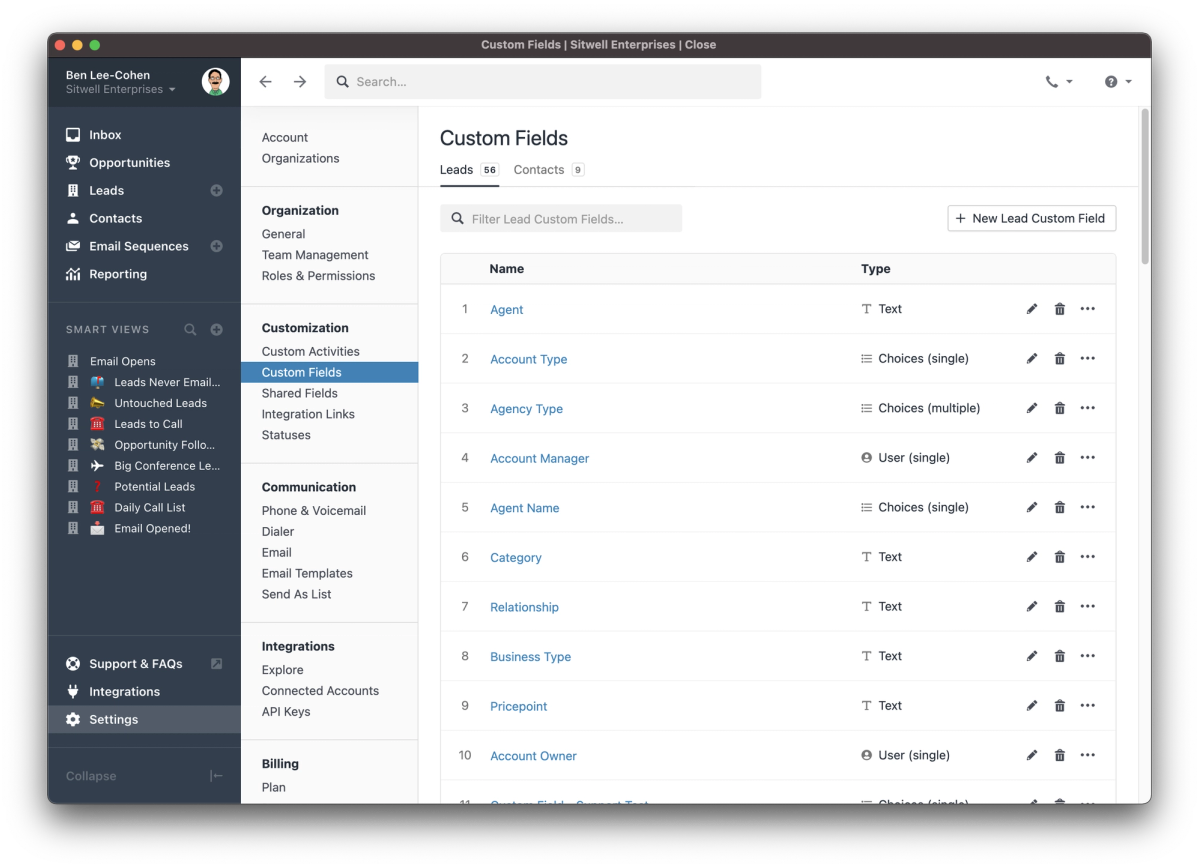
    Custom and Shared Fields now have their own pages in Settings. Previously, Shared Fields could only be added to Custom Activities, but with this release, they can be added to Leads and Contacts as well. In addition, it is now possible to re-order the fields on Leads and Contacts.

  • New Feature

    Contacts Filtering

    Contacts Filtering

    You can now filter Contacts in Close. Using a simple visual query builder, you can specify the exact criteria you need to create a list of Contacts, and then engage with them in whatever way suits your sales process.

  • Improvement

    Reorder Fields on Custom Activities

    Reorder Fields on Custom Activities

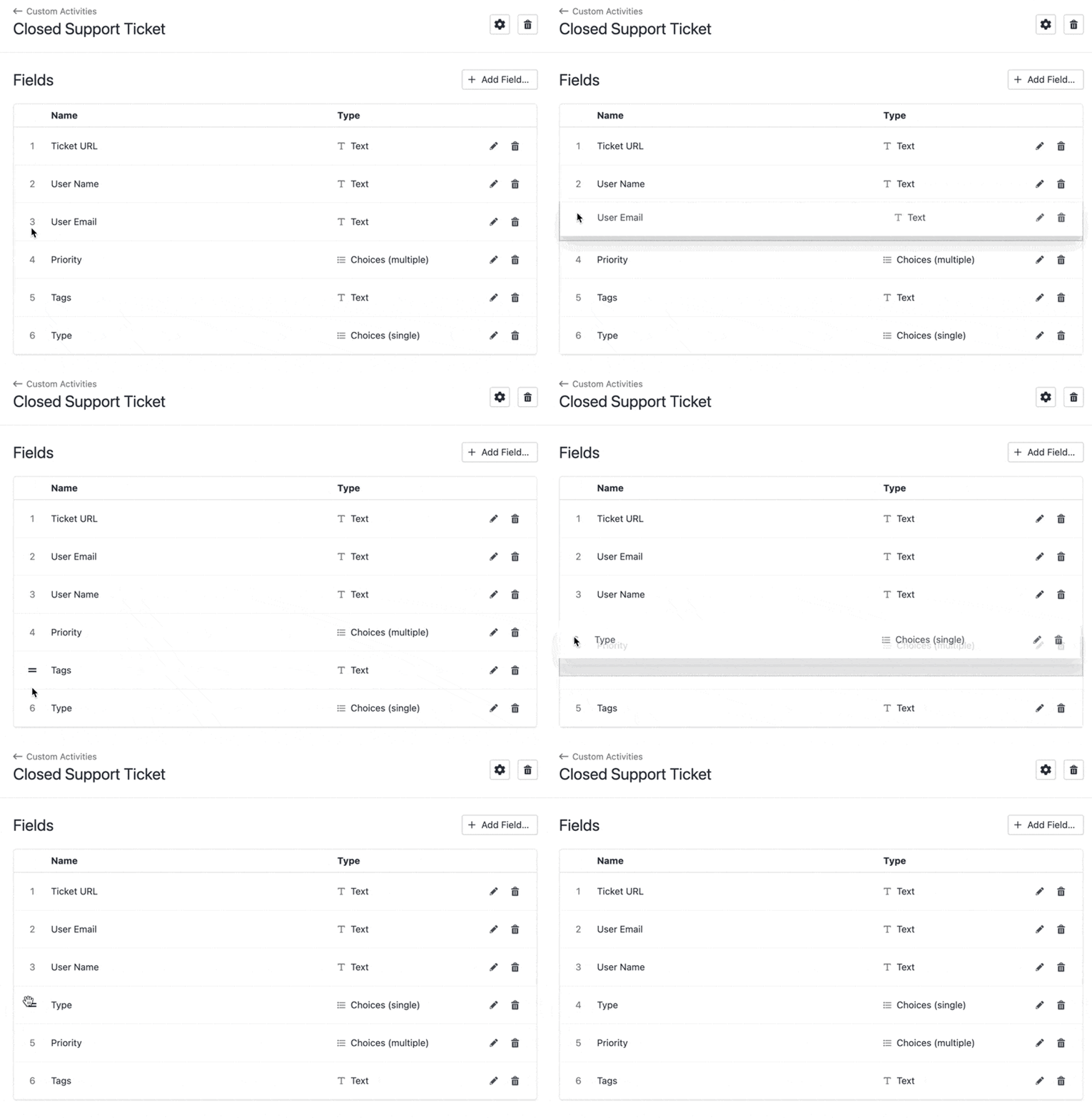
    Custom Activities let you capture important events on your Leads. As you use them, you may decide to change the order of the fields to make it more natural to capture information. With this release, you can!

  • Call Recording for Professional Plan Users

    Call Recording for Professional Plan Users

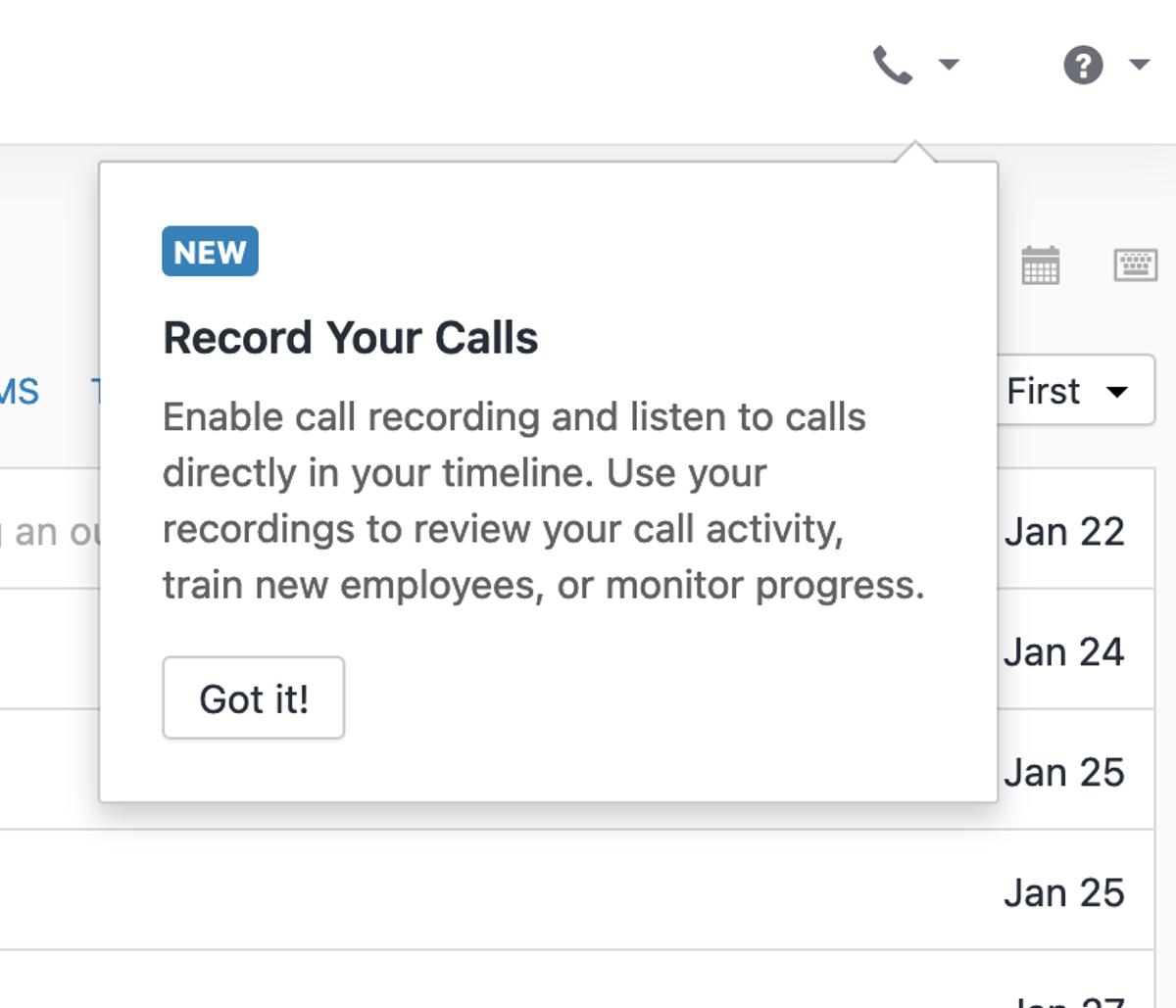
    Close has long had automatic call recording available to users on the Business plan, but until now, it was not available on the Professional plan. With this update, we've made call recording available to everyone on the Professional plan. To enable it, simply turn it on in the phone settings pop-over. Users on the Professional plan can make unlimited call recordings and have access to recordings for seven days.

  • Task, Opportunity & Phone Number Reassignment

    Task, Opportunity & Phone Number Reassignment

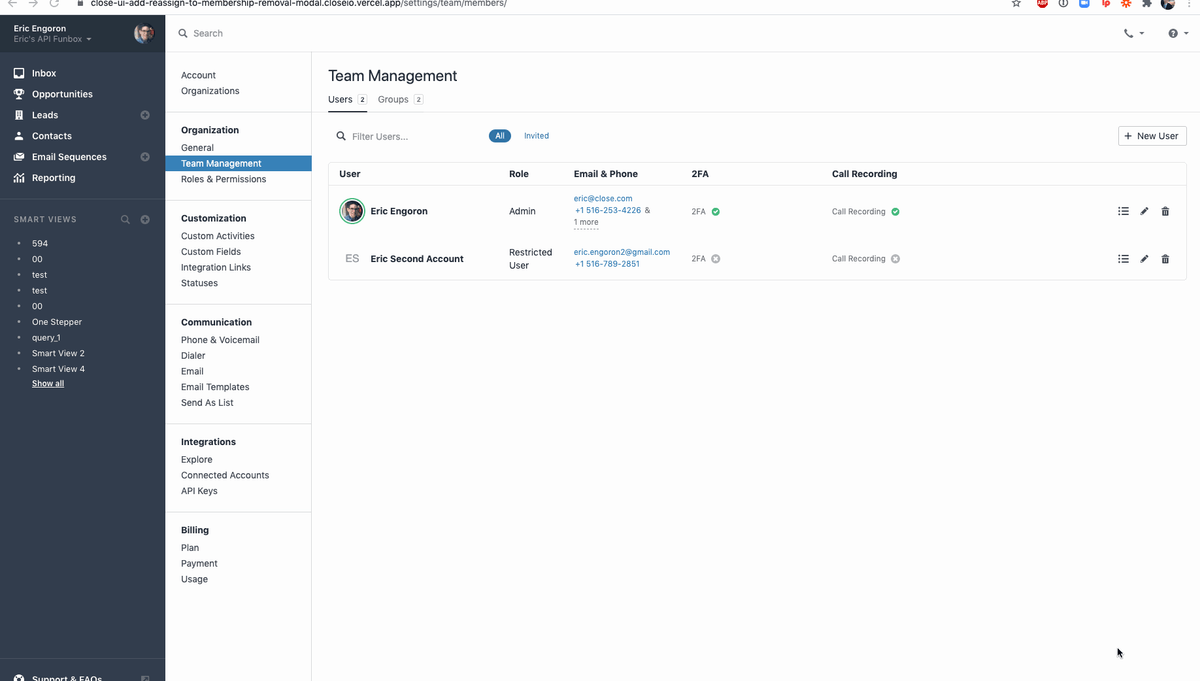
    When a salesperson leaves your team, it's important to make sure their work doesn't fall through the cracks. Now, it's simple to reassign tasks, opportunities and phone numbers when someone leaves.

  • Improved Reporting & Pipeline Sharing

    Improved Reporting & Pipeline Sharing

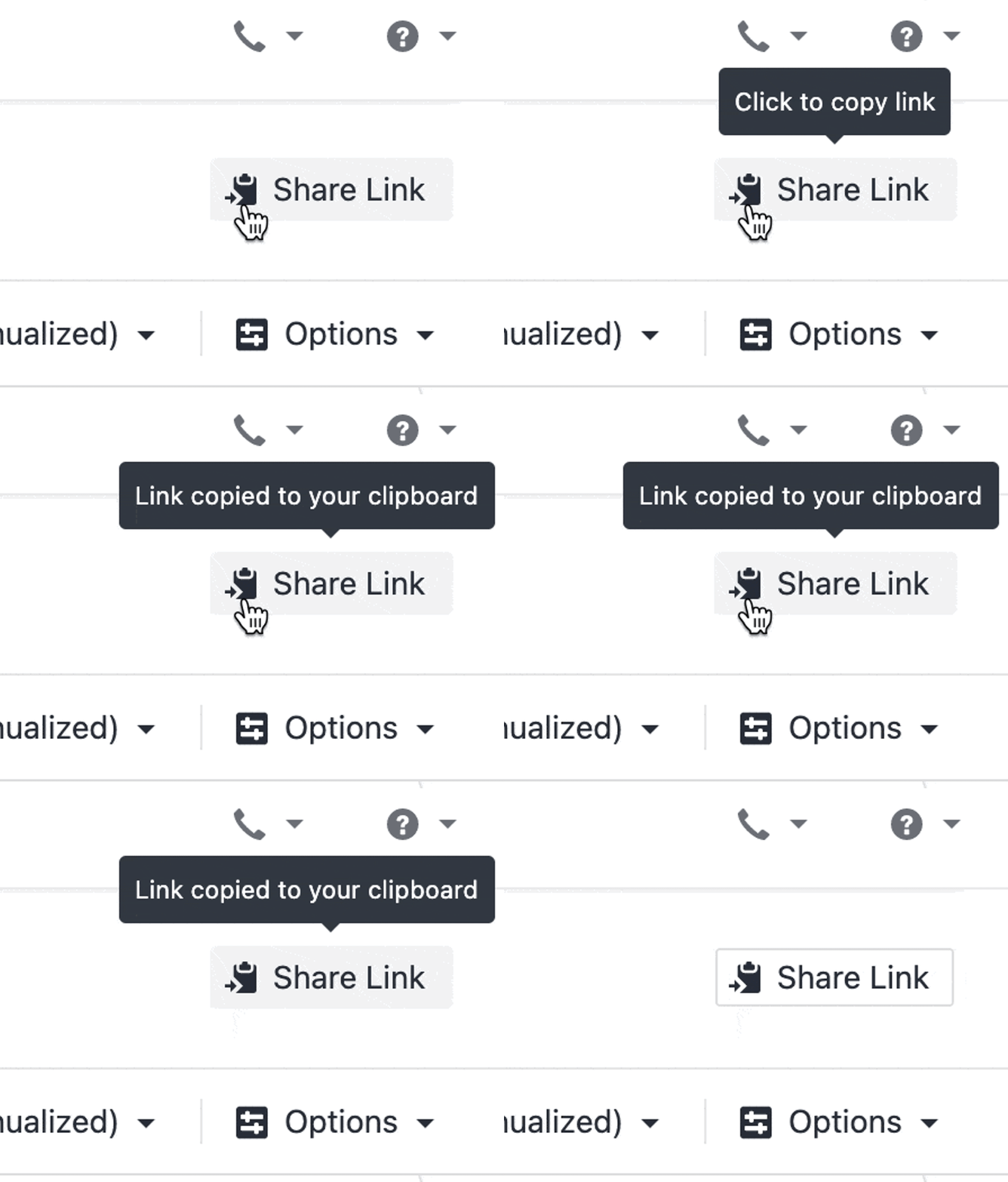
    Sharing a report or pipeline has gotten easier. Every time you change a filter, sort direction, or anything else that affects the information being displayed, the URL will update. Either copy the URL in your browser or click the Share button to copy the new URL and share with your colleagues, add to a report, or link from a dashboard.

  • New Feature

    Call Coaching

    Call Coaching

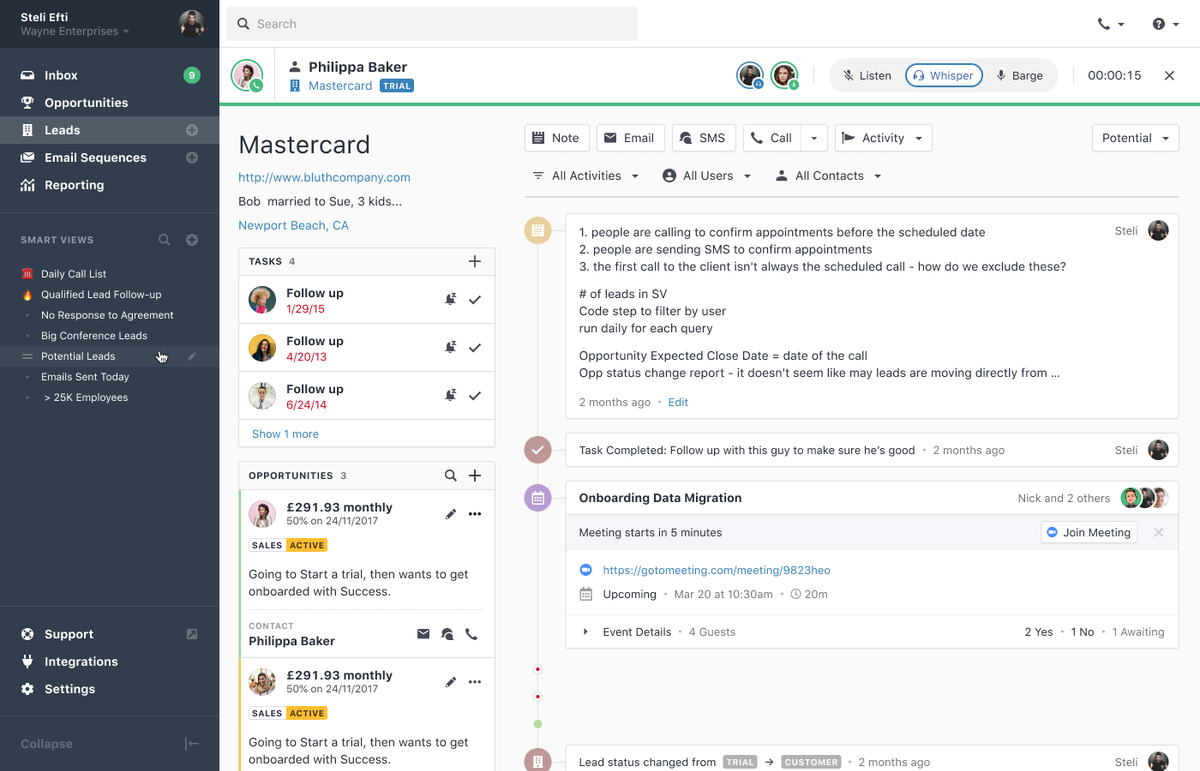
    Call Coaching allows users with the correct permissions to monitor live sales calls in three modes:

    • Listen: Hear both sides of the call without being audible to either party.
    • Whisper: Talk to the sales rep without being heard by the other call participant.
    • Barge: Talk to both the sales rep and the other party on the call.

    To find a call to join, visit the Team Management or Groups page in Settings to see who is currently on a call.

    Call Coaching is available on the Business plan.

  • New Feature

    Microsoft 365 Integration

    Microsoft 365 Integration

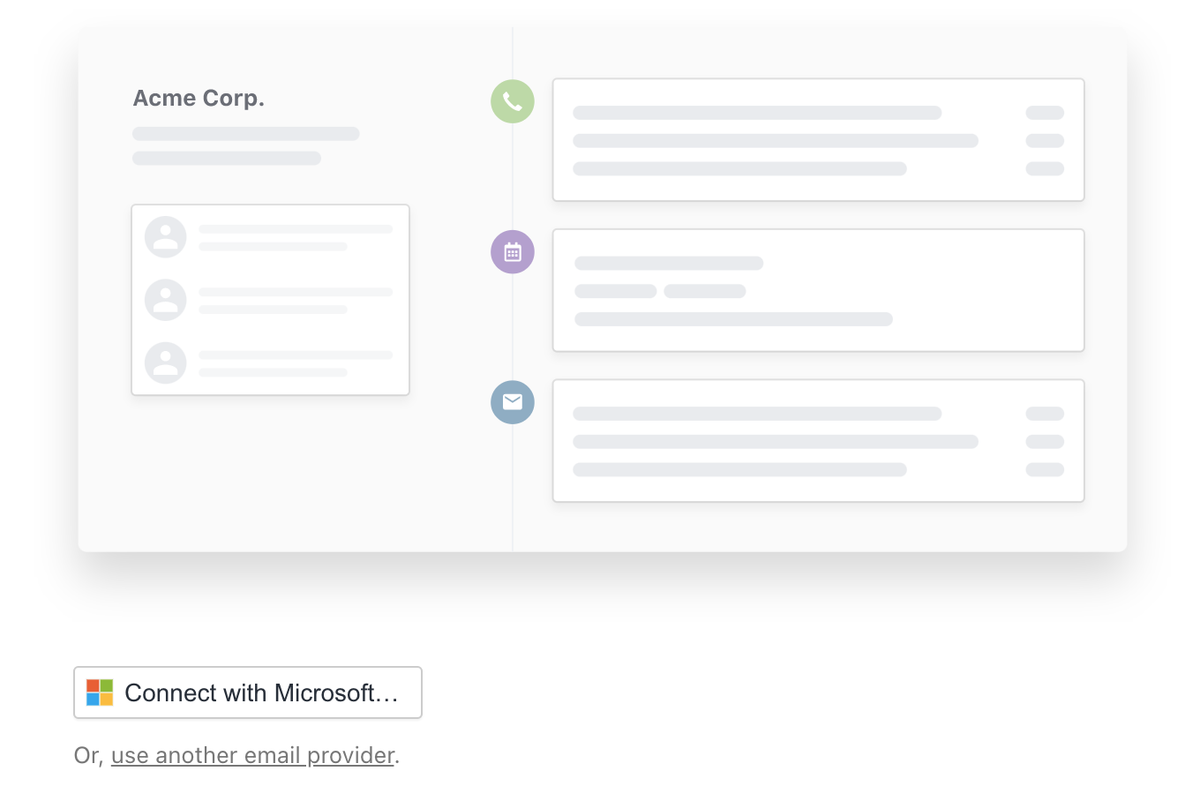
    Microsoft 365 accounts can now natively be integrated as Connected Accounts, improving security and lowering friction for connecting new accounts. The new connected account type supports both syncing and sending email.

  • New Feature

    Email Send As

    Email Send As

    Email Send As lets you define a list of other Close users who can send email on your behalf, or for whom you can send email. Let your sales manager send as any salesperson, or let your copywriter send as the director of marketing. Only users you explicitly allow to send as you will have that permission.

  • Custom Activities

    Custom Activities

    Custom Activities are a powerful way to expand the information you can track on a lead. Create new types of Custom Activities to track important lifecycle events for your leads, like delivering a demo, sending a contract, or signing a deal, or use them to store information from third-party tools like tracking when a support ticket is created or closed, when a chat is initiated on your marketing site, or when an account is created in your back office system.

    Search for leads with exactly the custom activity data you need and create Smart Views to reach out to your most relevant leads exactly when you want to, and use the Activity Filters on lead pages to see just the information you need.

  • New Feature

    Groups

    Groups

    As your team grows, your needs change. Whether you're looking at Activity reports by region or searching for Leads last emailed by your Support team, it's helpful to group your team members. With Groups in Close, you can quickly and easily filter a report by job function, or see how your Pipeline looks by region.

    Since users can belong to more than one group, you can have an EMEA group, an AE group, and a Sales Management group with exactly the right people in each of them. Groups are available today on the Business plan.

  • Improvement

    Redesigned Team Management Page

    Redesigned Team Management Page

    The new team management page makes it easy to see at a glance which features are enabled for your team, who's online, and the contact information for each user—whether you have a team of five or 500.

  • Improvement

    Close Desktop App Rebranded

    Close Desktop App Rebranded

    A while back, we changed our name from Close.io to Close. Today, our desktop app is updated to match.

  • Improvement

    May 2020 Improvements

    • Custom Fields now support descriptions. Descriptions can be added to both Lead and Contact Custom Fields while creating/editing, and are visible on the lead page sidebar for each.
    • Expanded SMS to more countries (Belgium, Denmark, France, Israel, Puerto Rico, and South Africa).
    • Previously, an incoming call to an empty group number would be dropped immediately. Now, we handle forwarding and voicemail recording properly. We also notify all the active users in the organization about the missed call or voicemail.
    • Previously, an incoming SMS to an empty group number would be logged on the relevant Lead(s), but it wouldn't notify anybody. Now, it notifies all the active users in the organization.

Free trial
Free migration
Free support
No credit card needed

Start your 14-day free trial

On-demand demo

Learn the how + why of Close in just a few minutes.

Take a product tour

Talk to a real human

Get the gist of Close with a guided, B.S.-free tour.

Book a call