
It's 8:56 a.m., and your discovery call starts at 9:00. The lead page, last week's email thread, and your notes from the first call are open in separate tabs, and you're trying to remember whether they mentioned a budget freeze.
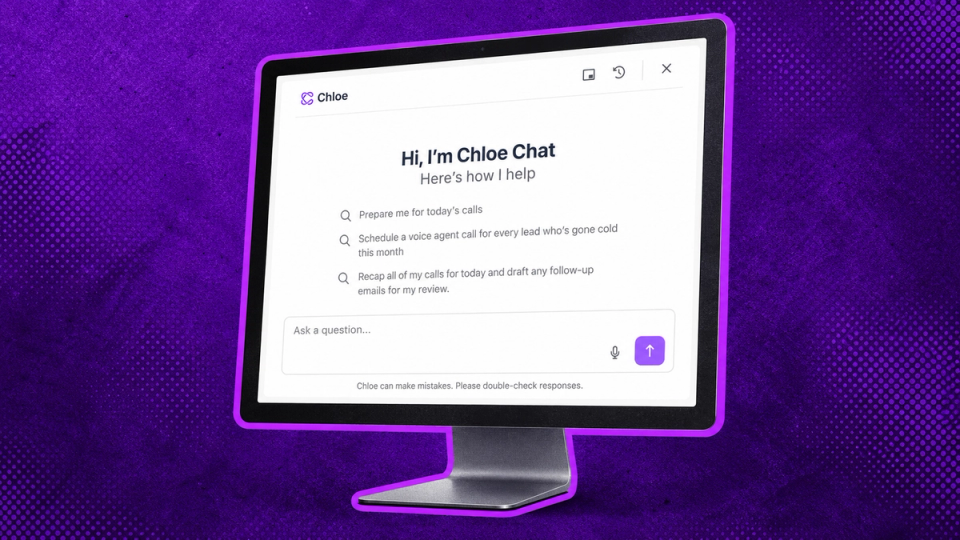
Now you can just ask. Chloe Chat, the personal assistant built into Close (not bolted on top of it), is out of beta and available to every Close customer.
What Chloe Chat Actually Is
Chloe is your personal assistant for Close. Open her with ⌘J (Ctrl+J on Windows) from anywhere in Close and tell her what you're trying to get done.
Your calls, emails, texts, and notes already live in Close, so Chloe starts with the context. If you're on a lead page, she knows which lead you mean. If you're in a Smart View (a saved, filtered list of leads), she can work the whole list. Your AI shouldn't need a crash course on your customers, and Chloe doesn't.
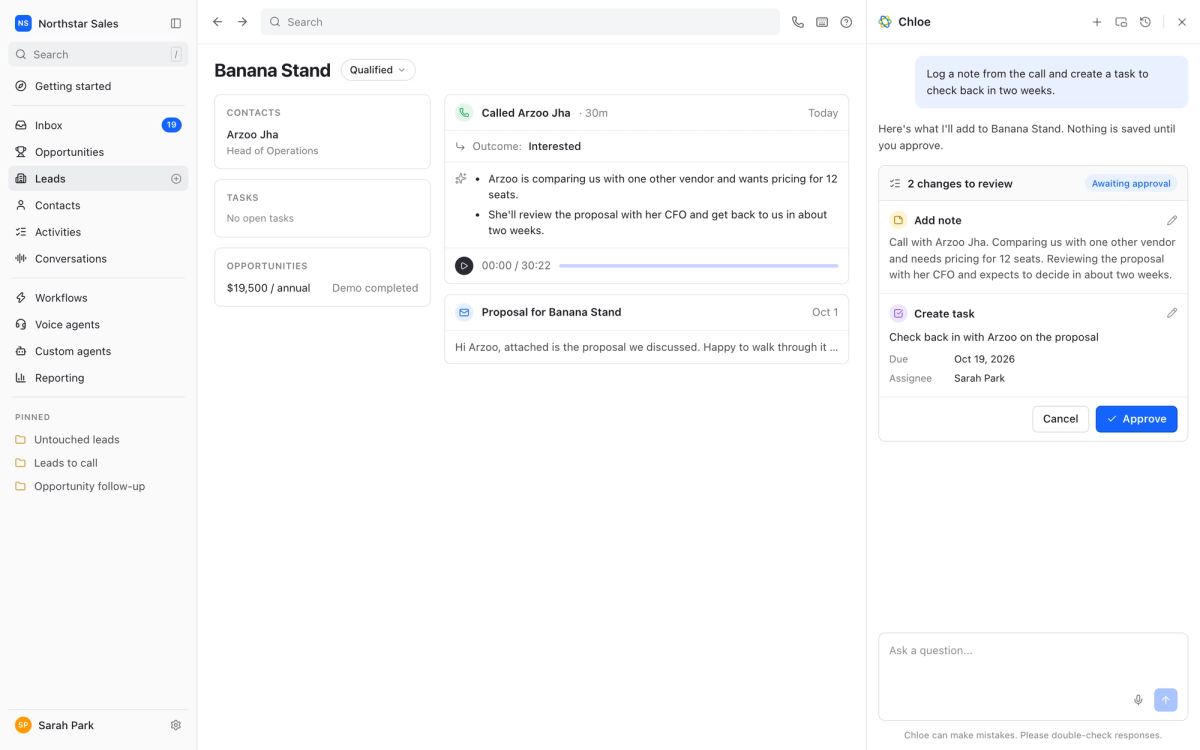
She also does the work. Chloe can draft emails, create tasks, update records, and build reports. When she's about to change something in Close, she shows you first and waits for your OK.
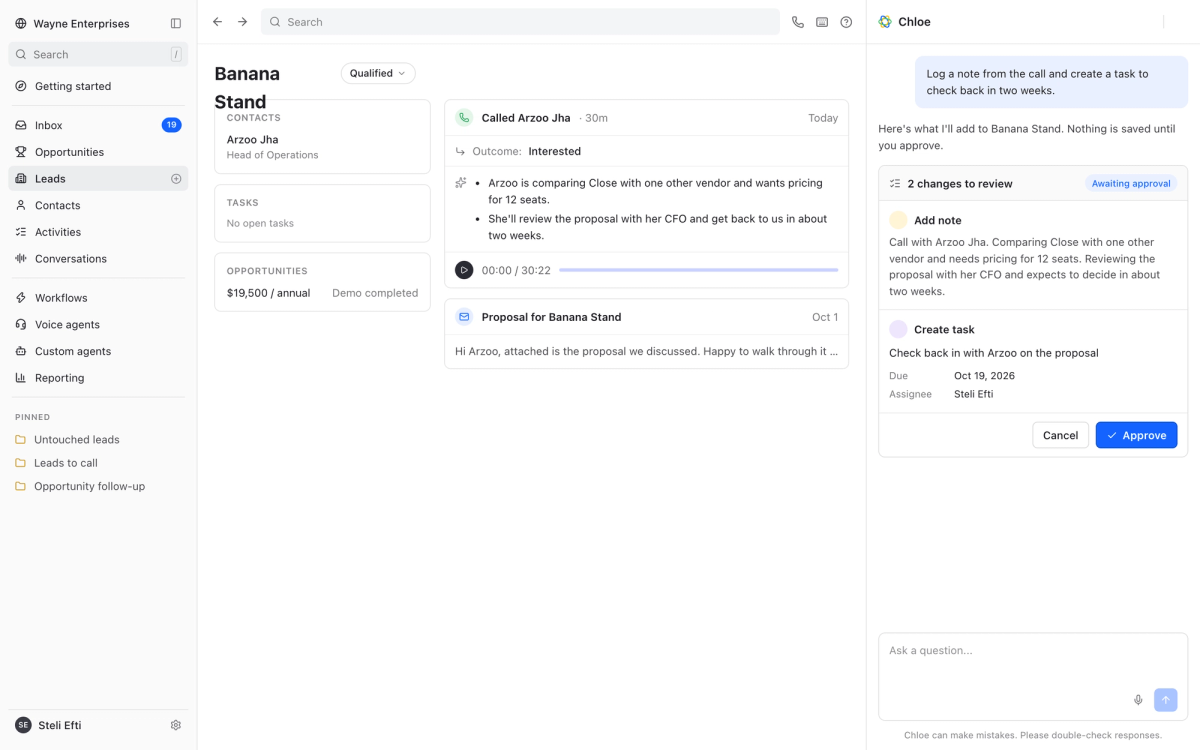
So at 8:56, you open the lead, hit ⌘J, and ask Chloe to prep you for the call. You walk in knowing what the prospect said last time, and they don't have to repeat themselves.
Start With the Lead in Front of You
The easiest way to get to know Chloe is on a single lead page, with a job you'd otherwise do by hand. Ask her to:
- Summarize your last conversation with a lead before you dial
- Draft a follow-up that covers everything you promised on the call
- Log a note from the call and create a task to check back in two weeks
For more ways Chloe fits into a normal sales day, read the post from Close AE Tamina Sabnani: 8 Ways Chloe Chat Saves Me 8+ Hours of Sales Admin Work. She shares the exact prompts she uses for meeting prep, pipeline cleanup, reviving closed-lost deals, and more.
Then Give Chloe Bigger Jobs
Asking about your whole pipeline works the same way as asking about one lead: You hit ⌘J and say what you need. The only difference is how much Chloe can take off your plate. Here are four bigger jobs to try once you've gotten comfortable.
Prep for Your Whole Day
Chloe goes through everything on your calendar and pulls together what you need for each call: who you're talking to, what happened last time, and what's still open. You start the day ready for every conversation, not just the first one.
Prompt: “Prepare me for today’s calls”
Try it now: "Chloe, prep me for today."
Wrap Up Your Day
Chloe summarizes each call and drafts the follow-ups, so they're waiting for you to review and send. Prospects get their follow-up the same day, while the conversation is still fresh.
Prompt: “Recap all of my calls for today and draft any follow-up emails for my review”
Try it now: "Chloe, wrap up my day"
Mine Your Call History
Your call history holds objections, feature requests, and buying signals. Chloe reads across all of those calls at once, so you see the patterns without listening to a stack of recordings.
Prompt: "Pull every call this quarter that mentions pricing and tell me what's coming up."
Try it now: "Chloe, mine my calls for pricing"
Build the Outreach
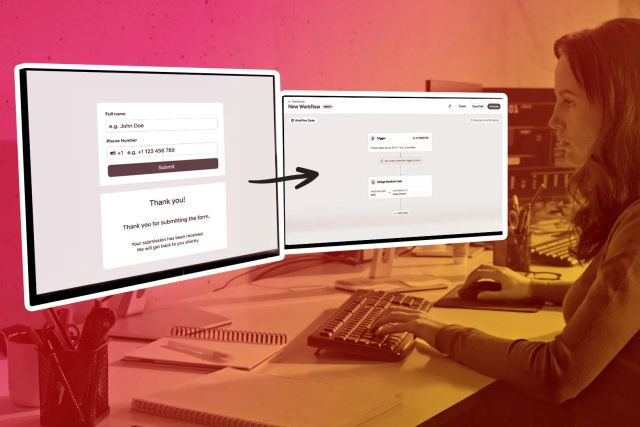
Chloe drafts a Workflow, which is Close's name for an automated outreach sequence. You review it and switch it on instead of building it step by step.
Prompt: "Build me an outreach sequence mixing calls, emails, and SMS for Leads I haven’t contacted in 30 days"
Try it now: “Chloe, build my outreach sequence”
Put Your Voice Agents to Work
Voice Agents call leads for you and log what happened back in Close. Chloe helps you, and your Agents work for you. If you use Voice Agents, Chloe can hand them a job in one prompt. Voice Agents use AI credits and standard calling charges, and they currently call only US and Canadian numbers, in English. Here's how to set them up.
Prompt: "Schedule a voice agent call for every lead who's gone cold this month."
Try it now: "Chloe, put my voice agents on cold leads”
What's New Since Beta
If you tried Chloe Chat during the beta, here's what's changed:
- She follows along as you work: Open an email, call, meeting, or text (even a draft), and Chloe already knows which one you mean. Just ask her to rewrite it or summarize it.
- She pulls the numbers for you: Ask Chloe something like "Export my open opportunities with value, close date, and owner." She runs the analysis and gives you the answer as a table or a chart.
- Start a task and keep working: Kick off a long request, move on to something else, and Chloe notifies you when she's done.
- Teach her your business: Add your product details, pricing, and FAQs to Close as AI Knowledge Sources. Chloe can then reference them right away when she answers questions or drafts emails, so what she writes sounds like your company instead of a generic assistant.
[EDITOR NOTE: Add a bullet if confirmed by Oct 1. Persistent chat history: "Your chats don't disappear. Come back to past work anytime."
What It Costs
Every Close plan includes a weekly Chloe Chat allowance, and it resets every week. Usage beyond that draws on AI credits, and admins control how credits get used. [See how usage works]([PLACEHOLDER: billing help doc URL]).
You Close. We Assist.
The prep, the follow-up, and the pipeline cleanup all matter. They're how a prospect hears back while they're still interested and never has to start over with you. They just shouldn't eat the time you'd rather spend in the conversation itself. Chloe Chat handles that work with your context already loaded, so you can give every prospect the attention it takes to win.
Before your first call tomorrow, open the lead, hit ⌘J, and ask Chloe to prep you. Then try one of the bigger jobs and see what she comes back with.
Get started using Chloe today. Ask Chloe →