CallRail + Close integration: connect call tracking with sales follow-up
The CallRail + Close integration brings caller details, marketing attribution, and conversation context into your sales workflow. CallRail helps identify where calls come from; Close gives the team a place to manage the lead and follow up. Here’s how the integration works and how to get started.
On its own, CallRail closes the attribution gap, tracking every call back to the campaign, keyword, or channel that drove it. But knowing where a lead came from only solves half the problem. The other half happens after the phone rings — and for a lot of sales teams, that's exactly where a good lead goes cold.
What is the attribution gap for phone calls?
Say you're running a marketing campaign across multiple channels. You send a direct mailer to households in your zip codes, run streaming TV ads, and coordinate Local Services Ads and SEO campaigns on Google at the same time. Everything seems to be working, and you notice a jump in calls to your business.
But which calls actually led to closed deals? There's no way to tell whether those callers found you through the mailer, your Local Service Ads, your Google Business Profile, or your CTV campaigns. The most valuable action any of those channels drove — the phone call — goes uncounted, and you end up putting your marketing budget on the wrong channel because you don't know what’s actually driving revenue.
What is call tracking?
Call tracking is the solution to that gap. It assigns a unique trackable phone number to each of your different marketing sources, so every inbound call can be traced back to the marketing activity that caused it.
When these leads interact with your website, you are able to obtain deeper insights about your callers. Through dynamic number insertion, each visitor sees a phone number that matches how they got there. Someone who clicked your Google ad sees one number, while someone who found you through an organic Google search sees a different one. It also picks up on what they did while they were on your site, like which pages they looked at and how long they stuck around. So by the time the phone rings, you already know what channel they came from and what they were interested in.
Every phone number still forwards to your main line, so nothing changes for your team. What does change is that you now know exactly what marketing is causing the phone to ring, so you can put your budget behind the channels that are actually driving revenue.
How does the CallRail + Close integration work?
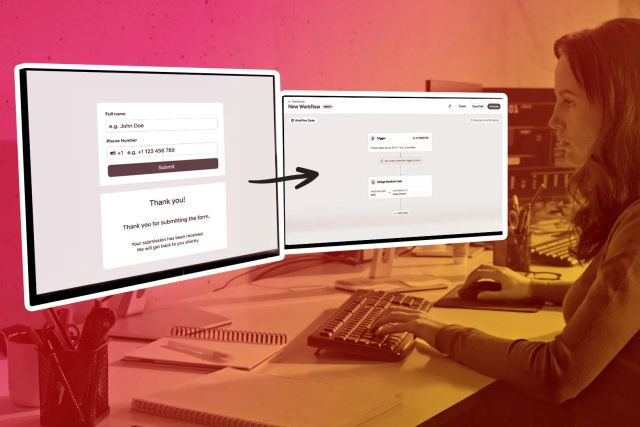
Without a connection to Close, a sales team member still has to manually enter a lead by hand. If they're already on another call, or it's a busy day, that lead can sit for hours before it's even in the system.
CallRail's integration with Close closes that gap. But the real value isn't just that a lead lands in Close automatically — it's what shows up with it.
For teams using Premium Conversation Intelligence, each call comes in with a written summary of what was said on the call. That summary is attached to the lead in Close, so a rep can see what was previously discussed without having to listen to the entire recording.
And when your sales team isn't able to answer the phone — Voice Assist steps in. Voice Assist is CallRail's AI voice agent that answers calls when your team can't. It greets callers, works through intake questions, and captures their details and any callback requests. It can even schedule appointments directly through Google Calendar or Calendly, so your calendar keeps filling even when nobody's there to pick up.
And because Voice Assist connects to Close in real time, it recognizes returning contacts the moment they call. It greets known leads by name and skips the intake questions they've already answered.
Why this matters for sales teams
Sales teams can benefit significantly from the integration. Here are a few reasons why:
- Phone calls are your highest-intent channel. When someone picks up the phone, it signals that they're genuinely interested — they're not there just to browse or gather information; they're ready to take action.
- Marketing is expensive. Successful startups typically spend 10-20% of projected revenue on marketing, spread across several channels at once — which makes it that much more costly when you can't tell which ones are actually paying off.
- Manual data entry hurts speed to lead. If a rep is already on another call, or it's a busy day, a lead can sit for hours before it's even entered.
- Context improves follow-up. A rep who already knows what a caller asked about can pick up the conversation where it left off, instead of starting from scratch.
Example: an after-hours call becomes a sales follow-up
Say you run a marketing campaign. A prospect searches for your business late one evening, clicks on your ad, and calls. No one on your team is free, so Voice Assist answers, asks a few qualifying questions, and schedules a callback for the morning. CallRail captures that call along with its attribution, and creates the lead in Close automatically. The next morning, a rep opens Close, reads the call summary, and calls back already knowing what the prospect needs. The deal closes, and three weeks later when you're reviewing the quarter, that record in Close links directly back to CallRail — showing you exactly which marketing source drove it.
That's what it looks like once the two are connected. Here's how to set it up.
How to connect CallRail with Close
The integration is live now. If you're a CallRail customer, you can activate it from the integrations library within your CallRail account. Here's the help doc to walk through setup.
If you're not yet a CallRail customer, try it free for 14 days and save 18% off call tracking when your trial concludes. Claim your discount today.