Skip to content

Product Updates

If you’re a tech-enabled team who needs to scale without overpaying for enterprise sales software, you’ve found the right sales tool.

  • Improvement

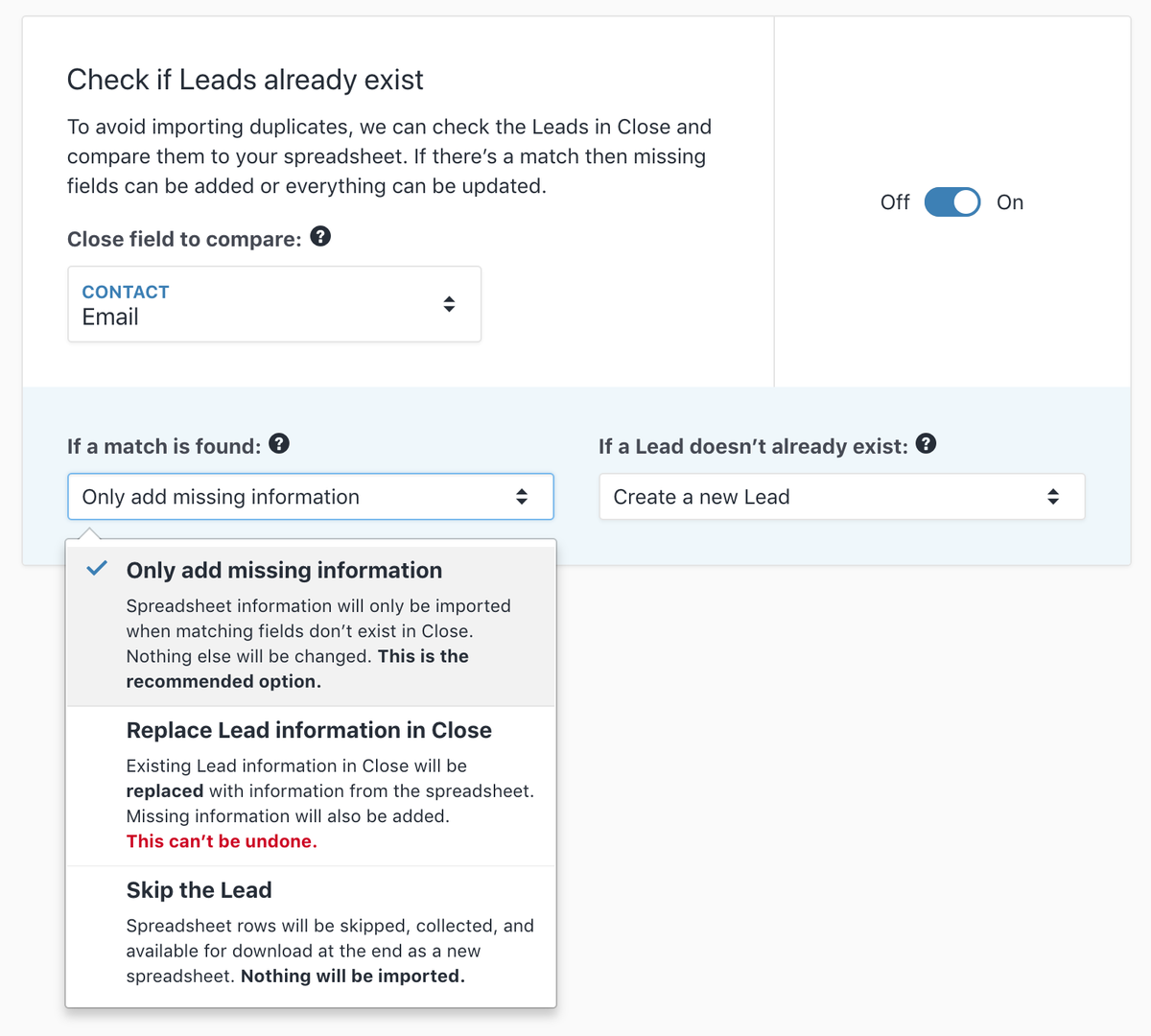
    Importer Merge and Update

    Importer Merge and Update

    The Lead Importer can now update your existing leads during import, filling in missing fields and ignoring existing ones. It can also match leads by Lead ID, making it easier to update exactly the leads you want.

    In addition to the improved import features, leads created or updated by the importer can now be searched separately using the import*created:IMPORT*ID and import*updated:IMPORT*ID search terms. Those searches can be run with a click from the import summary. When you visit the lead page for a lead that was updated by an import, you'll now see an "import updated" activity.

  • Improvement

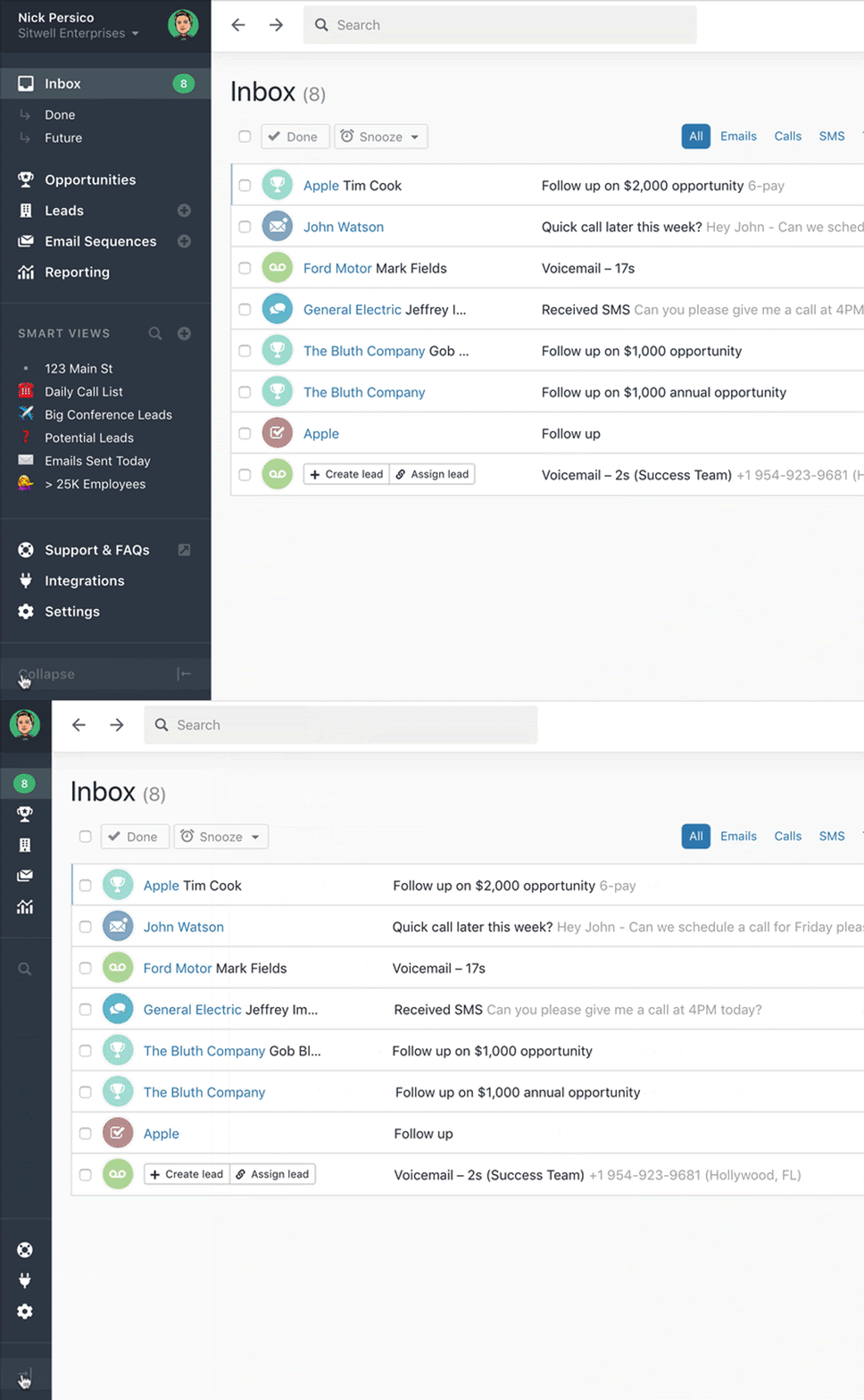
    Collapsible Sidebar

    Collapsible Sidebar

    You can now collapse the left sidebar and take advantage of more space.

  • Improvement

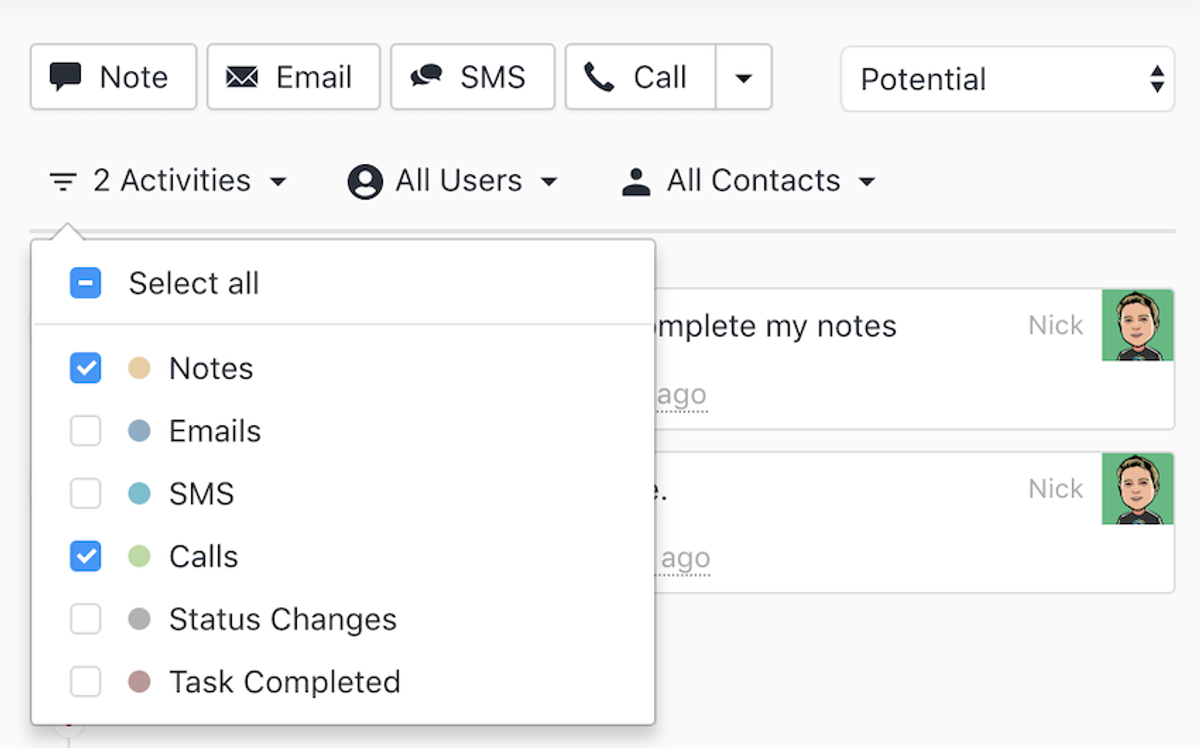
    Lead Activity Filtering Improvements

    Lead Activity Filtering Improvements

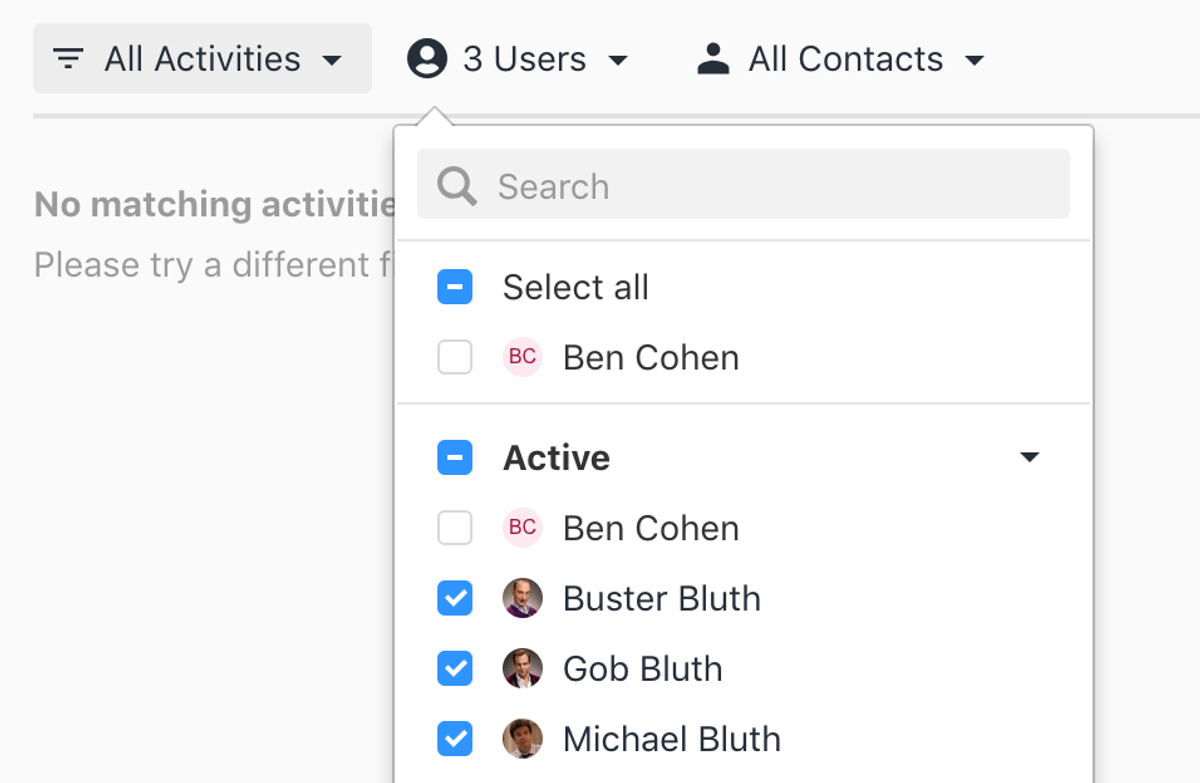
    The lead activity filter has been upgraded. Instead of having to choose from a single activity type or "all my activities", you can now filter by multiple activity types, multiple contacts, and any user.

  • New Feature

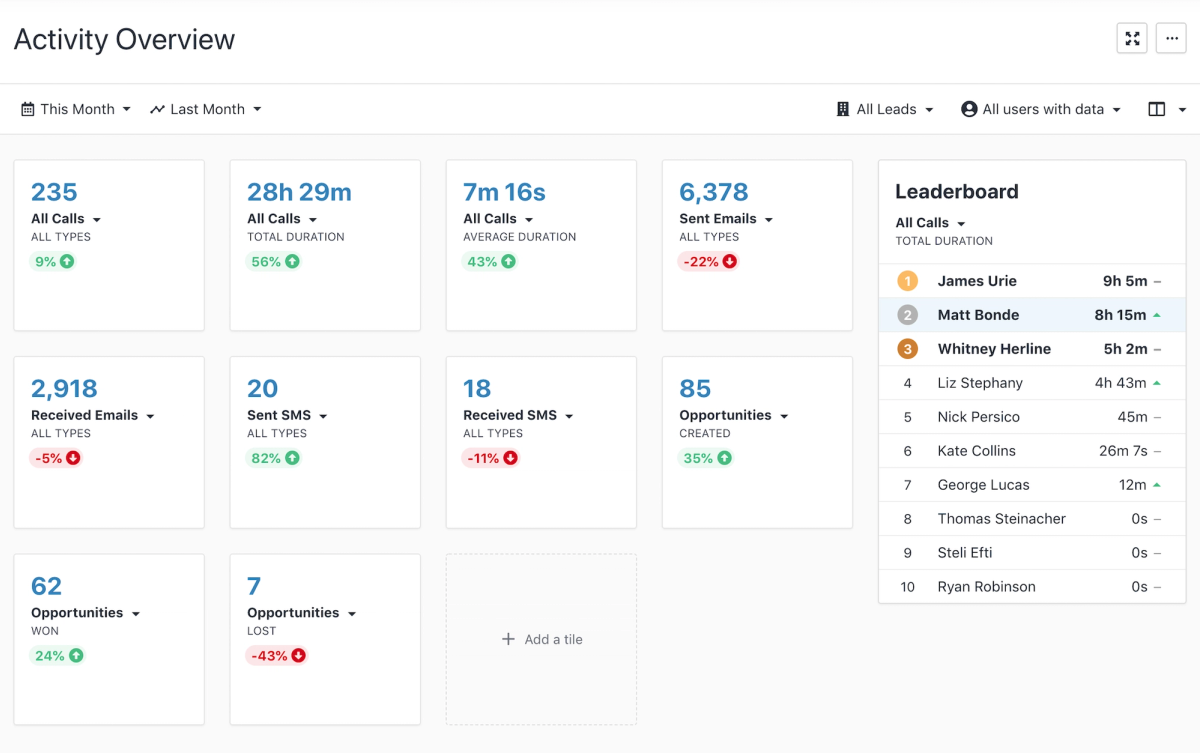
    New Activity Report

    New Activity Report

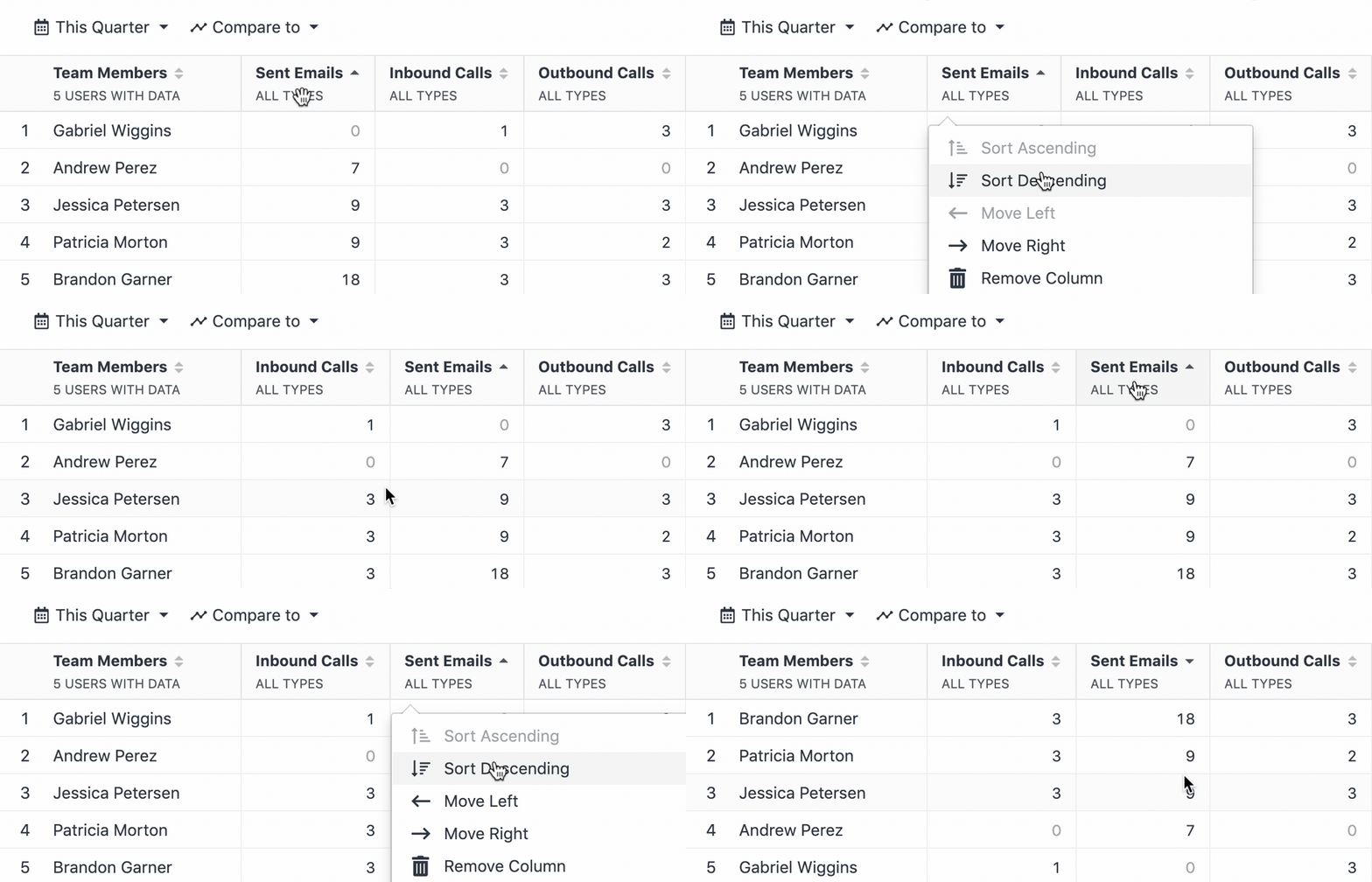
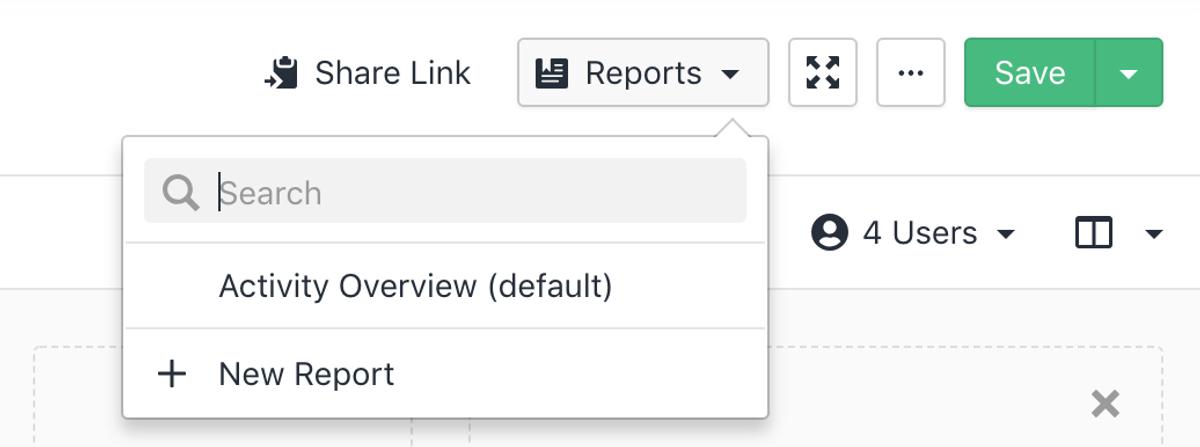
    We have released a new version of Activity Reporting. This consists of the Overview Report and the Comparison Report. You can now select the metrics to display and compare multiple salespeople in one report.

  • Improvement

    Switched to System Fonts for Faster Load Times

    We're now using system fonts instead of the Lato font. This change reduces our app dependencies size, speeding up Close app loading time.

  • New Feature

    Multi-Select Custom Fields

    You can now store multiple values in a single Custom Field in Close!

    Custom Fields have been a powerful feature in Close for a long time, but they'd had one significant limitation – you could only store a single value in a single Custom Field. As of today, this is no longer true! Head over to the Customizations Settings and convert your single-value fields by changing their type from "Choices (single)" to "Choices (multiple)" or from "User (single)" to "User (multiple)".

    Learn more about Custom Fields

  • Improvement

    Find Leads with Emails Sent by a Sequence

    You can now filter for leads that have received emails sent by a particular Email Sequence. The new filter is found under Leads > Narrow your results > Email Activity > "Sent by Sequence" or using the search keyword sent*by*sequence.

  • Improvement

    Close.io Is Now Close on close.com

    RIP ".io". Our product is now called Close and all of its services live on our new domain, close.com. Old close.io URLs will still work, but they will redirect to the new domain.

  • SMS Support for United Kingdom and Australia

    Close now supports sending and receiving SMS in the United Kingdom and Australia. If you already have an SMS-enabled UK or AU phone number, click the SMS button on any contact to start communicating with prospects.

    You can get a number that supports SMS in these countries by changing your Primary phone number or adding a new Group number on the Phone Settings page.

  • New Feature

    API Changelog

    We now have a dedicated API Changelog to keep track of notable changes to our API.

  • New Feature

    New Telephony Permission

    The Roles & Permissions system now includes a new Telephony permission. It lets you control which team members can use features such as calling and SMS.

  • New Feature

    Search in Email Templates Settings

    Finding the right Email Template just got easier! You can now search for a specific template by its name or subject line in the Email Templates Settings.

  • Improvement

    More Template Tags in Integration Links

    Integration Links now support more template tags, including lead data on contact and opportunity links, addresses, URLs, users, and more. For a full list of supported tags, go to Customizations Settings and create a new Integration Link.

  • New Feature

    Duplicate Detection in the New Lead Modal

    Nobody likes duplicate data. When you create a new lead manually, we will now show you similar leads that already exist in the system.

  • Improvement

    Set as Primary Contact Option in the Contact Dropdown

    You can now set a contact as primary with less effort. Click the "…" on a given contact and choose "Set as Primary Contact". This option is particularly useful for larger leads with dozens of contacts.

  • Improvement

    Mobile Improvements

    We've made the most common workflows easier to manage on mobile devices. The Inbox Page, the Lead Search, and the Lead's Details Page are all responsive now, and so is the general layout of the application (the sidebar, the search bar, the profile dropdown, etc.).

  • Improved API Key Management

    You can now name your API keys and see when they were last used (and from what device/location). We also made new API keys more secure by only allowing them to be displayed once.

    For more details, see the API keys help article.

  • Webhooks V2

    Our API now supports event-based Webhooks, allowing integrations to be notified of specific events triggered by Close. Our legacy Webhooks are officially deprecated.

  • In-App Integrations Page

    You can now visit the in-app integrations page to learn all about integrations for Close. On this new page, you can view current integrations, learn how to set them up, and request an integration that you don't see on the list.

  • Smart View Search

    You can now quickly find the Smart View you're looking for. Click the magnifying glass next to the "Smart Views" header in the left sidebar and start typing the Smart View name.

Free trial
Free migration
Free support
No credit card needed

Start your 14-day free trial

On-demand demo

Learn the how + why of Close in just a few minutes.

Take a product tour

Talk to a real human

Get the gist of Close with a guided, B.S.-free tour.

Book a call