
 Improvement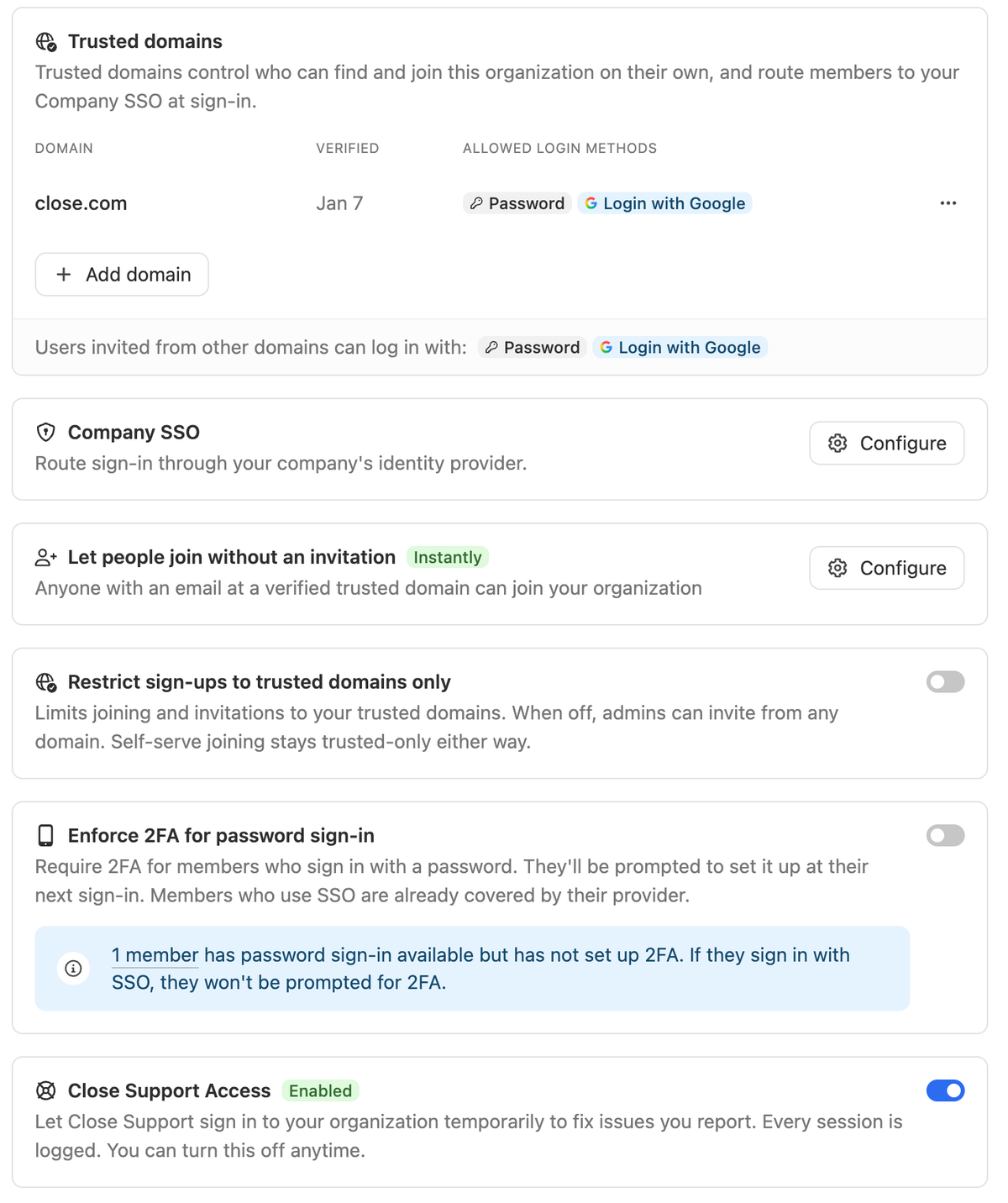
The new Security page puts every access control in one place. Anyone with the Manage Organization permission can open it from Settings -> Organization -> Security.
Single Sign-On lets your team sign in through Google Workspace or any OIDC provider, like Okta or Microsoft Entra. You can also require SSO for everyone with an email in your verified domains. Custom OIDC requires Scale and above.
Two-factor authentication can now be required for anyone who signs in with a password. Members who haven’t set it up are asked to enroll with an authenticator app at their next login. Members who sign in with SSO are already covered by their identity provider.
Close Support Access lets you decide whether members of Close’s Support team can log in to your organization to assist with troubleshooting.
Trusted Domains moved to Security from Team Management -> Domains.

