
 Improvement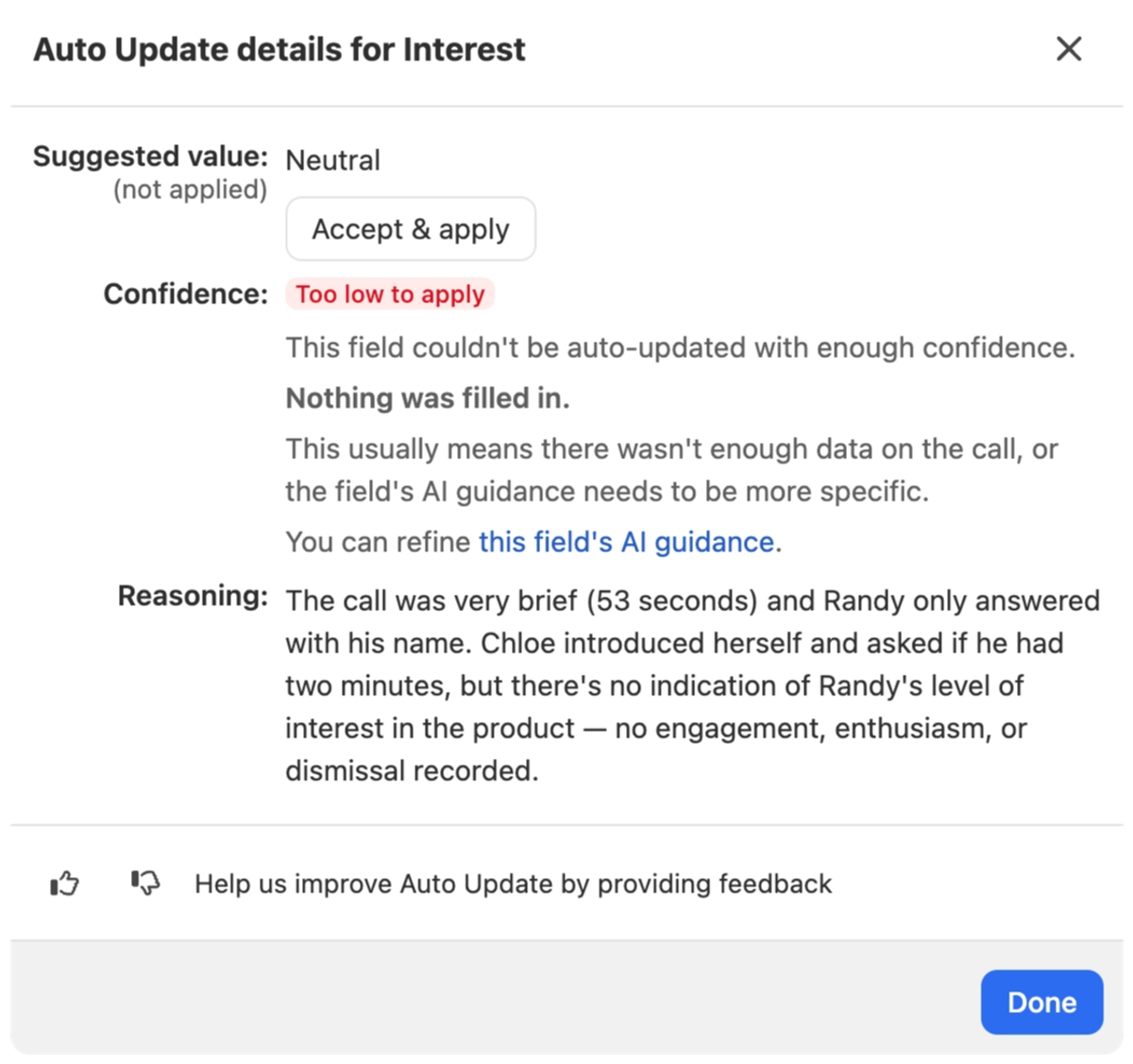
Auto Update fills in the Playbook, Outcome, and custom fields on your transcribed calls and meetings. Before today, Close provided no information and kept the field empty when there was low confidence in the answered provided, or an error returned.
Now Close returns more information when the result is Low Confidence, and what you can do to improve it for future activities.
Click the indicator on the field to see what Auto Update would have filled in and keep it if it looks right, why it wasn't applied, and a link straight to the Playbook, Outcome, or field's AI Guidance in Settings so the next call comes out better. The indicator clears once you fill the field yourself, keep the suggested value, or Auto Update runs again with a confident result.
Errors now look different from low confidence, so you can tell "something went wrong" apart from "not enough to go on."
Auto Update is available to organizations with Playbooks & Outcomes that have turned it on in Settings -> Billing -> AI Credit Usage.

