
 Improvement
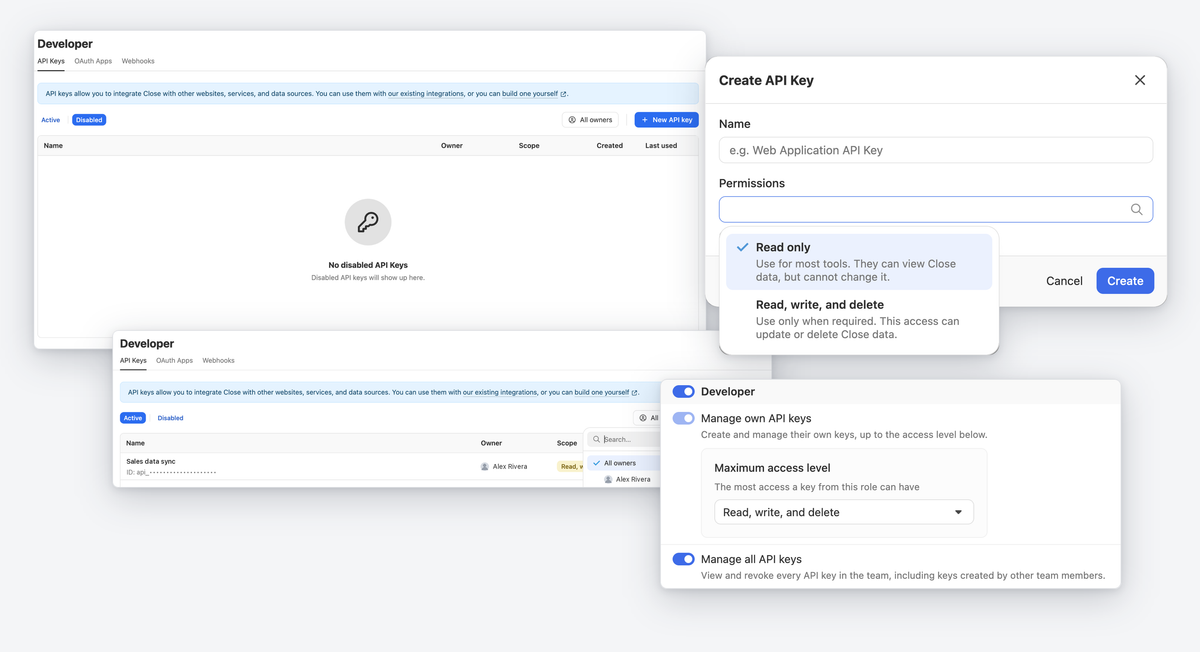
You can now choose how much access each API key gets, and whether or not a Custom Role can create them and at what access level.
Pick Read only for tools that just need to look at your Close data, or Read, write, and delete for integrations that need to make changes. Close checks the access level on every request.
Admins also get one place to see every API key in your organization, who owns it, and when it was last used.
Here’s how it works:
- Go to Settings -> Developer -> API Keys and click New API key to choose an access level
- Disable a key to pause it without deleting it, then enable it again if your role permits, or ask an admin
- Admins can filter keys by owner or status, and disable or delete any key
- On Scale, use Custom Roles to set the most access a role’s keys can have
Your existing keys keep working exactly as before.