
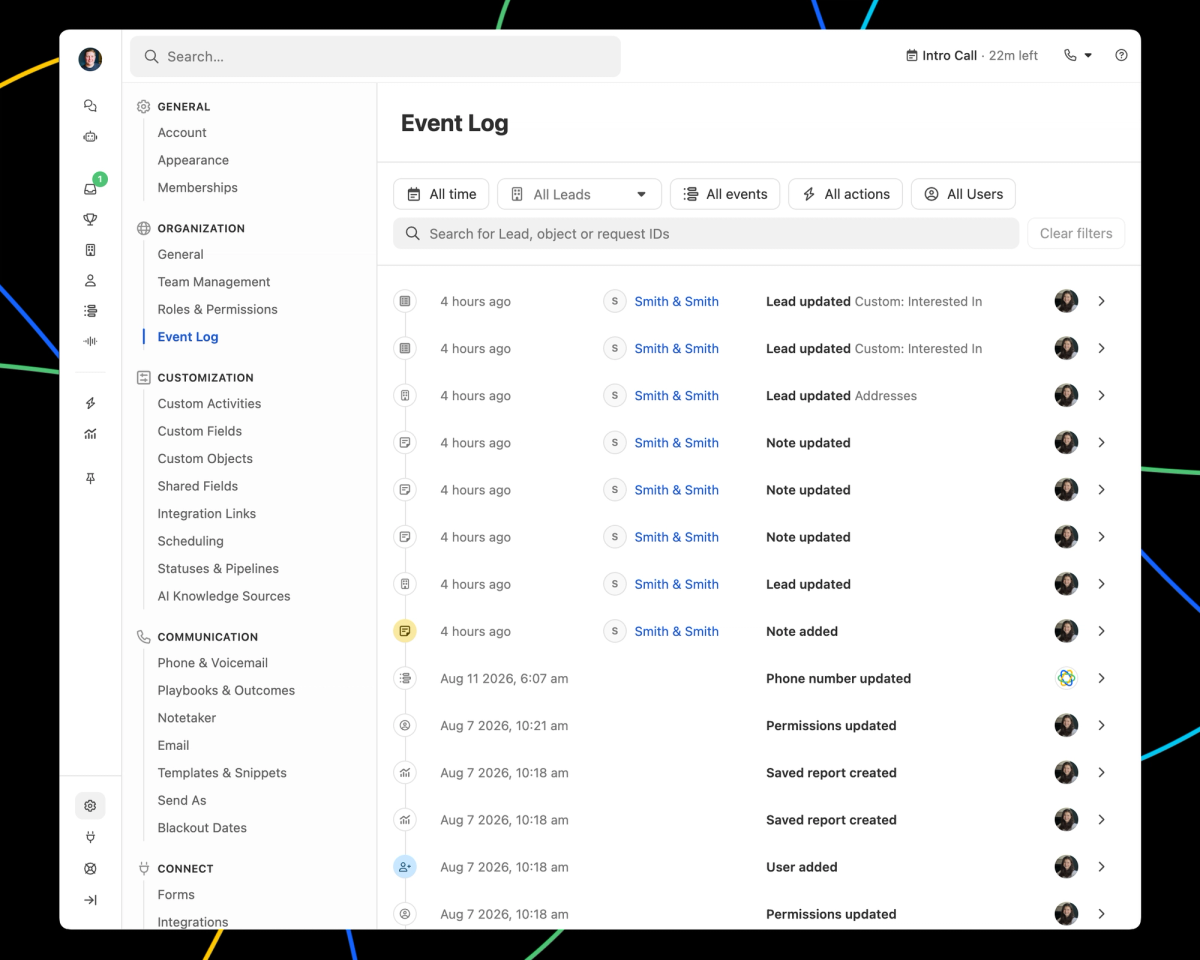
Wondering why a field changed, or where a value came from? The Event Log has the answer. It shows every change made in your organization, who made it, and how it happened, including changes made by people, Workflows, integrations, the API, etc.
Open it from Settings -> Organization -> Event Log to see everything across your org, filtered by date, lead, event type, action, or user. You can also open it from a lead's menu or the Log tab on a lead's activity feed to see it just for that lead.
Every event has both a detail and a raw event view, actions are labeled with the feature behind them, and timestamps show in your local timezone. No more guessing, and no more support ticket to find out.
The same events are available programmatically. The Event Log API returns them on request, and webhooks deliver them to your endpoint as they happen, so you can pull changes from Close into your own reporting or audit tooling. Both are documented on the Close developer site.
The Event Log covers the last 30 days, it's available on all plans, and access matches the Event Log API, so a user needs either the Manage Organization or View All Leads permission to see it.

