Lead tracking software for sales teams.
See who owns each lead, where the conversation stands, and what needs to happen next. Your reps can call, email, and track the deal from the same record.



Trusted by 11,500+ businesses
Start your free 14-day trial
Continue with Google- No credit card required
- AI credits included
By signing up you agree to the Terms of Service and Privacy Policy.
Who owns this lead?
See the assigned rep and give each new inquiry a first task.
Where did we leave off?
Open the lead to read the last email, check the call notes, and see what the buyer asked for.
What happens next?
Give the next step a due date. When there’s a deal in play, track its stage, value, and expected close date.
Track a lead from first contact to closed deal.
Follow a lead from its first inquiry to the next sales meeting. Give it an owner, keep its conversation history, and see where the deal stands.
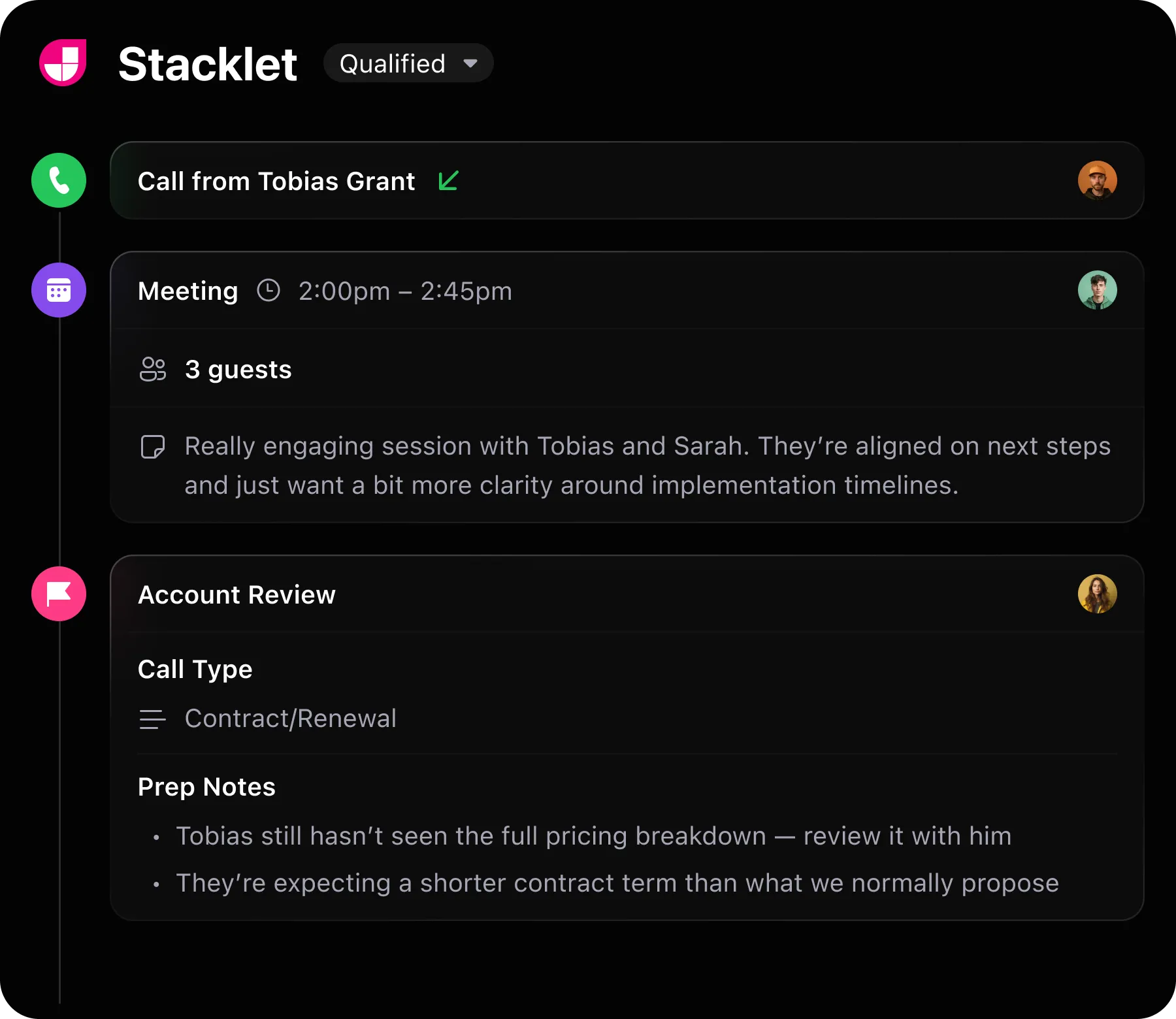
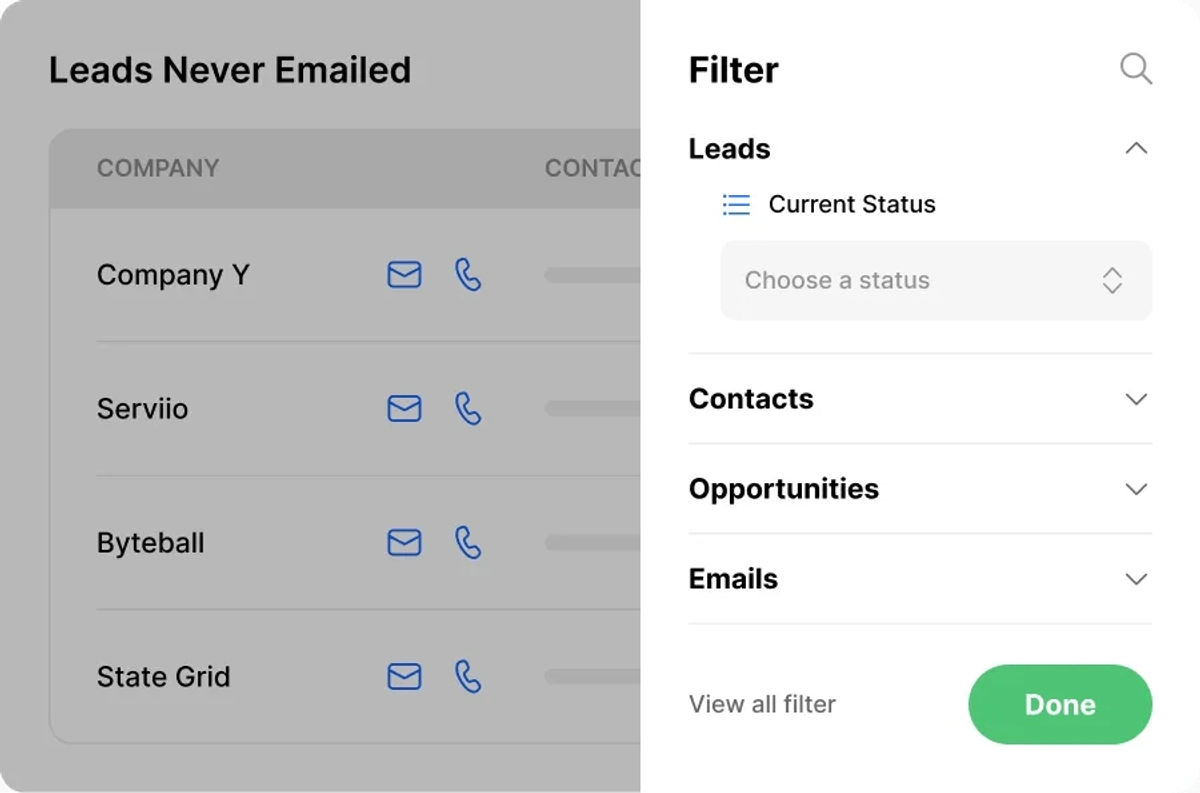
Give new leads an owner as they come in.
A Close form can start a workflow that assigns a rep and creates their first call task. Your team can see who owns the inquiry as soon as it arrives.
Pick up where the last conversation ended.
Calls, emails, and notes live on the same lead. When a teammate takes over, they can see what the buyer asked for and when you promised to follow up.
Find leads your team still needs to contact.
Save a Smart View for leads nobody has emailed. Filter by owner or share the live list with the team. Leads drop off the list after that first email.
See which deals are moving toward a sale.
Add an opportunity to the lead, set its value and expected close date, and move it through your sales stages. Open any deal in the pipeline to see the conversation behind it.
How sales teams keep up with their leads
Countfire
“Views like ‘Never contacted,’ ‘Follow up today,’ and ‘Needs demo’ allow us to segment leads with a single click.”
Read the interview →Will JenningsManaging Director, Countfire
Underground Ecom
“Literally everything our reps do is assigned to tasks.”
Read the customer story →Matt YoungCMO, Underground Ecom
Questions about tracking leads in Close
Can I bring over my lead tracking spreadsheet?
Yes. Import a CSV and match your columns to fields in Close. You can keep your lead source and status, and map an owner column to a user field so reps keep their own leads.
How can I see which leads have never been called?
Filter your new leads to those with no calls, then save the filter as a Smart View. Share it with the team or filter it by owner. When a rep logs the first call, that lead drops off the list.
Can Close assign leads from our website?
Yes. A Close form can start a workflow that assigns a rep and creates their first call task. Workflows are included on the Growth and Scale plans.
What’s the difference between tracking leads and tracking deals?
A lead record tracks the relationship, including the owner, calls, emails, and next steps. When there’s a deal to work, add an opportunity to the same record to track its stage, value, and expected close date.
Try it with five of your own leads.
Bring in five leads, assign each one an owner, and build the follow-up list your reps can use tomorrow.